2026年4月27日
エンジニアリングCodex オーケストレーションのためのオープンソース spec: Symphony
Alex Kotliarskyi、Victor Zhu、Zach Brock 著
6 か月前、社内向け生産性ツールに取り組んでいたとき、私たちのチームは当時としては物議を醸す決断をしました。リポジトリを人間が書いたコードなしで構築する、というものです。プロジェクトのリポジトリ内のすべてのコード行は Codex によって生成されなければなりませんでした。
それを実現するために、私たちはエンジニアリング ワークフローを根本から再設計しました。エージェントに優しいリポジトリを構築し、自動テストとガードレールに大きく投資し、Codex を本格的なチームメイトとして扱いました。その道のりは、以前の harness engineering に関するブログ記事で記録しました。
そしてそれは機能しましたが、次のボトルネックに突き当たりました。コンテキスト スイッチです。
この新しい問題を解決するために、私たちは Symphony というシステムを構築しました。Symphony(新しいウィンドウで開く) は、Linear のようなプロジェクト管理ボードをコーディング エージェント向けのコントロール プレーンに変えるエージェント オーケストレーターです。開いているすべてのタスクにエージェントが付き、エージェントは継続的に動作し、人間がその結果をレビューします。
この記事では、私たちがどのように Symphony を作ったのか、そしてその結果として一部のチームでマージされたプルリクエストが 500% 増加したこと、さらに自分たちの issue tracker を常時稼働のエージェント オーケストレーターに変えるための使い方を説明します。
対話型コーディング エージェントの限界
Web アプリ経由でも CLI 経由でも、使いやすさが向上しているとはいえ、コーディング エージェントは依然として対話型ツールです。
OpenAI でエージェント的な作業の規模が拡大するにつれ、私たちは新しい種類の負担を見つけました。各エンジニアは数個の Codex セッションを開き、タスクを割り当て、出力をレビューし、エージェントを誘導し、それを繰り返していました。実際には、多くの人が無理なく管理できるのは同時に 3〜5 セッション程度で、それを超えるとコンテキスト スイッチがつらくなりました。そこから先は生産性が低下しました。どのセッションが何をしているのか忘れ、エージェントを軌道に戻すためにターミナルを行き来し、途中で止まった長時間タスクをデバッグしていました。
エージェントは高速でしたが、システムにはボトルネックがありました。それは人間の注意力です。私たちは実質的に、非常に有能なジュニア エンジニアのチームを作り、その管理を人間のエンジニアに任せていました。これではスケールしません。
視点の転換
私たちは、最適化していた対象が間違っていたことに気づきました。コーディング セッションとマージされた PR を中心にシステムを組んでいましたが、PR とセッションは本来目的ではなく手段です。ソフトウェアのワークフローは主に成果物、つまり issue、タスク、チケット、マイルストーンを中心に構成されています。
そこで私たちは、自分たちがエージェントを直接監督するのをやめ、代わりにタスク トラッカーから作業を引き取らせたらどうなるかを考えました。
そのアイデアが、エージェント的な作業をオーケストレーションする監督役として機能する文書化された spec、Symphony になりました。
issue tracker をエージェント オーケストレーターに変える
Symphony はシンプルな発想から始まりました。開いているタスクはどれもエージェントが引き取って完了すべきだ、というものです。複数のタブで Codex セッションを管理する代わりに、私たちは issue tracker をコントロール プレーンにしました。
このセットアップでは、開いている Linear issue ごとに専用のエージェント ワークスペースが対応します。Symphony はタスク ボードを継続的に監視し、アクティブなすべてのタスクで、完了するまでループ内でエージェントが動作していることを保証します。エージェントがクラッシュしたり停止したりした場合、Symphony が再起動します。新しい作業が現れれば、Symphony がそれを取り込み、作業の整理を開始します。
私たちはチケットのステータスを基にワークフローを構築し、タスク マネージャーの Linear を状態機械として使いました。

実際には、Symphony は作業をセッションやプルリクエストから切り離します。issue によっては複数のリポジトリにまたがる複数の PR を生み出すこともあれば、コードベースに一切触れない純粋な調査や分析だけで終わるものもあります。
作業をこのように抽象化すると、チケットははるかに大きな作業単位を表せるようになります。
私たちは複雑な機能やインフラ移行のオーケストレーションに Symphony を日常的に使っています。たとえば、エージェントにコードベース、Slack、Notion を分析して実装計画を作るよう求めるタスクを起票することがあります。計画に納得したら、エージェントはタスク ツリーを生成し、作業を段階に分割して、タスク間の依存関係を定義します。
エージェントはブロックされていないタスクにしか着手しないため、この DAG(実行ステップの系列)では実行が自然に、かつ最適に並列展開されます。以下の例では、React のアップグレードを Vite への移行にブロックされるよう設定しました。予想どおり、エージェントが React のアップグレードを始めたのは、Vite への移行が完了した後でした。
エージェントは自ら作業を作ることもできます。実装中やレビュー中に、現在のタスクの範囲外にある改善点、たとえばパフォーマンス問題、リファクタリングの機会、よりよいアーキテクチャに気づくことがよくあります。そうした場合は、新しい issue を起票するだけでよく、私たちは後でそれを評価してスケジュールできます。こうしたフォローアップ タスクの多くもエージェントが引き取ります。私たちがこのプロセスを監督する一方で、エージェントは整理された状態を保ち、作業を前に進め続けます。
この働き方により、曖昧な作業を開始する際の認知コストは劇的に下がります。エージェントが何かを間違えても、それは依然として有用な情報であり、私たちにかかるコストはほぼゼロです。エージェントにプロトタイプ作成や探索をさせるチケットを非常に低コストで起票でき、気に入らない探索結果は破棄できます。
オーケストレーターは devbox 上で動き続け、決して眠らないため、どこからでもタスクを追加でき、エージェントが引き取ると分かっています。たとえば私たちのチームのあるエンジニアは、電波の悪い wifi の山小屋でくつろぎながら、スマホの Linear アプリから 3 つの重要な変更を行いました。
この働き方がもたらす探索の増加
Symphony とともに働く効果を観察すると、最も明白な変化はアウトプットでした。OpenAI の一部チームでは、マージされた PR の数が最初の 3 週間で 6 倍に増えました。OpenAI の外でも、Linear の創業者 Karri Saarinen は、Symphony の公開に合わせて作成されたワークスペース数の急増(新しいウィンドウで開く)を取り上げました。しかし、より深い変化は、チームが仕事の捉え方を変えたことです。
エンジニアが Codex セッションの監督に時間を費やさなくなると、コード変更の経済性は完全に変わります。実装そのものを進めるために人間の労力を投じなくなるので、各変更の認知上のコストは下がります。
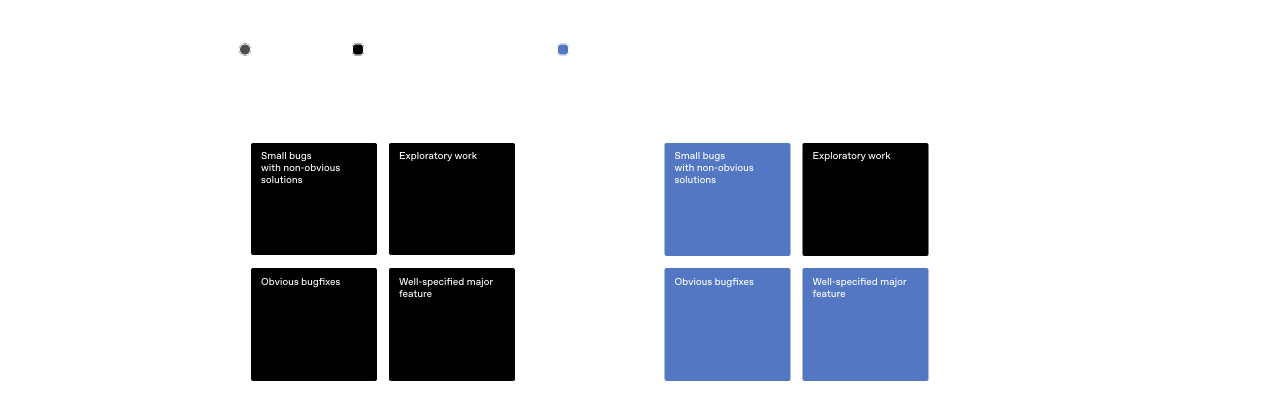
それによって私たちの行動も変わりました。Symphony では仮説的なタスクを立ち上げるのが当たり前のように簡単になりました。アイデアを試し、リファクタリングを探り、仮説を検証し、有望に見える結果だけを残せます。
また、誰が作業を開始できるかの幅も広がります。今では私たちのプロダクト マネージャーやデザイナーも、機能リクエストを直接 Symphony に起票できます。リポジトリをチェックアウトしたり Codex セッションを管理したりする必要はありません。機能を説明すれば、実際のプロダクト内でその機能が動く様子の動画ウォークスルーを含むレビュー パケットが返ってきます。
Symphony は、大規模なモノレポ(OpenAI で使用しているもののような環境)においても力を発揮します。特に、PR を最終的にマージする直前の工程は遅く不安定になりがちですが、システムが CI を監視し、必要に応じてリベースを行い、コンフリクトを解消し、不安定なチェックを再試行するなど、変更をパイプライン全体で安定して前に進めます。チケットが「Merging」に到達する頃には、人手で細かく管理しなくても、その変更がメインブランチに取り込まれる可能性が高い状態になっています。
進歩には新たな、異なる問題が伴う
このレベルで運用するにはトレードオフがあります。エージェントを対話的に誘導するやり方から、チケット単位で作業を割り当てるやり方へ移行したことで、必要に応じて実行途中に絶えず方向修正する能力は失われました。ときには、エージェントが完全に的外れな成果物を出すこともありました。しかしそれも有益でした。そうした失敗によってシステムの抜け漏れが明らかになり、より堅牢にできたからです。
結果を手作業で修正する代わりに、次回はエージェントが成功できるようにガードレールとスキルを追加しました。時間がたつにつれ、これにより harness に新しい機能が加わりました。たとえば end-to-end テストの実行、Chrome DevTools を介したアプリ操作、QA スモーク テストの管理などです。私たちはドキュメントを大幅に改善し、何が良い状態かを明確にしました。
すべてのタスクが Symphony 型の働き方に適しているわけではありません。とくに曖昧な問題や、強い判断力と専門性を要する作業では、依然としてエンジニアが対話型の Codex セッションで直接取り組む必要があります。実際には、こうした作業こそエンジニアが時間を使ううえで最も面白く、やりがいのあるタスクであることが多いです。
違いは、Symphony が定型的な実装作業の大部分を処理できることです。これによりエンジニアは、小さなタスクの間で絶えずコンテキスト スイッチするのではなく、一度に 1 つの難しい問題に集中できます。
また、エージェントを状態機械内の固定的なノードとして扱ってもうまくいかないことも学びました。モデルはより賢くなり、私たちが押し込めようとする枠よりも大きな問題を解けるようになります。たとえば初期バージョンでは、GitHub 連携はすべて外側の harness の一部でした。つまり、初期バージョンでは Codex はコード変更だけを行い、残りのプロセス(変更の提出、テスト実行)はコード側で規定していました。初期のエージェント的な作業では、Codex にタスク実装だけを求めていたのです。このアプローチは制約が強すぎると分かりました。Codex は複数の PR を作成するだけでなく、レビュー フィードバックを読んで対応することも十分可能です。そこで私たちは、gh CLI や CI ログを読むスキルなどのツールを与えました。今では、古い PR を閉じたり、完了した作業と放棄された作業のレポートを取得したりといった、より広いことを Codex に依頼できます。こうした種類のタスクは、当初の機能実装という枠を大きく超えていました。
そこで最終的に私たちは、厳格な遷移ではなく objective をエージェントに与える方向へ移りました。これは、優れたマネージャーがチームの直属の部下に目標を与えるのに近いものです。モデルの力は推論能力から生まれるので、ツールとコンテキストを与えて、あとは力を発揮させましょう。
Symphony を使って Symphony を作る
Symphony リポジトリを開いて最初に気づくのは、Symphony が技術的には単なる SPEC.md ファイル、つまり問題定義と意図された解決策の定義にすぎないという点です。複雑な監督システムを構築するのではなく、私たちは問題と意図された解決策を定義し、エージェントに高レベルの舵取りを与えました。
Markdown
1# Symphony Service Specification2
3Status: Draft v1 (language-agnostic)4
5Purpose: Define a service that orchestrates coding agents to get project work done.6
7## 1. Problem Statement8
9Symphony is a long-running automation service that continuously reads work from an issue tracker10(Linear in this specification version), creates an isolated workspace for each issue, and runs a11coding agent session for that issue inside the workspace.12
13The service solves four operational problems:14
15- It turns issue execution into a repeatable daemon workflow instead of manual scripts.16- It isolates agent execution in per-issue workspaces so agent commands run only inside per-issue17  workspace directories.18- It keeps the workflow policy in-repo (`WORKFLOW.md`) so teams version the agent prompt and runtime19  settings with their code.20- It provides enough observability to operate and debug multiple concurrent agent runs.21
22Implementations are expected to document their trust and safety posture explicitly. This23specification does not require a single approval, sandbox, or operator-confirmation policy; some24implementations may target trusted environments with a high-trust configuration, while others may25require stricter approvals or sandboxing.26
27Important boundary:28
29- Symphony is a scheduler/runner and tracker reader.30- Ticket writes (state transitions, comments, PR links) are typically performed by the coding agent31  using tools available in the workflow/runtime environment.32- A successful run may end at a workflow-defined handoff state (for example `Human Review`), not33  necessarily `Done`.34
35## 2. Goals and Non-Goals36
37### 2.1 Goals38
39- Poll the issue tracker on a fixed cadence and dispatch work with bounded concurrency.40- Maintain a single authoritative orchestrator state for dispatch, retries, and reconciliation.41- Create deterministic per-issue workspaces and preserve them across runs.42- Stop active runs when issue state changes make them ineligible.43- Recover from transient failures with exponential backoff.44- Load runtime behavior from a repository-owned `WORKFLOW.md` contract.45- Expose operator-visible observability (at minimum structured logs).46- Support restart recovery without requiring a persistent database.47
48### 2.2 Non-Goals49
50- Rich web UI or multi-tenant control plane.51- Prescribing a specific dashboard or terminal UI implementation.52- General-purpose workflow engine or distributed job scheduler.53- Built-in business logic for how to edit tickets, PRs, or comments. (That logic lives in the54  workflow prompt and agent tooling.)55- Mandating strong sandbox controls beyond what the coding agent and host OS provide.56- Mandating a single default approval, sandbox, or operator-confirmation posture for all57  implementations.58
59## 3. System Overview60
61### 3.1 Main Components62
631. `Workflow Loader`64   - Reads `WORKFLOW.md`.65   - Parses YAML front matter and prompt body.66   - Returns `{config, prompt_template}`.67
682. `Config Layer`69   - Exposes typed getters for workflow config values.70   - Applies defaults and environment variable indirection.71   - Performs validation used by the orchestrator before dispatch.72
733. `Issue Tracker Client`74   - Fetches candidate issues in active states.75   - Fetches current states for specific issue IDs (reconciliation).76   - Fetches terminal-state issues during startup cleanup.77   - Normalizes tracker payloads into a stable issue model.78
794. `Orchestrator`80   - Owns the poll tick.81   - Owns the in-memory runtime state.82   - Decides which issues to dispatch, retry, stop, or release.83   - Tracks session metrics and retry queue state.84
855. `Workspace Manager`86   - Maps issue identifiers to workspace paths.87   - Ensures per-issue workspace directories exist.88   - Runs workspace lifecycle hooks.89   - Cleans workspaces for terminal issues.90
916. `Agent Runner`92   - Creates workspace.93   - Builds prompt from issue + workflow template.94   - Launches the coding agent app-server client.95   - Streams agent updates back to the orchestrator.96
977. `Status Surface` (optional)98   - Presents human-readable runtime status (for example terminal output, dashboard, or other99     operator-facing view).1001018. `Logging`102   - Emits structured runtime logs to one or more configured sinks.103
104### 3.2 Abstraction Levels105
106Symphony is easiest to port when kept in these layers:107
1081. `Policy Layer` (repo-defined)109   - `WORKFLOW.md` prompt body.110   - Team-specific rules for ticket handling, validation, and handoff.111
1122. `Configuration Layer` (typed getters)113   - Parses front matter into typed runtime settings.114   - Handles defaults, environment tokens, and path normalization.115
1163. `Coordination Layer` (orchestrator)117   - Polling loop, issue eligibility, concurrency, retries, reconciliation.118
1194. `Execution Layer` (workspace + agent subprocess)120   - Filesystem lifecycle, workspace preparation, coding-agent protocol.121
1225. `Integration Layer` (Linear adapter)123   - API calls and normalization for tracker data.124
1256. `Observability Layer` (logs + optional status surface)126   - Operator visibility into orchestrator and agent behavior.127
128### 3.3 External Dependencies129
130- Issue tracker API (Linear for `tracker.kind: linear` in this specification version).131- Local filesystem for workspaces and logs.132- Optional workspace population tooling (for example Git CLI, if used).133- Coding-agent executable that supports JSON-RPC-like app-server mode over stdio.134- Host environment authentication for the issue tracker and coding agent.135
136## 4. Core Domain Model137
138### 4.1 Entities139
140#### 4.1.1 Issue141
142Normalized issue record used by orchestration, prompt rendering, and observability output.143
144Fields:145
146- `id` (string)147  - Stable tracker-internal ID.148- `identifier` (string)149  - Human-readable ticket key (example: `ABC-123`).150- `title` (string)151- `description` (string or null)152- `priority` (integer or null)153  - Lower numbers are higher priority in dispatch sorting.154- `state` (string)155  - Current tracker state name.156- `branch_name` (string or null)157  - Tracker-provided branch metadata if available.158- `url` (string or null)159- `labels` (list of strings)160  - Normalized to lowercase.161- `blocked_by` (list of blocker refs)162  - Each blocker ref contains:163    - `id` (string or null)164    - `identifier` (string or null)165    - `state` (string or null)166- `created_at` (timestamp or null)167- `updated_at` (timestamp or null)168
169#### 4.1.2 Workflow Definition170
171Parsed `WORKFLOW.md` payload:172
173- `config` (map)174  - YAML front matter root object.175- `prompt_template` (string)176  - Markdown body after front matter, trimmed.177
178#### 4.1.3 Service Config (Typed View)179
180Typed runtime values derived from `WorkflowDefinition.config` plus environment resolution.181
182Examples:183
184- poll interval185- workspace root186- active and terminal issue states187- concurrency limits188- coding-agent executable/args/timeouts189- workspace hooks190
191#### 4.1.4 Workspace192
193Filesystem workspace assigned to one issue identifier.194
195Fields (logical):196
197- `path` (workspace path; current runtime typically uses absolute paths, but relative roots are198  possible if configured without path separators)199- `workspace_key` (sanitized issue identifier)200- `created_now` (boolean, used to gate `after_create` hook)201
202#### 4.1.5 Run Attempt203
204One execution attempt for one issue.205
206Fields (logical):207
208- `issue_id`209- `issue_identifier`210- `attempt` (integer or null, `null` for first run, `>=1` for retries/continuation)211- `workspace_path`212- `started_at`213- `status`214- `error` (optional)215
216#### 4.1.6 Live Session (Agent Session Metadata)217
218State tracked while a coding-agent subprocess is running.219
220Fields:221
222- `session_id` (string, `<thread_id>-<turn_id>`)223- `thread_id` (string)224- `turn_id` (string)225- `codex_app_server_pid` (string or null)226- `last_codex_event` (string/enum or null)227- `last_codex_timestamp` (timestamp or null)228- `last_codex_message` (summarized payload)229- `codex_input_tokens` (integer)230- `codex_output_tokens` (integer)231- `codex_total_tokens` (integer)232- `last_reported_input_tokens` (integer)233- `last_reported_output_tokens` (integer)234- `last_reported_total_tokens` (integer)235- `turn_count` (integer)236  - Number of coding-agent turns started within the current worker lifetime.237
238#### 4.1.7 Retry Entry239
240Scheduled retry state for an issue.241
242Fields:243
244- `issue_id`245- `identifier` (best-effort human ID for status surfaces/logs)246- `attempt` (integer, 1-based for retry queue)247- `due_at_ms` (monotonic clock timestamp)248- `timer_handle` (runtime-specific timer reference)249- `error` (string or null)250
251#### 4.1.8 Orchestrator Runtime State252
253Single authoritative in-memory state owned by the orchestrator.254
255Fields:256
257- `poll_interval_ms` (current effective poll interval)258- `max_concurrent_agents` (current effective global concurrency limit)259- `running` (map `issue_id -> running entry`)260- `claimed` (set of issue IDs reserved/running/retrying)261- `retry_attempts` (map `issue_id -> RetryEntry`)262- `completed` (set of issue IDs; bookkeeping only, not dispatch gating)263- `codex_totals` (aggregate tokens + runtime seconds)264- `codex_rate_limits` (latest rate-limit snapshot from agent events)265
266### 4.2 Stable Identifiers and Normalization Rules267
268- `Issue ID`269  - Use for tracker lookups and internal map keys.270- `Issue Identifier`271  - Use for human-readable logs and workspace naming.272- `Workspace Key`273  - Derive from `issue.identifier` by replacing any character not in `[A-Za-z0-9._-]` with `_`.274  - Use the sanitized value for the workspace directory name.275- `Normalized Issue State`276  - Compare states after `lowercase`.277- `Session ID`278  - Compose from coding-agent `thread_id` and `turn_id` as `<thread_id>-<turn_id>`.279
280## 5. Workflow Specification (Repository Contract)281
282### 5.1 File Discovery and Path Resolution283
284Workflow file path precedence:285
2861. Explicit application/runtime setting (set by CLI startup path).2872. Default: `WORKFLOW.md` in the current process working directory.288
289Loader behavior:290
291- If the file cannot be read, return `missing_workflow_file` error.292- The workflow file is expected to be repository-owned and version-controlled.293
294### 5.2 File Format295
296`WORKFLOW.md` is a Markdown file with optional YAML front matter.297
298Design note:299
300- `WORKFLOW.md` should be self-contained enough to describe and run different workflows (prompt,301  runtime settings, hooks, and tracker selection/config) without requiring out-of-band302  service-specific configuration.303
304Parsing rules:305
306- If file starts with `---`, parse lines until the next `---` as YAML front matter.307- Remaining lines become the prompt body.308- If front matter is absent, treat the entire file as prompt body and use an empty config map.309- YAML front matter must decode to a map/object; non-map YAML is an error.310- Prompt body is trimmed before use.311
312Returned workflow object:313
314- `config`: front matter root object (not nested under a `config` key).315- `prompt_template`: trimmed Markdown body.316
317### 5.3 Front Matter Schema318
319Top-level keys:320
321- `tracker`322- `polling`323- `workspace`324- `hooks`325- `agent`326- `codex`327
328Unknown keys should be ignored for forward compatibility.329
330Note:331
332- The workflow front matter is extensible. Optional extensions may define additional top-level keys333  (for example `server`) without changing the core schema above.334- Extensions should document their field schema, defaults, validation rules, and whether changes335  apply dynamically or require restart.336- Common extension: `server.port` (integer) enables the optional HTTP server described in Section337  13.7.338
339#### 5.3.1 `tracker` (object)340
341Fields:342
343- `kind` (string)344  - Required for dispatch.345  - Current supported value: `linear`346- `endpoint` (string)347  - Default for `tracker.kind == "linear"`: `https://api.linear.app/graphql`348- `api_key` (string)349  - May be a literal token or `$VAR_NAME`.350  - Canonical environment variable for `tracker.kind == "linear"`: `LINEAR_API_KEY`.351  - If `$VAR_NAME` resolves to an empty string, treat the key as missing.352- `project_slug` (string)353  - Required for dispatch when `tracker.kind == "linear"`.354- `active_states` (list of strings)355  - Default: `Todo`, `In Progress`356- `terminal_states` (list of strings)357  - Default: `Closed`, `Cancelled`, `Canceled`, `Duplicate`, `Done`358
359#### 5.3.2 `polling` (object)360
361Fields:362
363- `interval_ms` (integer or string integer)364  - Default: `30000`365  - Changes should be re-applied at runtime and affect future tick scheduling without restart.366
367#### 5.3.3 `workspace` (object)368
369Fields:370
371- `root` (path string or `$VAR`)372  - Default: `<system-temp>/symphony_workspaces`373  - `~` and strings containing path separators are expanded.374  - Bare strings without path separators are preserved as-is (relative roots are allowed but375    discouraged).376377#### 5.3.4 `hooks` (object)378
379Fields:380
381- `after_create` (multiline shell script string, optional)382  - Runs only when a workspace directory is newly created.383  - Failure aborts workspace creation.384- `before_run` (multiline shell script string, optional)385  - Runs before each agent attempt after workspace preparation and before launching the coding386    agent.387  - Failure aborts the current attempt.388- `after_run` (multiline shell script string, optional)389  - Runs after each agent attempt (success, failure, timeout, or cancellation) once the workspace390    exists.391  - Failure is logged but ignored.392- `before_remove` (multiline shell script string, optional)393  - Runs before workspace deletion if the directory exists.394  - Failure is logged but ignored; cleanup still proceeds.395- `timeout_ms` (integer, optional)396  - Default: `60000`397  - Applies to all workspace hooks.398  - Non-positive values should be treated as invalid and fall back to the default.399  - Changes should be re-applied at runtime for future hook executions.400401#### 5.3.5 `agent` (object)402
403Fields:404
405- `max_concurrent_agents` (integer or string integer)406  - Default: `10`407  - Changes should be re-applied at runtime and affect subsequent dispatch decisions.408- `max_retry_backoff_ms` (integer or string integer)409  - Default: `300000` (5 minutes)410  - Changes should be re-applied at runtime and affect future retry scheduling.411- `max_concurrent_agents_by_state` (map `state_name -> positive integer`)412  - Default: empty map.413  - State keys are normalized (`lowercase`) for lookup.414  - Invalid entries (non-positive or non-numeric) are ignored.415
416#### 5.3.6 `codex` (object)417
418Fields:419
420For Codex-owned config values such as `approval_policy`, `thread_sandbox`, and421`turn_sandbox_policy`, supported values are defined by the targeted Codex app-server version.422Implementors should treat them as pass-through Codex config values rather than relying on a423hand-maintained enum in this spec. To inspect the installed Codex schema, run424`codex app-server generate-json-schema --out <dir>` and inspect the relevant definitions referenced425by `v2/ThreadStartParams.json` and `v2/TurnStartParams.json`. Implementations may validate these426fields locally if they want stricter startup checks.427
428- `command` (string shell command)429  - Default: `codex app-server`430  - The runtime launches this command via `bash -lc` in the workspace directory.431  - The launched process must speak a compatible app-server protocol over stdio.432- `approval_policy` (Codex `AskForApproval` value)433  - Default: implementation-defined.434- `thread_sandbox` (Codex `SandboxMode` value)435  - Default: implementation-defined.436- `turn_sandbox_policy` (Codex `SandboxPolicy` value)437  - Default: implementation-defined.438- `turn_timeout_ms` (integer)439  - Default: `3600000` (1 hour)440- `read_timeout_ms` (integer)441  - Default: `5000`442- `stall_timeout_ms` (integer)443  - Default: `300000` (5 minutes)444  - If `<= 0`, stall detection is disabled.445
446### 5.4 Prompt Template Contract447
448The Markdown body of `WORKFLOW.md` is the per-issue prompt template.449
450Rendering requirements:451
452- Use a strict template engine (Liquid-compatible semantics are sufficient).453- Unknown variables must fail rendering.454- Unknown filters must fail rendering.455
456Template input variables:457
458- `issue` (object)459  - Includes all normalized issue fields, including labels and blockers.460- `attempt` (integer or null)461  - `null`/absent on first attempt.462  - Integer on retry or continuation run.463
464Fallback prompt behavior:465
466- If the workflow prompt body is empty, the runtime may use a minimal default prompt467  (`You are working on an issue from Linear.`).468- Workflow file read/parse failures are configuration/validation errors and should not silently fall469  back to a prompt.470
471### 5.5 Workflow Validation and Error Surface472
473Error classes:474
475- `missing_workflow_file`476- `workflow_parse_error`477- `workflow_front_matter_not_a_map`478- `template_parse_error` (during prompt rendering)479- `template_render_error` (unknown variable/filter, invalid interpolation)480
481Dispatch gating behavior:482
483- Workflow file read/YAML errors block new dispatches until fixed.484- Template errors fail only the affected run attempt.485
486## 6. Configuration Specification487
488### 6.1 Source Precedence and Resolution Semantics489
490Configuration precedence:491
4921. Workflow file path selection (runtime setting -> cwd default).4932. YAML front matter values.4943. Environment indirection via `$VAR_NAME` inside selected YAML values.4954. Built-in defaults.496
497Value coercion semantics:498
499- Path/command fields support:500  - `~` home expansion501  - `$VAR` expansion for env-backed path values502  - Apply expansion only to values intended to be local filesystem paths; do not rewrite URIs or503    arbitrary shell command strings.504505### 6.2 Dynamic Reload Semantics506
507Dynamic reload is required:508
509- The software should watch `WORKFLOW.md` for changes.510- On change, it should re-read and re-apply workflow config and prompt template without restart.511- The software should attempt to adjust live behavior to the new config (for example polling512  cadence, concurrency limits, active/terminal states, codex settings, workspace paths/hooks, and513  prompt content for future runs).514- Reloaded config applies to future dispatch, retry scheduling, reconciliation decisions, hook515  execution, and agent launches.516- Implementations are not required to restart in-flight agent sessions automatically when config517  changes.518- Extensions that manage their own listeners/resources (for example an HTTP server port change) may519  require restart unless the implementation explicitly supports live rebind.520- Implementations should also re-validate/reload defensively during runtime operations (for example521  before dispatch) in case filesystem watch events are missed.522- Invalid reloads should not crash the service; keep operating with the last known good effective523  configuration and emit an operator-visible error.524
525### 6.3 Dispatch Preflight Validation526
527This validation is a scheduler preflight run before attempting to dispatch new work. It validates528the workflow/config needed to poll and launch workers, not a full audit of all possible workflow529behavior.530
531Startup validation:532
533- Validate configuration before starting the scheduling loop.534- If startup validation fails, fail startup and emit an operator-visible error.535
536Per-tick dispatch validation:537
538- Re-validate before each dispatch cycle.539- If validation fails, skip dispatch for that tick, keep reconciliation active, and emit an540  operator-visible error.541
542Validation checks:543
544- Workflow file can be loaded and parsed.545- `tracker.kind` is present and supported.546- `tracker.api_key` is present after `$` resolution.547- `tracker.project_slug` is present when required by the selected tracker kind.548- `codex.command` is present and non-empty.549
550### 6.4 Config Fields Summary (Cheat Sheet)551
552This section is intentionally redundant so a coding agent can implement the config layer quickly.553
554- `tracker.kind`: string, required, currently `linear`555- `tracker.endpoint`: string, default `https://api.linear.app/graphql` when `tracker.kind=linear`556- `tracker.api_key`: string or `$VAR`, canonical env `LINEAR_API_KEY` when `tracker.kind=linear`557- `tracker.project_slug`: string, required when `tracker.kind=linear`558- `tracker.active_states`: list of strings, default `["Todo", "In Progress"]`559- `tracker.terminal_states`: list of strings, default `["Closed", "Cancelled", "Canceled", "Duplicate", "Done"]`560- `polling.interval_ms`: integer, default `30000`561- `workspace.root`: path, default `<system-temp>/symphony_workspaces`562- `worker.ssh_hosts` (extension): list of SSH host strings, optional; when omitted, work runs563  locally564- `worker.max_concurrent_agents_per_host` (extension): positive integer, optional; shared per-host565  cap applied across configured SSH hosts566- `hooks.after_create`: shell script or null567- `hooks.before_run`: shell script or null568- `hooks.after_run`: shell script or null569- `hooks.before_remove`: shell script or null570- `hooks.timeout_ms`: integer, default `60000`571- `agent.max_concurrent_agents`: integer, default `10`572- `agent.max_turns`: integer, default `20`573- `agent.max_retry_backoff_ms`: integer, default `300000` (5m)574- `agent.max_concurrent_agents_by_state`: map of positive integers, default `{}`575- `codex.command`: shell command string, default `codex app-server`576- `codex.approval_policy`: Codex `AskForApproval` value, default implementation-defined577- `codex.thread_sandbox`: Codex `SandboxMode` value, default implementation-defined578- `codex.turn_sandbox_policy`: Codex `SandboxPolicy` value, default implementation-defined579- `codex.turn_timeout_ms`: integer, default `3600000`580- `codex.read_timeout_ms`: integer, default `5000`581- `codex.stall_timeout_ms`: integer, default `300000`582- `server.port` (extension): integer, optional; enables the optional HTTP server, `0` may be used583  for ephemeral local bind, and CLI `--port` overrides it584
585## 7. Orchestration State Machine586
587The orchestrator is the only component that mutates scheduling state. All worker outcomes are588reported back to it and converted into explicit state transitions.589
590### 7.1 Issue Orchestration States591
592This is not the same as tracker states (`Todo`, `In Progress`, etc.). This is the service's internal593claim state.594
5951. `Unclaimed`596   - Issue is not running and has no retry scheduled.597
5982. `Claimed`599   - Orchestrator has reserved the issue to prevent duplicate dispatch.600   - In practice, claimed issues are either `Running` or `RetryQueued`.601
6023. `Running`603   - Worker task exists and the issue is tracked in `running` map.604
6054. `RetryQueued`606   - Worker is not running, but a retry timer exists in `retry_attempts`.607
6085. `Released`609   - Claim removed because issue is terminal, non-active, missing, or retry path completed without610     re-dispatch.611612Important nuance:613
614- A successful worker exit does not mean the issue is done forever.615- The worker may continue through multiple back-to-back coding-agent turns before it exits.616- After each normal turn completion, the worker re-checks the tracker issue state.617- If the issue is still in an active state, the worker should start another turn on the same live618  coding-agent thread in the same workspace, up to `agent.max_turns`.619- The first turn should use the full rendered task prompt.620- Continuation turns should send only continuation guidance to the existing thread, not resend the621  original task prompt that is already present in thread history.622- Once the worker exits normally, the orchestrator still schedules a short continuation retry623  (about 1 second) so it can re-check whether the issue remains active and needs another worker624  session.625
626### 7.2 Run Attempt Lifecycle627
628A run attempt transitions through these phases:629
6301. `PreparingWorkspace`6312. `BuildingPrompt`6323. `LaunchingAgentProcess`6334. `InitializingSession`6345. `StreamingTurn`6356. `Finishing`6367. `Succeeded`6378. `Failed`6389. `TimedOut`63910. `Stalled`64011. `CanceledByReconciliation`641
642Distinct terminal reasons are important because retry logic and logs differ.643
644### 7.3 Transition Triggers645
646- `Poll Tick`647  - Reconcile active runs.648  - Validate config.649  - Fetch candidate issues.650  - Dispatch until slots are exhausted.651
652- `Worker Exit (normal)`653  - Remove running entry.654  - Update aggregate runtime totals.655  - Schedule continuation retry (attempt `1`) after the worker exhausts or finishes its in-process656    turn loop.657658- `Worker Exit (abnormal)`659  - Remove running entry.660  - Update aggregate runtime totals.661  - Schedule exponential-backoff retry.662
663- `Codex Update Event`664  - Update live session fields, token counters, and rate limits.665
666- `Retry Timer Fired`667  - Re-fetch active candidates and attempt re-dispatch, or release claim if no longer eligible.668
669- `Reconciliation State Refresh`670  - Stop runs whose issue states are terminal or no longer active.671
672- `Stall Timeout`673  - Kill worker and schedule retry.674
675### 7.4 Idempotency and Recovery Rules676
677- The orchestrator serializes state mutations through one authority to avoid duplicate dispatch.678- `claimed` and `running` checks are required before launching any worker.679- Reconciliation runs before dispatch on every tick.680- Restart recovery is tracker-driven and filesystem-driven (no durable orchestrator DB required).681- Startup terminal cleanup removes stale workspaces for issues already in terminal states.682
683## 8. Polling, Scheduling, and Reconciliation684
685### 8.1 Poll Loop686
687At startup, the service validates config, performs startup cleanup, schedules an immediate tick, and688then repeats every `polling.interval_ms`.689
690The effective poll interval should be updated when workflow config changes are re-applied.691
692Tick sequence:693
6941. Reconcile running issues.6952. Run dispatch preflight validation.6963. Fetch candidate issues from tracker using active states.6974. Sort issues by dispatch priority.6985. Dispatch eligible issues while slots remain.6996. Notify observability/status consumers of state changes.700
701If per-tick validation fails, dispatch is skipped for that tick, but reconciliation still happens702first.703
704### 8.2 Candidate Selection Rules705
706An issue is dispatch-eligible only if all are true:707
708- It has `id`, `identifier`, `title`, and `state`.709- Its state is in `active_states` and not in `terminal_states`.710- It is not already in `running`.711- It is not already in `claimed`.712- Global concurrency slots are available.713- Per-state concurrency slots are available.714- Blocker rule for `Todo` state passes:715  - If the issue state is `Todo`, do not dispatch when any blocker is non-terminal.716
717Sorting order (stable intent):718
7191. `priority` ascending (1..4 are preferred; null/unknown sorts last)7202. `created_at` oldest first7213. `identifier` lexicographic tie-breaker722
723### 8.3 Concurrency Control724
725Global limit:726
727- `available_slots = max(max_concurrent_agents - running_count, 0)`728
729Per-state limit:730
731- `max_concurrent_agents_by_state[state]` if present (state key normalized)732- otherwise fallback to global limit733
734The runtime counts issues by their current tracked state in the `running` map.735
736Optional SSH host limit:737
738- When `worker.max_concurrent_agents_per_host` is set, each configured SSH host may run at most739  that many concurrent agents at once.740- Hosts at that cap are skipped for new dispatch until capacity frees up.741
742### 8.4 Retry and Backoff743
744Retry entry creation:745
746- Cancel any existing retry timer for the same issue.747- Store `attempt`, `identifier`, `error`, `due_at_ms`, and new timer handle.748
749Backoff formula:750
751- Normal continuation retries after a clean worker exit use a short fixed delay of `1000` ms.752- Failure-driven retries use `delay = min(10000 * 2^(attempt - 1), agent.max_retry_backoff_ms)`.753- Power is capped by the configured max retry backoff (default `300000` / 5m).754
755Retry handling behavior:756
7571. Fetch active candidate issues (not all issues).7582. Find the specific issue by `issue_id`.7593. If not found, release claim.7604. If found and still candidate-eligible:761   - Dispatch if slots are available.762   - Otherwise requeue with error `no available orchestrator slots`.7635. If found but no longer active, release claim.764
765Note:766
767- Terminal-state workspace cleanup is handled by startup cleanup and active-run reconciliation768  (including terminal transitions for currently running issues).769- Retry handling mainly operates on active candidates and releases claims when the issue is absent,770  rather than performing terminal cleanup itself.771
772### 8.5 Active Run Reconciliation773
774Reconciliation runs every tick and has two parts.775
776Part A: Stall detection777
778- For each running issue, compute `elapsed_ms` since:779  - `last_codex_timestamp` if any event has been seen, else780  - `started_at`781- If `elapsed_ms > codex.stall_timeout_ms`, terminate the worker and queue a retry.782- If `stall_timeout_ms <= 0`, skip stall detection entirely.783
784Part B: Tracker state refresh785
786- Fetch current issue states for all running issue IDs.787- For each running issue:788  - If tracker state is terminal: terminate worker and clean workspace.789  - If tracker state is still active: update the in-memory issue snapshot.790  - If tracker state is neither active nor terminal: terminate worker without workspace cleanup.791- If state refresh fails, keep workers running and try again on the next tick.792
793### 8.6 Startup Terminal Workspace Cleanup794
795When the service starts:796
7971. Query tracker for issues in terminal states.7982. For each returned issue identifier, remove the corresponding workspace directory.7993. If the terminal-issues fetch fails, log a warning and continue startup.800
801This prevents stale terminal workspaces from accumulating after restarts.802
803## 9. Workspace Management and Safety804
805### 9.1 Workspace Layout806
807Workspace root:808
809- `workspace.root` (normalized path; the current config layer expands path-like values and preserves810  bare relative names)811
812Per-issue workspace path:813
814- `<workspace.root>/<sanitized_issue_identifier>`815
816Workspace persistence:817
818- Workspaces are reused across runs for the same issue.819- Successful runs do not auto-delete workspaces.820
821### 9.2 Workspace Creation and Reuse822
823Input: `issue.identifier`824
825Algorithm summary:826
8271. Sanitize identifier to `workspace_key`.8282. Compute workspace path under workspace root.8293. Ensure the workspace path exists as a directory.8304. Mark `created_now=true` only if the directory was created during this call; otherwise831   `created_now=false`.8325. If `created_now=true`, run `after_create` hook if configured.833
834Notes:835
836- This section does not assume any specific repository/VCS workflow.837- Workspace preparation beyond directory creation (for example dependency bootstrap, checkout/sync,838  code generation) is implementation-defined and is typically handled via hooks.839
840### 9.3 Optional Workspace Population (Implementation-Defined)841
842The spec does not require any built-in VCS or repository bootstrap behavior.843
844Implementations may populate or synchronize the workspace using implementation-defined logic and/or845hooks (for example `after_create` and/or `before_run`).846
847Failure handling:848
849- Workspace population/synchronization failures return an error for the current attempt.850- If failure happens while creating a brand-new workspace, implementations may remove the partially851  prepared directory.852- Reused workspaces should not be destructively reset on population failure unless that policy is853  explicitly chosen and documented.854
855### 9.4 Workspace Hooks856
857Supported hooks:858
859- `hooks.after_create`860- `hooks.before_run`861- `hooks.after_run`862- `hooks.before_remove`863
864Execution contract:865
866- Execute in a local shell context appropriate to the host OS, with the workspace directory as867  `cwd`.868- On POSIX systems, `sh -lc <script>` (or a stricter equivalent such as `bash -lc <script>`) is a869  conforming default.870- Hook timeout uses `hooks.timeout_ms`; default: `60000 ms`.871- Log hook start, failures, and timeouts.872
873Failure semantics:874
875- `after_create` failure or timeout is fatal to workspace creation.876- `before_run` failure or timeout is fatal to the current run attempt.877- `after_run` failure or timeout is logged and ignored.878- `before_remove` failure or timeout is logged and ignored.879
880### 9.5 Safety Invariants881
882This is the most important portability constraint.883
884Invariant 1: Run the coding agent only in the per-issue workspace path.885
886- Before launching the coding-agent subprocess, validate:887  - `cwd == workspace_path`888
889Invariant 2: Workspace path must stay inside workspace root.890
891- Normalize both paths to absolute.892- Require `workspace_path` to have `workspace_root` as a prefix directory.893- Reject any path outside the workspace root.894
895Invariant 3: Workspace key is sanitized.896
897- Only `[A-Za-z0-9._-]` allowed in workspace directory names.898- Replace all other characters with `_`.899
900## 10. Agent Runner Protocol (Coding Agent Integration)901
902This section defines the language-neutral contract for integrating a coding agent app-server.903
904Compatibility profile:905
906- The normative contract is message ordering, required behaviors, and the logical fields that must907  be extracted (for example session IDs, completion state, approval handling, and usage/rate-limit908  telemetry).909- Exact JSON field names may vary slightly across compatible app-server versions.910- Implementations should tolerate equivalent payload shapes when they carry the same logical911  meaning, especially for nested IDs, approval requests, user-input-required signals, and912  token/rate-limit metadata.913
914### 10.1 Launch Contract915
916Subprocess launch parameters:917
918- Command: `codex.command`919- Invocation: `bash -lc <codex.command>`920- Working directory: workspace path921- Stdout/stderr: separate streams922- Framing: line-delimited protocol messages on stdout (JSON-RPC-like JSON per line)923
924Notes:925
926- The default command is `codex app-server`.927- Approval policy, cwd, and prompt are expressed in the protocol messages in Section 10.2.928
929Recommended additional process settings:930
931- Max line size: 10 MB (for safe buffering)932
933### 10.2 Session Startup Handshake934
935Reference: https://developers.openai.com/codex/app-server/936
937The client must send these protocol messages in order:938
939Illustrative startup transcript (equivalent payload shapes are acceptable if they preserve the same940semantics):941
942```json943{"id":1,"method":"initialize","params":{"clientInfo":{"name":"symphony","version":"1.0"},"capabilities":{}}}944{"method":"initialized","params":{}}945{"id":2,"method":"thread/start","params":{"approvalPolicy":"<implementation-defined>","sandbox":"<implementation-defined>","cwd":"/abs/workspace"}}946{"id":3,"method":"turn/start","params":{"threadId":"<thread-id>","input":[{"type":"text","text":"<rendered prompt-or-continuation-guidance>"}],"cwd":"/abs/workspace","title":"ABC-123: Example","approvalPolicy":"<implementation-defined>","sandboxPolicy":{"type":"<implementation-defined>"}}}947```948
9491. `initialize` request950   - Params include:951     - `clientInfo` object (for example `{name, version}`)952     - `capabilities` object (may be empty)953   - If the targeted Codex app-server requires capability negotiation for dynamic tools, include the954     necessary capability flag(s) here.955   - Wait for response (`read_timeout_ms`)9562. `initialized` notification9573. `thread/start` request958   - Params include:959     - `approvalPolicy` = implementation-defined session approval policy value960     - `sandbox` = implementation-defined session sandbox value961     - `cwd` = absolute workspace path962     - If optional client-side tools are implemented, include their advertised tool specs using the963       protocol mechanism supported by the targeted Codex app-server version.9644. `turn/start` request965   - Params include:966     - `threadId`967     - `input` = single text item containing rendered prompt for the first turn, or continuation968       guidance for later turns on the same thread969     - `cwd`970     - `title` = `<issue.identifier>: <issue.title>`971     - `approvalPolicy` = implementation-defined turn approval policy value972     - `sandboxPolicy` = implementation-defined object-form sandbox policy payload when required by973       the targeted app-server version974975Session identifiers:976
977- Read `thread_id` from `thread/start` result `result.thread.id`978- Read `turn_id` from each `turn/start` result `result.turn.id`979- Emit `session_id = "<thread_id>-<turn_id>"`980- Reuse the same `thread_id` for all continuation turns inside one worker run981
982### 10.3 Streaming Turn Processing983
984The client reads line-delimited messages until the turn terminates.985
986Completion conditions:987
988- `turn/completed` -> success989- `turn/failed` -> failure990- `turn/cancelled` -> failure991- turn timeout (`turn_timeout_ms`) -> failure992- subprocess exit -> failure993
994Continuation processing:995
996- If the worker decides to continue after a successful turn, it should issue another `turn/start`997  on the same live `threadId`.998- The app-server subprocess should remain alive across those continuation turns and be stopped only999  when the worker run is ending.1000
1001Line handling requirements:1002
1003- Read protocol messages from stdout only.1004- Buffer partial stdout lines until newline arrives.1005- Attempt JSON parse on complete stdout lines.1006- Stderr is not part of the protocol stream:1007  - ignore it or log it as diagnostics1008  - do not attempt protocol JSON parsing on stderr1009
1010### 10.4 Emitted Runtime Events (Upstream to Orchestrator)1011
1012The app-server client emits structured events to the orchestrator callback. Each event should1013include:1014
1015- `event` (enum/string)1016- `timestamp` (UTC timestamp)1017- `codex_app_server_pid` (if available)1018- optional `usage` map (token counts)1019- payload fields as needed1020
1021Important emitted events may include:1022
1023- `session_started`1024- `startup_failed`1025- `turn_completed`1026- `turn_failed`1027- `turn_cancelled`1028- `turn_ended_with_error`1029- `turn_input_required`1030- `approval_auto_approved`1031- `unsupported_tool_call`1032- `notification`1033- `other_message`1034- `malformed`1035
1036### 10.5 Approval, Tool Calls, and User Input Policy1037
1038Approval, sandbox, and user-input behavior is implementation-defined.1039
1040Policy requirements:1041
1042- Each implementation should document its chosen approval, sandbox, and operator-confirmation1043  posture.1044- Approval requests and user-input-required events must not leave a run stalled indefinitely. An1045  implementation should either satisfy them, surface them to an operator, auto-resolve them, or1046  fail the run according to its documented policy.1047
1048Example high-trust behavior:1049
1050- Auto-approve command execution approvals for the session.1051- Auto-approve file-change approvals for the session.1052- Treat user-input-required turns as hard failure.1053
1054Unsupported dynamic tool calls:1055
1056- Supported dynamic tool calls that are explicitly implemented and advertised by the runtime should1057  be handled according to their extension contract.1058- If the agent requests a dynamic tool call (`item/tool/call`) that is not supported, return a tool1059  failure response and continue the session.1060- This prevents the session from stalling on unsupported tool execution paths.1061
1062Optional client-side tool extension:1063
1064- An implementation may expose a limited set of client-side tools to the app-server session.1065- Current optional standardized tool: `linear_graphql`.1066- If implemented, supported tools should be advertised to the app-server session during startup1067  using the protocol mechanism supported by the targeted Codex app-server version.1068- Unsupported tool names should still return a failure result and continue the session.1069
1070`linear_graphql` extension contract:1071
1072- Purpose: execute a raw GraphQL query or mutation against Linear using Symphony's configured1073  tracker auth for the current session.1074- Availability: only meaningful when `tracker.kind == "linear"` and valid Linear auth is configured.1075- Preferred input shape:1076
1077  ```json1078  {1079    "query": "single GraphQL query or mutation document",1080    "variables": {1081      "optional": "graphql variables object"1082    }1083  }1084  ```1085
1086- `query` must be a non-empty string.1087- `query` must contain exactly one GraphQL operation.1088- `variables` is optional and, when present, must be a JSON object.1089- Implementations may additionally accept a raw GraphQL query string as shorthand input.1090- Execute one GraphQL operation per tool call.1091- If the provided document contains multiple operations, reject the tool call as invalid input.1092- `operationName` selection is intentionally out of scope for this extension.1093- Reuse the configured Linear endpoint and auth from the active Symphony workflow/runtime config; do1094  not require the coding agent to read raw tokens from disk.1095- Tool result semantics:1096  - transport success + no top-level GraphQL `errors` -> `success=true`1097  - top-level GraphQL `errors` present -> `success=false`, but preserve the GraphQL response body1098    for debugging1099  - invalid input, missing auth, or transport failure -> `success=false` with an error payload1100- Return the GraphQL response or error payload as structured tool output that the model can inspect1101  in-session.11021103Illustrative responses (equivalent payload shapes are acceptable if they preserve the same outcome):1104
1105```json1106{"id":"<approval-id>","result":{"approved":true}}1107{"id":"<tool-call-id>","result":{"success":false,"error":"unsupported_tool_call"}}1108```1109
1110Hard failure on user input requirement:1111
1112- If the agent requests user input, fail the run attempt immediately.1113- The client detects this via:1114  - explicit method (`item/tool/requestUserInput`), or1115  - turn methods/flags indicating input is required.1116
1117### 10.6 Timeouts and Error Mapping1118
1119Timeouts:1120
1121- `codex.read_timeout_ms`: request/response timeout during startup and sync requests1122- `codex.turn_timeout_ms`: total turn stream timeout1123- `codex.stall_timeout_ms`: enforced by orchestrator based on event inactivity1124
1125Error mapping (recommended normalized categories):1126
1127- `codex_not_found`1128- `invalid_workspace_cwd`1129- `response_timeout`1130- `turn_timeout`1131- `port_exit`1132- `response_error`1133- `turn_failed`1134- `turn_cancelled`1135- `turn_input_required`1136
1137### 10.7 Agent Runner Contract1138
1139The `Agent Runner` wraps workspace + prompt + app-server client.1140
1141Behavior:1142
11431. Create/reuse workspace for issue.11442. Build prompt from workflow template.11453. Start app-server session.11464. Forward app-server events to orchestrator.11475. On any error, fail the worker attempt (the orchestrator will retry).1148
1149Note:1150
1151- Workspaces are intentionally preserved after successful runs.1152
1153## 11. Issue Tracker Integration Contract (Linear-Compatible)1154
1155### 11.1 Required Operations1156
1157An implementation must support these tracker adapter operations:1158
11591. `fetch_candidate_issues()`1160   - Return issues in configured active states for a configured project.1161
11622. `fetch_issues_by_states(state_names)`1163   - Used for startup terminal cleanup.1164
11653. `fetch_issue_states_by_ids(issue_ids)`1166   - Used for active-run reconciliation.1167
1168### 11.2 Query Semantics (Linear)1169
1170Linear-specific requirements for `tracker.kind == "linear"`:1171
1172- `tracker.kind == "linear"`1173- GraphQL endpoint (default `https://api.linear.app/graphql`)1174- Auth token sent in `Authorization` header1175- `tracker.project_slug` maps to Linear project `slugId`1176- Candidate issue query filters project using `project: { slugId: { eq: $projectSlug } }`1177- Issue-state refresh query uses GraphQL issue IDs with variable type `[ID!]`1178- Pagination required for candidate issues1179- Page size default: `50`1180- Network timeout: `30000 ms`1181
1182Important:1183
1184- Linear GraphQL schema details can drift. Keep query construction isolated and test the exact query1185  fields/types required by this specification.1186
1187A non-Linear implementation may change transport details, but the normalized outputs must match the1188domain model in Section 4.1189
1190### 11.3 Normalization Rules1191
1192Candidate issue normalization should produce fields listed in Section 4.1.1.1193
1194Additional normalization details:1195
1196- `labels` -> lowercase strings1197- `blocked_by` -> derived from inverse relations where relation type is `blocks`1198- `priority` -> integer only (non-integers become null)1199- `created_at` and `updated_at` -> parse ISO-8601 timestamps1200
1201### 11.4 Error Handling Contract1202
1203Recommended error categories:1204
1205- `unsupported_tracker_kind`1206- `missing_tracker_api_key`1207- `missing_tracker_project_slug`1208- `linear_api_request` (transport failures)1209- `linear_api_status` (non-200 HTTP)1210- `linear_graphql_errors`1211- `linear_unknown_payload`1212- `linear_missing_end_cursor` (pagination integrity error)1213
1214Orchestrator behavior on tracker errors:1215
1216- Candidate fetch failure: log and skip dispatch for this tick.1217- Running-state refresh failure: log and keep active workers running.1218- Startup terminal cleanup failure: log warning and continue startup.1219
1220### 11.5 Tracker Writes (Important Boundary)1221
1222Symphony does not require first-class tracker write APIs in the orchestrator.1223
1224- Ticket mutations (state transitions, comments, PR metadata) are typically handled by the coding1225  agent using tools defined by the workflow prompt.1226- The service remains a scheduler/runner and tracker reader.1227- Workflow-specific success often means "reached the next handoff state" (for example1228  `Human Review`) rather than tracker terminal state `Done`.1229- If the optional `linear_graphql` client-side tool extension is implemented, it is still part of1230  the agent toolchain rather than orchestrator business logic.1231
1232## 12. Prompt Construction and Context Assembly1233
1234### 12.1 Inputs1235
1236Inputs to prompt rendering:1237
1238- `workflow.prompt_template`1239- normalized `issue` object1240- optional `attempt` integer (retry/continuation metadata)1241
1242### 12.2 Rendering Rules1243
1244- Render with strict variable checking.1245- Render with strict filter checking.1246- Convert issue object keys to strings for template compatibility.1247- Preserve nested arrays/maps (labels, blockers) so templates can iterate.1248
1249### 12.3 Retry/Continuation Semantics1250
1251`attempt` should be passed to the template because the workflow prompt may provide different1252instructions for:1253
1254- first run (`attempt` null or absent)1255- continuation run after a successful prior session1256- retry after error/timeout/stall1257
1258### 12.4 Failure Semantics1259
1260If prompt rendering fails:1261
1262- Fail the run attempt immediately.1263- Let the orchestrator treat it like any other worker failure and decide retry behavior.1264
1265## 13. Logging, Status, and Observability1266
1267### 13.1 Logging Conventions1268
1269Required context fields for issue-related logs:1270
1271- `issue_id`1272- `issue_identifier`1273
1274Required context for coding-agent session lifecycle logs:1275
1276- `session_id`1277
1278Message formatting requirements:1279
1280- Use stable `key=value` phrasing.1281- Include action outcome (`completed`, `failed`, `retrying`, etc.).1282- Include concise failure reason when present.1283- Avoid logging large raw payloads unless necessary.1284
1285### 13.2 Logging Outputs and Sinks1286
1287The spec does not prescribe where logs must go (stderr, file, remote sink, etc.).1288
1289Requirements:1290
1291- Operators must be able to see startup/validation/dispatch failures without attaching a debugger.1292- Implementations may write to one or more sinks.1293- If a configured log sink fails, the service should continue running when possible and emit an1294  operator-visible warning through any remaining sink.1295
1296### 13.3 Runtime Snapshot / Monitoring Interface (Optional but Recommended)1297
1298If the implementation exposes a synchronous runtime snapshot (for dashboards or monitoring), it1299should return:1300
1301- `running` (list of running session rows)1302- each running row should include `turn_count`1303- `retrying` (list of retry queue rows)1304- `codex_totals`1305  - `input_tokens`1306  - `output_tokens`1307  - `total_tokens`1308  - `seconds_running` (aggregate runtime seconds as of snapshot time, including active sessions)1309- `rate_limits` (latest coding-agent rate limit payload, if available)1310
1311Recommended snapshot error modes:1312
1313- `timeout`1314- `unavailable`1315
1316### 13.4 Optional Human-Readable Status Surface1317
1318A human-readable status surface (terminal output, dashboard, etc.) is optional and1319implementation-defined.1320
1321If present, it should draw from orchestrator state/metrics only and must not be required for1322correctness.1323
1324### 13.5 Session Metrics and Token Accounting1325
1326Token accounting rules:1327
1328- Agent events may include token counts in multiple payload shapes.1329- Prefer absolute thread totals when available, such as:1330  - `thread/tokenUsage/updated` payloads1331  - `total_token_usage` within token-count wrapper events1332- Ignore delta-style payloads such as `last_token_usage` for dashboard/API totals.1333- Extract input/output/total token counts leniently from common field names within the selected1334  payload.1335- For absolute totals, track deltas relative to last reported totals to avoid double-counting.1336- Do not treat generic `usage` maps as cumulative totals unless the event type defines them that1337  way.1338- Accumulate aggregate totals in orchestrator state.1339
1340Runtime accounting:1341
1342- Runtime should be reported as a live aggregate at snapshot/render time.1343- Implementations may maintain a cumulative counter for ended sessions and add active-session1344  elapsed time derived from `running` entries (for example `started_at`) when producing a1345  snapshot/status view.1346- Add run duration seconds to the cumulative ended-session runtime when a session ends (normal exit1347  or cancellation/termination).1348- Continuous background ticking of runtime totals is not required.1349
1350Rate-limit tracking:1351
1352- Track the latest rate-limit payload seen in any agent update.1353- Any human-readable presentation of rate-limit data is implementation-defined.1354
1355### 13.6 Humanized Agent Event Summaries (Optional)1356
1357Humanized summaries of raw agent protocol events are optional.1358
1359If implemented:1360
1361- Treat them as observability-only output.1362- Do not make orchestrator logic depend on humanized strings.1363
リファレンス実装は Elixir で書かれています。コードが実質的に無料になると、ようやく Elixir の並行処理のような強みに基づいて言語を選べるからです。ただし、核となるアイデア自体はシンプルな Markdown ドキュメントで表現できます。ぜひお気に入りのコーディング エージェントに spec を読ませて、独自バージョンを実装させてみてください。
Symphony の最初のバージョンは、tmux 上で動く Codex セッションにすぎず、Linear をポーリングして新しいタスク用にサブエージェントを立ち上げていました。動きはしましたが、特別信頼性が高いわけではありませんでした。2 つ目のバージョンは、エージェントを前提に構築したメイン プロジェクトのリポジトリ内で動作していました。このリポジトリで高品質な仕事ができるよう、エージェントにスキルとコンテキストを与える agent harness はすでに構築していたので、Symphony はそれらをつなぐだけで済みました。
基本機能ができると、私たちは Symphony を使って Symphony を構築しました。
社内でこのシステムがタスクを管理し、proof-of-work 動画を添付する様子をデモしたところ、反応は圧倒的に好意的でした。Symphony のプロジェクト チャンネルは拡大し、組織全体のチームが自然発生的に使い始めました。OpenAI では、社外公開の前提条件として社内でのプロダクト マーケット フィットが必要です。OpenAI 内で見られた利用状況から、Symphony は社外にも共有すべきだと明らかになりました。
そこで私たちは、このアイデアを独立した SPEC.md に切り出し、Codex に実装を依頼しました。リファレンス実装には、並行プロセスのオーケストレーションと監督に優れた基本機能を備える、比較的ニッチな言語である Elixir を選びました。Codex は Elixir 実装を一発で作り上げ、そこから spec と実装の両方を反復的に改善していきました。spec を磨くために、TypeScript、Go、Rust、Java、Python など複数の言語でも Codex に実装させ、その結果を使って曖昧さを特定し、システムを簡素化しました。どの言語でも成功しました。
Codex を構築する過程で、特定のリポジトリや Linear MCP への依存など、多くの偶発的な複雑さを取り除きました。Symphony はもはや社内リポジトリや社内ワークフローに依存していません。コアとなるアプローチはシンプルになりました。
開いているすべてのタスクについて、それぞれ専用のワークスペースでエージェントが実行中であることを保証します。
進行中の作業を助けることに加えて、開発ワークフローそのものも、今ではエージェントが理解し従うものになっています。開発ワークフロー、つまり issue に取り組み、リポジトリをチェックアウトし、PM が作業中だと分かるように in progress にし、PR を追加し、Review ステータスに移し、動画を添付する、といった流れは、今ではシンプルな WORKFLOW.md ファイルに記録されています。これらはもともと人間が従っていたプロセスでしたが、文書化されていませんでした。この暗黙の手順群に頼るのではなく、今ではそれを文書化し、Symphony がエージェントに従わせます。これにより、私たちと並んで働くエージェントを構築できます。もし完成した作業に自己振り返りも添付すべきだと判断したら、それを WORKFLOW.md に追加すれば、Symphony がそのステップへエージェントを導きます。
また、Codex の組み込みヘッドレス モードである app server mode(新しいウィンドウで開く) で Codex を使うこともできました。このモードにより、スレッドの開始やターンへの反応といった操作について、よく文書化された JSON-RPC API を通じて Codex を実行し、プログラム的にやり取りできました。CLI やライブの tmux セッション経由で Codex とやり取りしようとするより、はるかに便利でスケーラブルな方法です。
Codex App Server は私たちのユースケースにぴったりでした。Codex が提供する harness を活用しつつ、接続のためのノブやフックを持てるからです。たとえば、Linear のアクセストークンをサブエージェントに公開しないために、私たちは dynamic tool calls(新しいウィンドウで開く) を使って、MCP に依存したりアクセストークンをコンテナに公開したりせずに、Linear に対して任意のリクエストを実行する生の linear_graphql 関数を公開しています。
今後の展望
Symphony は意図的に最小限に絞ったオーケストレーション層です。Linear のようなさまざまなワークフロー ツールと組み合わせたときの Codex App Server の力を示すために、これをオープンソース化しています。そのため、Symphony を単独の製品として維持する予定はありません。リファレンス実装だと考えてください。多くの開発者が harness engineering の記事をコーディング エージェントに読ませてリポジトリの足場を作ったのと同じように、Symphony の spec(新しいウィンドウで開く) と リポジトリ(新しいウィンドウで開く) をお気に入りのコーディング エージェントに読ませて、それぞれの環境に合わせた独自バージョンを構築していただければと思います。
力の源は Codex とその app server にあります。Symphony は、私たちがすでに使っていた Codex と Linear という 2 つのものをつなぎ、作業管理の問題を解決するための方法でした。コーディング エージェントの推論力と指示追従能力が高まるにつれ、他社でもボトルネックはコードを書くことから、エージェント的な作業を管理することへ移るのではないかと私たちは考えています。わくわくするのは、こうしたコーディング エージェント システムを試すハードルが、今や驚くほど低いことです。Codex でただ作ればよいのです。
コミュニティへの感謝
リリース後の数週間でエンジニアリング コミュニティが Symphony を活用しているのを見て、私たちはとてもうれしく思っています。4 月 23 日時点で、GitHub で 1.5 万を超えるスター(新しいウィンドウで開く)を獲得しています。