Zum Hauptinhalt springen
OpenAI

Eine stärkere Grundlage für die Erinnerung in ChatGPT

Verbesserte Erinnerungssynthese in ChatGPT für mehr Aktualität, Kontinuität und Relevanz.

Laden …

Heute beginnen wir mit der Einführung eines leistungsfähigeren und skalierbareren Systems zur Synthese von Erinnerung. Es wurde entwickelt, um die Herausforderungen in Bezug auf Veralten, Korrektheit und Skalierbarkeit anzugehen, die wir beobachten, wenn Erinnerung bei Hunderten Millionen Nutzer:innen und über mehrjährige Zeiträume in ChatGPT eingesetzt wird.

Erinnerung hilft ChatGPT, deine Präferenzen, Projekte und Einschränkungen zu erfassen, sodass künftige Unterhaltungen auf gemeinsamem Kontext aufbauen können, statt bei null zu beginnen.

In den letzten zwei Jahren ist Erinnerung zu einem wichtigen Teil des ChatGPT‑Erlebnisses geworden. Sie hilft ChatGPT, deinen Kontext besser zu verstehen, damit es dich über längere Zeit dabei unterstützen kann, sinnvolle Ziele zu erreichen. Das ist zentral, um ChatGPT nützlicher zu machen: dich kennen, dir helfen und mehr für dich erledigen.

Dieses Update ist ab heute für Plus- und Pro-Nutzer:innen in den USA verfügbar und wird in den kommenden Wochen in weiteren Ländern sowie für Free- und Go-Nutzer:innen eingeführt.

Wie sich Erinnerung weiterentwickelt hat

Erinnerung wurde erstmals im April 2024 eingeführt (auch bekannt als gespeicherte Erinnerungen). Mit dieser Funktion konntest du ChatGPT bitten, sich Informationen zu merken und sie in künftige Chats mitzunehmen.
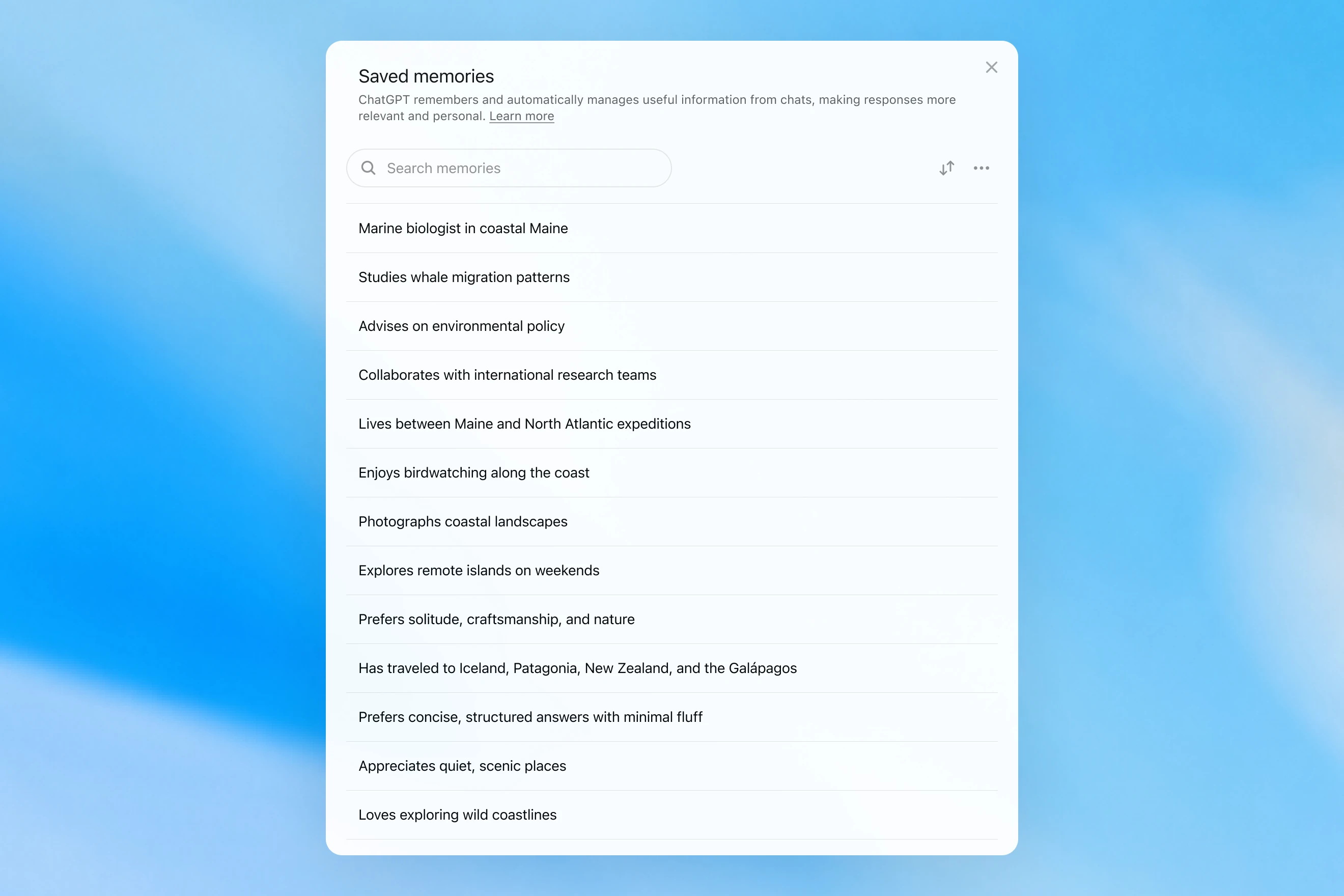
Saved memories modal showing a searchable list of personal details, including work, interests, travel, and response preferences.

Gespeicherte Erinnerungen wurden nur während der Unterhaltung erstellt und stützten sich auf deutliche Hinweise, um zu entscheiden, wann Erinnerung ausgelöst werden sollte, etwa eine Anweisung wie „Merk dir, dass ich im Juli nach Singapur reise“. In der Praxis konnte die Interaktion mit diesem System den Eindruck erwecken, als spräche man mit jemandem, der ein paar Notizen gemacht hatte, aber trotzdem alles vergaß, was nicht aufgeschrieben wurde. Gespeicherte Erinnerungen neigen außerdem dazu, mit der Zeit zu veralten und schließlich falsch oder irrelevant zu werden.

Im April 2025 haben wir die Erinnerung von ChatGPT aktualisiert, indem wir dem Modell die Fähigkeit gegeben haben, auf Chatkontext außerhalb der Liste gespeicherter Erinnerungen Bezug zu nehmen. Dies geschah durch die Einführung der ersten Version von Dreaming – einer Methode, mit der ChatGPT Erinnerungen im Hintergrund automatisch kuratiert, indem es auf den Chatverlauf Bezug nimmt.
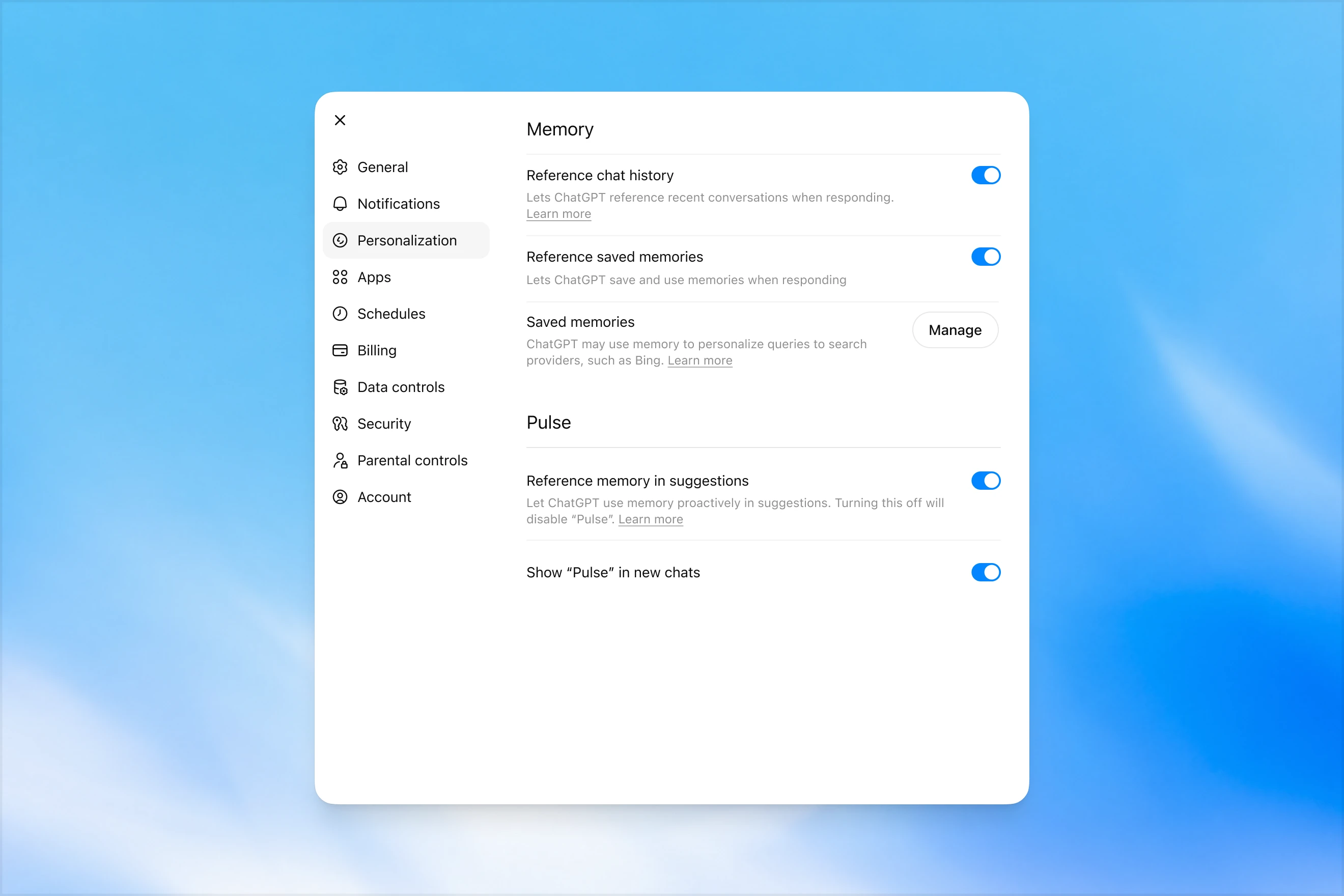
Memory settings page in ChatGPT showing options to reference chat history, use saved memories, manage saved memories, and enable Pulse memory suggestions.

Im Gegensatz zu gespeicherten Erinnerungen nutzt Dreaming einen Hintergrundprozess, der es ChatGPT ermöglicht, aus vielen Unterhaltungen zu lernen und den Erinnerungszustand von ChatGPT zu synthetisieren, um deinen Unterhaltungen immer den aktuellsten und relevantesten Kontext bereitzustellen. Mit Dreaming kann die Erinnerungsfunktion außerdem leichter Kontext einbeziehen, der auf natürliche Weise in Unterhaltungen entsteht, ohne auf ausdrückliche Bitten angewiesen zu sein, sich etwas zu merken.

Im letzten Jahr hat Dreaming gespeicherte Erinnerungen ergänzt und so einen sprunghaften Fortschritt bei der Fähigkeit von ChatGPT geschaffen, Antworten zu personalisieren und das Veralten gespeicherter Erinnerungen auszugleichen. Historisch gesehen reichte es jedoch nie als eigenständiges Erinnerungssystem aus.

Heute führen wir eine deutlich leistungsfähigere und recheneffizientere Erinnerungsarchitektur ein, die auf Dreaming aufbaut.

Die von Dreaming synthetisierten Erinnerungen können über eine Zusammenfassung überprüft werden, die auf der Seite mit der Erinnerungszusammenfassung sichtbar ist. Aus der Erinnerungszusammenfassung kannst du schnell die wichtigsten Punkte erfassen, die ChatGPT über dich weiß, Informationen über dich hinzufügen oder aktualisieren und Anweisungen dazu geben, welche Themen ChatGPT wann ansprechen soll. Wenn du einen bestimmten Bereich genauer erkunden möchtest, chatte einfach mit dem Modell.
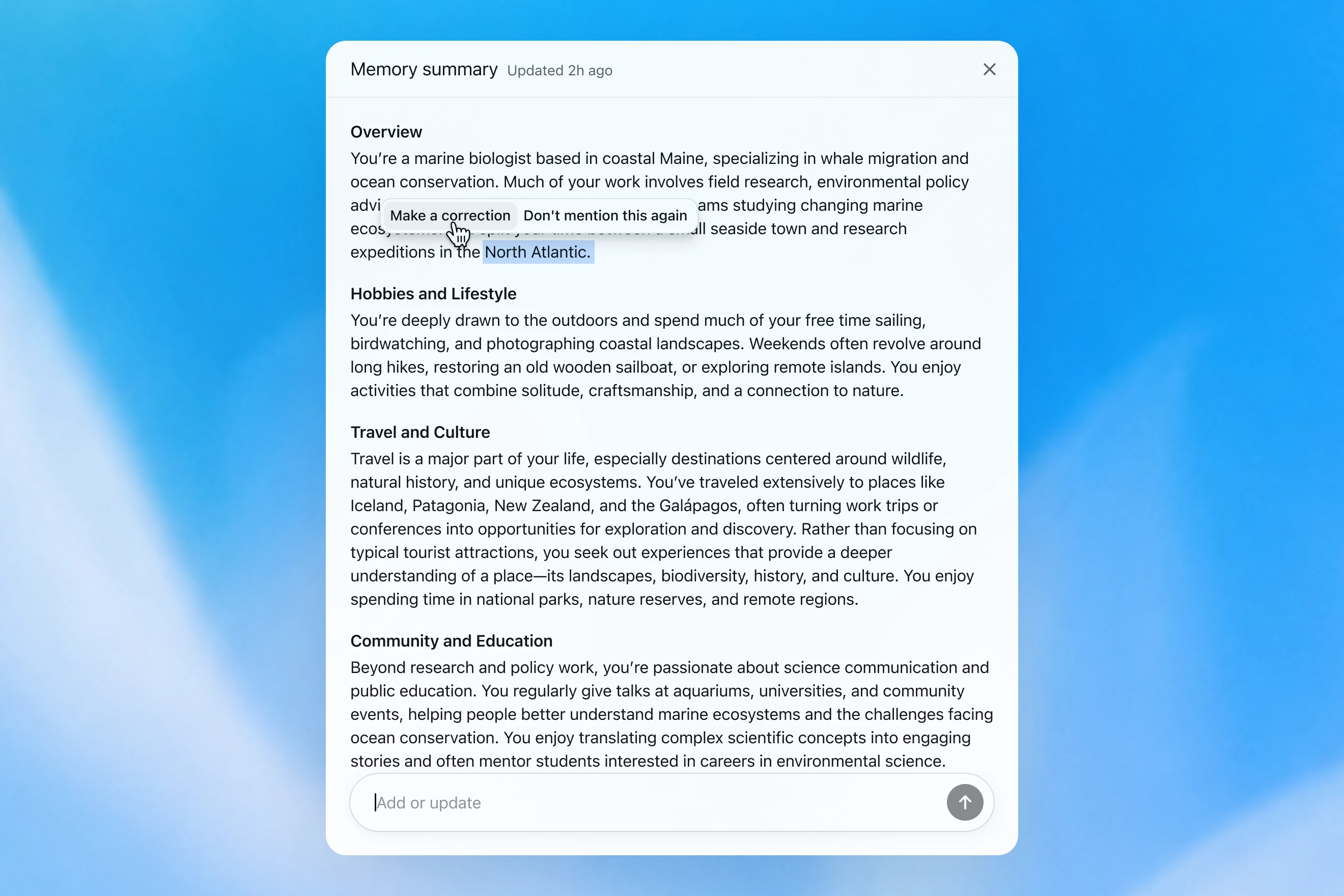
Memory summary modal showing a personalized overview of a user’s work, hobbies, travel interests, and community involvement, with options to correct or dismiss specific details.

Wie wir Erinnerung bewerten

Wenn wir darüber nachdenken, wie „gute Erinnerung“ in ChatGPT aussieht, kommen uns einige Dinge in den Sinn:

  1. Nützlichen Kontext übernehmen: Du sagst ChatGPT einmal etwas, und es erinnert sich an diese Information in deinen späteren Chats.
  2. Präferenzen und Einschränkungen berücksichtigen: Wenn du eine Präferenz beschreibst (z. B., dass du vegetarisch isst), sollte ChatGPT künftig entsprechend dieser Präferenz handeln.
  3. Mit der Zeit aktuell bleiben: Erinnerung sollte den Verlauf der Zeit berücksichtigen. Stell dir vor: „Der:die Nutzer:in plant die Geburtstagsfeier für nächsten Samstag“; irgendwann kommt der Sonntag.

Wir können bewerten, wie sich die Erinnerung von ChatGPT Plus und Pro im Laufe der Zeit in Bezug auf jedes der drei oben genannten Erinnerungsziele verbessert hat. Das tun wir jeweils für:

  1. 2024: Gespeicherte Erinnerungen
  2. 2025: Gespeicherte Erinnerungen + Dreaming V0
  3. 2026: Dreaming V3

Kontext übernehmen

Wenn du einen neuen Chat mit ChatGPT beginnst, musst du dich nicht von Grund auf neu vorstellen. ChatGPT kann dir Zeit sparen und auf früherem Kontext aufbauen, besonders bei komplexen, langfristigen Projekten.

Stell dir zum Beispiel vor, du nutzt ChatGPT, um neue Kameraausrüstung zu kaufen, die mit deiner aktuellen Kamera kompatibel ist. Wenn du dein Kamera-Setup früher mit ChatGPT besprochen hast, kannst du nach Produkten fragen, die mit „meinem Foto-Setup“ kompatibel sind, und erhältst passende Empfehlungen, die deinen Anforderungen entsprechen.

GPT-5.2 Instant

What would I need to buy to use TTL for my underwater photography setup?

To use TTL flash underwater, you need a compatible chain from camera → housing/trigger → cable → strobe. What you buy depends mostly on whether your setup uses fiber-optic TTL or electrical TTL.

Basic shopping checklist

  • TTL-capable underwater strobe
    Look for strobes that support your TTL type, such as Inon S-TTL, Sea & Sea DS-TTL, Ikelite DS TTL, or compatible Backscatter/Nauticam systems. TTL has to be supported by the strobe, not just the camera.
  • TTL trigger or TTL converter
    This is the key piece. It translates your camera’s flash metering into something the underwater strobe can understand. Examples include Nauticam optical TTL converters, Sea & Sea TTL converters, Backscatter Smart Control optical TTL triggers, or Ikelite DS Link TTL converters, depending on housing and camera brand. Backscatter notes that Nauticam optical TTL converters can work with fiber-optic-connected Inon and Sea & Sea TTL strobes, while Ikelite’s DS Link converters are made around Ikelite DS strobes and electrical sync setups. (Backscatter.com(wird in einem neuen Fenster geöffnet))
  • Connection cable
    For fiber optic TTL, buy one fiber optic cable per strobe. Ikelite’s fiber-optic guide says each strobe needs its own light path, converter/adapter, and cord. (Ikelite(wird in einem neuen Fenster geöffnet))
    For
    electrical TTL, buy the correct sync cord, such as Ikelite-style, Nikonos 5-pin, or housing-specific bulkhead cable.
  • Housing compatibility parts
    You may need a hot-shoe adapter, bulkhead, fiber optic window/adapter, or housing-specific TTL board. Many TTL triggers mount inside the housing on the camera hot shoe.
  • Strobe arms, clamps, tray, and mounting hardware
    TTL controls exposure, but you still need to physically mount and aim the strobes.
  • Batteries and spares
    Bring strobe batteries, trigger batteries if required, spare fiber optic cables or sync cord O-rings, and silicone grease for serviceable O-rings.

Which route should you choose?

Fiber optic TTL is usually easiest if your housing has optical ports or can use the camera’s pop-up flash/LED trigger. It is common with compact, mirrorless, Nauticam, Sea & Sea, AOI, and Olympus/OM TG-style setups.

Electrical TTL is often best if you use Ikelite DS strobes or an Ikelite-style housing/bulkhead. Ikelite says its DS Link TTL converters are faster and more reliable than fiber-optic TTL triggers, and they do not require batteries. (Backscatter.com(wird in einem neuen Fenster geöffnet))

The compatibility rule

You need all three to match:

camera brand/protocol + housing/trigger type + strobe TTL system

For example:

  • Sony camera + Nauticam housing + optical TTL trigger + Inon/Sea & Sea-compatible fiber optic strobe
  • Nikon/Canon/Sony camera + Ikelite housing/bulkhead + Ikelite DS Link TTL converter + Ikelite DS strobe
  • Compact camera with built-in flash + fiber optic cable + S-TTL/DS-TTL-capable strobe

So the practical answer is: buy a TTL-compatible strobe, the correct TTL trigger/converter for your camera and housing, and the right fiber optic or electrical sync cable. The exact part numbers depend on your camera, housing, and strobe model.

Das Modell erzeugt eine generische Antwort, bei der der:die Nutzer:in komplizierte Kompatibilitätsprüfungen selbst durchführen muss.

GPT-5.3 Instant

What would I need to buy to use TTL for my underwater photography setup?

I’ll verify this against your actual setup: Sony A1 II in Nauticam NA-A1II, with Backscatter Mini Flash 3 and Inon Z-330 strobes. The key question is whether you want TTL with the Mini Flash 3, the Z-330s, or both.

For your setupSony A1 II + Nauticam NA-A1II + Backscatter Mini Flash 3 + Inon Z-330 — there are two different TTL paths:

Best buy for Mini Flash 3 TTL

Buy:

Backscatter Smart Control TTL LED Nauticam Flash Trigger for Sony
SKU: BS-TR-SN2

Backscatter lists it as custom-designed for Nauticam full-frame Sony housings, TTL-compatible with Mini Flash 3, and the NA-A1II housing page offers it as the “Backscatter Smart Control TTL Flash Trigger” option. (Backscatter.com(wird in einem neuen Fenster geöffnet))

You’d use normal optical fiber cables from the housing to the Mini Flash 3. On the MF-3, you’d use SC or SC Macro mode; Backscatter says SC / SC Macro are the TTL modes for Mini Flash 3, with SC Macro specifically tuned for close macro work. (Backscatter.com(wird in einem neuen Fenster geöffnet))

For Inon Z-330 TTL

For the Inon Z-330, the relevant unit is:

UW Technics 11075-HSS TTL Converter for Sony / Nauticam

UW Technics explicitly lists Inon Z-330 as a compatible TTL strobe and supports optical TTL output. (UWTechnics(wird in einem neuen Fenster geöffnet))

But I would not buy this for Mini Flash 3 TTL. Backscatter’s own UW Technics listing says Backscatter strobes are manual / HSS only on that converter, while the Backscatter Smart Control trigger is the one listed for Sony TTL with the Mini Flash 3. (Backscatter.com(wird in einem neuen Fenster geöffnet))

Practical recommendation

Since you shoot macro and have the Mini Flash 3, I’d buy the Backscatter Smart Control TTL LED Nauticam Flash Trigger for Sony — BS-TR-SN2.

The catch: there probably is no single trigger that gives true TTL for both the Mini Flash 3 and Inon Z-330 at the same time. The Backscatter trigger is the right TTL solution for the MF-3; the UW Technics converter is the right TTL solution for the Z-330. So choose based on which strobe you actually want TTL for.

For your use case, I’d prioritize Mini Flash 3 TTL / SC Macro and treat the Z-330s as manual when needed.

Das Modell merkt sich das Kamera-Setup des:der Nutzer:in und empfiehlt ein kompatibles Produkt.

GPT‑5.2 Instant beantwortet letztendlich die Frage, aber in dem Versuch, seine Sicherheitsgrenzen zu erklären, beginnt es mit einer langen Einleitung darüber, wobei es nicht helfen kann. GPT‑5.3 Instant hingegen kommt direkt zur Antwort.

Wir können aus ähnlichen Beispielen eine Evaluierung erstellen, bei der das Modell auf einen Prompt antworten soll, für den es faktische Informationen über den:die Nutzer:in abrufen muss. Das Modell wird dann belohnt, wenn es so antwortet, dass es den relevanten Kontext korrekt nutzt. In dieser Bewertung verbessert das neue, Dreaming-basierte System die Fähigkeit des Modells, relevante Fakten abzurufen.

Präferenzen berücksichtigen

Erinnerung hilft ChatGPT außerdem, so zu antworten, dass es besser zu deinen Präferenzen und Einschränkungen passt.

Stell dir vor, du planst eine Reise nach Singapur. Zwei Monate vor deiner Reise bittest du ChatGPT um Hilfe bei einem Reiseplan. ChatGPT weiß aus früherer Reiseplanung bereits, dass du gern Tiere in der freien Natur fotografierst, Hotels mit funktionierender Klimaanlage bevorzugst und ein ruhiges Abendessen einer überfüllten Bar vorziehst.

GPT-5.2 Instant
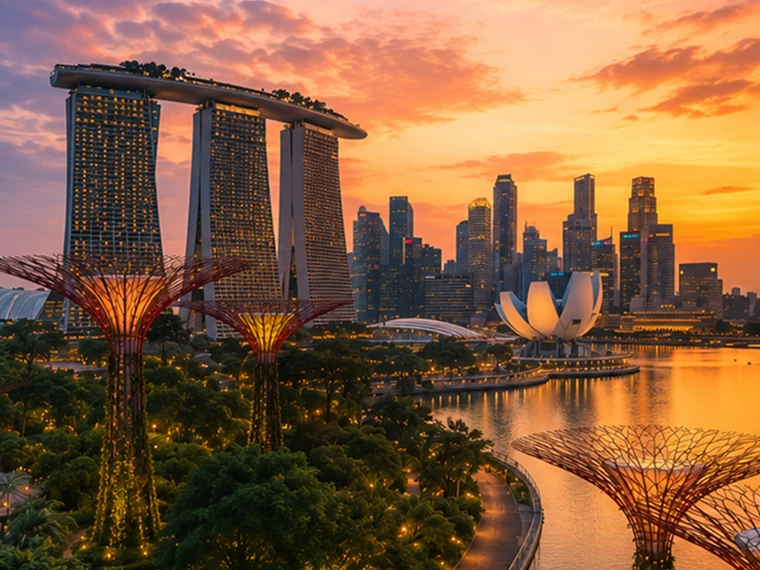
Help me plan a trip to Singapore. I'm going to be there for a work trip in July and will have a few days free at the end.

Great add-on city for a work trip: Singapore is compact, safe, excellent for solo exploring, and easy to do in 2–4 free days. July is hot and humid; expect daytime highs around 31–33°C / 88–91°F, warm nights, and sudden rain, so plan outdoor time early morning or after 5 p.m. and keep midday for museums, malls, cafés, or hotel downtime. Singapore’s official weather service notes typical daily highs of 31–33°C and lows of 23–25°C. (Singapore Weather Service(wird in einem neuen Fenster geöffnet))

memory-preferences-without

A strong 3-day plan

Day 1: Marina Bay, Gardens, and skyline

Start late afternoon at Marina Bay and walk the waterfront: Merlion Park, Helix Bridge, ArtScience Museum exterior, then into Gardens by the Bay. Book Cloud Forest, Flower Dome, and either the OCBC Skyway or Supertree Observatory if views matter to you. Gardens by the Bay lists Cloud Forest and Flower Dome as open daily 9 a.m.–9 p.m.; Supertree Observatory is also listed as 9 a.m.–9 p.m. with last admission at 8:30 p.m., but check maintenance closures before booking. (Gardens by the Bay(wird in einem neuen Fenster geöffnet))

Evening: stay for the Supertree light show area, then dinner at Lau Pa Sat for an easy first-night hawker experience near the CBD. It has 80+ stalls and local staples like satay, laksa, nasi lemak, bak kut teh, kaya toast, and char kway teow. (Laupasat(wird in einem neuen Fenster geöffnet))

Day 2: Culture neighborhoods and food

Morning: Chinatown. Visit Buddha Tooth Relic Temple, walk the shophouse streets, and eat at Maxwell Food Centre or Chinatown Complex Food Centre. Visit Singapore lists Maxwell, Chinatown Complex, Old Airport Road, Tiong Bahru Market, Newton, and others among popular hawker centres. (Visit Singapore(wird in einem neuen Fenster geöffnet))

Afternoon: Kampong Glam and Haji Lane for Sultan Mosque, murals, boutiques, and cafés. Then head to Little India around golden hour for temples, flower garlands, Tekka Centre, and dinner.

Evening: either cocktails around Ann Siang / Club Street, or keep it low-key with a night walk along the Singapore River: Boat Quay to Clarke Quay to Robertson Quay.

Day 3: Nature or beach day

Pick one based on your energy.

For nature: do Singapore Botanic Gardens early, then the National Orchid Garden, followed by lunch in Dempsey Hill or Tiong Bahru. This is the best “green Singapore” day without leaving the city.

For beach/resort mode: go to Sentosa. Choose the southern beaches, Fort Siloso Skywalk, or a beach club. I would skip trying to do every Sentosa attraction unless you love theme parks.

For local food focus: do Tiong Bahru Market for breakfast, National Gallery Singapore midday, then Old Airport Road Food Centre for dinner. The official events page also shows exhibitions and cultural events, so it is worth checking once your exact July dates are fixed. (Visit Singapore(wird in einem neuen Fenster geöffnet))

Best places to stay after the work part

Marina Bay / CBD is easiest if you want polished, walkable, skyline-heavy Singapore and minimal transit.

Chinatown / Telok Ayer / Tanjong Pagar is my top pick for a few free days: great food, MRT access, heritage streets, cocktail bars, and close to work districts.

Bugis / Kampong Glam is better if you want boutique hotels, cafés, street art, and a slightly more relaxed neighborhood feel.

Orchard is convenient for shopping and rainy-day malls, but less atmospheric.

What to book ahead

Book Gardens by the Bay conservatories/Skyway, any special restaurants, and possibly a cocktail bar. For hawker centres, do not over-plan; just go hungry, carry tissues or wet wipes, and be ready to share tables.

July packing notes

Bring breathable work clothes, comfortable walking shoes, a small umbrella, and a light layer for aggressive air-conditioning. I would also plan one “rain-flexible” indoor block each day, because showers can arrive suddenly even when the forecast looks fine.

My suggested balance: Day 1 Marina Bay/Gardens, Day 2 Chinatown–Kampong Glam–Little India, Day 3 Botanic Gardens or Sentosa. That gives you the Singapore highlights without turning your post-work break into another work project.

Das Modell erzeugt eine generische Antwort, die touristischer ist, bei der Hotelbuchung nicht hilft und die Interessen des:der Nutzer:in weitgehend ignoriert.

GPT-5.3 Instant
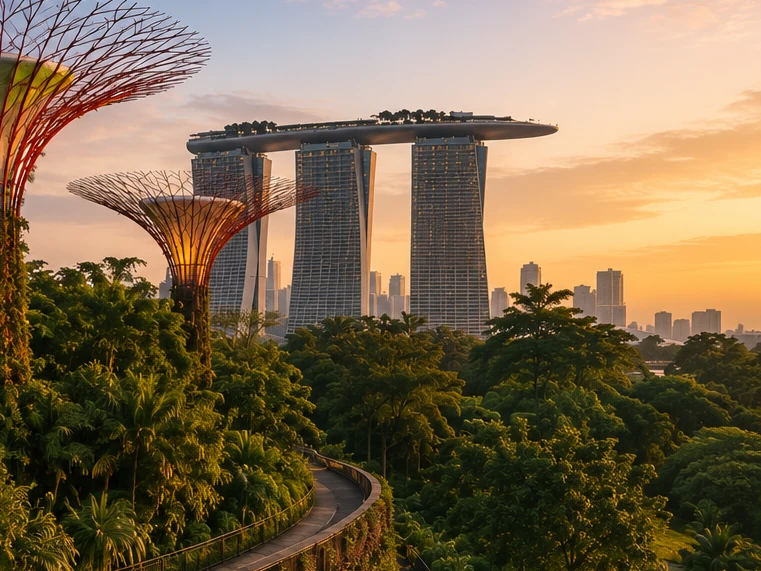
Help me plan a trip to Singapore. I'm going to be there for a work trip in July and will have a few days free at the end.

I’ll build this around your known constraints: a few free days after work, hot/humid July weather, wildlife/photography/nature bias, strong AC needs for sleep, and good but not overly social dining. I’ll verify current July logistics and then give a practical short itinerary rather than a generic Singapore list.

memory-preferences-with

Here’s how I’d structure it: 2–3 free days, mostly nature / wildlife / photography, with heat-managed mornings and AC breaks. July is hot and humid: Singapore’s July long-term stats are about 31.4°C / 88.5°F average daily max, 25.4°C / 77.7°F min, 146.6 mm rain, and 14 rain days, so outdoor plans should be early morning or evening, not midday. (National Environment Agency(wird in einem neuen Fenster geöffnet))

Best plan for 3 free days

Day 1 — Gardens by the Bay + Marina Bay, low-friction

Morning: Cloud Forest + Flower Dome. This is the obvious “touristy” pick, but it fits you well because it’s visually interesting, good for photography, and climate-controlled. Gardens by the Bay lists Cloud Forest and Flower Dome-type attractions running 9:00am–9:00pm, and Cloud Forest currently has the Jurassic World experience listed as ongoing. (Gardens by the Bay(wird in einem neuen Fenster geöffnet))

Late afternoon / evening: Supertree Grove + Borealis / light show. Gardens currently lists Borealis every Sat, Sun & Mon, 8:00–8:30pm at Supertree Grove, so try to align this with one of those nights. (Gardens by the Bay(wird in einem neuen Fenster geöffnet))

Dinner: do something easy nearby: Marina Bay / Tanjong Pagar / Telok Ayer. For you, I’d prioritize reservation-based restaurants with real tables over hawker centers on the first night, because you dislike cramped solo seating.

Day 2 — Mandai wildlife day

Morning to afternoon: Bird Paradise + River Wonders. Bird Paradise is probably the best fit photographically; River Wonders is less “wildlife photography” and more controlled exhibits, but it pairs well logistically. River Wonders is listed as daily 9:00am–6:00pm, last entry 5:00pm. (Mandai Wildlife Reserve(wird in einem neuen Fenster geöffnet))

Evening: Night Safari. This is the rare Singapore attraction that is genuinely better at night and avoids the worst heat. Night Safari is listed as daily 6:00pm–12:00am, last entry 11:15pm, with tram plus walking trails and over 900 nocturnal animals. (Mandai Wildlife Reserve(wird in einem neuen Fenster geöffnet))

This is a full day. I would not add Singapore Zoo unless you have 4 free days; Mandai can become exhausting fast.

Day 3 — Nature reserve / macro-ish walking + food

Early morning: Singapore Botanic Gardens or MacRitchie / Windsor Nature Park. For a few free days, Botanic Gardens is the safer pick: easier transport, less sweaty, better bailout options, and more consistent casual photography. MacRitchie / Windsor is better if you want more actual forest, but it is hotter, sweatier, and less predictable.

Midday: AC break.

Late afternoon: Joo Chiat / Katong or Chinatown / Telok Ayer for walking, architecture, coffee, and dinner. This gives you a different texture from Marina Bay without turning the day into a logistics project.

My ranking for you

  1. Cloud Forest / Gardens by the Bay — best combination of photogenic, iconic, heat-managed.
  2. Bird Paradise + Night Safari — best wildlife-focused day.
  3. Botanic Gardens early morning — best low-stress outdoor nature.
  4. Joo Chiat / Katong — best neighborhood walk.
  5. Hawker centers — worth doing, but not ideal for your seating preferences unless timed off-peak.

What I’d avoid or deprioritize

I would skip Sentosa unless you specifically want beach/resort stuff. I would also skip a packed “greatest hits” day of Merlion / Orchard / Little India / Chinatown / Clarke Quay; it’s inefficient and hot. For you, the trip will be better if each day has one strong anchor plus one easy evening plan.

Hotel / sleep note

Since this is a work trip, your hotel may be fixed. If you can choose or extend at the same hotel, the hard gate is still AC. Singapore hotels are generally AC-heavy, but your requirement is unusually strict.

One thing I need to make this concrete

Send the exact free dates and whether your work hotel is fixed. Then I’d turn this into a day-by-day plan with restaurant targets and a hotel/AC callout.

Das Modell erzeugt eine Antwort, die auf die Interessen des:der Nutzer:in an Tierfotografie, ruhigen Abendessen und seine:ihre Prioritäten bei der Hotelbuchung zugeschnitten ist.

GPT‑5.2 Instant beantwortet letztendlich die Frage, aber in dem Versuch, seine Sicherheitsgrenzen zu erklären, beginnt es mit einer langen Einleitung darüber, wobei es nicht helfen kann. GPT‑5.3 Instant hingegen kommt direkt zur Antwort.

Präferenzen können verschiedene Formen annehmen:

  1. Anweisungen dazu, wie ChatGPT antworten soll („erwähne Stefan nicht mehr“).
  2. Deine persönlichen Präferenzen oder Einschränkungen („Ich esse vegetarisch“)
  3. Implizite Präferenzen, die bestimmen, was für dich relevant ist („Ich wohne in der Nähe von Berlin“ → lokale Optionen sollten auf diese Gegend zugeschnitten sein)

Bei der Entwicklung des neuen Erinnerungssystems haben wir die Fähigkeit von ChatGPT verbessert, relevante Präferenzen aus früheren Unterhaltungen anzuwenden. Anhand des obigen Beispiels „Ich esse vegetarisch“ können wir bewerten, ob das Modell Erinnerung korrekt nutzt, um angemessene Optionen für Vegetarier zu erstellen, wenn ein:e vegetarische:r Nutzer:in nach Rezeptvorschlägen fragt.

Mit der Zeit aktuell bleiben

Die Zeit bleibt nicht stehen, wenn dein Chat endet.

Traditionelle Erinnerungssysteme können veralten. Zum Beispiel sagst du ChatGPT: „Ich bin in Singapur und brauche eine Empfehlung fürs Abendessen heute Abend“. Dann vergeht Zeit, deine Reise endet, und du fragst dich, warum ChatGPT immer noch denkt, du seist in Singapur.

Mit Dreaming werden Erinnerungen automatisch aktualisiert, wenn Zeit vergeht. So kann ChatGPT seine Erinnerung von „Du reist im Juli nach Singapur“ zu „Du bist im Juli 2026 nach Singapur gereist“ ändern, wenn die Reise endet. Wenn du dann wieder zu Hause bist, kann ChatGPT erneut Empfehlungen geben, die auf deinen Heimatort und deine Zeitzone zugeschnitten sind.

GPT-5.2 Instant

Help me find something for take-out tonight that's still open.

It’s about 5:19 AM Sunday in Singapore, so your safest take-out/delivery bets are 24-hour places.

Best bets right now:

  1. McDelivery / McDonald’s Singapore — easiest islandwide option; McDonald’s says McDelivery is available 24 hours, 7 days a week. Breakfast menu should be on now. (McDonald's Singapore(wird in einem neuen Fenster geöffnet))
  2. Srisun Express — good for prata, Indian Muslim food, local comfort food; their site says they’re halal-certified and open 24/7. (Sri Sun Express(wird in einem neuen Fenster geöffnet))
  3. 89.7 Supper Club — good if you’re near Changi Village or Geylang East; their outlets page says both locations are open 24 hours, 7 days a week. (89.7 Supper Club(wird in einem neuen Fenster geöffnet))
  4. 126 Dim Sum Wen Dao Shi — worth checking on GrabFood/foodpanda if you’re in the East; a 2025 guide says it runs till 5:30 AM on weekdays and round-the-clock on weekends. Since it’s Sunday morning, it may still be available. (Eatbook(wird in einem neuen Fenster geöffnet))
  5. Prata around Geylang / Serangoon / Bedok / Jalan Kayu — look in GrabFood or Google Maps for “prata open now”; guides list multiple 24-hour prata/supper spots, including Mufiz Prata Corner and RK Eating House. (Eatbook(wird in einem neuen Fenster geöffnet))

For the fastest path: open GrabFood / foodpanda / Deliveroo, set filter to Open now, then search “prata,” “McDonald’s,” “Srisun,” “89.7,” “dim sum,” or “nasi lemak.” If you tell me your neighborhood or nearest MRT, I’ll narrow it to specific nearby places.

Das Modell denkt, der:die Nutzer:in sei immer noch in Singapur.

GPT-5.3 Instant

Help me find something for take-out tonight that's still open.

I’ll use Portola Valley / Ladera as the starting point and prioritize places that are plausibly open for takeout tonight, then narrow to low-friction options rather than a huge list.

For tonight, Saturday May 30, near Ladera / Portola Valley, I’d start here:

  1. Alpine Inn — safest casual pickup option. Open Saturday until 9:30 pm and has Order Takeout on its site. Good for burgers / tavern food. (Rossotti's Alpine Inn(wird in einem neuen Fenster geöffnet))
  2. Taverna Portola Valley — nearby at Ladera Country Shopper; open daily, Saturday dinner until 9:00 pm. Better if you want Greek / Mediterranean. (TAVERNA Portola Valley(wird in einem neuen Fenster geöffnet))
  3. Portola Bistro — also nearby; Saturday dinner until 9:30 pm. Good option for Italian / Mediterranean / pizza-ish dinner. (Portola Bistro -(wird in einem neuen Fenster geöffnet))
  4. Amigos Grill — Mexican, very close in Ladera Country Shopper. Official site says call to order at 650-851-3997; DoorDash / order.online lists pickup/delivery ordering until 8:40 pm. (Amigos Grill(wird in einem neuen Fenster geöffnet))
  5. State of Mind Slice House, Palo Alto — best fallback if you want pizza and can drive farther; Friday–Saturday hours are 11 am–10 pm. (State of Mind Slice House(wird in einem neuen Fenster geöffnet))

My pick: Alpine Inn for easiest local takeout, Taverna if you want something less heavy, State of Mind if it’s later and you want the most reliable post-9 pm option.

Das Modell liefert Antworten, die für den Heimatort des:der Nutzer:in relevant sind.

GPT‑5.2 Instant beantwortet letztendlich die Frage, aber in dem Versuch, seine Sicherheitsgrenzen zu erklären, beginnt es mit einer langen Einleitung darüber, wobei es nicht helfen kann. GPT‑5.3 Instant hingegen kommt direkt zur Antwort.

In unseren Erinnerungsbewertungen messen wir, ob ChatGPT korrekt auf Prompts antworten kann, bei denen der Verlauf der Zeit die richtige Antwort oder Empfehlung wesentlich beeinflusst. Dreaming sorgt in diesem Bereich für eine deutliche Verbesserung:

Eine skalierbarere Grundlage für die Zukunft

Bei OpenAI ist es unsere Mission sicherzustellen, dass künstliche allgemeine Intelligenz der gesamten Menschheit zugutekommt.

Dreaming-basierte Erinnerung ist zwar schon seit einiger Zeit für Plus- und Pro-Nutzer:innen verfügbar, doch erst jetzt können wir Free-Nutzer:innen eine Version anbieten, die unseren Qualitätsanspruch erfüllt und sich praktisch im großen Maßstab bereitstellen lässt. Jüngste Verbesserungen haben den Rechenaufwand für die Bereitstellung von Dreaming für Free-Nutzer:innen um etwa das Fünffache reduziert. Dadurch können wir in den kommenden Wochen mit der Einführung von Dreaming für Free-Nutzer:innen beginnen und die Erinnerungskapazität für Plus- und Pro-Nutzer:innen erhöhen.

Mit Blick nach vorn bietet uns Dreaming nun eine gemeinsame Erinnerungsgrundlage für alle Nutzer:innen. Dieses Update ist unser bislang leistungsfähigstes Erinnerungssystem, und wir werden es weiter verbessern.

Weitere Informationen zu dieser Veröffentlichung und den Kontroll- und Steueroptionen von Nutzer:innen für Erinnerung findest du in unseren FAQ zur Erinnerung(wird in einem neuen Fenster geöffnet).


Autor

OpenAI