Update on July 13, 2026: We are expanding parent safety notifications to cover additional situations where a teen may need urgent adult support. This includes alerting parents when their linked teen’s account is banned for violent activity. These notifications are designed to be narrow and are not intended to apply to content such as fictional writing, gaming, news discussion, political discussion, general anger, or abstract questions. Visit our FAQ(在新視窗中開啟) to learn more.
Now parents with linked teen accounts can also turn on Study Mode (在新視窗中開啟)directly from Parental Controls. When enabled there, it is on by default whenever a teen starts a new chat, giving families another way to guide how ChatGPT is used for schoolwork and study.
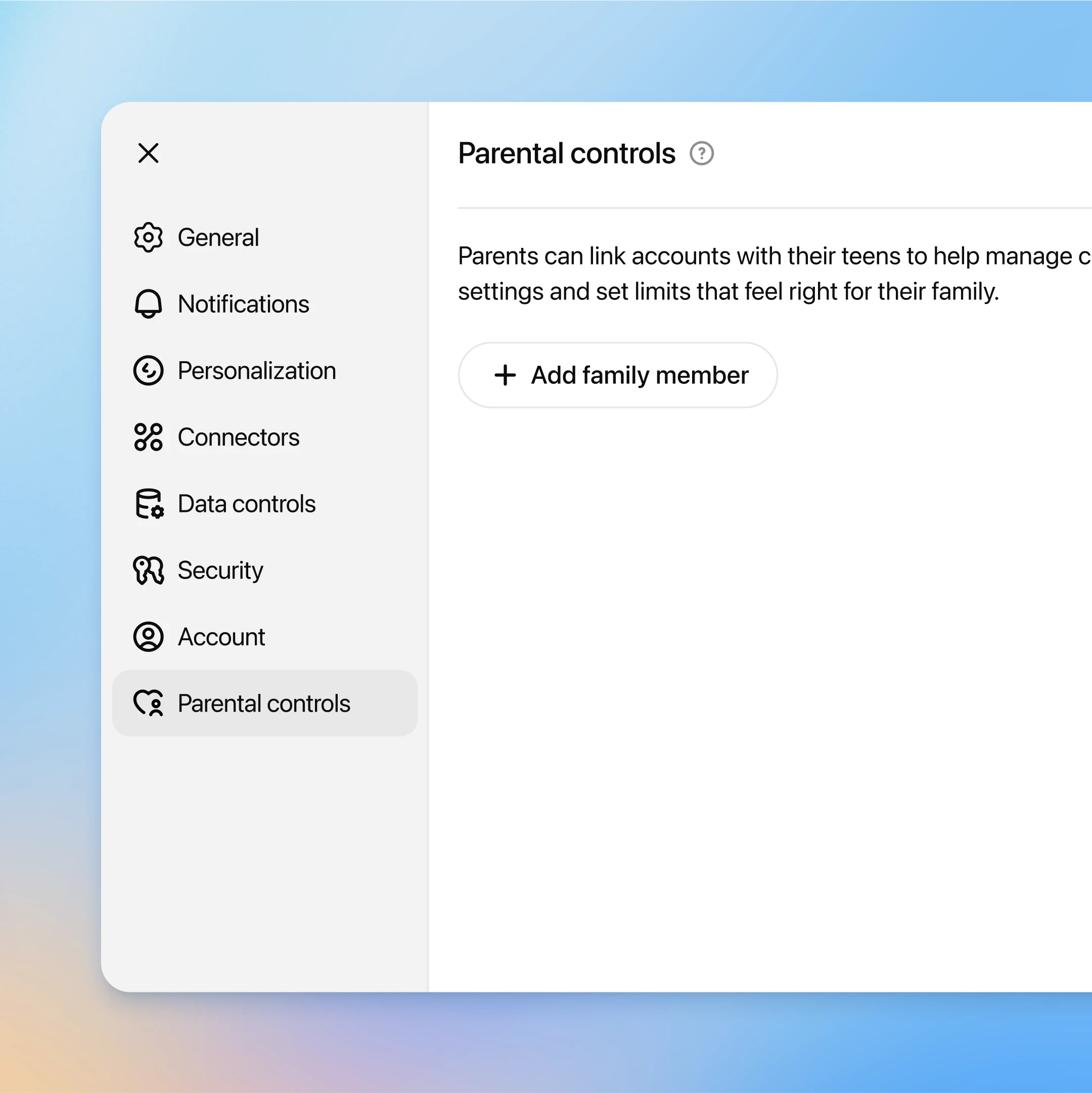
We’re rolling out parental controls and a new parent resource page(在新視窗中開啟) to help families guide how ChatGPT works in their homes. Available to all ChatGPT users starting today, parental controls allow parents to link their account with their teen’s account and customize settings for a safe, age-appropriate experience.
This work is part of our ongoing effort to make ChatGPT helpful for everyone, and to give families tools to support their teens’ use of AI. We’ve previously shared that we’re building toward a long term age prediction system that will help us predict whether a user is under 18 so that ChatGPT can automatically apply teen-appropriate settings. Parental controls are an important step in giving parents the ability to control their teen’s experience with ChatGPT.
We’ve worked closely with experts, advocacy groups including Common Sense Media, and policymakers, including the Attorneys General of California and Delaware, to help inform our approach, and expect to refine and expand on these controls over time.
“These parental controls are a good starting point for parents in managing their teen’s ChatGPT use. Parental controls are just one piece of the puzzle when it comes to keeping teens safe online, though—they work best when combined with ongoing conversations about responsible AI use, clear family rules about technology, and active involvement in understanding what their teen is doing online.” —Robbie Torney, Senior Director, AI Programs, Common Sense Media
To set up parental controls, a parent or guardian sends an invite to their teen to connect accounts. After the teen accepts, the parent can manage the teen’s settings from their own account. Teens can also invite a parent to connect.
Once linked, parents can customize their teen’s experience in ChatGPT in a simple control page in account settings. If a teen unlinks their account, their parent will be notified.
As part of parental controls, we’re rolling out enhanced safeguards for linked teen accounts. Once parents and teens connect their accounts, the teen account will automatically get additional content protections, including reduced graphic content, viral challenges, sexual, romantic or violent roleplay, and extreme beauty ideals, to help keep their experience age-appropriate.
These safeguards were guided by careful review of existing research to understand teens’ unique developmental differences.
Parents will have the option to turn this setting off if they choose, but teen users cannot make changes.
Guardrails help, but they’re not foolproof and can be bypassed if someone is intentionally trying to get around them. We will continue to thoughtfully iterate and improve over time. We recommend parents talk with their teens about healthy AI use and what that looks like for their family.
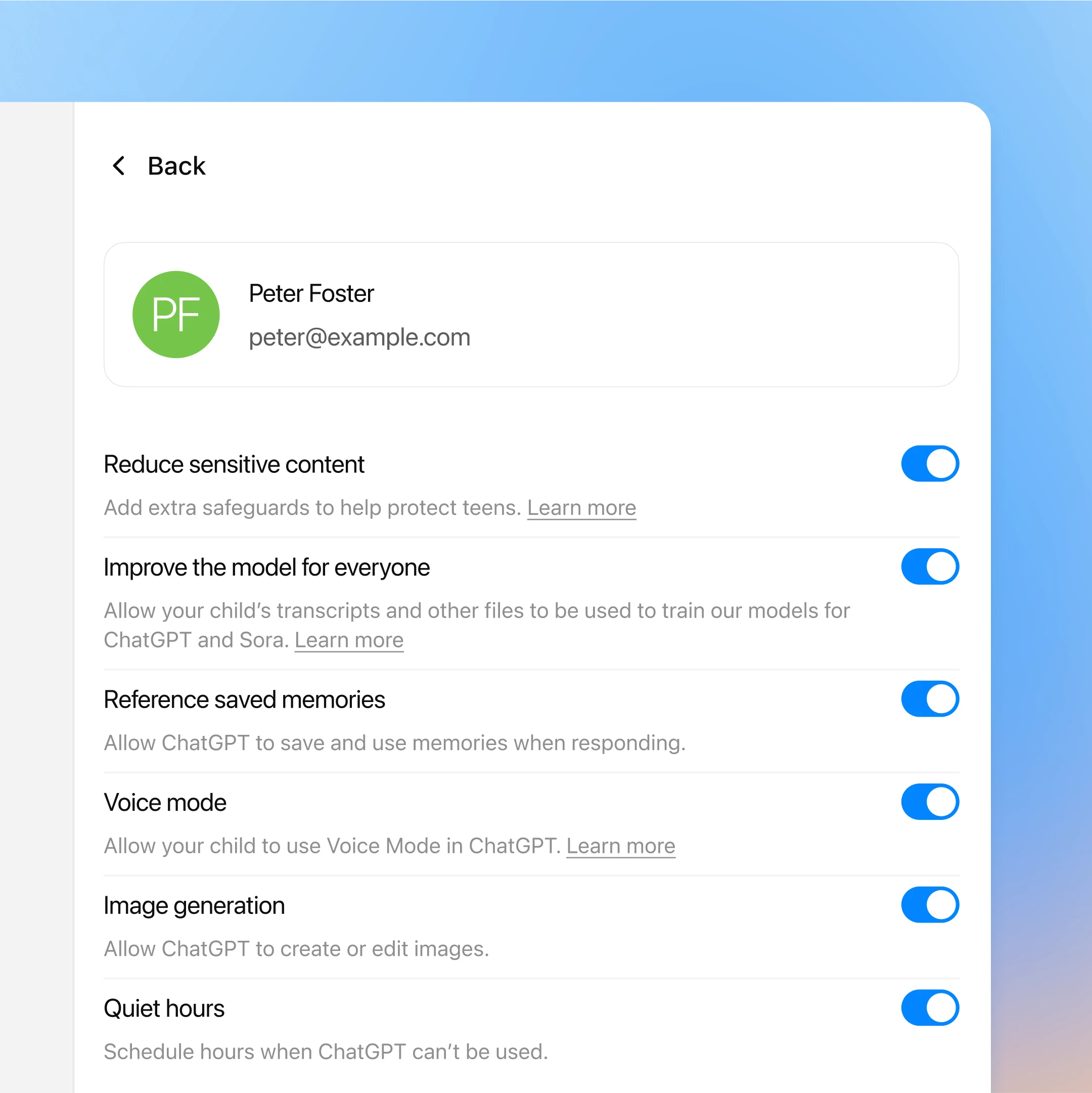
We’re also giving parents additional features they can customize for their teens. From a simple control page, parents can:
Set quiet hours, or specific times when ChatGPT can’t be used.
Turn off voice mode, to remove the option to use voice mode in ChatGPT.
Turn off memory, so ChatGPT won’t save and use memories when responding.
Remove image generation, so ChatGPT won’t have the ability to create or edit images.
Opt out of model training, so their teen’s conversations won’t be used to improve models powering ChatGPT.
These settings are optional and flexible so families can choose what works best for them.
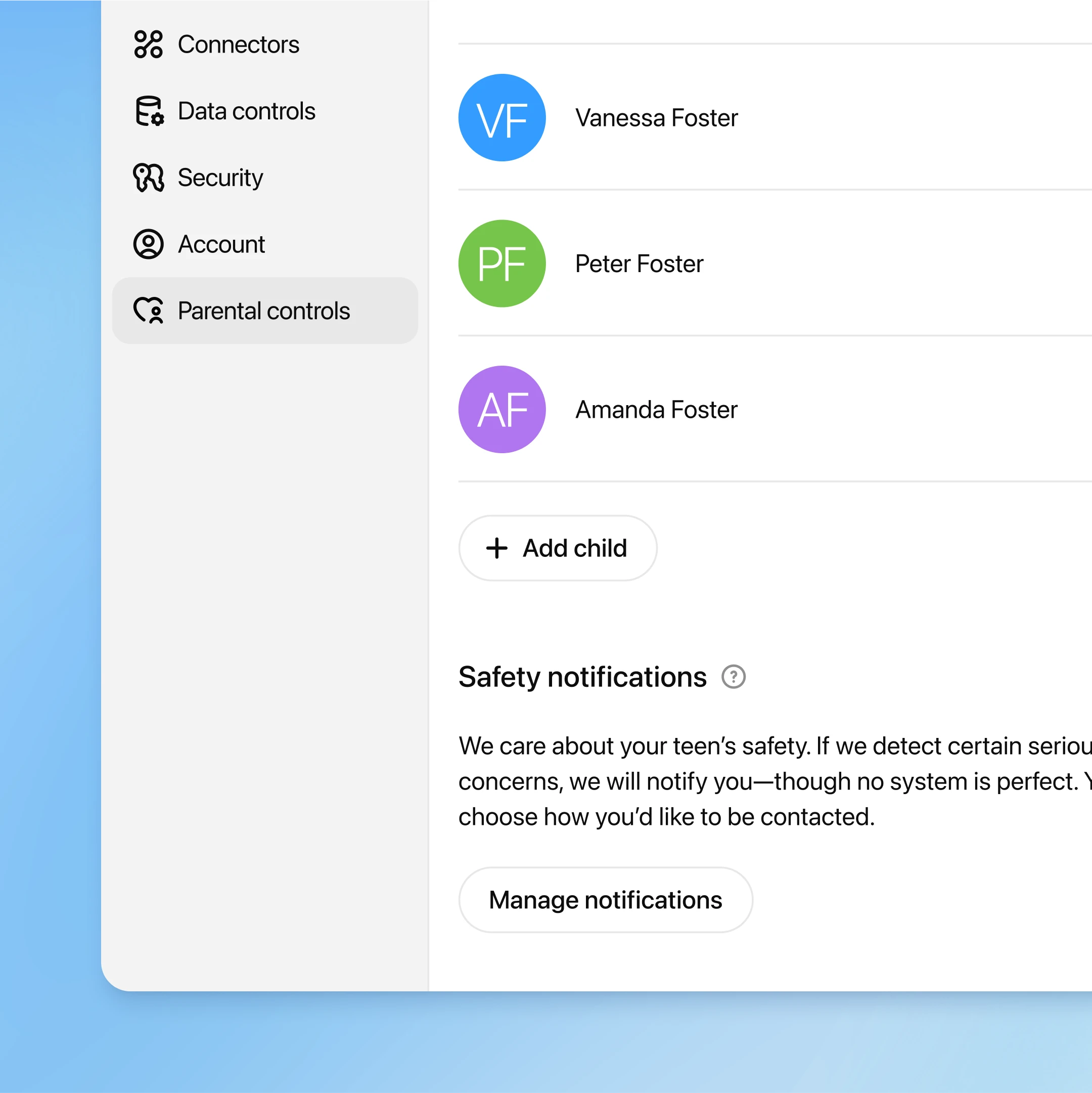
We know some teens turn to ChatGPT during hard moments, so we’ve built a new notification system to help parents know if something may be seriously wrong.
We’ve added protections that help ChatGPT recognize potential signs that a teen might be thinking about harming themselves. If our systems detect potential harm, a small team of specially trained people reviews the situation. If there are signs of acute distress, we will contact parents by email, text message and push alert on their phone, unless they have opted out.
We are working with mental health and teen experts to design this because we want to get it right. No system is perfect, and we know we might sometimes raise an alarm when there isn’t real danger, but we think it’s better to act and alert a parent so they can step in than to stay silent.
We are also working on the right process and circumstances in which to reach law enforcement or other emergency services, for example if we detect an imminent threat to life and are unable to reach a parent.
Even in these rare situations, we take teen privacy seriously, and will only share the information needed for parents or emergency responders to protect a teen’s safety.
Families are finding more ways to bring ChatGPT into daily life, whether it’s tackling schoolwork with study mode, brainstorming weekend ideas, or just answering quick questions. For some, it’s also a first step into exploring AI together. So we want to give parents the information they need about ChatGPT and how to guide their teen toward safe and positive use.
We’ve created a new parent resource page(在新視窗中開啟) to bring everything together in one place. It explains how ChatGPT works, the parental controls available, and offers ideas for how teens can use it for learning, creativity, and everyday life. This is just a starting point and we expect to regularly update it with tips, guides, expert advice, and conversation starters so parents feel supported as their family’s use of AI grows.
Over the coming months, we’re building an age prediction system that will help us predict whether a user is under 18 so that ChatGPT can automatically apply teen-appropriate settings. In instances where we’re unsure of a user’s age, we’ll take the safer route and apply teen settings proactively. In the meantime, parental controls will be the most effective way for parents to ensure their teens are opted into our age-appropriate teen experience.
This is an important step forward, but our work isn’t done. We’ll continue to invest in features that help parents and teens use ChatGPT safely and confidently, and share our progress.