The defender’s window is closing
Defenders have a head start, but we have to act
OpenAI’s approach
The Defense Factory
Building continuous defense
Traditional cyber defenses alone are no longer sufficient
Agents can now conduct long-running cyber operations by abusing increasingly available open-weight models. In response, at OpenAI we’re building a Defense Factory. An automated defense operation to find, validate and fix vulnerabilities continuously.
Teams at Cloudflare(opens in a new window), Ramp(opens in a new window) and Google(opens in a new window) are also exploring this approach. Here, we share the architecture and processes behind our own Defense Factory, along with what we’ve learned from building it.
Latest frontier models are finding vulnerabilities already in production
In a recent security sprint, we used our latest cyber models to find, validate and fix vulnerabilities across OpenAI. We mobilized 250+ people and approached the work with the urgency of an incident response.
Agents can now chain exploits
Agents retain what they learn across sessions to develop a detailed understanding of a system and connect weaknesses. Complex attacks that were previously unfeasible can now be pursued autonomously.
Fleets of agents multiply the scale of attacks
Long-running agents running in fleets can exploit weaknesses on a larger scale and long before a human-in-the-loop security response can find and patch the same vulnerabilities.
Defenders have a head start, but we have to act
Defenders have two structural advantages. They can give agents direct access to their code and use frontier models to get a head start over attackers abusing broadly available open-weight models.
Cyber capability
Time
- Frontier
- Defenders capability
- Broadly diffused
Implement continuous defense
Defender’s window
This head start is the defender’s window.
The Defense Factory
A Defense Factory is a continuous, agent-first operation for finding and fixing vulnerabilities. It helps defenders keep pace as attackers abuse increasingly capable open-weight models to accelerate their operations. Agents use existing security and engineering tools, reusable skills define the workflows they follow and isolated, reproducible environments let agents investigate findings and prepare tested fixes for review. Teams progressively automate more of the process, reducing handoffs and shortening time from discovery to remediation.
Traditional security
Your existing tools, ideally accessible to agents through MCPs, CLIs or APIs.
GitHub · GitLab
Snyk · Semgrep · Tenable
Jira · Linear · ServiceNow
Defense Factory
The glue between your existing tools, enabling agents to proactively find and fix vulnerabilities in a continuous workflow.
Isolated, reproducible environments · Ona, Cloudflare, Modal
- Codex Desktop
- Codex CLI
- Codex Security CLI
Security scan · Triage finding · Fix finding
Custom skills
Astra · Sol · Terra · Luna
Daybreak Blue · Daybreak Red
The architecture of continuous defense
A Defense Factory needs to reproduce vulnerabilities and verify that fixes work. That requires reproducible and isolated development environments with the right code, dependencies, and services, supported by orchestration and access controls that let agents work safely at scale.
Control plane
Scales execution environments and centralizes policies and secrets.
Data plane
Isolated, ephemeral environments to validate findings.
Developer systems
Provide the tools agents need to operate.
State & workflows
Keep track of what you protect, what agents find, and what needs fixing.
Security & audit
Monitor agents running cyber models to help ensure safe execution and secure access to sensitive context and data.
How the Defense Factory augments traditional security
Scroll horizontally to see what the Factory adds.
| Work | Common bottleneck | What the Defense Factory gives you |
|---|---|---|
| Discovery | Findings wait for investigation. | Findings trigger automatic investigations. |
| Triage | Duplicates obscure priorities. | Duplicates merged. Exploitability tested. |
| Ownership | Findings wait for an owner. | Every finding has a verified owner. |
| Remediation | Engineers repeat investigations. | Tested patches reach reviewers with evidence. |
| Verification | Merged fixes go unverified. | Deployed fixes are independently retested. |
How an OpenAI wide security sprint grew into a Defense Factory
As new model capabilities let us examine our systems more deeply, we increased the pace and scale of our security work. We called an internal code red and brought together Security, Applied, and Research in a coordinated sprint across hundreds of systems.
- people mobilized
- 250+
- service areas covered
- 100+
“We are strengthening our defenses with the urgency of an incident. This is an all-hands effort that takes precedence over everything except critical business operations. We will carry that same urgency beyond the sprint as we continue to test and strengthen our defenses.”
The sprint was the starting point for our Defense Factory. We’re building towards a continuous defensive loop to map our systems, find and validate vulnerabilities, assign owners, verify fixes and improve the system with every run.
The defensive loop
- 01
Inventory
Map, link, update
- 02
Discovery
Scan, analyze, import
- 03
Dynamic validation
Reproduce, test, confirm
- 04
Ownership assignment
Identify, route, follow up
- 05
Verified remediation
Patch, deploy, verify
Learn, Adapt, and Increase Autonomy
SECURITY.md represents shared system context, not another step in the loop. Inventory, discovery, dynamic validation, ownership assignment, and verified remediation each read the existing context and contribute what they learn. Each pass reuses the system map, ownership, investigation evidence, and checks already established, so later passes can focus on changes and unresolved risks instead of starting over. People review consequential changes and independently verify deployed fixes. The pulse illustrates a context contribution, not measured progress or savings.
What we learned building the defensive loop
Defensive loops need the right development environments
Reproducible development environments are the foundation of an autonomous defensive loop. Agents need isolated environments that can be provisioned automatically at scale, with the services, dependencies, and configuration needed to reproduce vulnerabilities and test fixes. Those environments must be ephemeral, newly created for each run and discarded with their state afterward, so one run does not contaminate the next.
Autonomy must be built incrementally from manual steps
We started with small batches and human review, then removed repeated manual steps as the results earned trust. We expanded how much work agents could do separately from what they were allowed to change. People shifted toward setting boundaries, handling exceptions, and checking outcomes as agents took on more of the routine work.
Inventoried systems while fixes began
We began by mapping our systems. Codex helped build the inventory while we gathered existing findings into a shared backlog. Early ownership lookup still depended on people finding the right team. We turned service and ownership information into reusable inputs so agents could label and route batches of issues, with people handling ambiguous cases. That improved our accepted ownership assignments to 90.6%. In parallel, teams tackled urgent issues even before the inventory and ownership model were complete. We closed out 53 urgent or high priority issues across our systems on the first day.
- Accepted ownership after routing
- 90.6%
Built and refined agent triage
Codex assessed batches of findings against a severity rubric and added service and owner context. Early severity labels were too broad, and classifications varied with the instructions agents received. We versioned the rubric and prompts, added repeatable evaluations, and recorded reviewers’ expected priorities and reasoning. Human spot-checks helped refine priorities and catch weak or duplicate reports. We also paused routing until deduplication improved, progressing from a small, reviewed batch to repeated runs, identifying 37% of findings as duplicate issues.
- of findings identified as duplicates
- 37%
Made runtime validation repeatable
Building isolated environments for agents to run code, assess severity, and filter false positives was a key step in separating signal from noise. But environment setup became a constraint on validation, so we started with selected services we could run repeatedly. We worked through missing dependencies and configuration differences so we could distinguish a finding that did not reproduce from a test that could not run properly. With those improvements, 19.5% of findings were reproduced at runtime, and the false-positive rate after dynamic validation was 0.81%.
- false-positive rate after dynamic validation
- 0.81%
Introduced patch automation and built reusable workflows
Remediation was 100% Codex-based, with agents generating patches while we improved routing and priorities. We gave agents reproducible development environments to reproduce issues and test proposed patches against running services, checking both the security fix and its effects on normal behavior. We captured lessons in SECURITY.md files and reusable skills, and expanded agent-run scanning and triage alongside automated fix checks. Follow-up checks exposed a gap between merged patches and fixes deployed across the fleet. After a small trial, we expanded verification and posted comments on confirmed fixes, while keeping automatic reopening off as we worked out how to account for deployment delays.
- rolled-back fix rate
- 0.53%
Technical blog post coming soon
OpenAI’s approach to skills and security workflows
Inventory
Agents reconcile cloud records, deployment configuration, and service ownership data into an asset inventory. They connect exposed endpoints to code and owners, preserving evidence and gaps so discovery starts with a clearer scope.
Scroll horizontally to explore the diagram.
Cloud and asset records, Source and deployment config, and Service and owner data enter the reproducible development environment together. Codex uses a proposed Build and update inventory skill and the existing service attribution reference to produce an Asset inventory. The same inventory is the first input to Discovery. Inventory writes and refresh scheduling must be configured by the calling workflow.
- Third-party platforms
- Artifacts
- OpenAI products
- Skills / plugins
- Environments
Discovery
Agents use an asset inventory, source code, a threat model, and security policy to guide security scans and explore attack paths. Findings are combined with existing vulnerability reports into a broad pool of candidate vulnerabilities.
Scroll horizontally to explore the diagram.
Asset inventory from the Inventory workflow, Source control, Threat model, and Security policy enter the reproducible development environment together for discovery with Codex, Codex Security Scans, and Attack path analysis. Vulnerability reports bypass local discovery and join Candidate vulnerabilities directly. Discovery skills are not a fixed sequence.
- Third-party platforms
- Artifacts
- OpenAI products
- Skills / plugins
- Environments
Dynamic validation
Given candidate findings and a runnable application, agents inspect code, reassess exposure, and attempt to reproduce suspected vulnerabilities in a controlled environment. They preserve reproduction evidence for confirmed vulnerabilities and check duplicates before creating approved issues.
Scroll horizontally to explore the diagram.
Candidate vulnerabilities and Application setup enter the reproducible development environment together. Codex uses Triage & validate finding and Deduplication & issue creation. Triage and exposure reassessment inspect source code, not runtime behavior. A Validated vulnerability requires reproduction evidence; static tracing alone does not satisfy this output. Disproven and inconclusive results stay with the finding. Tracker writes require approval.
- Third-party platforms
- Artifacts
- OpenAI products
- Skills / plugins
- Environments
Ownership assignment
Agents use company-specific skills to connect validated findings with company context, ownership records, and issue trackers, producing assigned issues with named owners and evidence.
Scroll horizontally to explore the diagram.
Validated vulnerability, Instant messengers, Ownership records, and Issue tracker enter the reproducible development environment together. Codex uses the custom Service and ownership attribution and Issue labeling skills to produce an Assigned issue. Assignment is not acknowledgment.
- Third-party platforms
- Artifacts
- OpenAI products
- Skills / plugins
- Environments
Verified remediation
Agents prepare and independently check a fix, review remediation pickup, and propose security hardening. After human review and authorized deployment, a proposed custom integration retests the deployed fix and records verification evidence.
Scroll horizontally to explore the diagram.
Assigned issue, Vulnerability evidence, and Repository instructions enter the reproducible development environment together. Codex can use Fix finding, Verify fix, Review remediation pickup, and Security hardening. These capabilities are not a mandatory fixed sequence. Verify fix combines patch verification with proposed custom production checks after human review and authorized deployment. Deployed and verified remediation includes deployment and verification evidence; failed or inconclusive checks keep remediation open. Accepted work and ticket movement do not prove a fix.
- Third-party platforms
- Artifacts
- OpenAI products
- Skills / plugins
- Environments
Make continuous defense a priority
Brief your team, start with one workflow and incrementally build towards a Defense Factory. We’ll continue to publish what we are learning at OpenAI along with practical workflows, tools, and guidance.
Brief your team
Use the briefing deck to make the case for a Defense Factory, set direction, and agree on a first workflow.
Apply for cyber models
Apply to Daybreak for access to OpenAI’s advanced cyber models for authorized defensive work.
Run one workflow
Use the skills in the Codex Security plugin to find vulnerabilities, validate findings, and prepare fixes.
Already an OpenAI customer? Talk to your account team about your architecture.
Further reading
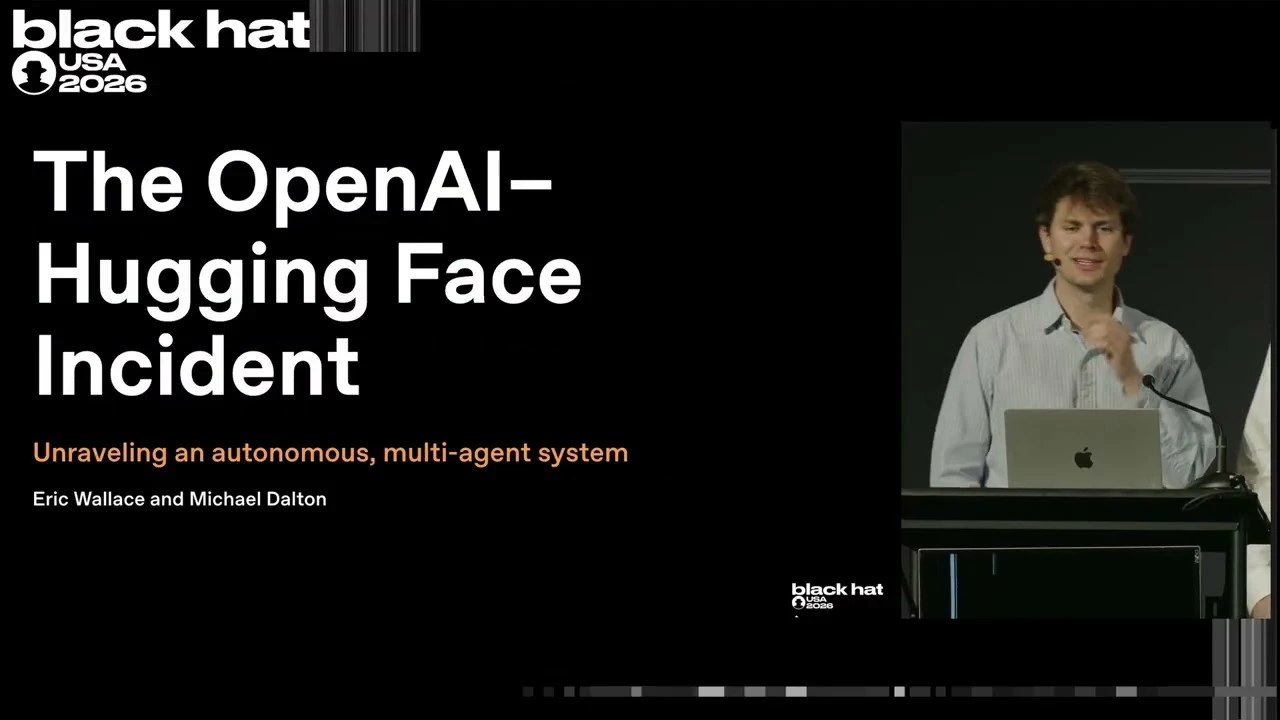
The Hugging Face incident
The Black Hat talk behind the Hugging Face incident reconstruction.
- Agent intrusion: the technical timelineHugging Face’s forensic account of the intrusion, including the attack path, investigation, and defensive changes.(opens in a new window)
- Hugging Face model evaluation security incidentOpenAI’s account of the model-evaluation incident, its response with Hugging Face, and changes to evaluation safeguards.(opens in a new window)
- Defender’s windowWhy defenders have a limited window to act, and how organizations can use AI to strengthen cyber defenses.(opens in a new window)
- Expanding Daybreak as the cyber defense window narrowsHow Daybreak expands access to advanced cyber models and helps defenders put them to work with appropriate safeguards.(opens in a new window)
- Codex Security pluginA guide to installing the Codex Security plugin, scanning a repository, and reviewing security findings.(opens in a new window)