Unlocking the Codex harness: how we built the App Server
By Celia Chen, Member of the Technical Staff
OpenAI’s coding agent Codex exists across many different surfaces: the web app(ku furmaa daaqad cusub), the CLI(ku furmaa daaqad cusub), the IDE extension(ku furmaa daaqad cusub), and the new Codex macOS app. Under the hood, they’re all powered by the same Codex harness—the agent loop and logic that underlies all Codex experiences. The critical link between them? The Codex App Server(ku furmaa daaqad cusub), a client-friendly, bidirectional JSON-RPC1 API.
In this post, we’ll introduce the Codex App Server; we’ll share our learnings so far on the best ways to bring Codex’s capabilities into your product to help your users supercharge their workflows. We’ll cover the App Server’s architecture and protocol and how it integrates with different Codex surfaces, as well as tips on leveraging Codex, whether you want to turn Codex into a code reviewer, an SRE agent, or a coding assistant.
Before diving into architecture, it’s helpful to know the App Server’s backstory. Initially, the App Server was a practical way to reuse the Codex harness across products that gradually evolved into our standard protocol.
Codex CLI started as a TUI (terminal user interface), meaning Codex is accessed through the terminal. When we built the VS Code extension (a more IDE-friendly way to interact with Codex agents), we needed a way to use the same harness so as to drive the same agent loop from an IDE UI without re-implementing it. That meant supporting rich interaction patterns beyond request/response, such as exploring the workspace, streaming progress as the agent reasons, and emitting diffs. We first experimented with exposing Codex as an MCP server(ku furmaa daaqad cusub), but maintaining MCP semantics in a way that made sense for VS Code proved difficult. Instead, we introduced a JSON-RPC protocol that mirrored the TUI loop, which became the unofficial first version(ku furmaa daaqad cusub) of the App Server. At the time, we didn’t expect other clients to depend on the App Server, so it wasn’t designed as a stable API.
As Codex adoption grew over the next few months, internal teams and external partners wanted the ability to embed the same harness in their own products in order to accelerate their users’ software development workflows. For example, JetBrains and Xcode wanted an IDE-grade agent experience, while the Codex desktop app needed to orchestrate many Codex agents in parallel. Those demands pushed us to design a platform surface that both our products and partner integrations could safely depend on over time. It needed to be easy to integrate and backward compatible, meaning we could evolve the protocol without breaking existing clients.
Next, we’ll walk through how we designed the architecture and protocol so different clients can use the same harness.
First, let’s zoom in on what’s inside the Codex harness and how the Codex App Server exposes it to clients. In our last Codex blog, we broke down the core agent loop that orchestrates the interaction between the user, the model, and the tools. This is the core logic of the Codex harness, but there’s more to the full agent experience:
1. Thread lifecycle and persistence. A thread is a Codex conversation between a user and an agent. Codex creates, resumes, forks, and archives threads, and persists the event history so clients can reconnect and render a consistent timeline.
2. Config and auth. Codex loads configuration, manages defaults, and runs authentication flows like “Sign in with ChatGPT,” including credential state.
3. Tool execution and extensions. Codex executes shell/file tools in a sandbox and wires up integrations like MCP servers and skills so they can participate in the agent loop under a consistent policy model.
All the agent logic we mentioned here, including the core agent loop, lives in a part of the Codex CLI codebase called “Codex core(ku furmaa daaqad cusub).” Codex core is both a library where all the agent code lives and a runtime that can be spun up to run the agent loop and manage the persistence of one Codex thread (conversation).
To be useful, the Codex harness needs to be accessible to clients. That’s where the App Server comes in.

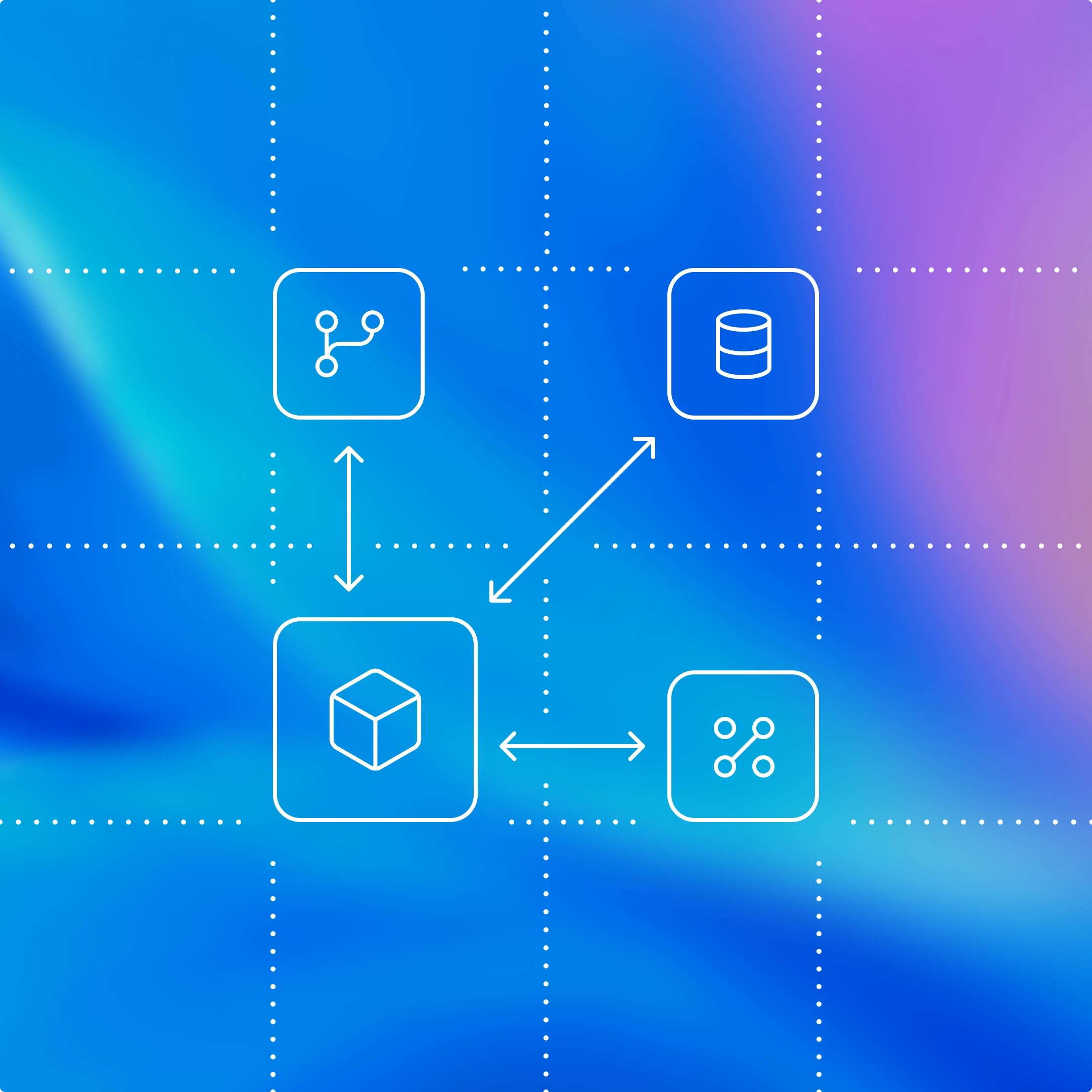
The App Server is both the JSON-RPC protocol between the client and the server and a long-lived process that hosts the Codex core threads. As we can see from the diagram above, an App Server process has four main components: the stdio reader, the Codex message processor, the thread manager, and core threads. The thread manager spins up one core session for each thread, and the Codex message processor then communicates with each core session directly to submit client requests and receive updates.
One client request can result in many event updates, and these detailed events are what allow us to build a rich UI on top of the App Server. Furthermore, the stdio reader and the Codex message processor serve as the translation layer between the client and Codex core threads. They translate client JSON-RPC requests into Codex core operations, listen to Codex core’s internal event stream, and then transform those low-level events into a small set of stable, UI-ready JSON-RPC notifications.
The JSON-RPC protocol between the client and the App Server is fully bidirectional. A typical thread has a client request and many server notifications. In addition, the server can initiate requests when the agent needs input, like an approval, and then pause the turn until the client responds.
Next, we’ll break down the conversation primitives, the building blocks of the App Server protocol. Designing an API for an agent loop is tricky because the user/agent interaction is not a simple request/response. One user request can unfold into a structured sequence of actions that the client needs to represent faithfully: the user’s input, the agent’s incremental progress, artifacts produced along the way (e.g., diffs). To make that interaction stream easy to integrate and resilient across UIs, we landed on three core primitives with clear boundaries and lifecycles:
1. Item: An item is the atomic unit of input/output in Codex. Items are typed (e.g., user message, agent message, tool execution, approval request, diff) and each has an explicit lifecycle:
item/startedwhen the item beginsoptional
item/*/deltaevents as content streams in (for streaming item types)item/completedwhen the item finalizes with its terminal payload
This lifecycle lets clients start rendering immediately on started, stream incremental updates on delta, and finalize on completed.
2. Turn: A turn is one unit of agent work initiated by user input. It begins when the client submits an input (for example, “run tests and summarize failures”) and ends when the agent finishes producing outputs for that input. A turn contains a sequence of items that represent the intermediate steps and outputs produced along the way.
3. Thread: A thread is the durable container for an ongoing Codex session between a user and an agent. It contains multiple turns. Threads can be created, resumed, forked, and archived. Thread history is persisted so clients can reconnect and render a consistent timeline.
Now, we’ll look at a simplified conversation between a client and an agent, where the conversation is represented by primitives:

At the beginning of the conversation, the client and the server need to establish the initialize handshake. The client must send a single initialize request before any other method, and the server acknowledges with a response. This gives the server a chance to advertise capabilities and lets both sides agree on protocol versioning, feature flags, and defaults before the real work begins. Here’s an example payload from OpenAI’s VS Code extension:
This is what the server returns:

When a client makes a new request, it will first create a thread and then a turn. The server will send back notifications for progress (thread/started and turn/started). It will also send back inputs it registers as items, like the user message here.

Tool calls are also sent back to the client as items. Additionally, the server may ask for client approval before it can run an action by sending a server request. The approval will pause the turn until the client replies with either “allow” or “deny.” This is what the approval flow looks like in the VS Code extension:
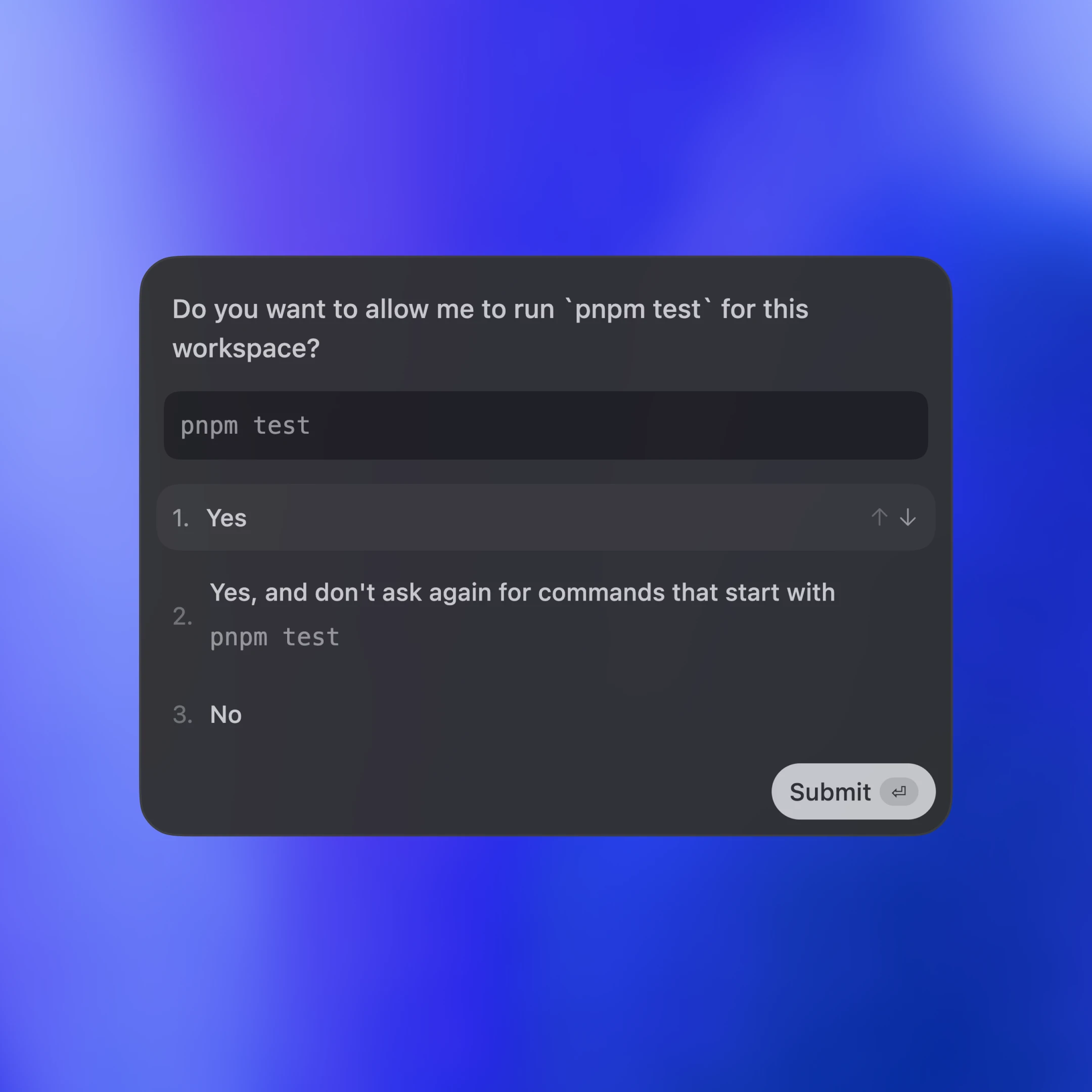

In the end, the server sends an agent message and then ends the turn with turn/completed. The agent message delta events stream pieces of the message back until the message is finalized with item/completed.
Farriimaha ku jira jaantuska waa la fududeeyey si akhrisku u sahlanaado. Haddii aad rabto inaad aragto JSON-ka turn buuxa, waxaad ka ordi kartaa test client-ka keydka koodhka Codex CLI:
Hadda, aynu eegno sida meelo kala duwan oo macmiil ah ay Codex ugu dhexgeliyaan App Server-ka. Waxaannu dabooli doonnaa saddex qaab: abka maxalliga ah iyo IDE-yada, Codex web runtime, iyo TUI-ga.

Dhammaan saddexdaba, gaadiidku waa JSON-RPC ku dul socda stdio (JSONL). JSON-RPC waxa ay ka dhigtaa mid sahlan in la dhiso xidhmooyin macmiil oo ku qoran luqadda aad doorato. Meelaha Codex iyo dhexgelinta la-hawlgalayaashu waxay hirgeliyeen macaamiisha App Server luqado ay ka mid yihiin Go, Python, TypeScript, Swift, iyo Kotlin. TypeScript ahaan, waxaad si toos ah uga abuuri kartaa qeexitaanno hab-maamuuska Rust adigoo ordaya:
Luqadaha kale, waxaad abuuri kartaa xidhmadda JSON Schema oo aad gelin kartaa code generator-ka aad doorbidayso adigoo ordaya:
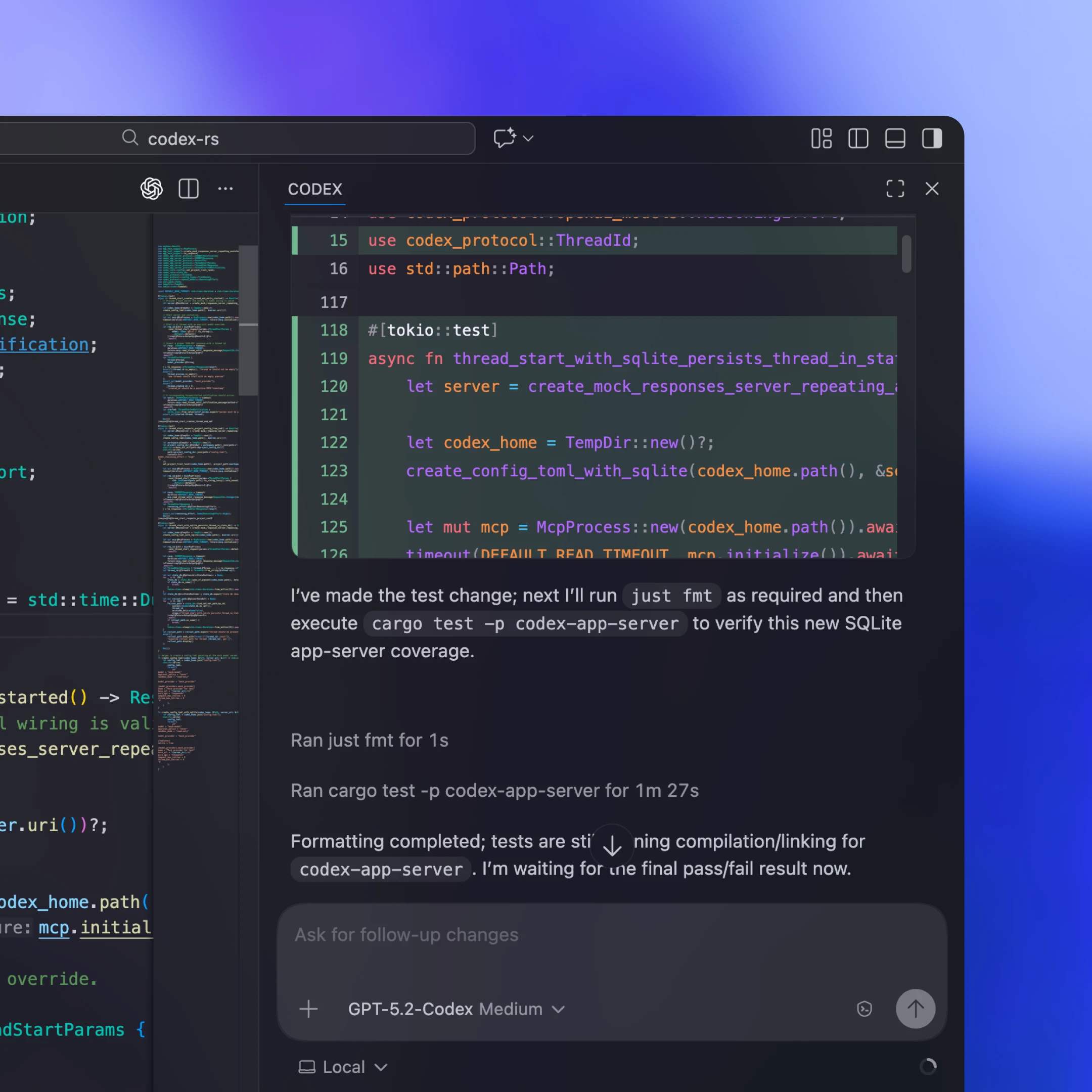
Macmiillada maxalliga ahi caadiyan waxay la yimaaddaan ama soo qaataan binary App Server oo gaar u ah madasha, waxayna u bilaabaan sidii child process muddo dheer socda, iyagoo furna ka haya kanaal stdio oo laba-jid ah oo JSON-RPC ah. Kordhintayada VS Code iyo Desktop App-kayaga, tusaale ahaan, walaxda la geeyo waxa ku jira binary-ga Codex ee gaar u ah madasha waxaana lagu dhejiyaa nooc la tijaabiyey si macmiilku mar walba u socodsiiyo isla bits-kii aanu ansixinnay.
Dhexgelin kasta ma awoodo inay si joogto ah u soo dirto cusboonaysiinta macmiilka. Qaar ka mid ah la-hawlgalayaasha sida Xcode waxay kala saaraan wareegyada sii-daynta iyagoo macmiilka ka dhigaya mid deggan una oggolaanaya inuu tilmaamo binary App Server oo ka cusub marka loo baahdo. Sidaas ayay ku qaadan karaan horumarinta dhinaca server-ka (tusaale ahaan, is-cufin wanaagsan oo ku jirta Codex core ama furayaal config oo cusub oo la taageero) oo ay ku sii dayn karaan hagaajinta khaladaadka iyagoon sugin sii-dayn macmiil. Dusha JSON-RPC ee App Server-ka waxa loo naqshadeeyey inay dib-ula-socod yeelato, sidaas darteed macaamiil duug ahi waxay si ammaan ah ula hadli karaan server-ro cusub.
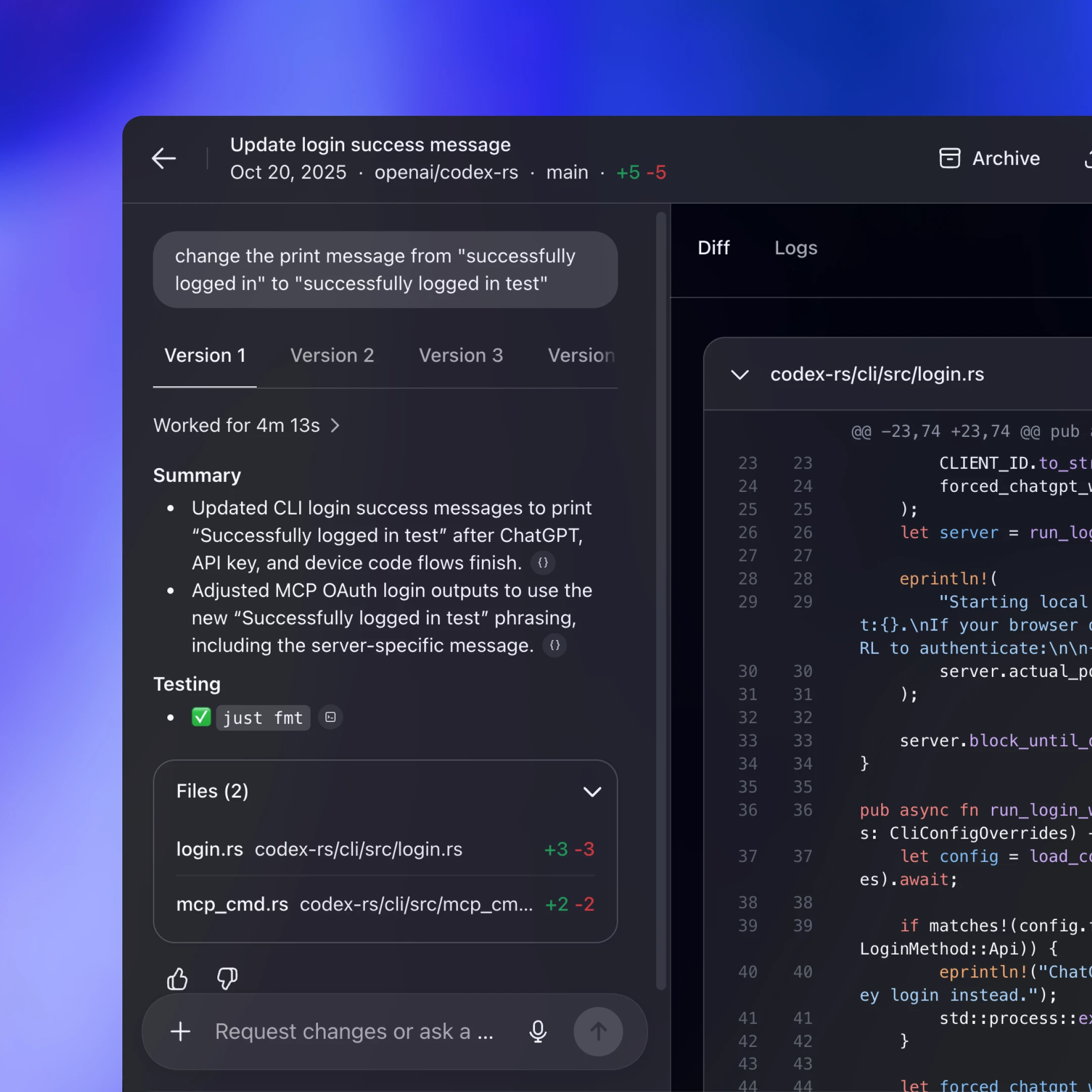
Codex Web waxa uu adeegsadaa Codex harness, laakiin waxa uu ku socodsiiyaa jawi konteenar ah. Worker ayaa diyaariya konteenar ay ku jirto goobta shaqada ee la checkout-gareeyey, waxa uu gudahiisa ka bilaabaa binary App Server-ka, waxana uu ilaaliyaa kanaal JSON-RPC over stdio2 ah oo muddo dheer nool. Web app-ka (ee ku socda tab-ka browser-ka isticmaalaha) waxa uu la hadlaa backend-ka Codex isaga oo adeegsanaya HTTP iyo SSE, kuwaas oo qulquliya dhacdooyinka hawsha ee worker-ku soo saaro. Tani waxay ka dhigaysaa UI-ga dhinaca browser-ka mid fudud iyada oo weli na siinaysa runtime isku mid ah desktop iyo web.
Maaddaama fadhiyada web-ku ay yihiin ku-meelgaar (tabs way xidhmaan, shabakado way go’aan), web app-ku ma noqon karo isha runta ee hawlaha muddada dheer socda. In xaaladda iyo horumarka lagu hayo server-ka waxay ka dhigan tahay in shaqadu sii socoto xataa haddii tab-ku baaba’o. Hab-maamuuska qulqulaya iyo fadhiyada thread-ka la kaydiyey waxay u fududeeyaan fadhi cusub inuu dib ugu xidhmo, ka sii qaato halkii uu ka joogsaday, oo uu la qabsado iyada oo aan xaaladda dib loogu dhisin macmiilka.
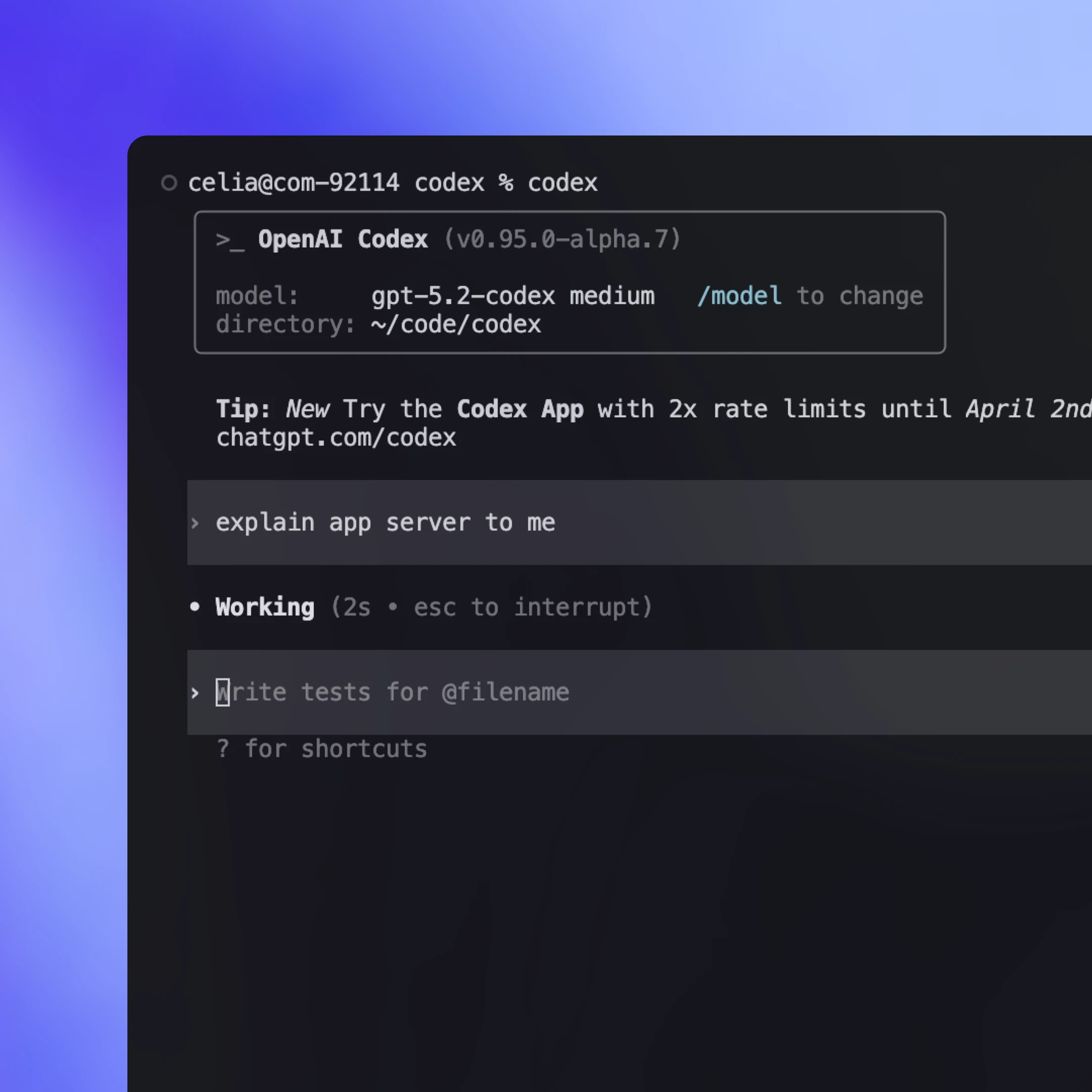
Taariikh ahaan, TUI-gu wuxuu ahaa macmiil “asal ah” oo ku socday isla process-ka wareegga wakiilka oo si toos ah ula hadlayey noocyada Rust core halkii uu ka isticmaali lahaa hab-maamuuska app-server-ka. Tani waxay dedejisay tijaabintii hore, laakiin waxay sidoo kale TUI-ga ka dhigtay meel gaar loo maareeyo.
Hadda oo App Server jiro, waxaannu qorshaynaynaa inaan dib-u-habayn ku samayno TUI-ga(ku furmaa daaqad cusub) si uu u isticmaalo, una dhaqmo sidii macmiil kasta oo kale: bilaabo App Server child process, kula hadlo JSON-RPC over stdio, kana sawiro isla dhacdooyinka qulqulaya iyo oggolaanshaha. Tani waxay furaysaa hab-shaqeedyo uu TUI-gu ugu xidhmi karo server Codex ah oo ku socda mashiin fog, isagoo wakiilka u dhoweynaya awoodda xisaabinta kana sii wada shaqada xataa haddii laptop-ku seexdo ama xidhiidhku go’o, isla markaana weli maxalli ahaan keenaya cusboonaysiin toos ah iyo kontaroolo.
Codex App Server wuxuu noqon doonaa habka dhexgelinta heerka koowaad ee aanu dayactiri doono wixii ka dambeeya, laakiin waxa kale oo jira habab kale oo leh hawlqabad xaddidan. Sida caadiga ah, waxaannu kugula talin lahayn in macaamiishu isticmaalaan Codex App Server si ay Codex ula dhexgalaan, laakiin waxa mudan in la eego hababka kala duwan ee dhexgelinta lana fahmo faa’iidooyinkooda iyo khasaarahooda. Hoos waxaa ku yaal siyaabaha ugu badan ee Codex loo kaxeeyo iyo goorta mid kastaa ku habboonaan karo.
Orod codex mcp-server(ku furmaa daaqad cusub) oo ka xidh macmiil kasta oo MCP ah oo taageera stdio servers (tusaale, OpenAI Agents SDK(ku furmaa daaqad cusub)). Tani way ku habboon tahay haddii aad hore u leedahay hab-shaqeed ku dhisan MCP oo aad rabto inaad Codex ugu yeedho sida qalab la isticmaali karo. Qasaaruhu waa inaad heli doonto oo keliya waxa MCP soo bandhigto, sidaas darteed isdhexgallada gaarka ah ee Codex ee ku tiirsan macnaha fadhiga oo ka hodansan (tusaale, cusboonaysiinta diff) si nadiif ah uguma marmi karaan bar-dhammaadyada MCP.
Qaar ka mid ah nidaamyada deegaanka waxay bixiyaan isdhexgal la qaadi karo oo beegsan kara bixiyeyaal noocyo badan iyo runtimes kala duwan. Tani way ku habboonaan kartaa haddii aad rabto hal abstraction oo isku dubbarida wakiillo badan. Beddelkeeduse waa in hab-maamuusyadani inta badan ku ururaan qaybta awoodaha ee wadajirka ah, taas oo adkayn karta matalaadda isdhexgallo hodan ah, gaar ahaan marka qalabka iyo macnaha fadhiga ee gaar u ah bixiyaha ay muhiim yihiin. Meeshani si degdeg ah ayay isu beddelaysaa, waxaanan filaynaa in heerar wadaag ah oo badan soo bixi doonaan marka aynu ogaanno primitives-ka ugu fiican ee lagu matalo hab-shaqeedyada wakiil ee dunida dhabta ah (skills(ku furmaa daaqad cusub) waa tusaale fiican).
Dooro App Server marka aad rabto in Codex harness oo buuxa loo soo bandhigo sidii qulqul dhacdooyin deggan oo UI-saaxiib ah. Waxaad heleysaa shaqaynta buuxda ee wareegga wakiilka iyo astaamo kale oo taageero ah sida Sign in with ChatGPT, helidda nooc, iyo maaraynta qaabeynta. Kharashka ugu weyn waa shaqada dhexgelinta, maadaama aad u baahan tahay inaad ku dhisto xidhitaanka JSON-RPC dhinaca macmiilka luqaddaada. Hase yeeshee, ficil ahaan, Codex wuxuu qaban karaa qayb weyn oo culus haddii aad siiso JSON schema iyo dokumentiga. Kooxo badan oo aanu la shaqaynay waxay awoodeen inay si dhaqso ah u sameeyaan dhexgelin shaqaynaysa iyagoo adeegsanaya Codex.
Hab CLI fudud oo scriptable ah oo loogu talagalay hawlo hal-mar ah iyo orodka CI. Wuxuu ku habboon yahay iswada iyo pipelines halka aad rabto hal amar oo si aan isdhexgal lahayn u dhammeystirma, u qulquliya wax-soo-saar habaysan oo loogu talagalay logs, kana baxa isagoo wata calaamad guul ama fashil oo cad.
Maktabad TypeScript ah oo loogu talagalay in si barnaamij ahaan ah looga maamulo wakiillada Codex ee maxalliga ah gudaha codsigaaga. Waxay ugu fiican tahay marka aad rabto isdhexgal maktabad asal ah oo loogu talagalay qalab dhinaca server-ka ah iyo hab-shaqeedyo adigoon dhisayn macmiil JSON-RPC oo gooni ah. Maaddaama la sii daayey ka hor App Server, hadda waxay taageertaa luqado ka yar iyo dusha hawleed oo ka kooban qaybo yar. Haddii ay jirto xiise horumariye, waxa laga yaabaa inaan ku darno SDK-yo dheeraad ah oo duubaya hab-maamuuska App Server si kooxuhu u daboolaan qaybo badan oo ka mid ah dusha harness-ka iyagoon qorin xidhitaanno JSON-RPC.
Qoraalkan, waxaannu wadaagnay sida aanu u wajahno naqshadaynta heer cusub oo lagu la falgalo wakiillada iyo sida Codex harness loogu rogo hab-maamuus deggan oo macmiil-saaxiib ah. Waxaannu daboolnay sida App Server u soo bandhigo Codex core, ugu oggolaado macaamiisha inay kaxeeyaan wareegga wakiilka oo buuxa, una awood siiyo meelo badan oo kala duwan oo ay ku jiraan TUI-ga, dhexgelinta IDE-yada maxalliga ah, iyo web runtime-ka.
Haddii tani kugu abuurtay fikrado aad Codex ugu dhexgelin karto hab-shaqeedyadaada, waxa mudan inaad isku daydo App Server. Koodhka ilaha oo dhan waxa uu ku jiraa Codex CLI ee il-furan repo(ku furmaa daaqad cusub). Xor baad u tahay inaad nala wadaagto ra’yigaaga iyo codsiyada astaamaha. Waan ku faraxsanahay inaan kaa maqalno oo aan sii wadno inaan wakiillada ka dhigno kuwo u fudud qof walba.
Qorayaa
Mahadnaqyo
Mahadnaq gaar ah waxaan u diraynaa Michael Bolin, Owen Lin, Eric Traut, iyo Rasmus Rygaard, kuwaas oo gacan ka geystay qoraalkan, iyo dhammaan kooxda Codex ee ka shaqaysay App Server-ka.
Qoraallada hoose
- 1
- 2
“stdio” waxa uu tilmaamayaa stdin/stdout-ka app-server-ka ee ku jira konteenarka. Dejinta la martigeliyey, qulqulladan badanaa waxa lagu sii mariyaa xidhiidh shabakad joogto ah (tusaale, mid u eg WebSocket) ilaa runtime-ka konteenarka—sidaas darteed wuxuu u dhaqmaa sidii stdio xitaa haddii aanu ahayn dhuun maxalli ah oo toos ah.