Pular para o conteúdo principal
OpenAI

4 de junho de 2026

PesquisaProdutoLançamento

Uma base mais forte para a memória do ChatGPT

Melhorando a síntese de memória no ChatGPT para otimizar atualização, continuidade e relevância.

Carregando…

Hoje estamos começando a lançar um sistema mais capaz e escalável para sintetizar memória, desenvolvido para enfrentar os desafios de desatualização, correção e escalabilidade que observamos quando a memória é aplicada às centenas de milhões de usuários e a horizontes de vários anos no ChatGPT.

A memória é o que ajuda o ChatGPT a aprender suas preferências, projetos e restrições, permitindo que conversas futuras comecem a partir de um contexto compartilhado, e não do zero.

Nos últimos dois anos, a memória se tornou uma parte essencial da experiência do ChatGPT, ajudando o ChatGPT a entender melhor seu contexto para que possa ajudar você a alcançar objetivos significativos ao longo do tempo. Isso é fundamental para tornar o ChatGPT mais útil: conhecer você, ajudar você e fazer mais por você.

Esta atualização está disponível hoje para usuários Plus e Pro nos EUA e será lançada em outros países e para usuários Free e Go nas próximas semanas.

Como a memória evoluiu

A memória foi lançada inicialmente em abril de 2024 (também conhecida como memórias salvas). O recurso permitia que você pedisse ao ChatGPT para lembrar informações e levá-las adiante em conversas futuras.
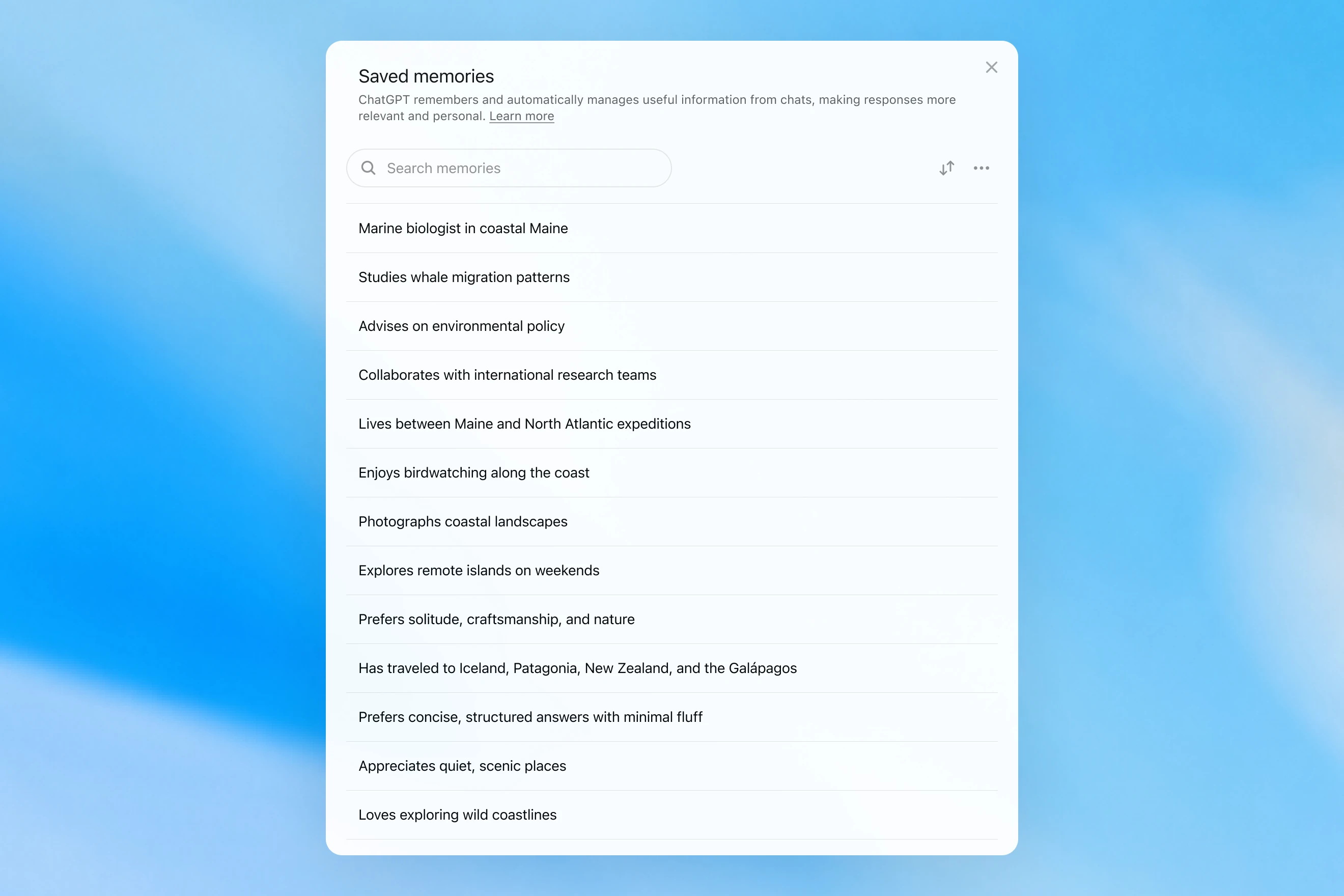
Saved memories modal showing a searchable list of personal details, including work, interests, travel, and response preferences.

As memórias salvas eram escritas apenas durante a conversa e dependiam de sinais fortes para decidir quando acionar a memória, como uma instrução para “lembre que vou viajar para Singapura em julho”. Na prática, interagir com esse sistema podia parecer como conversar com alguém que fazia algumas anotações, mas ainda assim esquecia tudo o que não havia sido escrito. As memórias salvas também tendem a ficar desatualizadas com o tempo e acabam se tornando incorretas ou irrelevantes.

Em abril de 2025, atualizamos a memória do ChatGPT dando ao modelo a capacidade de consultar o contexto de chats fora da lista de memórias salvas; isso foi feito com a introdução da primeira versão do dreaming — um método para o ChatGPT selecionar memórias automaticamente em segundo plano consultando o histórico de chats.
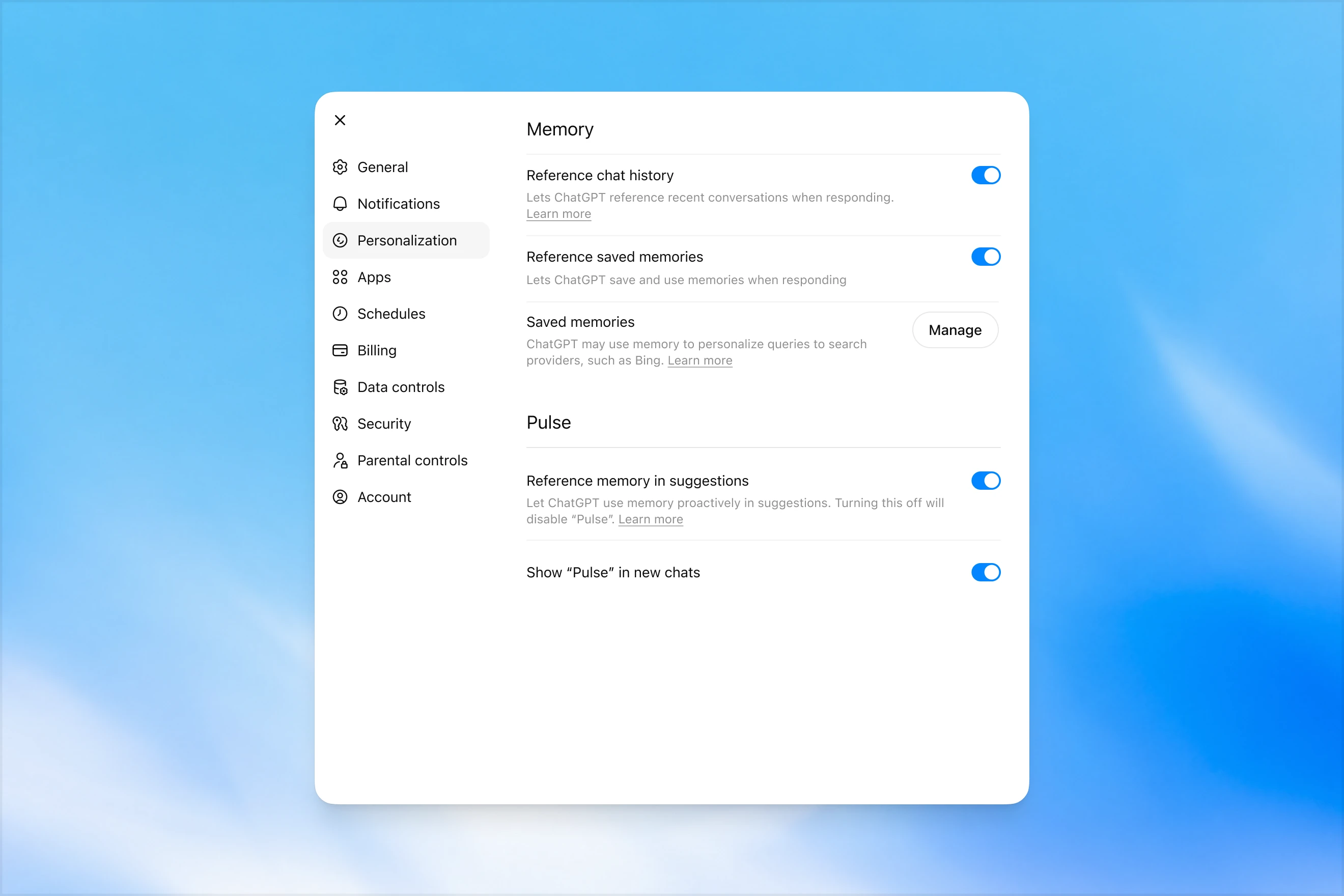
Memory settings page in ChatGPT showing options to reference chat history, use saved memories, manage saved memories, and enable Pulse memory suggestions.

Em contraste com as memórias salvas, o dreaming usa um processo em segundo plano que permite ao ChatGPT aprender com muitas conversas e sintetizar o estado da memória do ChatGPT para sempre fornecer o contexto mais recente e relevante às suas conversas. O dreaming também torna mais fácil para a memória incluir contexto que surge naturalmente na conversa, sem depender de pedidos explícitos para lembrar algo.

Ao longo do último ano, o dreaming complementou as memórias salvas para criar uma melhoria significativa na capacidade do ChatGPT de personalizar respostas e compensar a desatualização das memórias salvas. No entanto, historicamente ele nunca foi suficiente como um sistema de memória independente.

Hoje, estamos lançando uma arquitetura de memória significativamente mais capaz e eficiente em computação, construída sobre o dreaming.

As memórias sintetizadas pelo dreaming podem ser revisadas por meio de um resumo delas exibido na página de resumo da memória. A partir do resumo da memória, você pode captar rapidamente os principais pontos do que o ChatGPT sabe sobre você, adicionar ou atualizar informações sobre si e fornecer instruções sobre quais tópicos o ChatGPT deve mencionar e quando. Se você quiser se aprofundar em uma área específica para saber mais, basta conversar com o modelo.
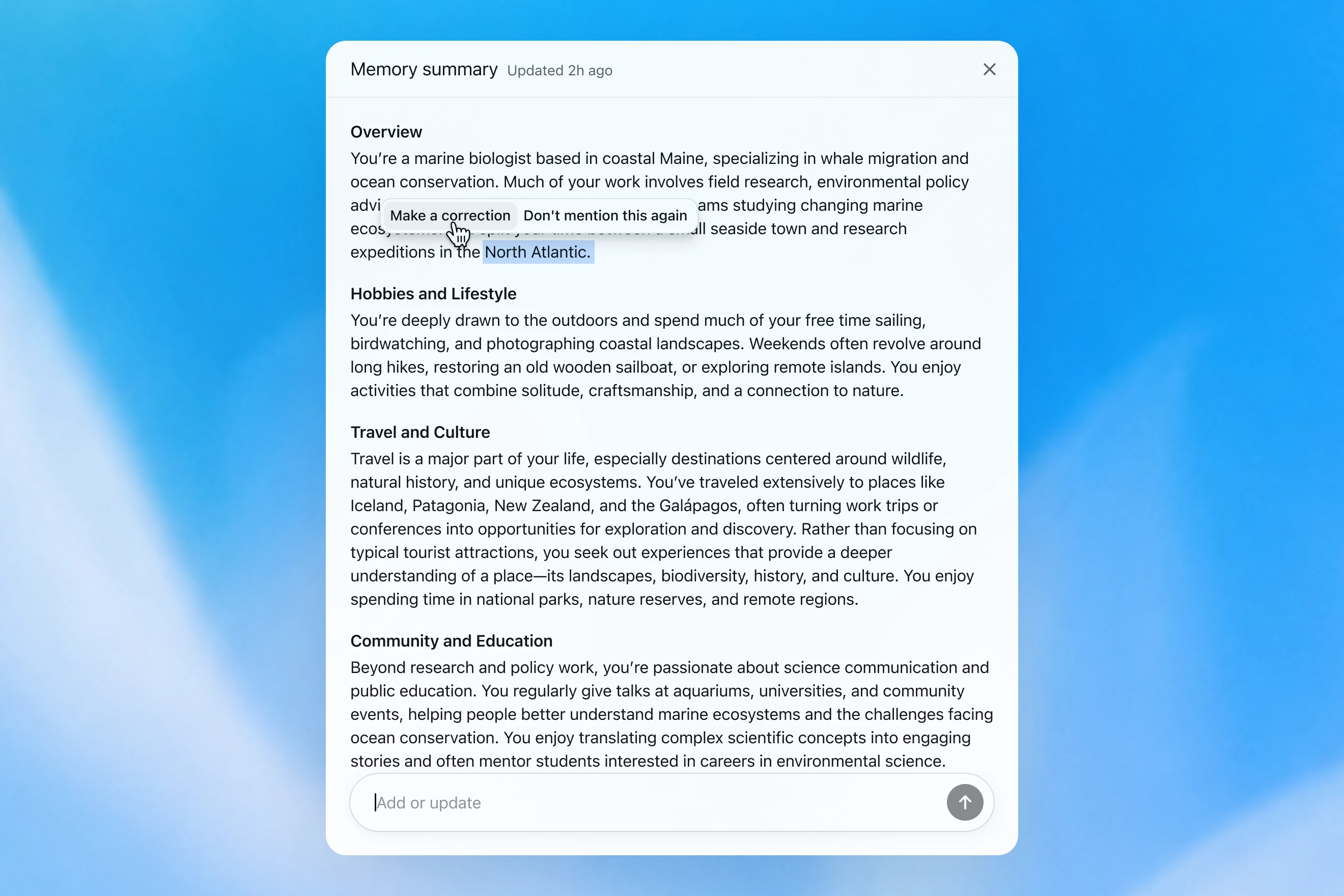
Memory summary modal showing a personalized overview of a user’s work, hobbies, travel interests, and community involvement, with options to correct or dismiss specific details.

Como avaliamos a memória

Quando pensamos em como é uma “boa memória” no ChatGPT, algumas coisas vêm à mente:

  1. Levar adiante contexto útil: você conta algo ao ChatGPT uma vez, e ele se lembra dessa informação nos seus chats seguintes.
  2. Seguir preferências e restrições: se você descreve uma preferência (por exemplo, que é vegetariano), então o ChatGPT deve tomar ações compatíveis com essa preferência dali em diante.
  3. Manter-se atualizado ao longo do tempo: a memória deve levar em conta a passagem do tempo. Imagine “o usuário está planejando sua festa de aniversário para o próximo sábado”; uma hora, o domingo chega.

Podemos avaliar como a memória do ChatGPT Plus e Pro melhorou ao longo do tempo em relação a cada um dos três objetivos de memória acima. Fazemos isso para cada um destes:

  1. 2024: memórias salvas
  2. 2025: memórias salvas + Dreaming V0
  3. 2026: Dreaming V3

Levar o contexto adiante

Quando você inicia um novo chat com o ChatGPT, não precisa se apresentar do zero. O ChatGPT pode poupar seu tempo e aproveitar o contexto anterior, especialmente em projetos complexos e de longa duração.

Por exemplo, imagine que você esteja usando o ChatGPT para comprar novos equipamentos de câmera compatíveis com sua câmera atual. Se você já discutiu sua configuração de câmera com o ChatGPT no passado, pode pedir produtos compatíveis com “minha configuração de fotografia” e receber recomendações personalizadas que atendam às suas necessidades.

GPT-5.2 Instant

What would I need to buy to use TTL for my underwater photography setup?

To use TTL flash underwater, you need a compatible chain from camera → housing/trigger → cable → strobe. What you buy depends mostly on whether your setup uses fiber-optic TTL or electrical TTL.

Basic shopping checklist

  • TTL-capable underwater strobe
    Look for strobes that support your TTL type, such as Inon S-TTL, Sea & Sea DS-TTL, Ikelite DS TTL, or compatible Backscatter/Nauticam systems. TTL has to be supported by the strobe, not just the camera.
  • TTL trigger or TTL converter
    This is the key piece. It translates your camera’s flash metering into something the underwater strobe can understand. Examples include Nauticam optical TTL converters, Sea & Sea TTL converters, Backscatter Smart Control optical TTL triggers, or Ikelite DS Link TTL converters, depending on housing and camera brand. Backscatter notes that Nauticam optical TTL converters can work with fiber-optic-connected Inon and Sea & Sea TTL strobes, while Ikelite’s DS Link converters are made around Ikelite DS strobes and electrical sync setups. (Backscatter.com(abre em uma nova janela))
  • Connection cable
    For fiber optic TTL, buy one fiber optic cable per strobe. Ikelite’s fiber-optic guide says each strobe needs its own light path, converter/adapter, and cord. (Ikelite(abre em uma nova janela))
    For
    electrical TTL, buy the correct sync cord, such as Ikelite-style, Nikonos 5-pin, or housing-specific bulkhead cable.
  • Housing compatibility parts
    You may need a hot-shoe adapter, bulkhead, fiber optic window/adapter, or housing-specific TTL board. Many TTL triggers mount inside the housing on the camera hot shoe.
  • Strobe arms, clamps, tray, and mounting hardware
    TTL controls exposure, but you still need to physically mount and aim the strobes.
  • Batteries and spares
    Bring strobe batteries, trigger batteries if required, spare fiber optic cables or sync cord O-rings, and silicone grease for serviceable O-rings.

Which route should you choose?

Fiber optic TTL is usually easiest if your housing has optical ports or can use the camera’s pop-up flash/LED trigger. It is common with compact, mirrorless, Nauticam, Sea & Sea, AOI, and Olympus/OM TG-style setups.

Electrical TTL is often best if you use Ikelite DS strobes or an Ikelite-style housing/bulkhead. Ikelite says its DS Link TTL converters are faster and more reliable than fiber-optic TTL triggers, and they do not require batteries. (Backscatter.com(abre em uma nova janela))

The compatibility rule

You need all three to match:

camera brand/protocol + housing/trigger type + strobe TTL system

For example:

  • Sony camera + Nauticam housing + optical TTL trigger + Inon/Sea & Sea-compatible fiber optic strobe
  • Nikon/Canon/Sony camera + Ikelite housing/bulkhead + Ikelite DS Link TTL converter + Ikelite DS strobe
  • Compact camera with built-in flash + fiber optic cable + S-TTL/DS-TTL-capable strobe

So the practical answer is: buy a TTL-compatible strobe, the correct TTL trigger/converter for your camera and housing, and the right fiber optic or electrical sync cable. The exact part numbers depend on your camera, housing, and strobe model.

O modelo produz uma resposta genérica que deixa o usuário fazer verificações complicadas de compatibilidade por conta própria.

GPT-5.3 Instant

What would I need to buy to use TTL for my underwater photography setup?

I’ll verify this against your actual setup: Sony A1 II in Nauticam NA-A1II, with Backscatter Mini Flash 3 and Inon Z-330 strobes. The key question is whether you want TTL with the Mini Flash 3, the Z-330s, or both.

For your setupSony A1 II + Nauticam NA-A1II + Backscatter Mini Flash 3 + Inon Z-330 — there are two different TTL paths:

Best buy for Mini Flash 3 TTL

Buy:

Backscatter Smart Control TTL LED Nauticam Flash Trigger for Sony
SKU: BS-TR-SN2

Backscatter lists it as custom-designed for Nauticam full-frame Sony housings, TTL-compatible with Mini Flash 3, and the NA-A1II housing page offers it as the “Backscatter Smart Control TTL Flash Trigger” option. (Backscatter.com(abre em uma nova janela))

You’d use normal optical fiber cables from the housing to the Mini Flash 3. On the MF-3, you’d use SC or SC Macro mode; Backscatter says SC / SC Macro are the TTL modes for Mini Flash 3, with SC Macro specifically tuned for close macro work. (Backscatter.com(abre em uma nova janela))

For Inon Z-330 TTL

For the Inon Z-330, the relevant unit is:

UW Technics 11075-HSS TTL Converter for Sony / Nauticam

UW Technics explicitly lists Inon Z-330 as a compatible TTL strobe and supports optical TTL output. (UWTechnics(abre em uma nova janela))

But I would not buy this for Mini Flash 3 TTL. Backscatter’s own UW Technics listing says Backscatter strobes are manual / HSS only on that converter, while the Backscatter Smart Control trigger is the one listed for Sony TTL with the Mini Flash 3. (Backscatter.com(abre em uma nova janela))

Practical recommendation

Since you shoot macro and have the Mini Flash 3, I’d buy the Backscatter Smart Control TTL LED Nauticam Flash Trigger for Sony — BS-TR-SN2.

The catch: there probably is no single trigger that gives true TTL for both the Mini Flash 3 and Inon Z-330 at the same time. The Backscatter trigger is the right TTL solution for the MF-3; the UW Technics converter is the right TTL solution for the Z-330. So choose based on which strobe you actually want TTL for.

For your use case, I’d prioritize Mini Flash 3 TTL / SC Macro and treat the Z-330s as manual when needed.

O modelo se lembra da configuração de câmera do usuário e recomenda um produto compatível.

O GPT‑5.2 Instant eventualmente responde à pergunta, mas, ao tentar explicar seus limites de segurança, traz um longo preâmbulo sobre o que não pode ajudar. O GPT‑5.3 Instant, por outro lado, vai direto para a resposta.

Podemos construir uma avaliação a partir de exemplos semelhantes a este, em que o modelo é solicitado a responder a um prompt que exige lembrar informações factuais sobre o usuário. O modelo é então recompensado se responder de uma forma que use corretamente o contexto relevante. Nesta avaliação, o novo sistema baseado em dreaming melhora a capacidade do modelo de lembrar fatos relevantes.

Seguir preferências

A memória também ajuda o ChatGPT a responder de maneiras que correspondem melhor às suas preferências e restrições.

Imagine que você esteja planejando uma viagem para Singapura. Dois meses antes da viagem, você pede ao ChatGPT ajuda com um roteiro. O ChatGPT já sabe, a partir de planejamentos de viagem anteriores, que você gosta de fotografia de vida selvagem, prefere hotéis com ar-condicionado potente e prefere um jantar tranquilo a um bar lotado.

GPT-5.2 Instant
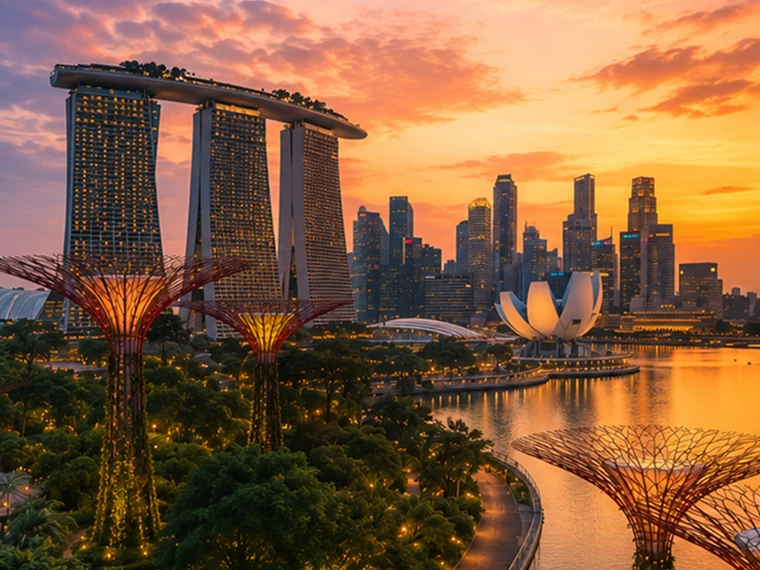
Help me plan a trip to Singapore. I'm going to be there for a work trip in July and will have a few days free at the end.

Great add-on city for a work trip: Singapore is compact, safe, excellent for solo exploring, and easy to do in 2–4 free days. July is hot and humid; expect daytime highs around 31–33°C / 88–91°F, warm nights, and sudden rain, so plan outdoor time early morning or after 5 p.m. and keep midday for museums, malls, cafés, or hotel downtime. Singapore’s official weather service notes typical daily highs of 31–33°C and lows of 23–25°C. (Singapore Weather Service(abre em uma nova janela))

memory-preferences-without

A strong 3-day plan

Day 1: Marina Bay, Gardens, and skyline

Start late afternoon at Marina Bay and walk the waterfront: Merlion Park, Helix Bridge, ArtScience Museum exterior, then into Gardens by the Bay. Book Cloud Forest, Flower Dome, and either the OCBC Skyway or Supertree Observatory if views matter to you. Gardens by the Bay lists Cloud Forest and Flower Dome as open daily 9 a.m.–9 p.m.; Supertree Observatory is also listed as 9 a.m.–9 p.m. with last admission at 8:30 p.m., but check maintenance closures before booking. (Gardens by the Bay(abre em uma nova janela))

Evening: stay for the Supertree light show area, then dinner at Lau Pa Sat for an easy first-night hawker experience near the CBD. It has 80+ stalls and local staples like satay, laksa, nasi lemak, bak kut teh, kaya toast, and char kway teow. (Laupasat(abre em uma nova janela))

Day 2: Culture neighborhoods and food

Morning: Chinatown. Visit Buddha Tooth Relic Temple, walk the shophouse streets, and eat at Maxwell Food Centre or Chinatown Complex Food Centre. Visit Singapore lists Maxwell, Chinatown Complex, Old Airport Road, Tiong Bahru Market, Newton, and others among popular hawker centres. (Visit Singapore(abre em uma nova janela))

Afternoon: Kampong Glam and Haji Lane for Sultan Mosque, murals, boutiques, and cafés. Then head to Little India around golden hour for temples, flower garlands, Tekka Centre, and dinner.

Evening: either cocktails around Ann Siang / Club Street, or keep it low-key with a night walk along the Singapore River: Boat Quay to Clarke Quay to Robertson Quay.

Day 3: Nature or beach day

Pick one based on your energy.

For nature: do Singapore Botanic Gardens early, then the National Orchid Garden, followed by lunch in Dempsey Hill or Tiong Bahru. This is the best “green Singapore” day without leaving the city.

For beach/resort mode: go to Sentosa. Choose the southern beaches, Fort Siloso Skywalk, or a beach club. I would skip trying to do every Sentosa attraction unless you love theme parks.

For local food focus: do Tiong Bahru Market for breakfast, National Gallery Singapore midday, then Old Airport Road Food Centre for dinner. The official events page also shows exhibitions and cultural events, so it is worth checking once your exact July dates are fixed. (Visit Singapore(abre em uma nova janela))

Best places to stay after the work part

Marina Bay / CBD is easiest if you want polished, walkable, skyline-heavy Singapore and minimal transit.

Chinatown / Telok Ayer / Tanjong Pagar is my top pick for a few free days: great food, MRT access, heritage streets, cocktail bars, and close to work districts.

Bugis / Kampong Glam is better if you want boutique hotels, cafés, street art, and a slightly more relaxed neighborhood feel.

Orchard is convenient for shopping and rainy-day malls, but less atmospheric.

What to book ahead

Book Gardens by the Bay conservatories/Skyway, any special restaurants, and possibly a cocktail bar. For hawker centres, do not over-plan; just go hungry, carry tissues or wet wipes, and be ready to share tables.

July packing notes

Bring breathable work clothes, comfortable walking shoes, a small umbrella, and a light layer for aggressive air-conditioning. I would also plan one “rain-flexible” indoor block each day, because showers can arrive suddenly even when the forecast looks fine.

My suggested balance: Day 1 Marina Bay/Gardens, Day 2 Chinatown–Kampong Glam–Little India, Day 3 Botanic Gardens or Sentosa. That gives you the Singapore highlights without turning your post-work break into another work project.

O modelo produz uma resposta genérica, mais turística, que não ajuda na reserva de hotel e ignora em grande parte os interesses do usuário.

GPT-5.3 Instant
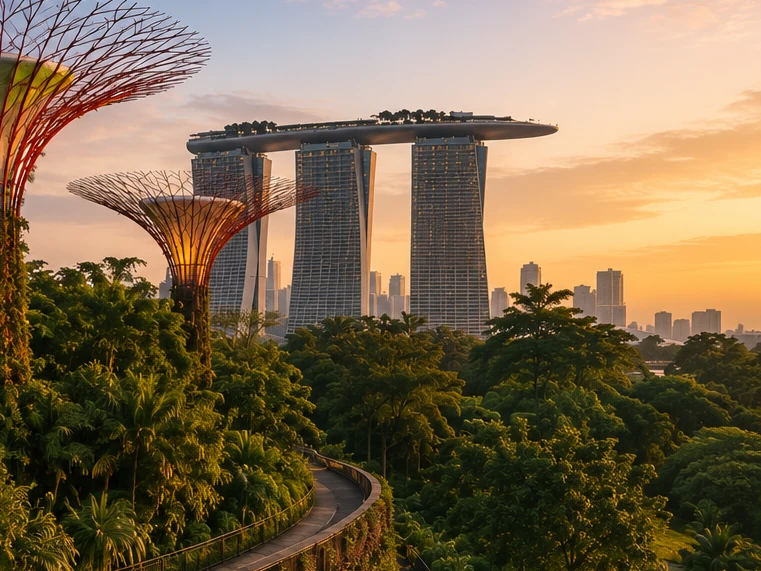
Help me plan a trip to Singapore. I'm going to be there for a work trip in July and will have a few days free at the end.

I’ll build this around your known constraints: a few free days after work, hot/humid July weather, wildlife/photography/nature bias, strong AC needs for sleep, and good but not overly social dining. I’ll verify current July logistics and then give a practical short itinerary rather than a generic Singapore list.

memory-preferences-with

Here’s how I’d structure it: 2–3 free days, mostly nature / wildlife / photography, with heat-managed mornings and AC breaks. July is hot and humid: Singapore’s July long-term stats are about 31.4°C / 88.5°F average daily max, 25.4°C / 77.7°F min, 146.6 mm rain, and 14 rain days, so outdoor plans should be early morning or evening, not midday. (National Environment Agency(abre em uma nova janela))

Best plan for 3 free days

Day 1 — Gardens by the Bay + Marina Bay, low-friction

Morning: Cloud Forest + Flower Dome. This is the obvious “touristy” pick, but it fits you well because it’s visually interesting, good for photography, and climate-controlled. Gardens by the Bay lists Cloud Forest and Flower Dome-type attractions running 9:00am–9:00pm, and Cloud Forest currently has the Jurassic World experience listed as ongoing. (Gardens by the Bay(abre em uma nova janela))

Late afternoon / evening: Supertree Grove + Borealis / light show. Gardens currently lists Borealis every Sat, Sun & Mon, 8:00–8:30pm at Supertree Grove, so try to align this with one of those nights. (Gardens by the Bay(abre em uma nova janela))

Dinner: do something easy nearby: Marina Bay / Tanjong Pagar / Telok Ayer. For you, I’d prioritize reservation-based restaurants with real tables over hawker centers on the first night, because you dislike cramped solo seating.

Day 2 — Mandai wildlife day

Morning to afternoon: Bird Paradise + River Wonders. Bird Paradise is probably the best fit photographically; River Wonders is less “wildlife photography” and more controlled exhibits, but it pairs well logistically. River Wonders is listed as daily 9:00am–6:00pm, last entry 5:00pm. (Mandai Wildlife Reserve(abre em uma nova janela))

Evening: Night Safari. This is the rare Singapore attraction that is genuinely better at night and avoids the worst heat. Night Safari is listed as daily 6:00pm–12:00am, last entry 11:15pm, with tram plus walking trails and over 900 nocturnal animals. (Mandai Wildlife Reserve(abre em uma nova janela))

This is a full day. I would not add Singapore Zoo unless you have 4 free days; Mandai can become exhausting fast.

Day 3 — Nature reserve / macro-ish walking + food

Early morning: Singapore Botanic Gardens or MacRitchie / Windsor Nature Park. For a few free days, Botanic Gardens is the safer pick: easier transport, less sweaty, better bailout options, and more consistent casual photography. MacRitchie / Windsor is better if you want more actual forest, but it is hotter, sweatier, and less predictable.

Midday: AC break.

Late afternoon: Joo Chiat / Katong or Chinatown / Telok Ayer for walking, architecture, coffee, and dinner. This gives you a different texture from Marina Bay without turning the day into a logistics project.

My ranking for you

  1. Cloud Forest / Gardens by the Bay — best combination of photogenic, iconic, heat-managed.
  2. Bird Paradise + Night Safari — best wildlife-focused day.
  3. Botanic Gardens early morning — best low-stress outdoor nature.
  4. Joo Chiat / Katong — best neighborhood walk.
  5. Hawker centers — worth doing, but not ideal for your seating preferences unless timed off-peak.

What I’d avoid or deprioritize

I would skip Sentosa unless you specifically want beach/resort stuff. I would also skip a packed “greatest hits” day of Merlion / Orchard / Little India / Chinatown / Clarke Quay; it’s inefficient and hot. For you, the trip will be better if each day has one strong anchor plus one easy evening plan.

Hotel / sleep note

Since this is a work trip, your hotel may be fixed. If you can choose or extend at the same hotel, the hard gate is still AC. Singapore hotels are generally AC-heavy, but your requirement is unusually strict.

One thing I need to make this concrete

Send the exact free dates and whether your work hotel is fixed. Then I’d turn this into a day-by-day plan with restaurant targets and a hotel/AC callout.

O modelo produz uma resposta personalizada aos interesses do usuário em fotografia de vida selvagem, jantares tranquilos e suas prioridades ao reservar um hotel.

O GPT‑5.2 Instant eventualmente responde à pergunta, mas, ao tentar explicar seus limites de segurança, traz um longo preâmbulo sobre o que não pode ajudar. O GPT‑5.3 Instant, por outro lado, vai direto para a resposta.

As preferências podem assumir várias formas:

  1. Instruções sobre como o ChatGPT deve responder (“não mencione o Stan de novo”).
  2. Suas preferências ou restrições pessoais (“sou vegetariano”)
  3. Preferências implícitas que moldam o que é relevante para você (“moro perto de São Francisco” → as opções locais devem ser adaptadas a essa área)

Ao desenvolver o novo sistema de memória, melhoramos a capacidade do ChatGPT de aplicar preferências relevantes de conversas anteriores. Seguindo o exemplo “sou vegetariano” acima, podemos avaliar se o modelo usa corretamente a memória para produzir opções de refeições adequadas a vegetarianos quando um usuário vegetariano pede sugestões de preparo de refeições.

Manter-se atualizado ao longo do tempo

O tempo não para quando seu chat termina.

Sistemas tradicionais de memória podem ficar desatualizados. Por exemplo, você diz ao ChatGPT: “estou em Singapura e preciso de uma recomendação de jantar para hoje à noite”. Então o tempo passa, sua viagem termina, e você se pergunta por que o ChatGPT ainda acha que você está em Singapura.

Com o dreaming, as memórias são atualizadas automaticamente à medida que o tempo passa, permitindo que o ChatGPT revise sua memória de “você vai a Singapura em julho” para “você foi a Singapura em julho de 2026” quando a viagem termina. Então, quando você está de volta em casa, o ChatGPT pode novamente fornecer recomendações adaptadas à sua localização residencial e ao seu fuso horário.

GPT-5.2 Instant

Help me find something for take-out tonight that's still open.

It’s about 5:19 AM Sunday in Singapore, so your safest take-out/delivery bets are 24-hour places.

Best bets right now:

  1. McDelivery / McDonald’s Singapore — easiest islandwide option; McDonald’s says McDelivery is available 24 hours, 7 days a week. Breakfast menu should be on now. (McDonald's Singapore(abre em uma nova janela))
  2. Srisun Express — good for prata, Indian Muslim food, local comfort food; their site says they’re halal-certified and open 24/7. (Sri Sun Express(abre em uma nova janela))
  3. 89.7 Supper Club — good if you’re near Changi Village or Geylang East; their outlets page says both locations are open 24 hours, 7 days a week. (89.7 Supper Club(abre em uma nova janela))
  4. 126 Dim Sum Wen Dao Shi — worth checking on GrabFood/foodpanda if you’re in the East; a 2025 guide says it runs till 5:30 AM on weekdays and round-the-clock on weekends. Since it’s Sunday morning, it may still be available. (Eatbook(abre em uma nova janela))
  5. Prata around Geylang / Serangoon / Bedok / Jalan Kayu — look in GrabFood or Google Maps for “prata open now”; guides list multiple 24-hour prata/supper spots, including Mufiz Prata Corner and RK Eating House. (Eatbook(abre em uma nova janela))

For the fastest path: open GrabFood / foodpanda / Deliveroo, set filter to Open now, then search “prata,” “McDonald’s,” “Srisun,” “89.7,” “dim sum,” or “nasi lemak.” If you tell me your neighborhood or nearest MRT, I’ll narrow it to specific nearby places.

O modelo acha que o usuário ainda está em Singapura.

GPT-5.3 Instant

Help me find something for take-out tonight that's still open.

I’ll use Portola Valley / Ladera as the starting point and prioritize places that are plausibly open for takeout tonight, then narrow to low-friction options rather than a huge list.

For tonight, Saturday May 30, near Ladera / Portola Valley, I’d start here:

  1. Alpine Inn — safest casual pickup option. Open Saturday until 9:30 pm and has Order Takeout on its site. Good for burgers / tavern food. (Rossotti's Alpine Inn(abre em uma nova janela))
  2. Taverna Portola Valley — nearby at Ladera Country Shopper; open daily, Saturday dinner until 9:00 pm. Better if you want Greek / Mediterranean. (TAVERNA Portola Valley(abre em uma nova janela))
  3. Portola Bistro — also nearby; Saturday dinner until 9:30 pm. Good option for Italian / Mediterranean / pizza-ish dinner. (Portola Bistro -(abre em uma nova janela))
  4. Amigos Grill — Mexican, very close in Ladera Country Shopper. Official site says call to order at 650-851-3997; DoorDash / order.online lists pickup/delivery ordering until 8:40 pm. (Amigos Grill(abre em uma nova janela))
  5. State of Mind Slice House, Palo Alto — best fallback if you want pizza and can drive farther; Friday–Saturday hours are 11 am–10 pm. (State of Mind Slice House(abre em uma nova janela))

My pick: Alpine Inn for easiest local takeout, Taverna if you want something less heavy, State of Mind if it’s later and you want the most reliable post-9 pm option.

O modelo fornece respostas relevantes para a localização residencial do usuário.

O GPT‑5.2 Instant eventualmente responde à pergunta, mas, ao tentar explicar seus limites de segurança, traz um longo preâmbulo sobre o que não pode ajudar. O GPT‑5.3 Instant, por outro lado, vai direto para a resposta.

Em nossas avaliações de memória, medimos se o ChatGPT consegue responder corretamente a prompts em que a passagem do tempo afeta materialmente a resposta ou recomendação correta. O dreaming proporciona uma melhoria substancial nessa área:

Uma base mais escalável para o futuro

Na OpenAI, nossa missão é garantir que a inteligência artificial geral beneficie toda a humanidade.

Embora a memória baseada em dreaming esteja disponível para usuários Plus e Pro há algum tempo, só agora conseguimos oferecer aos usuários Free uma versão que atende ao nosso padrão de qualidade e é prática de disponibilizar em escala. Melhorias recentes reduziram em aproximadamente 5 vezes a computação necessária para disponibilizar o dreaming aos usuários Free, possibilitando começar a lançar o dreaming para usuários Free nas próximas semanas e aumentar a capacidade de memória para usuários Plus e Pro.

Daqui para frente, o dreaming agora nos oferece uma base de memória compartilhada para todos os usuários. Esta atualização representa nosso sistema de memória mais capaz até agora, e continuaremos a aprimorá-lo.

Para saber mais sobre este lançamento e os controles de usuário da memória, acesse nossas Perguntas frequentes sobre Memória(abre em uma nova janela).


Autoria

OpenAI