Codex မိတ်ဆက်ခြင်း
codex-1 ဖြင့် မောင်းနှင်ပြီး task များစွာကို တစ်ပြိုင်နက် လုပ်ဆောင်နိုင်သော cloud-based software engineering အေးဂျင့် တစ်ခု။ ယနေ့ ChatGPT Pro, Business နှင့် Enterprise အသုံးပြုသူများအတွက် ရရှိနိုင်ပြီး Plus အသုံးပြုသူများအတွက်လည်း မကြာမီ ရရှိမည်။
This launch post is outdated.
2025 ဇွန် 3 ရက် အပ်ဒိတ်: Codex ကို ယခုအခါ ChatGPT Plus အသုံးပြုသူများအတွက်လည်း ရရှိနိုင်ပါပြီ။ task လုပ်ဆောင်နေစဉ် Codex အား internet access ပေးနိုင်ရန်ကိုလည်း ကျွန်ုပ်တို့ ဖွင့်ပေးနေပါသည်။ အသေးစိတ်အချက်အလက်များအတွက် changelog(ဝင်းဒိုးအသစ်တွင် ဖွင့်မည်) နှင့် docs(ဝင်းဒိုးအသစ်တွင် ဖွင့်မည်) ကို ကိုးကားကြည့်ရှုပါ။
ယနေ့တွင် ကျွန်ုပ်တို့သည် Codex ၏ research preview ကို မိတ်ဆက်နေပါသည် - task များစွာကို တစ်ပြိုင်နက် လုပ်ဆောင်နိုင်သော cloud-based software engineering အေးဂျင့် တစ်ခုဖြစ်သည်။ Codex သည် feature များရေးခြင်း၊ သင့် codebase အကြောင်း မေးခွန်းများ ဖြေခြင်း၊ bug များ ပြင်ခြင်းနှင့် review အတွက် ပြင်ဆင်ချက် တင်သွင်းမှုများ အဆိုပြုခြင်းကဲ့သို့ task များကို သင့်အတွက် လုပ်ဆောင်နိုင်ပြီး task တစ်ခုချင်းစီကို သင့် repository ဖြင့် ကြိုတင်တင်ထားသော ၎င်းကိုယ်ပိုင် cloud sandbox environment တစ်ခုစီအတွင်း run လုပ်ပါသည်။
Codex ကို software engineering အတွက် အကောင်းဆုံးပြုလုပ်ထားသော OpenAI o3 ၏ version တစ်ခုဖြစ်သည့် codex-1 ဖြင့် မောင်းနှင်ထားပါသည်။ ၎င်းကို environment အမျိုးမျိုးရှိ real-world coding task များအပေါ် အခြေခံ၍ အားဖြည့် သင်ယူလေ့လာခြင်း ဖြင့် လေ့ကျင့်ပေးထားပြီး လူသားစတိုင်နှင့် PR preference များကို နီးကပ်စွာ ထင်ဟပ်သော code ကို ထုတ်ပေးနိုင်ရန်၊ ညွှန်ကြားချက်များကို တိကျစွာ လိုက်နာနိုင်ရန်နှင့် passing result မရမချင်း test များကို iterative ပုံစံဖြင့် run လုပ်နိုင်ရန် ရည်ရွယ်ထားပါသည်။ ယနေ့မှစ၍ Codex ကို ChatGPT Pro, Enterprise နှင့် Business အသုံးပြုသူများထံ စတင်ဖြန့်ချိနေပြီး Plus နှင့် Edu အတွက် support ကို မကြာမီ ပေးသွားမည်ဖြစ်သည်။
This launch post is outdated.
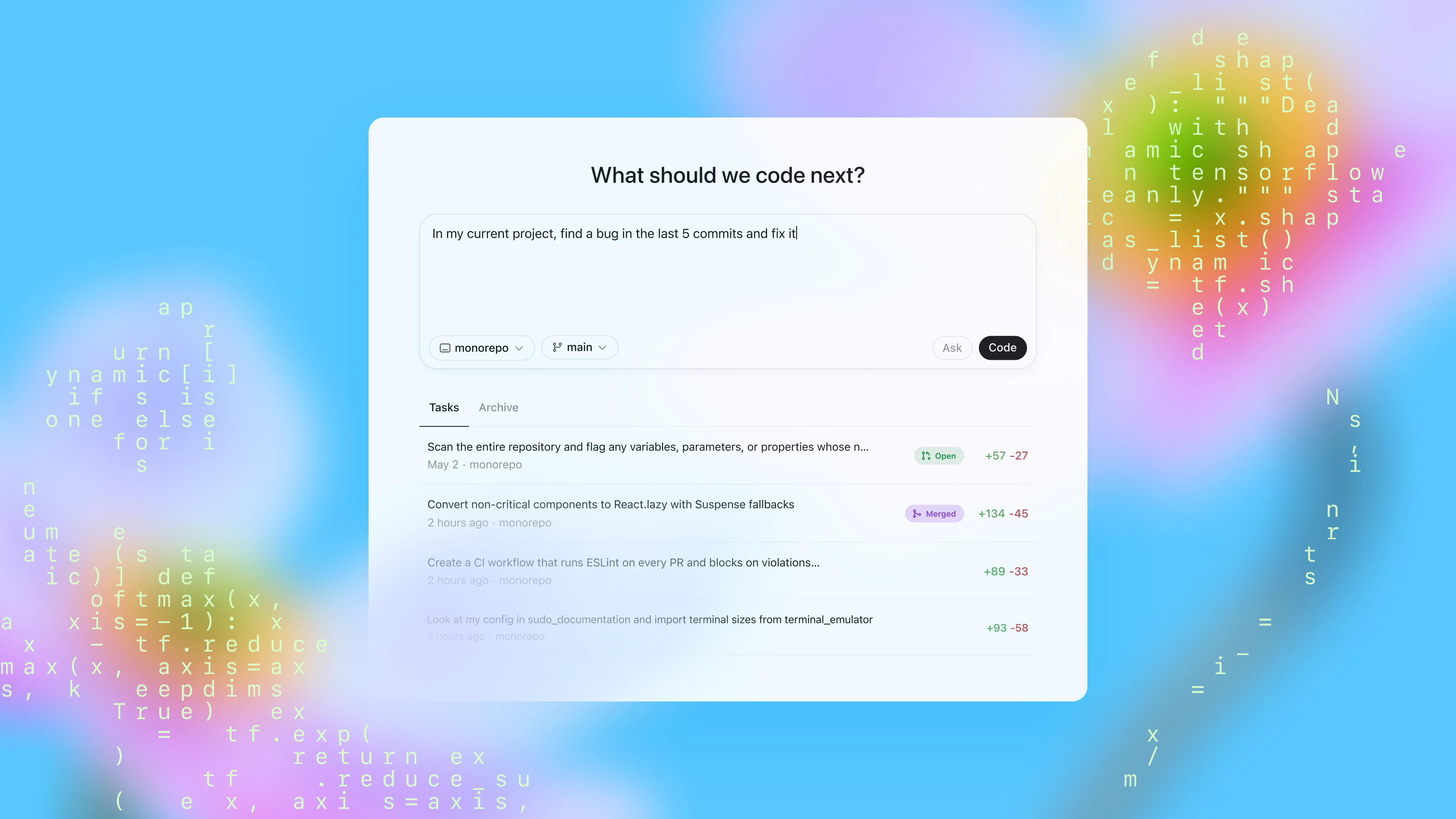
ယနေ့တွင် ChatGPT ရှိ sidebar မှတစ်ဆင့် Codex ကို အသုံးပြုနိုင်ပြီး တုံ့ပြန်ညွှန်ကြားချက်တစ်ခု ရိုက်ထည့်ကာ “Code” ကို နှိပ်၍ coding task အသစ်များ ပေးအပ်နိုင်ပါသည်။ သင့် codebase နှင့် ပတ်သက်၍ Codex ကို မေးခွန်းမေးလိုပါက “Ask” ကို နှိပ်ပါ။ task တစ်ခုချင်းစီကို သင့် codebase ဖြင့် ကြိုတင်တင်ထားသော သီးခြား isolated environment တစ်ခုစီတွင် သီးခြားစီ လုပ်ဆောင်ပေးပါသည်။ Codex သည် file များကို ဖတ်ရှုနိုင်၊ တည်းဖြတ်နိုင်သလို test harness, linter နှင့် type checker များအပါအဝင် command များကိုလည်း run လုပ်နိုင်ပါသည်။ task ပြီးစီးချိန်မှာ ရှုပ်ထွေးမှုအပေါ်မူတည်ပြီး ပုံမှန်အားဖြင့် 1 မိနစ်မှ 30 မိနစ်အတွင်း ကြာမြင့်နိုင်ပြီး Codex ၏ တိုးတက်မှုကို real time ဖြင့် စောင့်ကြည့်နိုင်ပါသည်။
Codex က task တစ်ခုကို ပြီးစီးသည့်အခါ ၎င်း၏ environment ထဲတွင် ၎င်း၏ change များကို commit လုပ်ပါသည်။ Codex သည် terminal log များနှင့် test output များကို citation ပေးခြင်းဖြင့် ၎င်းလုပ်ဆောင်ခဲ့သော အဆင့်တိုင်းကို ခြေရာခံနိုင်စေသည့် verifiable evidence ကို ပံ့ပိုးပေးပါသည်။ ထို့နောက် ရလဒ်များကို review လုပ်နိုင်ပြီး၊ ထပ်မံပြင်ဆင်ရန် တောင်းဆိုနိုင်ကာ GitHub ပြင်ဆင်ချက် တင်သွင်းမှုတစ်ခု ဖွင့်နိုင်သလို change များကို သင့် local environment ထဲသို့ တိုက်ရိုက်ပေါင်းစည်းနိုင်ပါသည်။ product အတွင်းတွင် Codex environment ကို သင့်အမှန်တကယ် development environment နှင့် အတတ်နိုင်ဆုံး ကိုက်ညီအောင် configure လုပ်နိုင်ပါသည်။
Codex ကို သင့် repository အတွင်း ထည့်ထားသော AGENTS.md ဖိုင်များဖြင့် လမ်းညွှန်နိုင်ပါသည်။ ၎င်းတို့သည် README.md နှင့် ဆင်တူသော text file များဖြစ်ပြီး Codex အား သင့် codebase ကို မည်သို့ သွားလာနားလည်ရမည်၊ testing အတွက် မည်သည့် command များကို run ရမည်နှင့် သင့် project ၏ standard practice များကို အကောင်းဆုံး မည်သို့ လိုက်နာရမည်ကို အသိပေးနိုင်သည့်နေရာဖြစ်သည်။ လူသား developer များကဲ့သို့ပင် Codex အေးဂျင့်များသည် configure လုပ်ထားသော dev environment များ၊ ယုံကြည်စိတ်ချရသော testing setup များနှင့် ရှင်းလင်းသော documentation များကို ပေးထားသည့်အခါ အကောင်းဆုံး လုပ်ဆောင်နိုင်ပါသည်။
coding evaluation များနှင့် အတွင်းပိုင်း benchmark များတွင် codex-1 သည် AGENTS.md ဖိုင်များ သို့မဟုတ် custom scaffolding မရှိဘဲလည်း စွမ်းဆောင်ရည်ကောင်းကို ပြသထားပါသည်。
ကျွန်ုပ်တို့၏ အတွင်းပိုင်း infrastructure တွင် run မလုပ်နိုင်ခဲ့သော SWE-Bench Verified sample 23 ခုကို ချန်လှပ်ထားသည်။ codex-1 ကို အများဆုံး context length 192k တိုကင် နှင့် medium ‘ကျိုးကြောင်းသင့်လျော်စွာ စဉ််းစားပေးသော effort’ ဖြင့် စမ်းသပ်ထားပြီး ယင်းသည် ယနေ့ product တွင် ရရှိနိုင်မည့် setting ဖြစ်သည်။ o3 evaluation အသေးစိတ်အတွက် here ကို ကြည့်ပါ။
ကျွန်ုပ်တို့၏ အတွင်းပိုင်း SWE task benchmark သည် OpenAI ရှိ real-world အတွင်းပိုင်း SWE task များမှ ရွေးချယ်စုစည်းထားသော set တစ်ခုဖြစ်သည်။
ကျွန်ုပ်တို့၏ iterative deployment strategy နှင့်အညီ Codex ကို research preview အဖြစ် ထုတ်ပြန်နေပါသည်။ Codex ကို ဒီဇိုင်းဆွဲရာတွင် security နှင့် transparency ကို ဦးစားပေးထားပြီး user များက ၎င်း၏ output များကို စစ်ဆေးအတည်ပြုနိုင်စေရန် ပြုလုပ်ထားပါသည် - AI မော်ဒယ်များက ပိုမိုရှုပ်ထွေးသော coding task များကို သီးခြားစီ ကိုင်တွယ်လာသည်နှင့်အမျှ၊ safety ဆိုင်ရာ စဉ်းစားချက်များလည်း ပြောင်းလဲလာသောကြောင့် ဤကာကွယ်မှုသည် ပိုမိုအရေးကြီးလာပါသည်။ user များသည် citation များ၊ terminal log များနှင့် test result များမှတစ်ဆင့် Codex ၏ အလုပ်ကို စစ်ဆေးနိုင်ပါသည်။ မသေချာသည့်အခါ သို့မဟုတ် test failure များနှင့် ကြုံရသည့်အခါ Codex အေးဂျင့်သည် ဤပြဿနာများကို ရှင်းလင်းစွာ ဆက်သွယ်ဖော်ပြပေးသဖြင့် user များအနေဖြင့် မည်သို့ ဆက်လုပ်မည်ကို အသိပညာအခြေပြု ဆုံးဖြတ်ချက်များ ချနိုင်ပါသည်။ သို့ရာတွင် အေးဂျင့်ထုတ်ပေးသော code အားလုံးကို ပေါင်းစည်းခြင်းနှင့် run ခြင်းမပြုမီ user များက ကိုယ်တိုင် review လုပ်ပြီး validate လုပ်ရန်မှာ မရှိမဖြစ်လိုအပ်နေဆဲဖြစ်သည်။
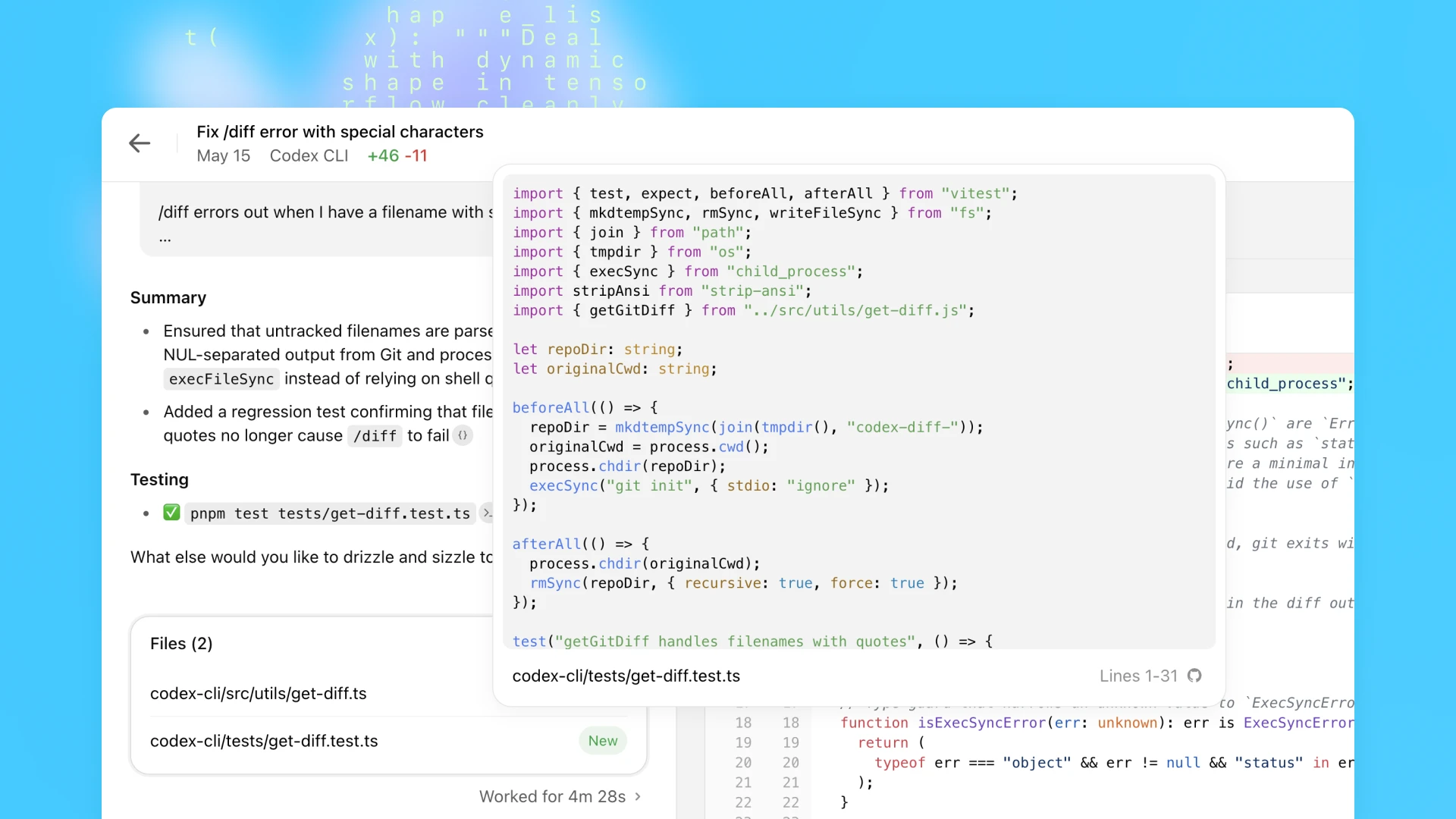
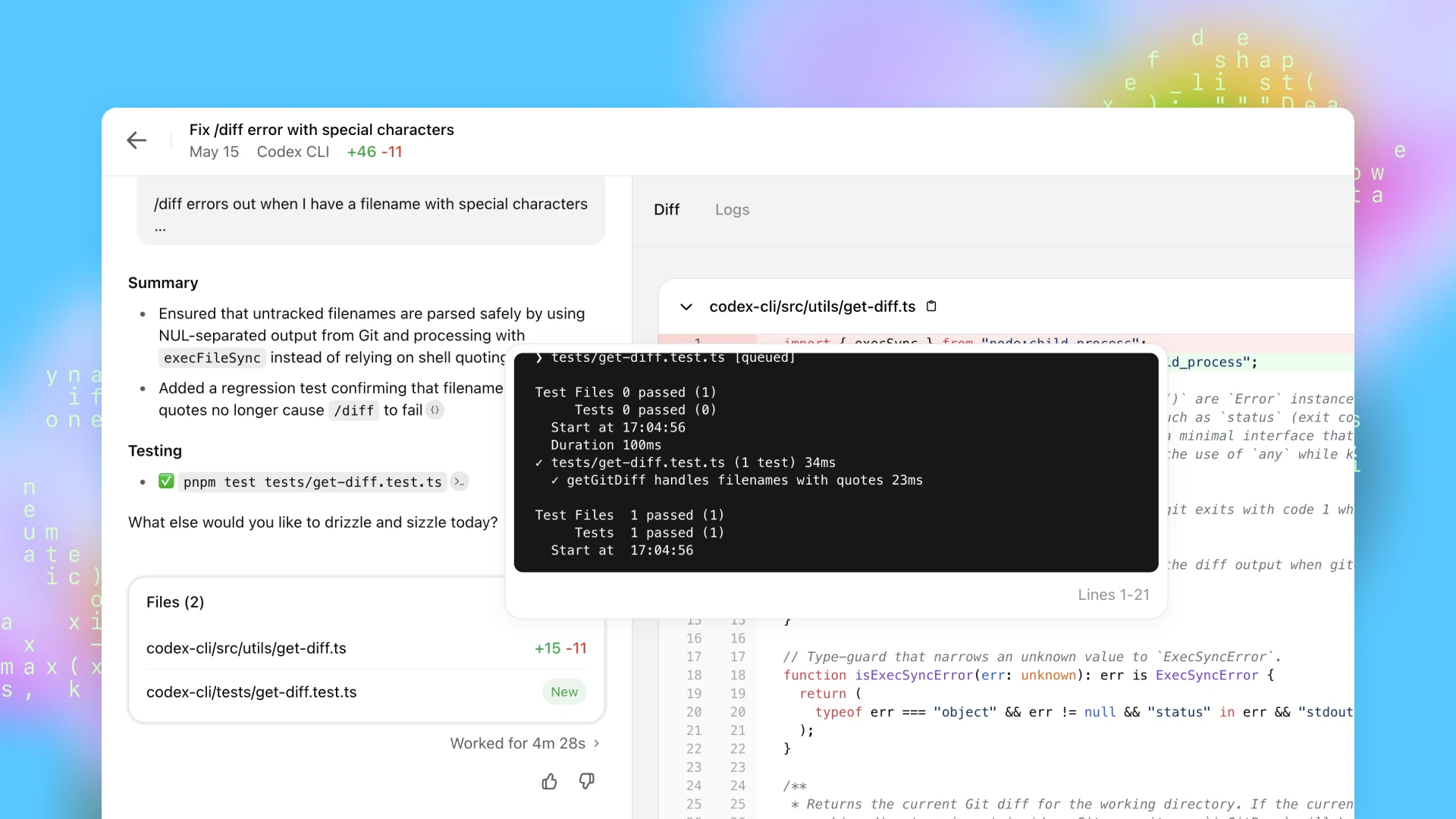
codex-1 ကို လေ့ကျင့်စဉ် အဓိကရည်မှန်းချက်တစ်ခုမှာ output များကို လူသား coding preference များနှင့် စံနှုန်းများနှင့် နီးစပ်စွာ ကိုက်ညီအောင် ပြုလုပ်ရန်ဖြစ်သည်။ OpenAI o3 နှင့် နှိုင်းယှဉ်လျှင် codex-1 သည် ပိုမိုသန့်ရှင်းသော patch များကို တည်ငြိမ်စွာ ထုတ်ပေးပြီး လူသားက ချက်ချင်း review လုပ်ကာ ပုံမှန် workflow များထဲသို့ ပေါင်းစည်းရန် အဆင်သင့်ဖြစ်စေပါသည်။
malware ဖန်တီးရေးကဲ့သို့ AI မောင်းနှင်သည့် software engineering ၏ အန္တရာယ်ရှိသော အသုံးချမှုများကို ကာကွယ်ခြင်းသည် ပိုမိုအရေးကြီးလာနေပါသည်။ တစ်ချိန်တည်းမှာပင် low level kernel engineering ကဲ့သို့ malware ဖန်တီးရေးတွင် တစ်ခါတစ်ရံ အသုံးပြုသည့် နည်းပညာများ ပါဝင်နိုင်သော်လည်း တရားဝင်ပြီး အကျိုးရှိသော အသုံးချမှုများကို ကာကွယ်ရေးဆိုင်ရာ စီမံချက်များကြောင့် မလိုအပ်ဘဲ အဟန့်အတားမဖြစ်စေရန်လည်း အရေးကြီးပါသည်။
လုံခြုံရေးနှင့် အသုံးဝင်မှုကို ဟန်ချက်ညီစေရန် Codex ကို အန္တရာယ်ရှိသော software ဖန်တီးရန် ရည်ရွယ်ထားသော request များကို တိကျစွာ ခွဲခြားသတ်မှတ်ပြီး ငြင်းဆိုနိုင်ရန် လေ့ကျင့်ပေးထားသော်လည်း တရားဝင်သော task များကိုတော့ ရှင်းလင်းစွာ ခွဲခြားပြီး ပံ့ပိုးပေးနိုင်ပါသည်။ ဤနယ်နိမိတ်များကို ထိရောက်စွာ အားဖြည့်ရန် policy framework များကိုလည်း မြှင့်တင်ထားပြီး တင်းကျပ်သော လုံခြုံရေးအကဲဖြတ်မှုများကိုလည်း ထည့်သွင်းထားပါသည်။ ဤအကဲဖြတ်မှုများကို ထင်ဟပ်စေရန် o3 System Card အတွက် နောက်ဆက်တွဲ ကို ကျွန်ုပ်တို့ ထုတ်ပြန်ထားပါသည်။
Codex အေးဂျင့်သည် cloud ရှိ လုံခြုံပြီး သီးခြားခွဲထုတ်ထားသော container အတွင်း၌သာ လုံးဝ လည်ပတ်သည်။ လုပ်ငန်းတာဝန်ကို လုပ်ဆောင်နေစဉ် အင်တာနက် အသုံးပြုခွင့်ကို ပိတ်ထားပြီး အေးဂျင့်သည် GitHub သိမ်းဆည်းရန်နေရာများမှတစ်ဆင့် အတိအလင်း ပံ့ပိုးထားသော ကုဒ်နှင့် setup script မှတစ်ဆင့် အသုံးပြုသူက ဖွဲ့စည်းထားသော ကြိုတင်ထည့်သွင်းထားသည့် မှီခိုအစိတ်အပိုင်းများနှင့်သာ အပြန်အလှန် ဆက်သွယ်နိုင်စေသည်။ အေးဂျင့်သည် ပြင်ပဝဘ်ဆိုက်များ၊ API များ သို့မဟုတ် အခြားဝန်ဆောင်မှုများကို အသုံးပြု၍မရပါ။ မှတ်ချက်- ဤသည်မှာ စတင်ဖြန့်ချိချိန်၏ ဖွဲ့စည်းမှုပုံစံကို ဖော်ပြထားခြင်းဖြစ်သည်။ လက်ရှိ setup အဆင့်နှင့် အေးဂျင့်အဆင့် ကွန်ရက်ချိတ်ဆက်မှု ရွေးချယ်စရာများအတွက် အေးဂျင့်၏ အင်တာနက် အသုံးပြုခွင့်(ဝင်းဒိုးအသစ်တွင် ဖွင့်မည်)ကို ကြည့်ပါ။
OpenAI ရှိ technical team များသည် ၎င်းတို့၏ နေ့စဉ် toolkit ၏ အစိတ်အပိုင်းတစ်ခုအဖြစ် Codex ကို စတင်အသုံးပြုနေပြီဖြစ်သည်။ ၎င်းကို OpenAI engineer များက အာရုံပြတ်စေနိုင်မည့် refactoring, renaming နှင့် test ရေးခြင်းကဲ့သို့ ထပ်တလဲလဲဖြစ်ပြီး scope ရှင်းလင်းသော task များကို လွှဲပေးရန် အများဆုံး အသုံးပြုကြသည်။ ၎င်းသည် feature အသစ်များကို scaffold လုပ်ရန်၊ component များကို ချိတ်ဆက်ရန်၊ bug များကို ပြင်ရန်နှင့် documentation မူကြမ်းရေးရန်လည်း တန်းတူ အသုံးဝင်သည်။ team များသည် ၎င်းပတ်ဝန်းကျင်တွင် အလေ့အထအသစ်များ တည်ဆောက်နေကြသည် - on-call issue များကို triage လုပ်ခြင်း၊ နေ့အစတွင် task များကို စီစဉ်ခြင်းနှင့် ဆက်လက်ရွေ့လျားနိုင်ရန် နောက်ခံအလုပ်များကို လွှဲပေးခြင်းတို့ ဖြစ်သည်။ context-switching ကို လျှော့ချပေးပြီး မေ့လျော့ထားသော to-do များကို ဖော်ထုတ်ပေးခြင်းဖြင့် Codex သည် engineer များကို ပိုမိုမြန်ဆန်စွာ ship လုပ်နိုင်စေပြီး အရေးအကြီးဆုံးအရာများပေါ်တွင် အာရုံစိုက်ထားနိုင်ရန် ကူညီပေးသည်။
release မတိုင်မီ Codex သည် မတူညီသော codebase များ၊ development process များနှင့် team များတစ်လျှောက်တွင် မည်သို့လုပ်ဆောင်သည်ကို ပိုမိုနားလည်နိုင်ရန် ပြင်ပ tester အုပ်စုအသေးတစ်စုနှင့်လည်း ကျွန်ုပ်တို့ လက်တွဲလုပ်ဆောင်ခဲ့ပါသည်။
Cisco(ဝင်းဒိုးအသစ်တွင် ဖွင့်မည်) သည် ၎င်းတို့၏ engineering team များကို ရည်မှန်းချက်ကြီးသော အိုင်ဒီယာများကို ပိုမိုမြန်ဆန်စွာ အကောင်အထည်ဖော်နိုင်ရန် Codex က မည်သို့ ကူညီနိုင်သည်ကို စူးစမ်းလေ့လာနေပါသည်။ အစောပိုင်း design partner များအနေနှင့် Cisco သည် ၎င်းတို့၏ product portfolio တစ်လျှောက် real-world use case များအတွက် Codex ကို အကဲဖြတ်ခြင်းနှင့် OpenAI team ထံ feedback ပေးခြင်းဖြင့် Codex ၏ အနာဂတ်ကို ပုံဖော်ရာတွင် ကူညီလျက်ရှိသည်။
Temporal(ဝင်းဒိုးအသစ်တွင် ဖွင့်မည်) သည် feature development ကို မြန်ဆန်စေရန်၊ issue များကို debug လုပ်ရန်၊ test များကို ရေးပြီး run လုပ်ရန်နှင့် codebase အကြီးများကို refactor လုပ်ရန် Codex ကို အသုံးပြုပါသည်။ ထို့အပြင် နောက်ခံတွင် ရှုပ်ထွေးသော task များကို run လုပ်ပေးခြင်းဖြင့် engineer များ၏ flow ကို မပြတ်စေဘဲ iteration ကို မြန်ဆန်စေကာ ၎င်းတို့ကို အာရုံစိုက်ထားနိုင်ရန်လည်း ကူညီပါသည်။
Superhuman(ဝင်းဒိုးအသစ်တွင် ဖွင့်မည်) သည် test coverage တိုးတက်စေခြင်းနှင့် integration failure များကို ပြင်ဆင်ခြင်းကဲ့သို့ သေးငယ်သော်လည်း ထပ်တလဲလဲဖြစ်သော task များကို မြန်ဆန်စေရန် Codex ကို အသုံးပြုပါသည်။ ထို့အပြင် code review အတွက်သာ engineer တစ်ဦးကို ဆွဲမထည့်ဘဲ product manager များက ပေါ့ပါးသော code change များတွင် ပါဝင်နိုင်စေခြင်းဖြင့် ၎င်းတို့ကို ပိုမိုမြန်ဆန်စွာ ship လုပ်နိုင်ရန် ကူညီပါသည်။
Kodiak(ဝင်းဒိုးအသစ်တွင် ဖွင့်မည်) သည် debugging tool များရေးရန်၊ test coverage တိုးတက်စေရန်နှင့် code ကို refactor လုပ်ရန် Codex ကို အသုံးပြုနေပြီး ၎င်းတို့၏ autonomous driving technology ဖြစ်သော Kodiak Driver ၏ development ကို မြန်ဆန်စေပါသည်။ Codex သည် သက်ဆိုင်ရာ context နှင့် ယခင်ပြောင်းလဲမှုများကို ဖော်ပြပေးခြင်းဖြင့် engineer များအား stack ၏ မရင်းနှီးသော အစိတ်အပိုင်းများကို နားလည်စေရန် ကူညီပေးသော အဖိုးတန် reference tool တစ်ခုလည်း ဖြစ်လာခဲ့သည်။
အစောပိုင်း tester များထံမှ ရရှိသည့် သင်ခန်းစာများအပေါ် အခြေခံ၍ သတ်မှတ်ကန့်သတ်ချက်ရှင်းလင်းသော task များကို အေးဂျင့်များစွာထံ တစ်ပြိုင်နက် ခွဲဝေပေးရန်နှင့် မော်ဒယ်၏ စွမ်းရည်များကို ထိရောက်စွာ စူးစမ်းလေ့လာနိုင်ရန် မတူညီသော task အမျိုးအစားများနှင့် တုံ့ပြန်ညွှန်ကြားချက်များကို စမ်းသပ်ကြည့်ရန် ကျွန်ုပ်တို့ အကြံပြုပါသည်။
ပြီးခဲ့သည့်လတွင် terminal ထဲတွင် run လုပ်နိုင်သည့် ပေါ့ပါးသော open-source coding အေးဂျင့် Codex CLI ကို ကျွန်ုပ်တို့ မိတ်ဆက်ခဲ့သည်။ ၎င်းက o3 နှင့် o4-mini ကဲ့သို့သော မော်ဒယ်များ၏ စွမ်းအားကို သင့် local workflow ထဲသို့ ယူဆောင်လာပြီး task များကို ပိုမြန်စွာ ပြီးမြောက်စေရန် ၎င်းတို့နှင့် တွဲဖက်လုပ်ကိုင်ရလွယ်ကူစေပါသည်။
ယနေ့တွင် Codex CLI တွင် သုံးရန် အထူးဒီဇိုင်းထုတ်ထားသော o4-mini ၏ version တစ်ခုဖြစ်သည့် codex-1 ၏ သေးငယ်သော version တစ်ခုကိုလည်း ထုတ်ပြန်နေပါသည်။ ဤမော်ဒယ်အသစ်သည် CLI တွင် ပိုမိုမြန်ဆန်သော workflow များကို ပံ့ပိုးပေးပြီး latency နည်းသော code Q&A နှင့် editing အတွက် အကောင်းဆုံးပြုလုပ်ထားသော်လည်း ညွှန်ကြားချက်လိုက်နာမှုနှင့် style ပိုင်းရှိ အားသာချက်များကို ဆက်လက်ထိန်းသိမ်းထားပါသည်။ ၎င်းကို Codex CLI ၏ default မော်ဒယ်အဖြစ်လည်းကောင်း၊ API တွင် codex-mini-latest အဖြစ်လည်းကောင်း ယခုအသုံးပြုနိုင်ပါပြီ။ အခြေခံ snapshot ကို Codex-mini မော်ဒယ်ကို ဆက်လက်တိုးတက်အောင် ပြုလုပ်နေသည့်အလျောက် ပုံမှန် update လုပ်သွားမည်ဖြစ်သည်။
developer account ကို Codex CLI နှင့် ချိတ်ဆက်ရန်လည်း ယခင်ထက် များစွာလွယ်ကူအောင် ပြုလုပ်ထားပါသည်။ API token ကို ကိုယ်တိုင် generate လုပ်ပြီး configure လုပ်မည့်အစား ယခုအခါ ChatGPT account ဖြင့် sign in ဝင်ပြီး သင်အသုံးပြုလိုသော API organization ကို ရွေးချယ်နိုင်ပါသည်။ API key ကို ကျွန်ုပ်တို့က သင့်အတွက် အလိုအလျောက် generate လုပ်ပြီး configure လုပ်ပေးပါမည်။ ထို့ပြင် ChatGPT ဖြင့် Codex CLI သို့ sign in ဝင်သော Plus နှင့် Pro အသုံးပြုသူများသည်လည်း လာမည့် 30 ရက်အတွင်း အသုံးပြုရန် အခမဲ့ API credit $5 နှင့် $50 ကို ယနေ့နှောင်းပိုင်းမှ စတင်အသီးသီး ရယူနိုင်ပါသည်။
ယနေ့မှစ၍ Codex ကို ကမ္ဘာတစ်ဝန်းရှိ ChatGPT Pro, Enterprise နှင့် Business အသုံးပြုသူများထံ စတင်ဖြန့်ချိနေပြီး Plus နှင့် Edu အတွက် support ကို မကြာမီ ပေးသွားမည်ဖြစ်သည်။ Codex က ဘာလုပ်နိုင်သည်ကို စူးစမ်းလေ့လာနိုင်ရန် လာမည့် ရက်သတ္တပတ်များအတွက် အပိုကုန်ကျစရိတ်မရှိဘဲ အသုံးပြုခွင့်ကောင်းကောင်း ပေးထားမည်ဖြစ်ပြီး ထို့နောက် လိုအပ်သလို အပိုအသုံးပြုမှုကို ဝယ်ယူနိုင်စေမည့် rate-limited access နှင့် flexible pricing option များကို မိတ်ဆက်သွားမည်ဖြစ်သည်။ Plus နှင့် Edu အသုံးပြုသူများထံ access ကိုလည်း မကြာမီ တိုးချဲ့ပေးရန် စီစဉ်ထားပါသည်။
codex-mini-latest ဖြင့် တည်ဆောက်နေသော developer များအတွက် မော်ဒယ်ကို Responses API တွင် ရရှိနိုင်ပြီး 1M input တိုကင် လျှင် $1.50၊ 1M output တိုကင် လျှင် $6 ဖြစ်ကာ prompt caching discount 75% ပါရှိပါသည်။
Codex သည် ၎င်း၏ ဖွံ့ဖြိုးတိုးတက်မှု အစောပိုင်းအဆင့်တွင်သာ ရှိသေးသည်။ research preview အဖြစ် လက်ရှိတွင် frontend အလုပ်အတွက် image input များကဲ့သို့ feature များနှင့် အေးဂျင့် အလုပ်လုပ်နေစဉ် course-correct လုပ်နိုင်စွမ်းတို့ မရှိသေးပါ။ ထို့အပြင် remote အေးဂျင့်ထံ delegation လုပ်ခြင်းသည် interactive editing ထက် ပိုကြာသောကြောင့် အချို့အတွက် အသားကျရန် အချိန်ယူနိုင်ပါသည်။ အချိန်ကြာလာသည်နှင့်အမျှ Codex အေးဂျင့်များနှင့် အပြန်အလှန်ဆက်သွယ်ရမှုသည် လုပ်ဖော်ကိုင်ဖက်များနှင့် asynchronous collaboration လုပ်ရသကဲ့သို့ ပိုမိုဆင်တူလာမည်ဖြစ်သည်။ မော်ဒယ်စွမ်းရည်များ တိုးတက်လာသည်နှင့်အမျှ အေးဂျင့်များက ပိုမိုရှုပ်ထွေးသော task များကို ပိုကြာသော ကာလများအတွင်း ကိုင်တွယ်နိုင်မည်ဟု ကျွန်ုပ်တို့ မျှော်လင့်ထားပါသည်။
developer များသည် မိမိတို့ တာဝန်ယူလိုသော အလုပ်ကို ကိုယ်တိုင်ဦးဆောင်ပြီး ကျန်အရာများကို အေးဂျင့်များထံ လွှဲအပ်သည့် အနာဂတ်တစ်ခုကို ကျွန်ုပ်တို့ စိတ်ကူးယဉ်ထားသည် - AI နှင့်အတူ ပိုမိုမြန်ဆန်စွာ ရွေ့လျားကာ ပိုမိုထိရောက်လာမည်ဖြစ်သည်။ ထိုအရာကို အကောင်အထည်ဖော်ရန် real-time collaboration နှင့် asynchronous delegation နှစ်မျိုးစလုံးကို ပံ့ပိုးပေးသော Codex tool အစုအဝေးတစ်ခုကို ကျွန်ုပ်တို့ တည်ဆောက်နေပါသည်။
Codex CLI နှင့် အခြား tool များကဲ့သို့ AI tool များနှင့် တွဲဖက်လုပ်ကိုင်ခြင်းသည် developer များ coding လုပ်စဉ် ပိုမိုမြန်ဆန်စေရန် ကူညီပေးပြီး လျင်မြန်စွာ စက်မှုလုပ်ငန်းစံတစ်ခု ဖြစ်လာခဲ့သည်။ သို့သော် ChatGPT ရှိ Codex က မိတ်ဆက်ပေးခဲ့သော asynchronous, multi-agent workflow သည် engineer များ အရည်အသွေးမြင့် code ကို ထုတ်လုပ်သည့် de facto နည်းလမ်း ဖြစ်လာမည်ဟု ကျွန်ုပ်တို့ ယုံကြည်ပါသည်။
နောက်ဆုံးတွင် real-time pairing နှင့် task delegation ဟူသော interaction mode နှစ်မျိုးသည် ပေါင်းဆုံလာမည်ဟု ကျွန်ုပ်တို့ မြင်ပါသည်။ developer များသည် ၎င်းတို့၏ IDE များနှင့် နေ့စဉ်သုံး tool များတစ်လျှောက် AI အေးဂျင့်များနှင့် ပူးပေါင်းကာ မေးခွန်းမေးခြင်း၊ အကြံပြုချက်ရယူခြင်းနှင့် ပိုကြာမြင့်သော task များကို လွှဲပေးခြင်းတို့ကို unified workflow တစ်ခုအတွင်း ပြုလုပ်နိုင်မည်ဖြစ်သည်။
ရှေ့ဆက်ကြည့်လျှင် ပိုမိုအပြန်အလှန်ဆက်သွယ်နိုင်ပြီး ပိုမိုပြောင်းလွယ်ပြင်လွယ်ရှိသော အေးဂျင့် workflow များကို မိတ်ဆက်ရန် စီစဉ်ထားပါသည်။ မကြာမီ developer များသည် task အလယ်တွင် လမ်းညွှန်ချက်များ ပေးနိုင်မည်၊ implementation strategy များအပေါ် ပူးပေါင်းနိုင်မည်၊ တိုးတက်မှု update များကို proactive ပုံစံဖြင့် လက်ခံရရှိနိုင်မည်ဖြစ်သည်။ ယနေ့ Codex သည် GitHub နှင့် ချိတ်ဆက်ထားပြီး မကြာမီ Codex CLI, ChatGPT Desktop သို့မဟုတ် issue tracker သို့ CI system ကဲ့သို့သော သင်အသုံးပြုနေပြီးသား tool များမှ task များကို ပေးအပ်နိုင်မည်ဖြစ်သည့် ပိုမိုနက်ရှိုင်းသော integration များကိုလည်း ကျွန်ုပ်တို့ မျှော်မှန်းထားပါသည်။
software engineering သည် AI မောင်းနှင်သော productivity အကျိုးအမြတ်များကို သိသိသာသာ စတင်ခံစားရသော ပထမဆုံး စက်မှုလုပ်ငန်းများထဲမှ တစ်ခုဖြစ်ပြီး လူပုဂ္ဂိုလ်များနှင့် team အသေးများအတွက် ဖြစ်နိုင်ချေအသစ်များကို ဖွင့်လှစ်ပေးနေပါသည်။ ဤအကျိုးအမြတ်များအပေါ် ကျွန်ုပ်တို့ အကောင်းမြင်သော်လည်း developer workflow များ၊ လူအမျိုးမျိုး၊ skill level မျိုးစုံနှင့် ဒေသအလိုက် skill ဖွံ့ဖြိုးမှုတို့အပေါ် အေးဂျင့်အသုံးပြုမှု ကျယ်ပြန့်လာခြင်း၏ သက်ရောက်မှုများကို ပိုမိုနားလည်နိုင်ရန် partner များနှင့်လည်း ပူးပေါင်းလုပ်ဆောင်နေပါသည်။
ဤသည်မှာ အစပဲရှိသေးပြီး Codex ဖြင့် သင်တည်ဆောက်မည့်အရာ들을 မြင်ရရန် ကျွန်ုပ်တို့ စိတ်လှုပ်ရှားနေပါသည်။
စနစ်မက်ဆေ့ချ်
developer များအနေဖြင့် မော်ဒယ်၏ ပုံမှန်အပြုအမူကို နားလည်ပြီး Codex ကို စိတ်ကြိုက် workflow များတွင် ထိရောက်စွာ အလုပ်လုပ်အောင် ချိန်ညှိနိုင်ရန် codex-1 စနစ်မက်ဆေ့ချ်ကို မျှဝေထားပါသည်။ ဥပမာအားဖြင့် codex-1 စနစ်မက်ဆေ့ချ်က Codex ကို AGENTS.md ဖိုင်တွင် ဖော်ပြထားသော test အားလုံးကို run ရန် အားပေးထားသော်လည်း၊ အချိန်မလုံလောက်ပါက Codex အား ဤ test များကို ကျော်သွားရန် တောင်းဆိုနိုင်ပါသည်။