Негізгі мазмұнға өту
OpenAI
Жүктелуде…

OpenAI o3 and o4-mini — біздің o-сериямыздағы ең соңғы визуалды ойлайтын модельдер. Алғаш рет біздің модельдер ойлау тізбегінде кескіндермен ойлай алады — оларды жай ғана көріп қоймайды.

Бұрынғы OpenAI o1 моделімізге ұқсас, o3 және o4-mini жауап бермес бұрын ұзағырақ ойлануға үйретілген және пайдаланушыға жауап берер алдында ұзын ішкі ойлау тізбегін қолданады. o3 және o4-mini бұл қабілетті одан әрі кеңейтіп, ойлау тізбегінде кескіндермен ойлайды; бұған пайдаланушы жүктеген кескіндерді құралдар арқылы түрлендіру арқылы қол жеткізіледі, бұл оларға кесу, үлкейту және бұрумен қатар, басқа да қарапайым кескін өңдеу тәсілдерін қолдануға мүмкіндік береді. Ең маңыздысы, бұл қабілеттер бөлек мамандандырылған модельдерге сүйенбей, табиғи түрде кіріктірілген.

ChatGPT‑тің күшейтілген визуалды интеллекті кескіндерді бұрынғыдан да мұқият, дәл және сенімді талдау арқылы күрделірек мәселелерді шешуге көмектеседі. Ол кеңейтілген ой қорыту мүмкіндіктерін веб-іздеу және кескінді өңдеу сияқты құралдармен табиғи түрде біріктіре алады — түсінік шығару үшін кескіндеріңізді автоматты түрде үлкейтіп, қиып, аударып немесе жақсартып, тіпті мінсіз емес фотолардан да ақпарат алады. Мысалы, қадам-қадамымен түсіндірме алу үшін экономика есептері жинағының фотосын жүктей аласыз немесе түпкі себепті жедел талдау алу үшін құрастыру қатесінің скриншотын бөлісе аласыз.

Бұл тәсіл тест уақытындағы есептеу масштабының визуалды және мәтіндік ой қорытуды табиғи біріктіретін жаңа осін ашады, бұл олардың мультимодальды бенчмарктердегі state-of-the-art нәтижелерінен көрінеді және мультимодальды ой қорытуға қарай елеулі қадамды білдіреді.

Істегі визуалды ой қорыту

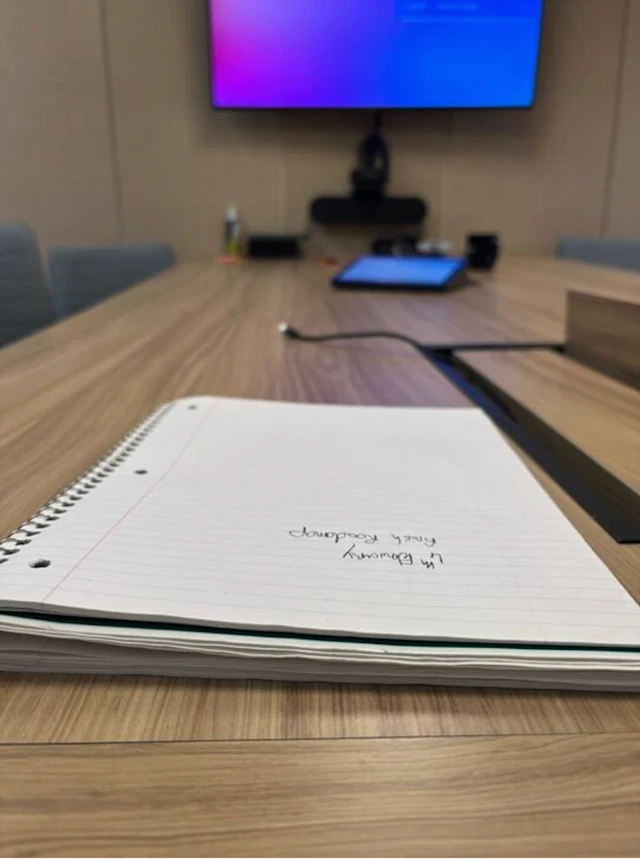
Кескіндермен ойлау ChatGPT‑пен өзара әрекеттесуді оңайлатады. Нысандардың қалай орналасқанына алаңдамай, фотоға түсіріп сұрақ қоя аласыз — мәтін төңкеріліп тұрса да немесе бір фотода бірнеше физика есебі болса да. Тіпті нысандар бір қарағанда анық көрінбесе де, визуалды ой қорыту модельге анық көру үшін үлкейтуге мүмкіндік береді.

Барлық мысалдар OpenAI o3 көмегімен орындалды.

o3-visual-reasoning-notebook

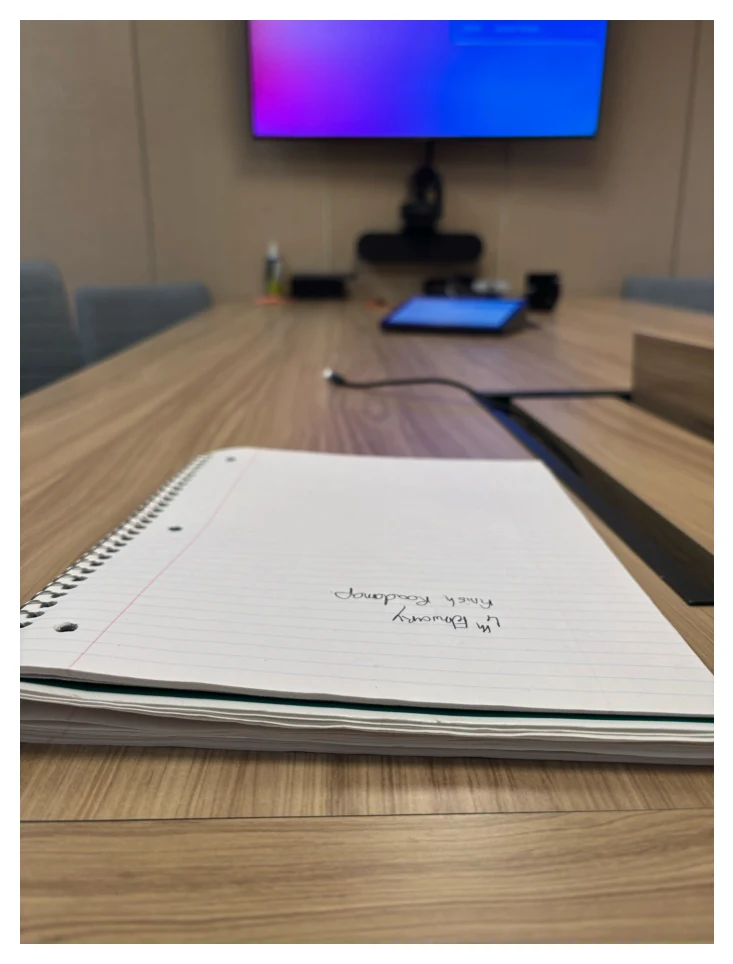
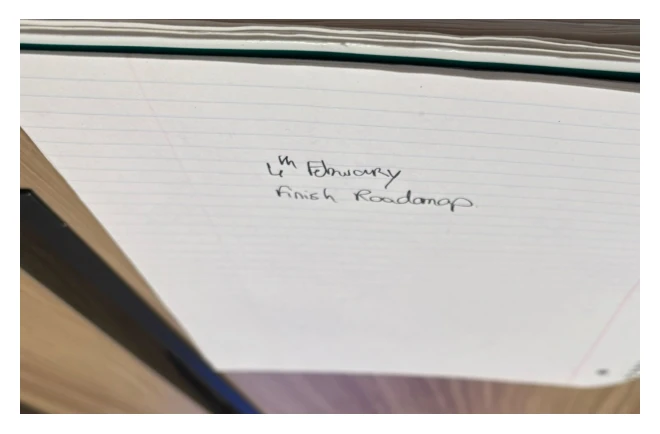
What is written on the notebook?

Дәптер мазмұны туралы 20 секунд ой қорытты

Analyzed image

o3-visual-reasoning-notebook1

Analyzed image

o3-visual-reasoning-notebook2
  • The user posted an image at /mnt/data/own_notebook.jpg and asked me to read what's written on it. I'll need to load the image so I can inspect the text. Once I view it, I realize the text is upside down, so I’ll rotate it so it's readable.
    From there, I can check what's written and share my findings clearly with the user.

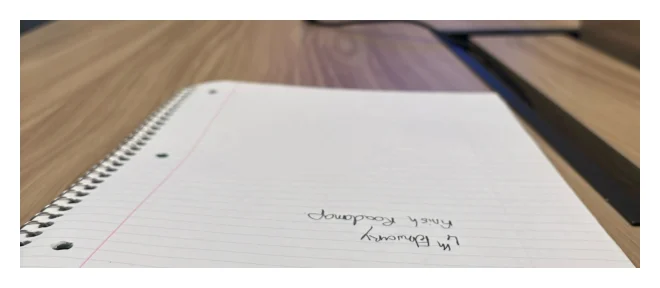
Analyzed image

o3-visual-reasoning-notebook4
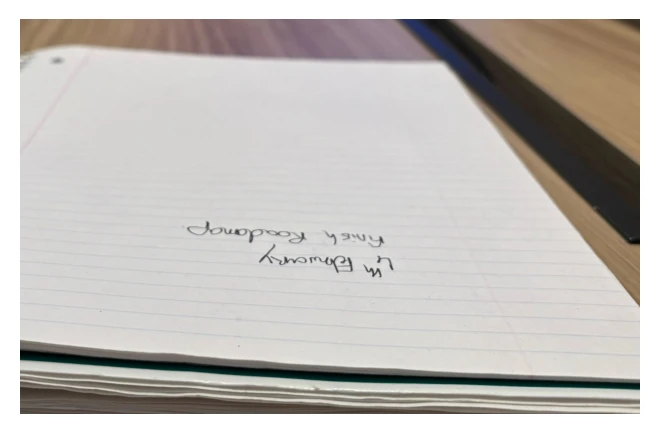
  • The user shared an image found at /mnt/data/own_notebook.jpg and asked me to read the text on it. I’ll load the image and zoom in to see the writing clearly. It turns out the text is upside down, so I’ll rotate it for easy reading. Afterward, I’ll crop the lower part of the image to focus on the relevant area, and rotate the cropped section to ensure the text is right side up.

Analyzed image

o3-visual-reasoning-notebook5

Done

It says: “4th February – finish roadmap.”

Біздің ең соңғы визуалды ойлайтын модельдер Python арқылы деректерді талдау, веб-іздеу, суретті генерациялау сияқты өзге құралдармен қатар жұмыс істеп, күрделірек мәселелерді шығармашылықпен әрі тиімді шешеді және пайдаланушыларға алғашқы мультимодальды агенттік тәжірибемізді ұсынады.

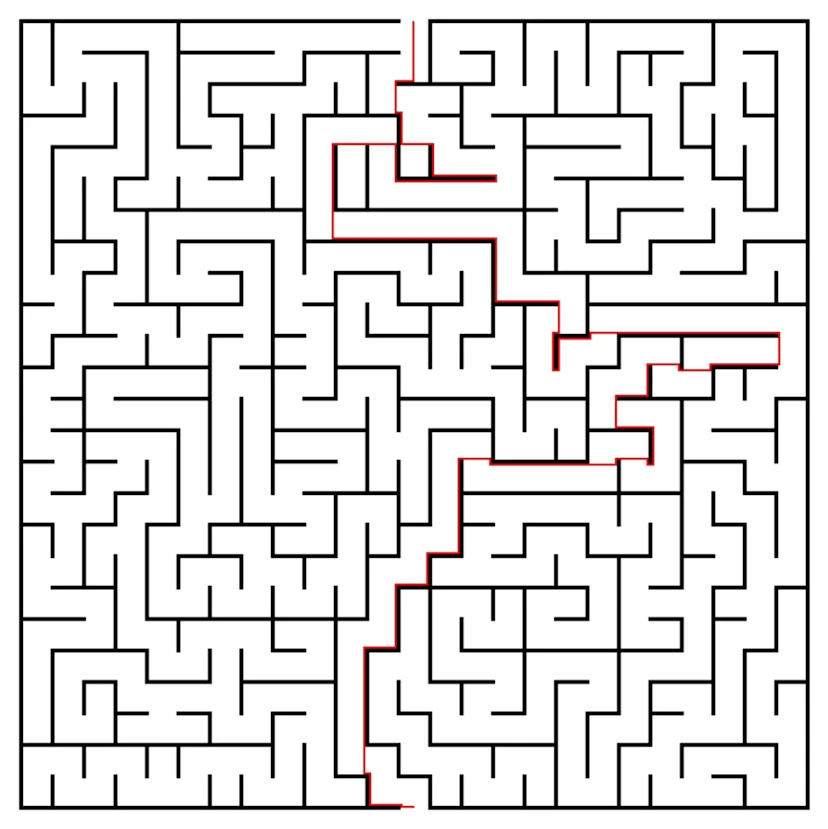
o3-visual-reasoning-maze

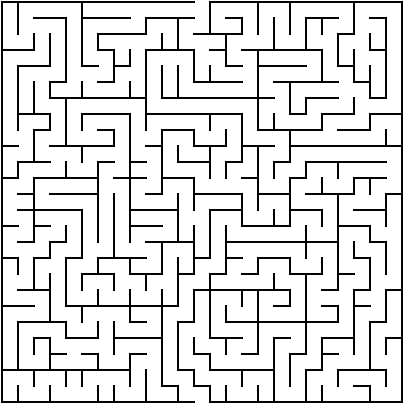
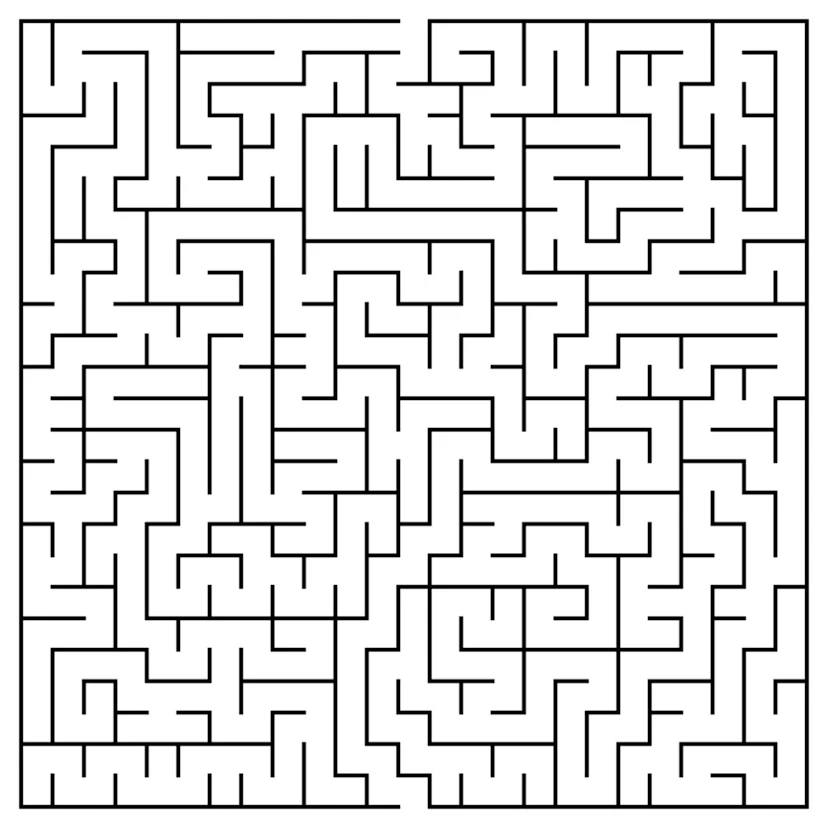
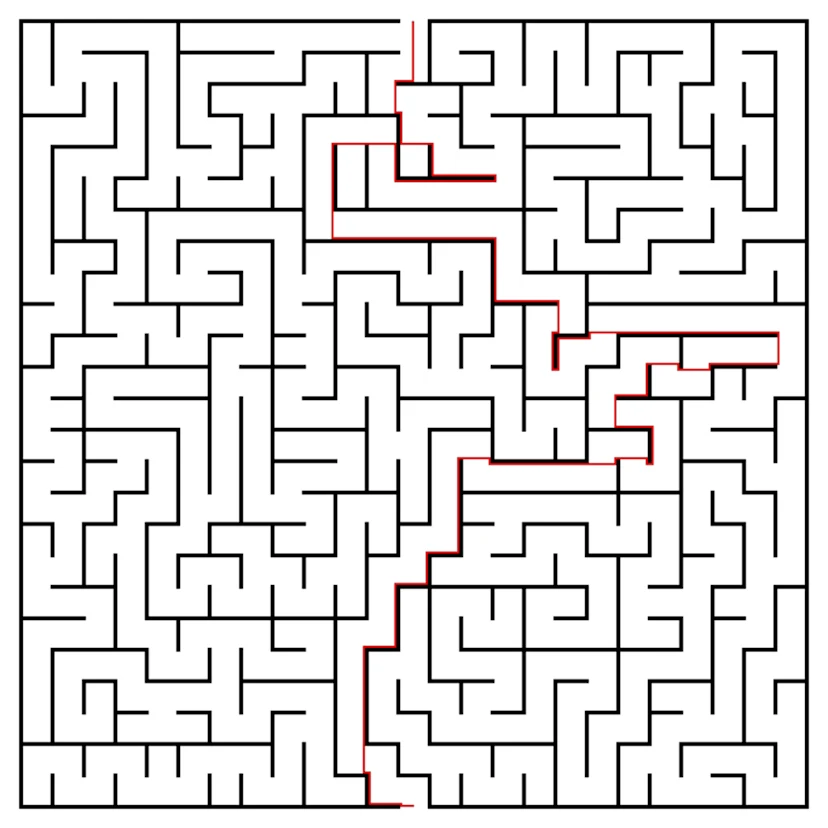
solve this maze and plot a path with red-colored line

Лабиринт шешімі мен жолы туралы 1 мин 44 с ой қорытты

Analyzed image

o3-visual-reasoning-maze1
  • The user provided an image path, but I’ve yet to load it. First, I’ll need to load the image from the given path for analysis. Once that’s done, I can detect the maze path, potentially marked by black lines, and plot a red line to showcase it. The image is relatively small—404x
  • I’m thinking the start could be at the top left missing border piece, or maybe near the left border. To help figure this out, I’ll look at the first row pixels to find any white areas near the border. Since the maze walls are black on white, I’ll try a thresholding approach. To invert it, I’ll use a threshold value of 200, which would set white to 255 and black closer to 0. I’ll apply this threshold using the inverse method.
  • Okay, I initially thought I could approximate the maze start near the top-left opening. I applied some thresholding to detect white pixels but encountered an issue—nothing changed. It seems the image might have high noise. Oddly, when inspecting the grayscale, all pixel values are zero, which suggests the image is completely black. This doesn’t match what we saw earlier with Matplotlib, so I’ll delve deeper into how PIL loaded the image and inspect the underlying pixel array.

Analyzed

Unknown component type: componentCodeExample

Analyzed

Unknown component type: componentCodeExample

It looks like the lines are black with a transparent background, but when PIL loads the image, it's showing a white background due to how it's handling the alpha channel. I’ll try converting the image to RGB, but the pixel values are still showing all zeros. This is odd, since the black lines should be visible. Hmm, earlier the display had a white background. Let me check the pixel values at coordinate (200, 200) to get a clearer picture.

Analyzed

Unknown component type: componentCodeExample

Analyzed

Unknown component type: componentCodeExample
  • The image has black lines with a transparent background, but it appears white due to how PIL handled the alpha channel. When displayed earlier, I saw white areas, which were actually transparent areas shown on a white grid (the Matplotlib background color). So, the lines are black with the transparent spaces representing the open path. I'll need to treat these transparent areas as the open path when interpreting the maze. It’s essentially a black line maze on a clear canvas.
  • I see that the maze walls are black pixels, and the path is transparent with an alpha value of 0. I need to find the path from an open cell on one border to another on the opposite border. To do this, I'll create a binary matrix where the passable cells have an alpha of 0 and are not part of a line border. Now, I'll focus on processing the image channels to identify the path.

Analyzed

Unknown component type: componentCodeExample
  • The walls are black, and the path is transparent (alpha 0). I need to find a way from the open cell at one border to the open cell at the opposite border. I’ll create a binary matrix where the passable cells are transparent (alpha 0). However, there are a lot of transparent cells, and the paths might not be clear due to line gaps. I plan to treat the lines as about 3 pixels thick. I'll try BFS/DFS to analyze the passable area from the starting point.
  • It seems the maze's border cells might connect to "air" outside the maze—this is the transparent area surrounding the maze. But the path is only open through legitimate openings in the border walls. Outside of these openings, the transparent background might merge with the outside area, making it harder to differentiate. I need to treat the inside walkway as enclosed by walls, ensuring it connects to the outside only at those openings, not through a continuous open background.
  • I’m thinking of dilating the walls by 3 pixels. This might cause openings smaller than 3 pixels to close, which could block the path. However, this might inadvertently seal parts of the interior walkway, leading to a disconnected path. So, I should try morphological closing—using a small kernel to dilate the walls—and then check for passable areas. This could help me manage the maze more effectively while keeping the path clear.

Analyzed

Unknown component type: componentCodeExample

Analyzed

Unknown component type: componentCodeExample
  • It might be easier to treat the entire transparent area outside the walls as open, and then use BFS starting from the top-left outside region. However, since the walkway is also transparent, using BFS would flood the inside walkway from the entrance openings. I think a better approach might be to switch to grid cells, considering the maze lines are about 4 pixels wide. Alternatively, I could use a shortest path algorithm on the pixel level, restricting movement to inside the maze’s bounding box to solve the path.
  • I’m considering dilating the walls by around 3 pixels. If there are openings smaller than that, they could seal, disconnecting the interior walkway from the outside. The interior walkway might also get blocked, causing the path to be cut off. To test this, I’ll try using a morphological operation where I dilate the walls with a small kernel and check for passable regions. If needed, I could increase the dilation to 5 pixels to see how it affects the maze structure.
  • One idea is to invert the walls and walkway

Analyzed

Unknown component type: componentCodeExample
  • I’m thinking of analyzing the top border, specifically between 0 and around 10 pixel rows. I could look for positions where the wall (alpha not zero) is absent and detect where the top border has an opening — essentially where all the rows for a specific x position have alpha equal to zero (transparent). That should allow me to identify where the walkway might begin at the top border.

Analyzed

Unknown component type: componentCodeExample
  • I'm considering dilating the walls by 3 pixels, but if the openings are smaller, they might seal the walkway. This could block the path. I'll try using morphological closing to see if dilating the walls with a small kernel helps. After dilation, the walkway might still be connected, so I’ll need to check border openings and spot any gaps on the rectangle's border. I'll also inspect a few initial pixels to determine wall thickness, which seems to be about 4 pixels.

Analyzed

Unknown component type: componentCodeExample

Analyzed

Unknown component type: componentCodeExample
  • The walls are drawn with black lines, and walkway openings are the gaps in these lines. I want to check the top border for missing walls, so I’ll inspect the first 10 rows for each column where the "alpha" value is zero, indicating no wall. It looks like there are 16 such columns, mostly near the edges. Some areas (like positions 195-208) probably represent real openings, while others (like positions 0 and 403) may be due to missing borders outside the maze. Now, I'll check row 1 for walls.
  • I’ll check row 1, where alpha equals 255, indicating pixels that are part of the walls. From this, I realize that the exterior walls are

Analyzed

Unknown component type: componentCodeExample
  • I checked alpha at row 1, and 255 indicates the presence of a wall. The border walls are likely located at row 1, row h-2, and certain columns. The outside region and walkway are alpha==0, but not within the border lines. The walkway seems enclosed by walls drawn at intervals, every 4 pixels. I’ll check horizontal wall positions, looking for rows with mostly 255-alpha values. I noticed a pattern, with gaps roughly every 16 pixels, though it’s not consistent due to vertical walls. I plan to compute the differences in these gaps.

Analyzed

Unknown component type: componentCodeExample
  • I checked row 1 and observed that alpha 255 indicates a wall. The border walls may be at row 1 and row h-2, as well as certain columns. Outside the border area and the walkway both have alpha 0. It seems the walkway is enclosed by walls drawn at odd intervals. The grid cell width might be around 4 px. The horizontal wall positions appear roughly every 16 px, but the pattern isn't uniform due to vertical walls. I'll compute the differences for a clearer picture.
  • Okay, there are still many openings along row 1, but I think clusters around columns 195–208 might actually correspond to the real entrance. This span is about 14 px wide. The openings at 0 and 403 could be corners, so they might not be true entrances. It seems the real entrance is in the 195–208 range. Now, I’ll look at the left border to check for vertical openings, focusing on specific y values.

Analyzed

Unknown component type: componentCodeExample

Analyzed

Unknown component type: componentCodeExample
  • I’m thinking of using morphological thinning to simplify the walkway into a one-pixel width, then running BFS to find a path. I’ll need to separate the walkway region from the outside. A flood fill from the border can help mark the outside, leaving the walkway region, but I need the walkway. A simpler plan is to target specific openings for entrances and exits. I can detect these gaps at row 1 in the border, where openings might appear as alpha[1,x]==0. Let’s check that approach.
  • I plan to use morphological thinning to narrow the walkway down to a one-pixel width, then run BFS to find the best path. To separate the walkway region from the outside, I’ll flood-fill around the border where alpha==0 to mark the outside. Then, I can address gaps in the walkway with morphological closing. Instead of filling all gaps, I’ll focus on entrance/exit openings, which I can detect by finding regions where alpha[1,x] == 0. Let’s check row 1 for these openings.
  • Looking at row 1, there are many potential openings, but the clusters between 195-208 (about 14 px wide) seem to be the real entrance. The row's openings might just be where there’s no wall. The left border also has vertical gaps, and I see that the top-left corner is open. The right and bottom borders also have openings, so I think the entrance and exit are at the top and bottom of the maze. With these connections, the walkway is accessible through these openings, so flood filling isn't viable.
  • I’m trying to define the interior of the maze, focusing on the region between (2, h-3) for rows and (2, w-3) for columns. To set up the starting point, I’ll look for the first passable cell near the top opening, specifically looking between x=195 and x=208 in row 2. I’ll select the middle of that range, x=201, as my start point. For the end point, I’ll look for something similar near the bottom, around (h-3, 201).

Analyzed

Unknown component type: componentCodeExample

Analyzed

Unknown component type: componentCodeExample

Analyzed

Unknown component type: componentCodeExample

Analyzed

Unknown component type: componentCodeExample
  • I’ll start by selecting the starting and ending points as passable pixels near specific coordinates, using the average of the opening cluster for the start point. Then, I can compute the shortest path using BFS, restricting it to the interior region. After finding the path, I'll overlay it on the original image by drawing a red line. But to ensure the red line stands out, I’ll convert the image to RGBA and then display it for a clear view.

Analyzed

Unknown component type: componentCodeExample

Analyzed

Unknown component type: componentCodeExample

Analyzed image

o3-visual-reasoning-maze4

Done

Matplotlib Chart

maze output

Here’s one possible solution path for your maze, traced in red.

Unknown component type: componentCodeExample

Бенчмарк өнімділігі

Алдыңғы мультимодальды модельдерімізбен салыстырғанда визуалды ой қорытудағы жақсаруды көрсету үшін біз OpenAI o3 және o4-mini-ді адам емтихандары мен ML бенчмарктерінің алуан жиынтығында сынадық. Бұл жаңа визуалды ойлайтын модельдер біз сынаған барлық мультимодальды тапсырмаларда өзінен бұрынғылардан едәуір озып түсті.

Барлық модельдер жоғары «ой қорыту күші» баптауларында бағаланады — бұл ChatGPT‑тегі «o4-mini-high» сияқты нұсқаларға ұқсас.

Атап айтқанда, браузингке сүйенбей-ақ кескіндермен ойлау біз бағалаған барлық қабылдау бенчмарктерінде елеулі жетістіктерге әкеледі. Біздің модельдер STEM сұрақ-жауап беруінде (MMMU, MathVista), диаграммаларды оқу және ой қорытуда (CharXiv), қабылдаудың базалық элементтерінде (VLMs are Blind) және визуалды іздеуде (V*) жаңа state-of-the-art нәтижелер орнатты. V* бойынша біздің визуалды ой қорыту тәсіліміз 95,7% дәлдікке жетіп, бенчмаркті іс жүзінде шешіп шықты.

Шектеулер және алдағы қадамдар

Кескіндермен ойлаудың қазір мынадай шектеулері бар:

  • Шамадан тыс ұзын ой қорыту тізбектері: Модельдер артық не қажетсіз құрал шақыруларын және кескінді өңдеу қадамдарын орындап, нәтижесінде ойлау тізбегін шамадан тыс ұзартып жіберуі мүмкін.
  • Қабылдау қателері: Модельдер әлі де негізгі қабылдау қателерін жібере алады. Құрал шақырулары ой қорыту үдерісін дұрыс ілгерілеткен күннің өзінде, визуалды қате түсіндірулер қате қорытынды жауапқа әкелуі мүмкін.
  • Сенімділік: Модельдер бір есепті бірнеше рет шешкенде әртүрлі визуалды ой қорыту үдерістерін қолдануы мүмкін, олардың кейбірі қате нәтижелерге әкеледі.

OpenAI o3 және o4-mini визуалды ой қорыту қабілеттерінің state-of-the-art деңгейін едәуір ілгерілетіп, кеңірек мультимодальды ой қорытуға қарай маңызды қадам жасайды. Бұл модельдер визуалды қабылдау тапсырмаларында өз класындағы ең жоғары дәлдікті ұсынып, бұрын қол жетпеген сұрақтарды шешуге мүмкіндік береді.

Біз модельдердің кескіндермен ой қорыту қабілеттерін үнемі жетілдіріп, оларды ықшамырақ, артық қайталауы аз және сенімдірек ету үстіндеміз. Біз мультимодальды ой қорыту зерттеулерін жалғастыруға және адамдардың бұл жақсартулардың күнделікті жұмысын қалай күшейтетінін зерттеуіне қуаныштымыз.


16 сәуір жаңартуы: o3 үшін Charxiv-r, Mathvista және vlmsareblind нәтижелері бастапқы бағалауда болмаған жүйелік көмексөз өзгерісін көрсету үшін жаңартылды.

Авторлар

OpenAI

Қатысушылар

Aditya Ramesh, Aidan Clark, Aleksandra Spyra, Alex Tachard Passos, Alexander Kirillov, Ali Kalami, Amy McDonald Sandjideh, Andrei Gheorghe, Andrew Gibiansky, Andrew Tulloch, Angela Baek, Anubha Srivastava, Avital Oliver, Behrooz Ghorbani, Ben Leimberger, Borys Minaiev, Bowen Cheng, Brandon McKinzie, Carpus Chang, Cary Hudson, Casey Chu, Charlotte Cole, Chen Shen, Dan Roberts, Dana Palmie, Daniel Kappler, David Medina, Edmund Wong, Eric Mitchell, Eric Ning, Freddie Sulit, Haiming Bao, Haitang Hu, Hongyu Ren, Hyeonwoo Noh, Jakub Pachocki, James Betker, James Qin, Jamie Kiros, Jason Ai, Jerry Tworek, Jessica Liang, Ji Lin, Jiahui Yu, Jianfeng Wang, Joseph Mo, Kenji Hata, Kevin King, Kristian Georgiev, Kshitij Gupta, Lauren Yang, Li Jing, Lin Yang, Linden Li, Mark Chen, Martin Li, Max Schwarzer, Mia Glaese, Michael Malek, Minnia Feng, Nacho Soto, Nat McAleese, Niko Felix, Peter Faiman, Prafulla Dhariwal, Rajkumar Samuel, Rapha Gontijo Lopes, Ravi Teja Mullapudi, Reiichiro Nakano, Rennie Song, Ricky Xu, Sam Altman, Sean Fitzgerald, Shengjia Zhao, Shengli Hu, Shuchao Bi, Spencer Papay, Szi-chieh Yu, Wenda Zhou, Yang Lu, Yara Khakbaz, Yunxing Dai, Zhishuai Zhang