How Codex became a collaborator for OpenAI’s creative team
This is part of our series sharing internal examples of how OpenAI is using its own technology and APIs. These tools are being used internally, at OpenAI, and are shared here as illustrative examples of how frontier AI is supporting use cases across our teams.
Most people assume Codex is just for engineers and developers, but for Chad Nelson, Creative Specialist at OpenAI, Codex has become a creative problem solver and collaborator. Chad’s role is to explore what OpenAI models can make possible for creative teams, then turn those possibilities into demos, workflows, and ideas brand partners can build on.
Used to working within the constraints of the standard software for creatives, Chad’s been impressed with Codex’s ability to help him create better tools, build custom workflows, and generate campaign directions grounded in the full context of a project.
“I’m actually bringing Codex sketches, storyboards, and design style guides—things that you wouldn’t assume Codex could understand. But it not only understands those things, it actually helps me collaborate and create utilizing those different assets.”
“The tools I’ve been using my whole career have no idea what project I’m on, what brand I’m working for, what product I’m trying to pitch,” Chad says. “Codex and ChatGPT have the context. They understand that I’m working for this client, with this product, with these strategic goals.”
Codex can also understand brand books, style guides, fonts, and composition—and with that knowledge becomes more attuned to the creative needs of a project.
A campaign direction is shaped by the brand it’s for, the product, and the emotional quality you want to convey in the work. Chad found that Codex can take all of this context and work across those inputs in a way traditional tools could not.
He also uses Codex to create and customize tools that will help solve specific problems.
Using natural language, he can describe the workflow he wants and ask Codex to help build it. That might mean connecting an API key, creating a prototype interface, or designing a custom UI that lets him explore visual treatments.
“With Codex, I can actually create tools, user interfaces, sliders, and controls,” he says. “I can adjust camera composition or lighting, and create real-time shadows with depth and dimension.”


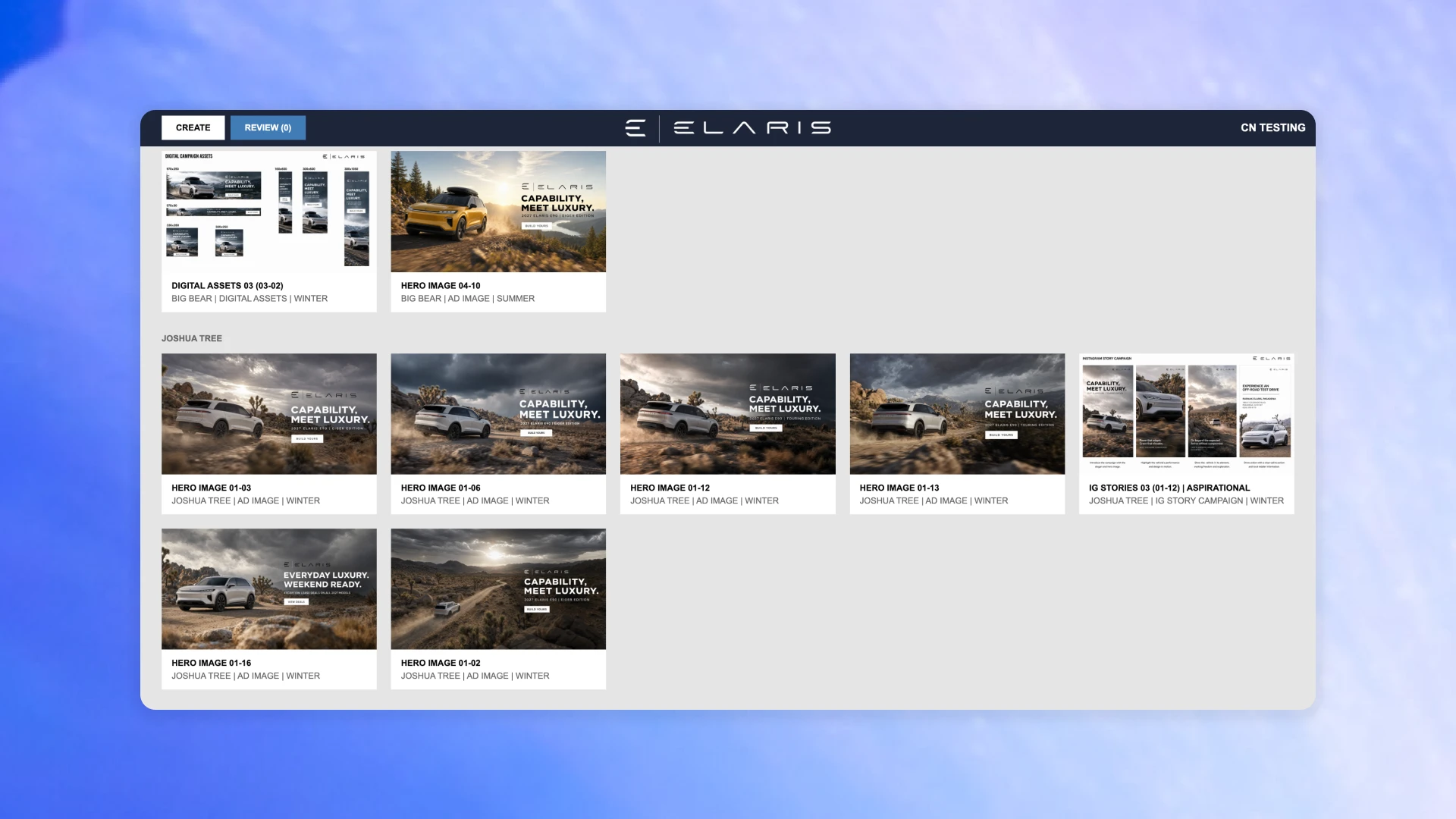
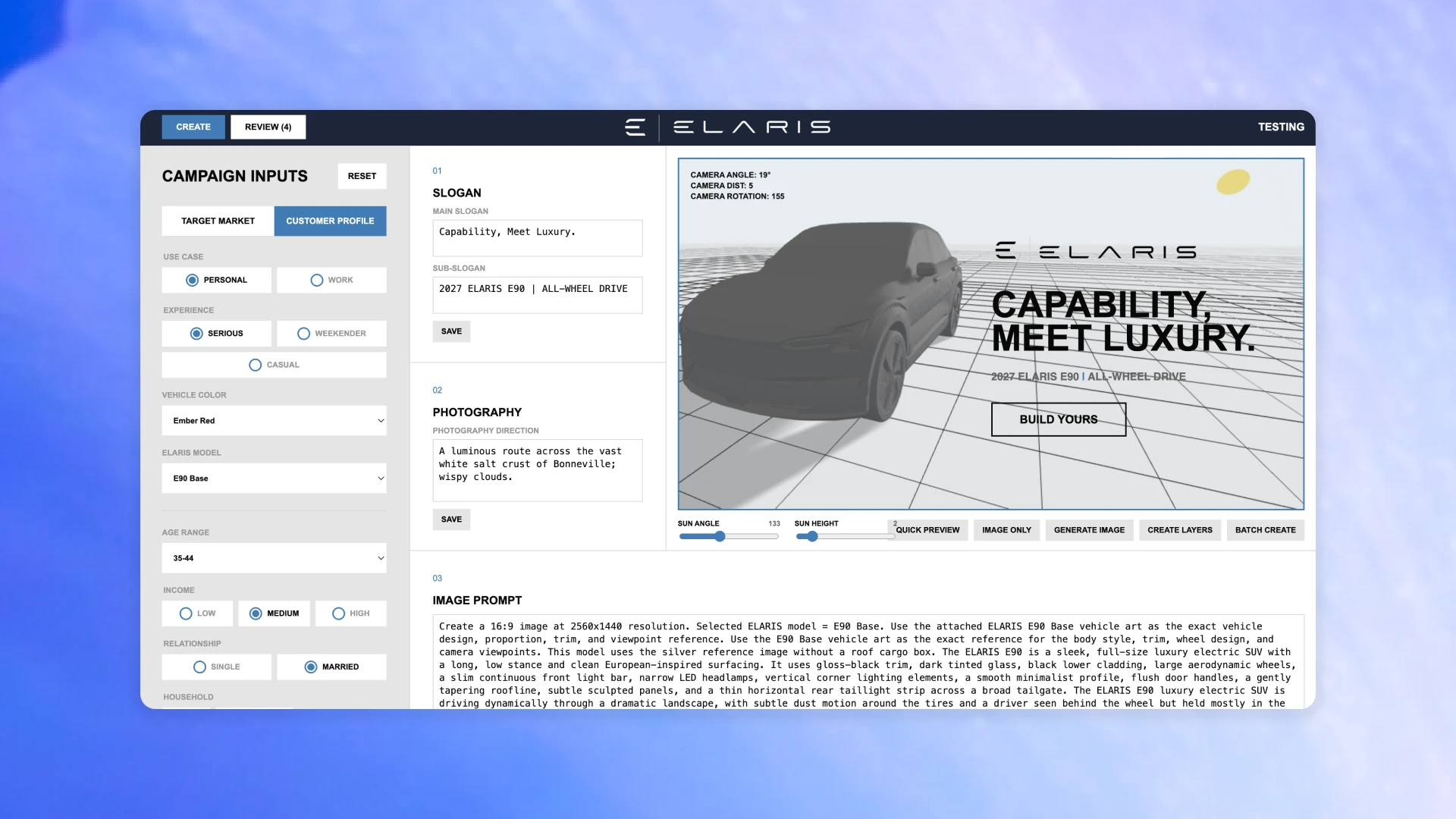


Codex is also speeding up creative exploration. Recently, Chad had one day to develop a broad set of campaign ideas for a new client. Normally, he might have pursued five directions, or maybe 10 with enough time. Many would likely have been close variations of the same idea.
With Codex, Chad started by giving the system project context: the brand and its products, some guidelines, and the client’s goals. He also provided input about the tone he wanted the campaign to strike.
In just one day, Chad and Codex generated 50 campaign directions, which he then reviewed and distilled into the 10 strongest ideas. “What I found is Codex is allowing me to riff creatively and to explore all these different options with a greater sense of freedom,” he says.
With more ideas to work with, Chad was able to bring a stronger set of options into the pitch, even under a tight deadline.
Codex gives creative teams leverage in places where work often slows down: initial concepting, workflow design, and technical implementation.
When Chad has a prototype in mind, he can describe it and start building. If a workflow depends on new modalities or API integrations, he can ask Codex to help connect them. And if he gets stuck, he can explain the issue in natural language and work through it without leaving the creative flow.
For creatives, this reduces the gap between idea and execution:
Technical hurdles that once required a handoff can become part of the same creative process.
Creative directors can work with composition and lighting controls instead of long prompts.
Designers can prototype an interface without waiting for custom tools to be scoped and built.
Teams can explore more concepts while keeping human judgment at the center.
More broadly, Chad’s experience illustrates the new ways creative teams are using AI: building the systems they need to create, evaluate, and refine ideas as the work takes shape.
“One thing that I think I’ve learned through using Codex is that if you have an idea for a creative workflow or a solution or an interface, just ask it,” he says. “Tell it what you’re thinking of, and suddenly in 10 minutes you’ll be looking at a prototype for it.”
- Codex
- 2026