New usage analytics and updated spend controls for enterprises
New usage analytics and updated spend controls give ChatGPT Enterprise admins more visibility, control, and confidence in their AI deployments.
As AI becomes part of everyday work, organizations need the ability to manage it with the same rigor they apply to any critical business investment. Companies need a clear view of usage, adoption, and spend so they can scale with confidence and understand where AI is creating value.
Today, we’re introducing credit usage analytics and updated spend controls for ChatGPT Enterprise. These capabilities help companies track credit usage, understand adoption patterns, and make more informed decisions about how AI is deployed across their organizations. With clearer visibility and more flexible controls, organizations can proactively manage costs, give teams the access they need, and keep AI investments focused on the work that matters most.
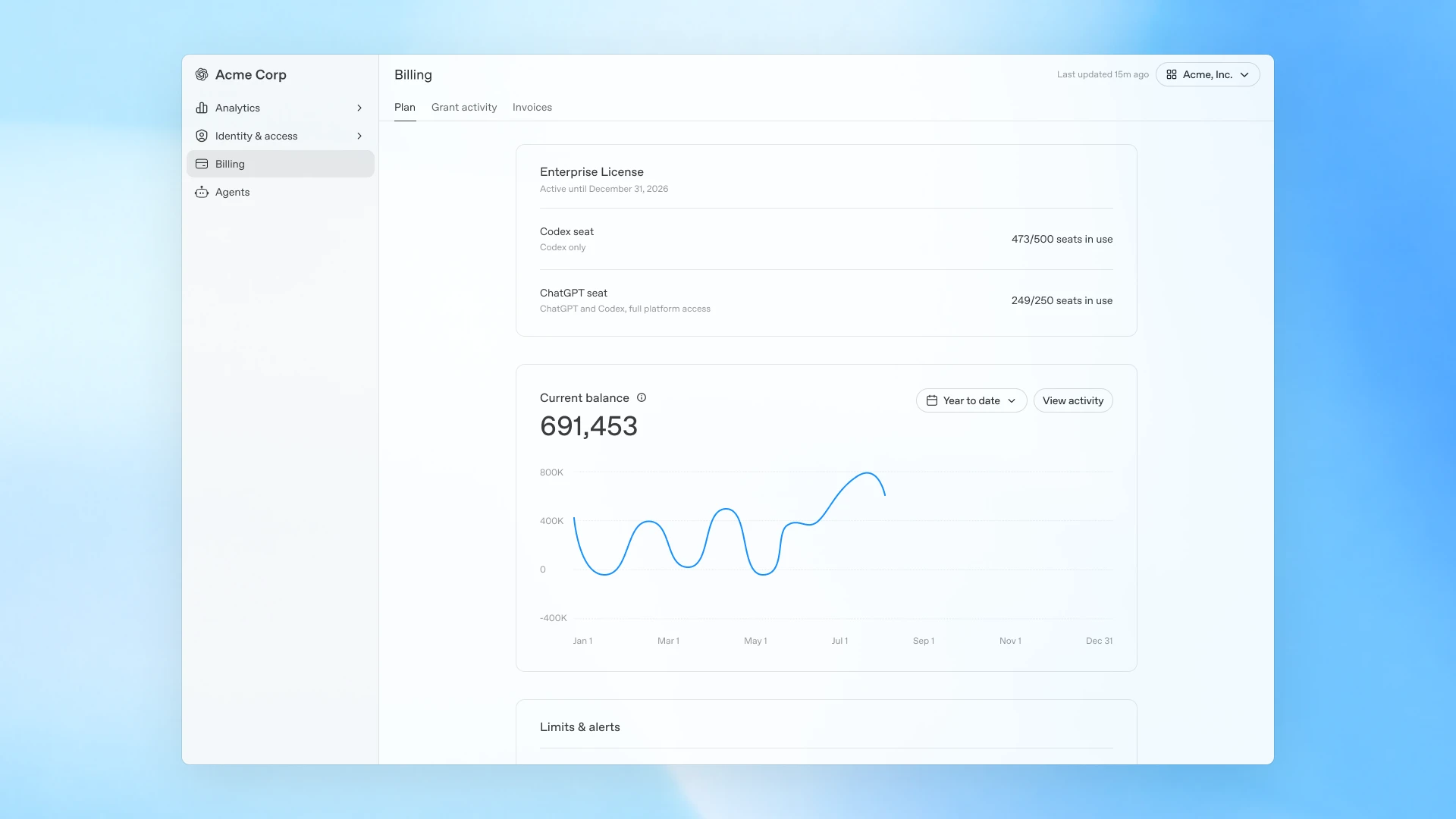
Billing tab and overall plan view in the global admin console.
New credit usage analytics in the Global Admin Console
The Global Admin Console brings ChatGPT and Codex credit usage into one view, so admins can see a more granular breakdown of credit consumption across users, products, and models—helping them understand where spend is coming from and how it maps to actual credit usage. This makes it easier to distinguish between increased usage driven by valuable work and usage patterns that may require closer review.
Now admins can:
Track usage and credit trends over time
Identify top users and emerging credit usage patterns
Break down credit spend across the workspace, including by user, product, and model
Access the same credit usage data through the unified Cost API for deeper analysis in their own systems
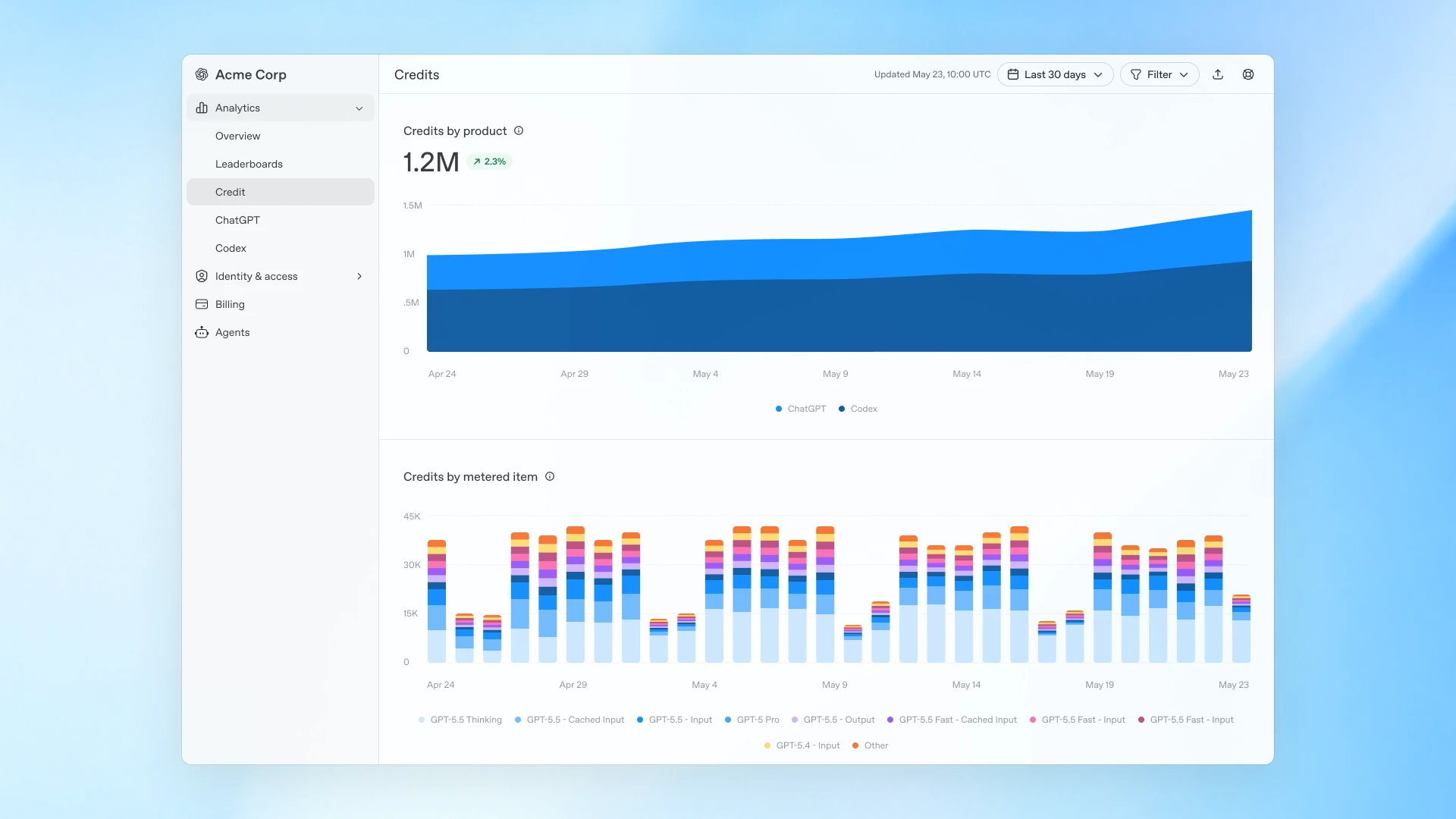
Analytics overview showing ChatGPT and Codex usage and credit consumption.
Set spend controls around the way teams work
Earlier this year, we introduced granular credit usage limits(opens in a new window) for custom roles in ChatGPT Enterprise, helping workspace owners manage advanced model usage across different types of users without one-size-fits-all restrictions.
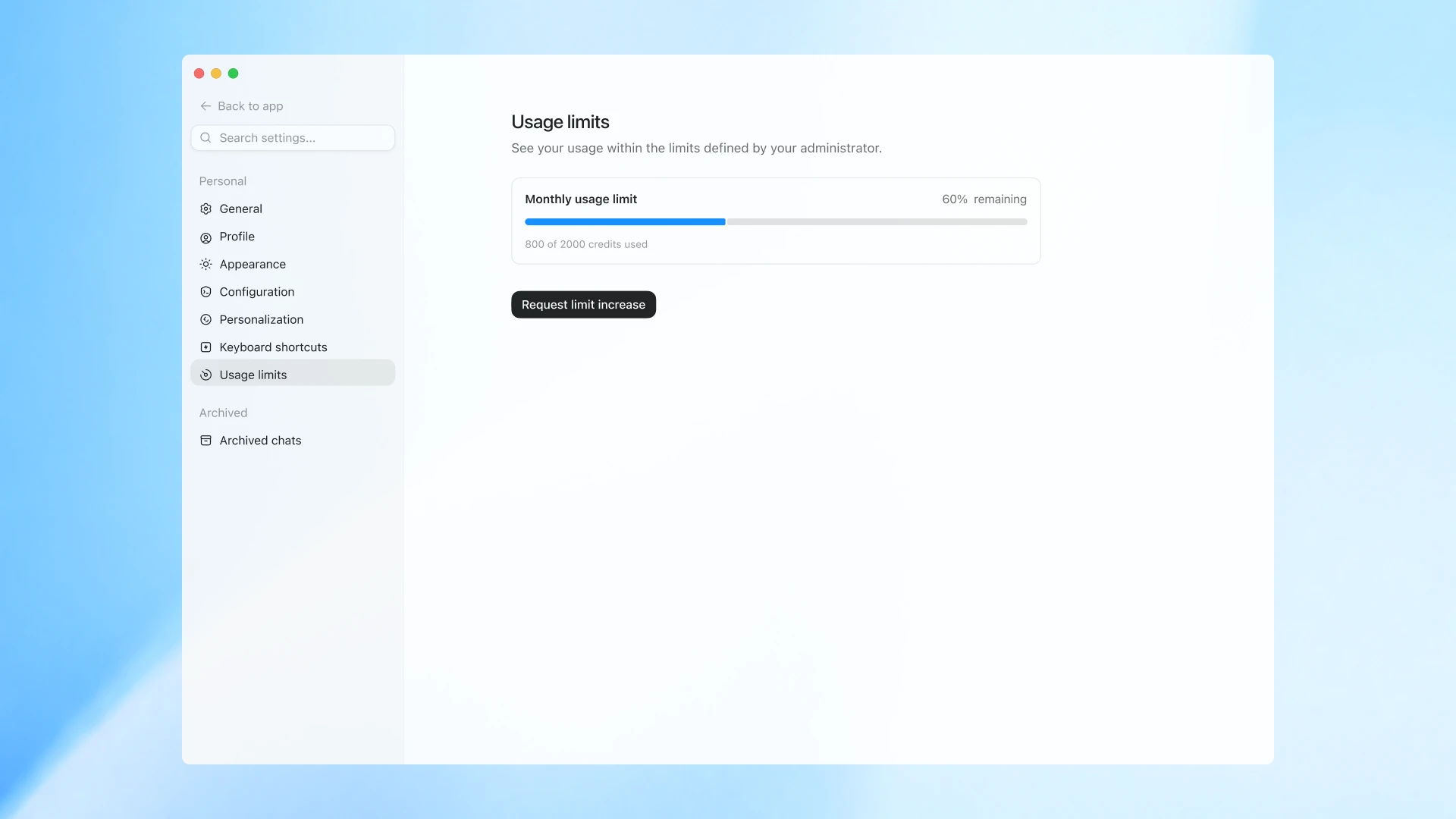
End-user view of spend controls and requesting limit increase.
Now admins can also set a default limit for their ChatGPT Enterprise workspace, configure limits for specific groups, and create individual overrides for people who need more capacity. Employees can see their credit usage against their available budget, request additional credits when needed, and include context about what they’re working on so admins can make an informed decision. This allows individual power users to keep working without interruption or the need to increase limits for everyone else.
Together, these updated controls help companies deploy intelligence more thoughtfully at scale, while giving teams the capabilities they need to do high-impact work.
Availability and what you can do next
ChatGPT Enterprise admins can start using the new analytics and updated spend controls today. Users in these workspaces can also view their credit usage by going to their workspace settings.
Learn more in the help center on usage limits(opens in a new window) and the global admin console(opens in a new window).
Have questions about how best to implement controls for your workspace? Contact us here, or reach out directly to your OpenAI team.