Ir al contenido principal
OpenAI

Una base más sólida para la memoria de ChatGPT

Mejorar la síntesis de memoria en ChatGPT para optimizar frescura, continuidad y relevancia.

Cargando…

Hoy empezamos a desplegar un sistema más capaz y escalable para sintetizar la memoria, desarrollado para abordar los retos de obsolescencia, corrección y escalabilidad que observamos cuando la memoria se aplica a cientos de millones de usuarios y a horizontes temporales de varios años en ChatGPT.

La memoria es lo que ayuda a ChatGPT a aprender tus preferencias, proyectos y limitaciones, lo que permite que las conversaciones futuras partan de un contexto compartido en lugar de empezar desde cero.

En los dos últimos años, la memoria se ha convertido en una parte fundamental de la experiencia de ChatGPT, ya que ayuda a ChatGPT a entender mejor tu contexto para que pueda ayudarte a alcanzar objetivos importantes con el tiempo. Esto es fundamental para hacer que ChatGPT sea más útil: conocerte, ayudarte y hacer más por ti.

Esta actualización está disponible desde hoy para los usuarios de Plus y Pro en EE. UU., y se desplegará en más países y para usuarios de Gratis y Go durante las próximas semanas.

Cómo ha evolucionado la memoria

La memoria se lanzó por primera vez en abril de 2024 (también conocida como memorias guardadas). La función te permitía pedir a ChatGPT que recordara información y la tuviera en cuenta en chats futuros.
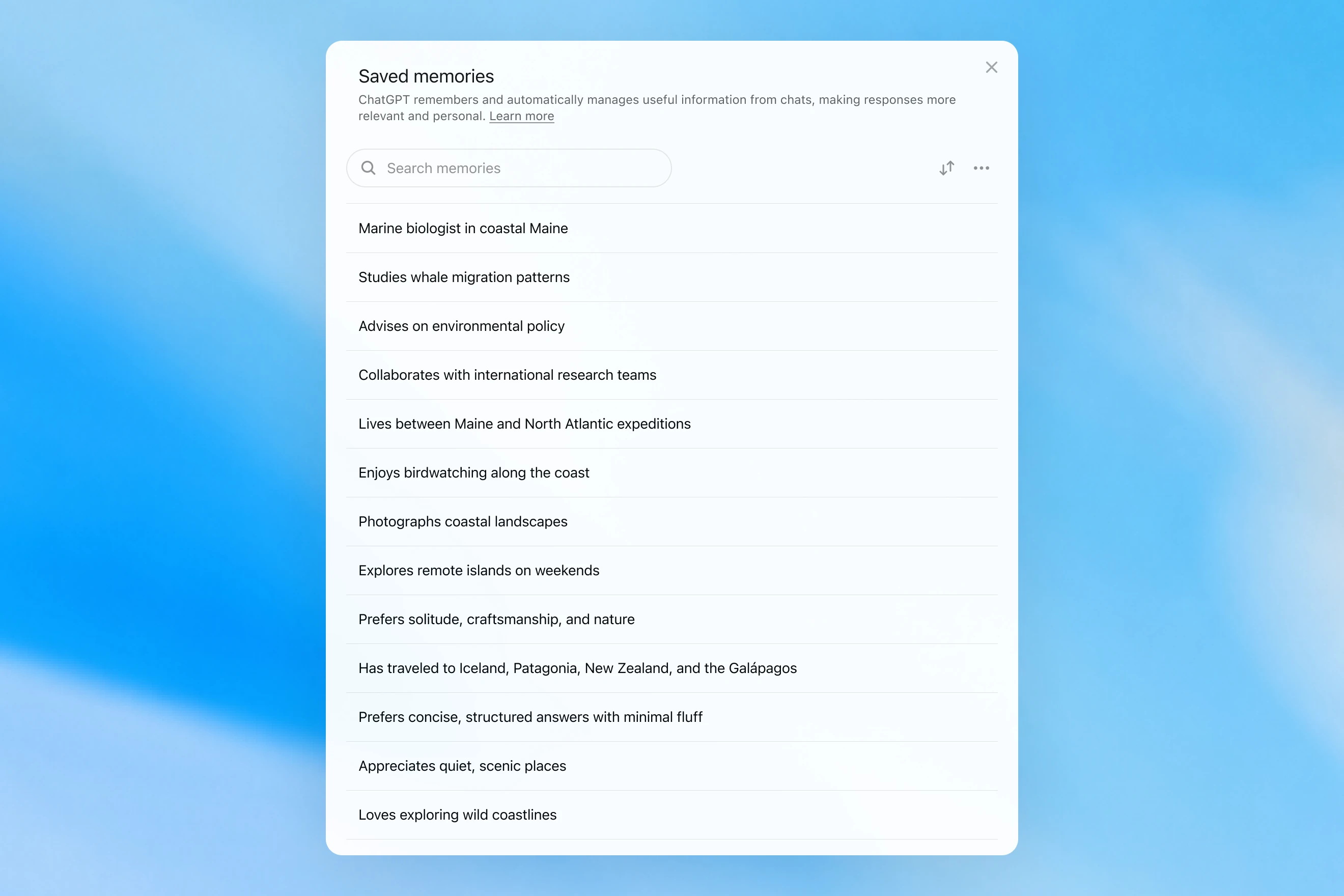
Saved memories modal showing a searchable list of personal details, including work, interests, travel, and response preferences.

Las memorias guardadas solo se escribían durante la conversación y dependían de señales claras para decidir cuándo activar la memoria, como una instrucción para «recordar que viajo a Singapur en julio». En la práctica, interactuar con este sistema podía parecerse a hablar con alguien que tomaba algunas notas, pero aun así olvidaba todo lo que no quedaba por escrito. Las memorias guardadas también tienden a quedarse obsoletas con el tiempo y, al final, se vuelven incorrectas o irrelevantes.

En abril de 2025, actualizamos la memoria de ChatGPT dando al modelo la capacidad de consultar el contexto de los chats más allá de la lista de memorias guardadas; esto se hizo introduciendo la primera versión de dreaming, un método para que ChatGPT seleccione memorias automáticamente en segundo plano consultando el historial de chat.
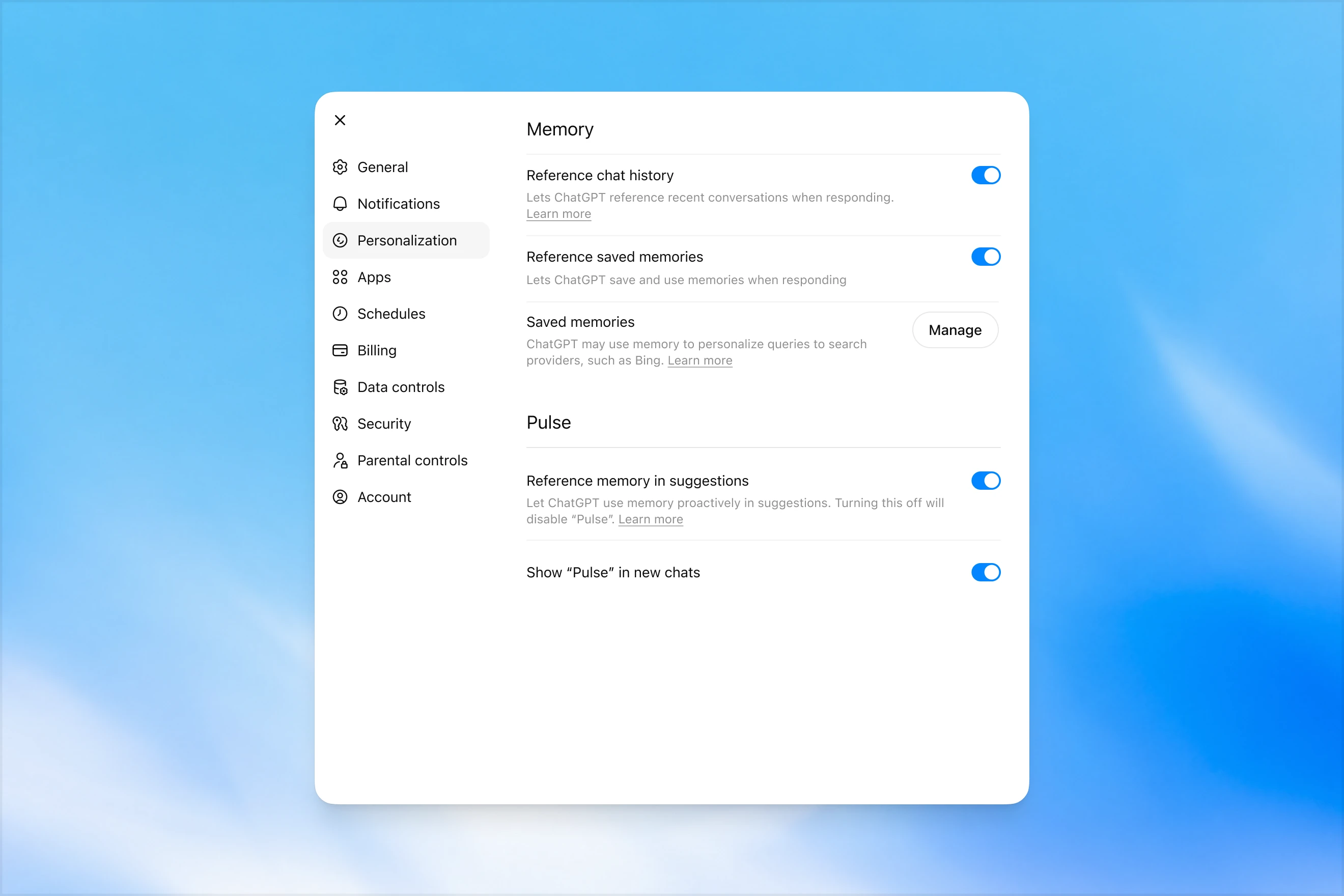
Memory settings page in ChatGPT showing options to reference chat history, use saved memories, manage saved memories, and enable Pulse memory suggestions.

A diferencia de las memorias guardadas, dreaming aprovecha un proceso en segundo plano que permite a ChatGPT aprender de muchas conversaciones y sintetizar el estado de la memoria de ChatGPT para proporcionar siempre el contexto más actualizado y relevante a tus conversaciones. Dreaming también facilita que la memoria incluya contexto que surge de forma natural en la conversación, sin depender de solicitudes explícitas para recordar algo.

Durante el último año, dreaming complementó las memorias guardadas para lograr una mejora sustancial en la capacidad de ChatGPT de personalizar las respuestas y compensar la obsolescencia de las memorias guardadas. Sin embargo, históricamente nunca fue suficiente como sistema de memoria independiente.

Hoy lanzamos una arquitectura de memoria considerablemente más capaz y eficiente en computación, construida sobre dreaming.

Las memorias sintetizadas por dreaming pueden revisarse mediante un resumen visible en la página de resumen de memoria. Desde el resumen de memoria, puedes ver rápidamente lo más destacado de lo que ChatGPT sabe sobre ti, añadir o actualizar información sobre ti y dar instrucciones sobre qué temas debería plantear ChatGPT y cuándo. Si quieres profundizar en un área concreta para saber más, simplemente chatea con el modelo.
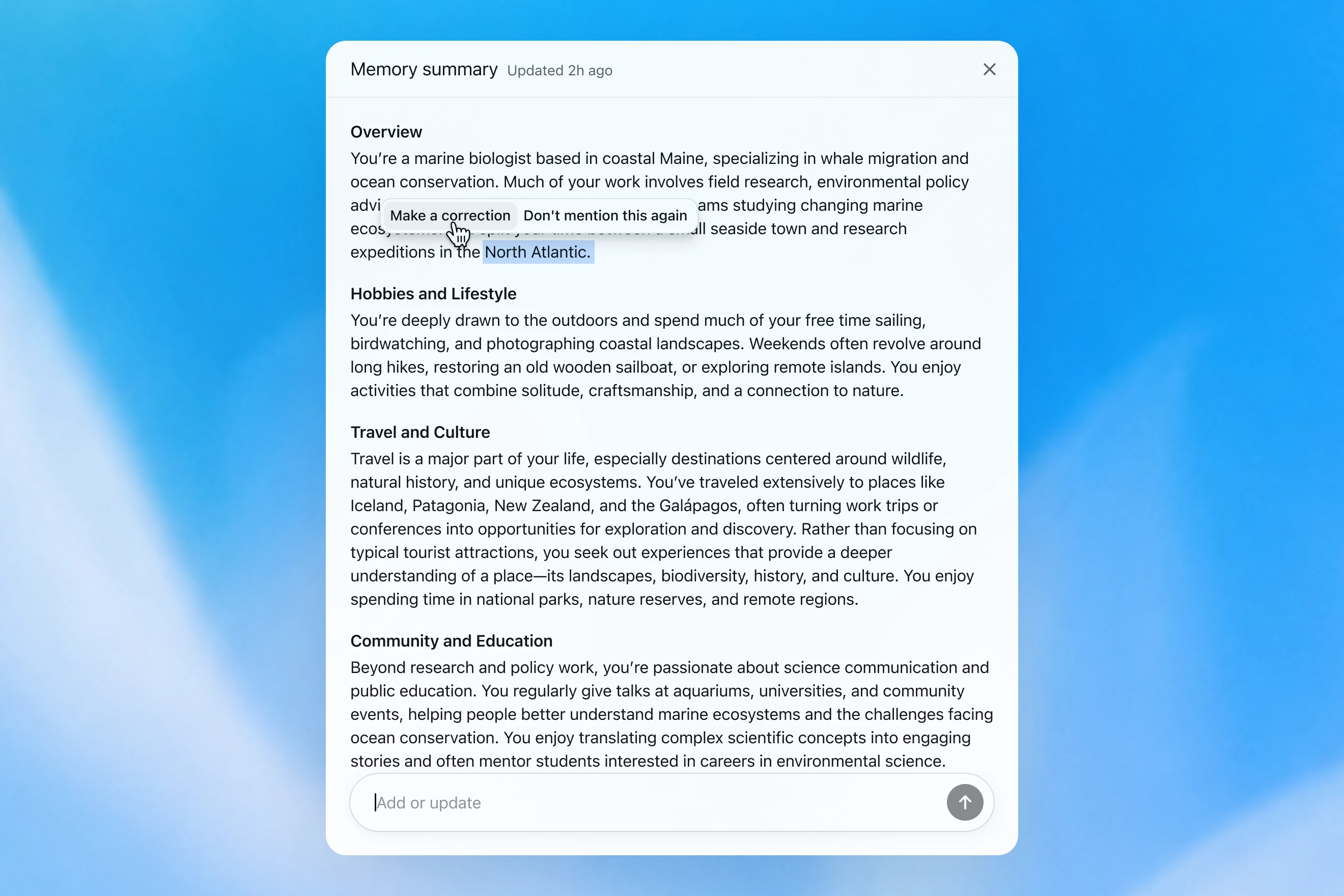
Memory summary modal showing a personalized overview of a user’s work, hobbies, travel interests, and community involvement, with options to correct or dismiss specific details.

Cómo evaluamos la memoria

Cuando pensamos en cómo es una «buena memoria» en ChatGPT, nos vienen a la mente algunas cosas:

  1. Mantener contexto útil: le cuentas algo a ChatGPT una vez y recuerda esa información en tus chats posteriores.
  2. Seguir preferencias y limitaciones: si describes una preferencia (por ejemplo, que sigues una dieta vegetariana), ChatGPT debería tomar medidas coherentes con esa preferencia a partir de entonces.
  3. Mantenerse al día con el tiempo: la memoria debería tener en cuenta el paso del tiempo. Imagina «El usuario está planificando su fiesta de cumpleaños para el próximo sábado»; al final, llega el domingo.

Podemos evaluar cómo ha mejorado con el tiempo la memoria de ChatGPT Plus y Pro respecto a cada uno de los tres objetivos de memoria anteriores. Hacemos esto para cada uno de estos casos:

  1. 2024: memorias guardadas
  2. 2025: memorias guardadas + Dreaming V0
  3. 2026: Dreaming V3

Mantener el contexto

Cuando empiezas un nuevo chat con ChatGPT, no tienes que presentarte desde cero. ChatGPT puede ahorrarte tiempo y basarse en el contexto previo, especialmente en proyectos complejos y de larga duración.

Por ejemplo, imagina que usas ChatGPT para comprar nuevo equipo de cámara compatible con tu cámara actual. Si has hablado antes con ChatGPT sobre la configuración de tu cámara, puedes pedir productos compatibles con «mi equipo de fotografía» y recibir recomendaciones personalizadas que se ajusten a tus necesidades.

GPT-5.2 Instant

What would I need to buy to use TTL for my underwater photography setup?

To use TTL flash underwater, you need a compatible chain from camera → housing/trigger → cable → strobe. What you buy depends mostly on whether your setup uses fiber-optic TTL or electrical TTL.

Basic shopping checklist

  • TTL-capable underwater strobe
    Look for strobes that support your TTL type, such as Inon S-TTL, Sea & Sea DS-TTL, Ikelite DS TTL, or compatible Backscatter/Nauticam systems. TTL has to be supported by the strobe, not just the camera.
  • TTL trigger or TTL converter
    This is the key piece. It translates your camera’s flash metering into something the underwater strobe can understand. Examples include Nauticam optical TTL converters, Sea & Sea TTL converters, Backscatter Smart Control optical TTL triggers, or Ikelite DS Link TTL converters, depending on housing and camera brand. Backscatter notes that Nauticam optical TTL converters can work with fiber-optic-connected Inon and Sea & Sea TTL strobes, while Ikelite’s DS Link converters are made around Ikelite DS strobes and electrical sync setups. (Backscatter.com(se abre en una ventana nueva))
  • Connection cable
    For fiber optic TTL, buy one fiber optic cable per strobe. Ikelite’s fiber-optic guide says each strobe needs its own light path, converter/adapter, and cord. (Ikelite(se abre en una ventana nueva))
    For
    electrical TTL, buy the correct sync cord, such as Ikelite-style, Nikonos 5-pin, or housing-specific bulkhead cable.
  • Housing compatibility parts
    You may need a hot-shoe adapter, bulkhead, fiber optic window/adapter, or housing-specific TTL board. Many TTL triggers mount inside the housing on the camera hot shoe.
  • Strobe arms, clamps, tray, and mounting hardware
    TTL controls exposure, but you still need to physically mount and aim the strobes.
  • Batteries and spares
    Bring strobe batteries, trigger batteries if required, spare fiber optic cables or sync cord O-rings, and silicone grease for serviceable O-rings.

Which route should you choose?

Fiber optic TTL is usually easiest if your housing has optical ports or can use the camera’s pop-up flash/LED trigger. It is common with compact, mirrorless, Nauticam, Sea & Sea, AOI, and Olympus/OM TG-style setups.

Electrical TTL is often best if you use Ikelite DS strobes or an Ikelite-style housing/bulkhead. Ikelite says its DS Link TTL converters are faster and more reliable than fiber-optic TTL triggers, and they do not require batteries. (Backscatter.com(se abre en una ventana nueva))

The compatibility rule

You need all three to match:

camera brand/protocol + housing/trigger type + strobe TTL system

For example:

  • Sony camera + Nauticam housing + optical TTL trigger + Inon/Sea & Sea-compatible fiber optic strobe
  • Nikon/Canon/Sony camera + Ikelite housing/bulkhead + Ikelite DS Link TTL converter + Ikelite DS strobe
  • Compact camera with built-in flash + fiber optic cable + S-TTL/DS-TTL-capable strobe

So the practical answer is: buy a TTL-compatible strobe, the correct TTL trigger/converter for your camera and housing, and the right fiber optic or electrical sync cable. The exact part numbers depend on your camera, housing, and strobe model.

El modelo produce una respuesta genérica que deja al usuario hacer por su cuenta comprobaciones de compatibilidad complicadas.

GPT-5.3 Instant

What would I need to buy to use TTL for my underwater photography setup?

I’ll verify this against your actual setup: Sony A1 II in Nauticam NA-A1II, with Backscatter Mini Flash 3 and Inon Z-330 strobes. The key question is whether you want TTL with the Mini Flash 3, the Z-330s, or both.

For your setupSony A1 II + Nauticam NA-A1II + Backscatter Mini Flash 3 + Inon Z-330 — there are two different TTL paths:

Best buy for Mini Flash 3 TTL

Buy:

Backscatter Smart Control TTL LED Nauticam Flash Trigger for Sony
SKU: BS-TR-SN2

Backscatter lists it as custom-designed for Nauticam full-frame Sony housings, TTL-compatible with Mini Flash 3, and the NA-A1II housing page offers it as the “Backscatter Smart Control TTL Flash Trigger” option. (Backscatter.com(se abre en una ventana nueva))

You’d use normal optical fiber cables from the housing to the Mini Flash 3. On the MF-3, you’d use SC or SC Macro mode; Backscatter says SC / SC Macro are the TTL modes for Mini Flash 3, with SC Macro specifically tuned for close macro work. (Backscatter.com(se abre en una ventana nueva))

For Inon Z-330 TTL

For the Inon Z-330, the relevant unit is:

UW Technics 11075-HSS TTL Converter for Sony / Nauticam

UW Technics explicitly lists Inon Z-330 as a compatible TTL strobe and supports optical TTL output. (UWTechnics(se abre en una ventana nueva))

But I would not buy this for Mini Flash 3 TTL. Backscatter’s own UW Technics listing says Backscatter strobes are manual / HSS only on that converter, while the Backscatter Smart Control trigger is the one listed for Sony TTL with the Mini Flash 3. (Backscatter.com(se abre en una ventana nueva))

Practical recommendation

Since you shoot macro and have the Mini Flash 3, I’d buy the Backscatter Smart Control TTL LED Nauticam Flash Trigger for Sony — BS-TR-SN2.

The catch: there probably is no single trigger that gives true TTL for both the Mini Flash 3 and Inon Z-330 at the same time. The Backscatter trigger is the right TTL solution for the MF-3; the UW Technics converter is the right TTL solution for the Z-330. So choose based on which strobe you actually want TTL for.

For your use case, I’d prioritize Mini Flash 3 TTL / SC Macro and treat the Z-330s as manual when needed.

El modelo recuerda la configuración de la cámara del usuario y recomienda un producto compatible.

GPT‑5.2 Instant eventualmente responde la pregunta, pero al intentar explicar sus límites de seguridad, comienza con un preámbulo extenso sobre lo que no puede hacer. GPT‑5.3 Instant, en cambio, va directo a la respuesta.

Podemos construir una evaluación a partir de ejemplos parecidos a este, en la que se pide al modelo que responda a un prompt que requiere recordar información factual sobre el usuario. Después, se recompensa al modelo si responde de una forma que usa correctamente el contexto relevante. En esta evaluación, el nuevo sistema basado en dreaming mejora la capacidad del modelo para recordar datos relevantes.

Seguir preferencias

La memoria también ayuda a ChatGPT a responder de formas que se ajustan mejor a tus preferencias y limitaciones.

Imagina que estás planificando un viaje a Singapur. Dos meses antes del viaje, pides a ChatGPT que te ayude con un itinerario. ChatGPT ya sabe, por planificaciones de viajes anteriores, que disfrutas con la fotografía de fauna, prefieres hoteles con buen aire acondicionado y te gusta más una cena tranquila que un bar concurrido.

GPT-5.2 Instant
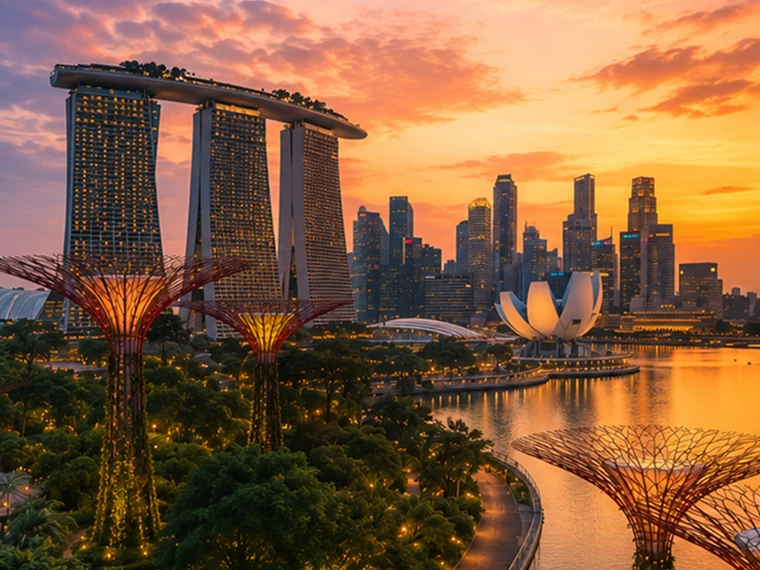
Help me plan a trip to Singapore. I'm going to be there for a work trip in July and will have a few days free at the end.

Great add-on city for a work trip: Singapore is compact, safe, excellent for solo exploring, and easy to do in 2–4 free days. July is hot and humid; expect daytime highs around 31–33°C / 88–91°F, warm nights, and sudden rain, so plan outdoor time early morning or after 5 p.m. and keep midday for museums, malls, cafés, or hotel downtime. Singapore’s official weather service notes typical daily highs of 31–33°C and lows of 23–25°C. (Singapore Weather Service(se abre en una ventana nueva))

memory-preferences-without

A strong 3-day plan

Day 1: Marina Bay, Gardens, and skyline

Start late afternoon at Marina Bay and walk the waterfront: Merlion Park, Helix Bridge, ArtScience Museum exterior, then into Gardens by the Bay. Book Cloud Forest, Flower Dome, and either the OCBC Skyway or Supertree Observatory if views matter to you. Gardens by the Bay lists Cloud Forest and Flower Dome as open daily 9 a.m.–9 p.m.; Supertree Observatory is also listed as 9 a.m.–9 p.m. with last admission at 8:30 p.m., but check maintenance closures before booking. (Gardens by the Bay(se abre en una ventana nueva))

Evening: stay for the Supertree light show area, then dinner at Lau Pa Sat for an easy first-night hawker experience near the CBD. It has 80+ stalls and local staples like satay, laksa, nasi lemak, bak kut teh, kaya toast, and char kway teow. (Laupasat(se abre en una ventana nueva))

Day 2: Culture neighborhoods and food

Morning: Chinatown. Visit Buddha Tooth Relic Temple, walk the shophouse streets, and eat at Maxwell Food Centre or Chinatown Complex Food Centre. Visit Singapore lists Maxwell, Chinatown Complex, Old Airport Road, Tiong Bahru Market, Newton, and others among popular hawker centres. (Visit Singapore(se abre en una ventana nueva))

Afternoon: Kampong Glam and Haji Lane for Sultan Mosque, murals, boutiques, and cafés. Then head to Little India around golden hour for temples, flower garlands, Tekka Centre, and dinner.

Evening: either cocktails around Ann Siang / Club Street, or keep it low-key with a night walk along the Singapore River: Boat Quay to Clarke Quay to Robertson Quay.

Day 3: Nature or beach day

Pick one based on your energy.

For nature: do Singapore Botanic Gardens early, then the National Orchid Garden, followed by lunch in Dempsey Hill or Tiong Bahru. This is the best “green Singapore” day without leaving the city.

For beach/resort mode: go to Sentosa. Choose the southern beaches, Fort Siloso Skywalk, or a beach club. I would skip trying to do every Sentosa attraction unless you love theme parks.

For local food focus: do Tiong Bahru Market for breakfast, National Gallery Singapore midday, then Old Airport Road Food Centre for dinner. The official events page also shows exhibitions and cultural events, so it is worth checking once your exact July dates are fixed. (Visit Singapore(se abre en una ventana nueva))

Best places to stay after the work part

Marina Bay / CBD is easiest if you want polished, walkable, skyline-heavy Singapore and minimal transit.

Chinatown / Telok Ayer / Tanjong Pagar is my top pick for a few free days: great food, MRT access, heritage streets, cocktail bars, and close to work districts.

Bugis / Kampong Glam is better if you want boutique hotels, cafés, street art, and a slightly more relaxed neighborhood feel.

Orchard is convenient for shopping and rainy-day malls, but less atmospheric.

What to book ahead

Book Gardens by the Bay conservatories/Skyway, any special restaurants, and possibly a cocktail bar. For hawker centres, do not over-plan; just go hungry, carry tissues or wet wipes, and be ready to share tables.

July packing notes

Bring breathable work clothes, comfortable walking shoes, a small umbrella, and a light layer for aggressive air-conditioning. I would also plan one “rain-flexible” indoor block each day, because showers can arrive suddenly even when the forecast looks fine.

My suggested balance: Day 1 Marina Bay/Gardens, Day 2 Chinatown–Kampong Glam–Little India, Day 3 Botanic Gardens or Sentosa. That gives you the Singapore highlights without turning your post-work break into another work project.

El modelo produce una respuesta genérica que es más turística, no ayuda con la reserva del hotel e ignora en gran medida los intereses del usuario.

GPT-5.3 Instant
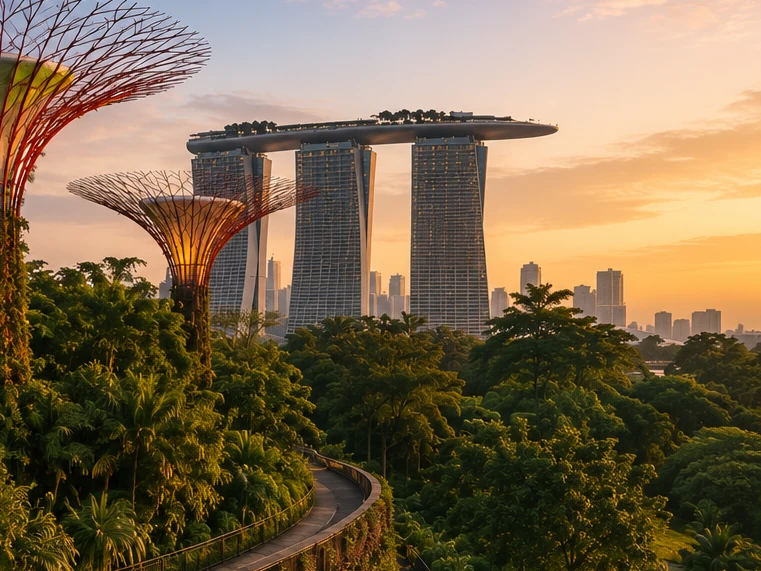
Help me plan a trip to Singapore. I'm going to be there for a work trip in July and will have a few days free at the end.

I’ll build this around your known constraints: a few free days after work, hot/humid July weather, wildlife/photography/nature bias, strong AC needs for sleep, and good but not overly social dining. I’ll verify current July logistics and then give a practical short itinerary rather than a generic Singapore list.

memory-preferences-with

Here’s how I’d structure it: 2–3 free days, mostly nature / wildlife / photography, with heat-managed mornings and AC breaks. July is hot and humid: Singapore’s July long-term stats are about 31.4°C / 88.5°F average daily max, 25.4°C / 77.7°F min, 146.6 mm rain, and 14 rain days, so outdoor plans should be early morning or evening, not midday. (National Environment Agency(se abre en una ventana nueva))

Best plan for 3 free days

Day 1 — Gardens by the Bay + Marina Bay, low-friction

Morning: Cloud Forest + Flower Dome. This is the obvious “touristy” pick, but it fits you well because it’s visually interesting, good for photography, and climate-controlled. Gardens by the Bay lists Cloud Forest and Flower Dome-type attractions running 9:00am–9:00pm, and Cloud Forest currently has the Jurassic World experience listed as ongoing. (Gardens by the Bay(se abre en una ventana nueva))

Late afternoon / evening: Supertree Grove + Borealis / light show. Gardens currently lists Borealis every Sat, Sun & Mon, 8:00–8:30pm at Supertree Grove, so try to align this with one of those nights. (Gardens by the Bay(se abre en una ventana nueva))

Dinner: do something easy nearby: Marina Bay / Tanjong Pagar / Telok Ayer. For you, I’d prioritize reservation-based restaurants with real tables over hawker centers on the first night, because you dislike cramped solo seating.

Day 2 — Mandai wildlife day

Morning to afternoon: Bird Paradise + River Wonders. Bird Paradise is probably the best fit photographically; River Wonders is less “wildlife photography” and more controlled exhibits, but it pairs well logistically. River Wonders is listed as daily 9:00am–6:00pm, last entry 5:00pm. (Mandai Wildlife Reserve(se abre en una ventana nueva))

Evening: Night Safari. This is the rare Singapore attraction that is genuinely better at night and avoids the worst heat. Night Safari is listed as daily 6:00pm–12:00am, last entry 11:15pm, with tram plus walking trails and over 900 nocturnal animals. (Mandai Wildlife Reserve(se abre en una ventana nueva))

This is a full day. I would not add Singapore Zoo unless you have 4 free days; Mandai can become exhausting fast.

Day 3 — Nature reserve / macro-ish walking + food

Early morning: Singapore Botanic Gardens or MacRitchie / Windsor Nature Park. For a few free days, Botanic Gardens is the safer pick: easier transport, less sweaty, better bailout options, and more consistent casual photography. MacRitchie / Windsor is better if you want more actual forest, but it is hotter, sweatier, and less predictable.

Midday: AC break.

Late afternoon: Joo Chiat / Katong or Chinatown / Telok Ayer for walking, architecture, coffee, and dinner. This gives you a different texture from Marina Bay without turning the day into a logistics project.

My ranking for you

  1. Cloud Forest / Gardens by the Bay — best combination of photogenic, iconic, heat-managed.
  2. Bird Paradise + Night Safari — best wildlife-focused day.
  3. Botanic Gardens early morning — best low-stress outdoor nature.
  4. Joo Chiat / Katong — best neighborhood walk.
  5. Hawker centers — worth doing, but not ideal for your seating preferences unless timed off-peak.

What I’d avoid or deprioritize

I would skip Sentosa unless you specifically want beach/resort stuff. I would also skip a packed “greatest hits” day of Merlion / Orchard / Little India / Chinatown / Clarke Quay; it’s inefficient and hot. For you, the trip will be better if each day has one strong anchor plus one easy evening plan.

Hotel / sleep note

Since this is a work trip, your hotel may be fixed. If you can choose or extend at the same hotel, the hard gate is still AC. Singapore hotels are generally AC-heavy, but your requirement is unusually strict.

One thing I need to make this concrete

Send the exact free dates and whether your work hotel is fixed. Then I’d turn this into a day-by-day plan with restaurant targets and a hotel/AC callout.

El modelo produce una respuesta personalizada según los intereses del usuario en la fotografía de fauna, las cenas tranquilas y sus prioridades al reservar un hotel.

GPT‑5.2 Instant eventualmente responde la pregunta, pero al intentar explicar sus límites de seguridad, comienza con un preámbulo extenso sobre lo que no puede hacer. GPT‑5.3 Instant, en cambio, va directo a la respuesta.

Las preferencias pueden adoptar varias formas:

  1. Instrucciones sobre cómo debería responder ChatGPT («no vuelvas a mencionar a Stan»).
  2. Tus preferencias o limitaciones personales («soy una persona vegetariana»)
  3. Preferencias implícitas que determinan qué es relevante para ti («vivo cerca de San Francisco» → las opciones locales deberían adaptarse a esta zona)

Al desarrollar el nuevo sistema de memoria, mejoramos la capacidad de ChatGPT para aplicar preferencias relevantes de conversaciones anteriores. Siguiendo el ejemplo anterior de «soy una persona vegetariana», podemos evaluar si el modelo aprovecha correctamente la memoria para producir opciones de restaurantes aptas para vegetarianos cuando un usuario vegetariano pide sugerencias de preparación de comidas.

Mantenerse al día con el tiempo

El tiempo no se detiene cuando termina tu chat.

Los sistemas de memoria tradicionales pueden quedarse obsoletos. Por ejemplo, le dices a ChatGPT: «estoy en Singapur y necesito una recomendación para cenar esta noche». Luego pasa el tiempo, tu viaje termina y te preguntas por qué ChatGPT sigue pensando que estás en Singapur.

Con dreaming, las memorias se actualizan automáticamente a medida que pasa el tiempo, lo que permite a ChatGPT revisar su memoria de «vas a Singapur en julio» a «fuiste a Singapur en julio de 2026» cuando termina el viaje. Luego, cuando vuelves a casa, ChatGPT puede volver a ofrecer recomendaciones adaptadas a tu ubicación de residencia y a tu zona horaria.

GPT-5.2 Instant

Help me find something for take-out tonight that's still open.

It’s about 5:19 AM Sunday in Singapore, so your safest take-out/delivery bets are 24-hour places.

Best bets right now:

  1. McDelivery / McDonald’s Singapore — easiest islandwide option; McDonald’s says McDelivery is available 24 hours, 7 days a week. Breakfast menu should be on now. (McDonald's Singapore(se abre en una ventana nueva))
  2. Srisun Express — good for prata, Indian Muslim food, local comfort food; their site says they’re halal-certified and open 24/7. (Sri Sun Express(se abre en una ventana nueva))
  3. 89.7 Supper Club — good if you’re near Changi Village or Geylang East; their outlets page says both locations are open 24 hours, 7 days a week. (89.7 Supper Club(se abre en una ventana nueva))
  4. 126 Dim Sum Wen Dao Shi — worth checking on GrabFood/foodpanda if you’re in the East; a 2025 guide says it runs till 5:30 AM on weekdays and round-the-clock on weekends. Since it’s Sunday morning, it may still be available. (Eatbook(se abre en una ventana nueva))
  5. Prata around Geylang / Serangoon / Bedok / Jalan Kayu — look in GrabFood or Google Maps for “prata open now”; guides list multiple 24-hour prata/supper spots, including Mufiz Prata Corner and RK Eating House. (Eatbook(se abre en una ventana nueva))

For the fastest path: open GrabFood / foodpanda / Deliveroo, set filter to Open now, then search “prata,” “McDonald’s,” “Srisun,” “89.7,” “dim sum,” or “nasi lemak.” If you tell me your neighborhood or nearest MRT, I’ll narrow it to specific nearby places.

El modelo cree que el usuario sigue en Singapur.

GPT-5.3 Instant

Help me find something for take-out tonight that's still open.

I’ll use Portola Valley / Ladera as the starting point and prioritize places that are plausibly open for takeout tonight, then narrow to low-friction options rather than a huge list.

For tonight, Saturday May 30, near Ladera / Portola Valley, I’d start here:

  1. Alpine Inn — safest casual pickup option. Open Saturday until 9:30 pm and has Order Takeout on its site. Good for burgers / tavern food. (Rossotti's Alpine Inn(se abre en una ventana nueva))
  2. Taverna Portola Valley — nearby at Ladera Country Shopper; open daily, Saturday dinner until 9:00 pm. Better if you want Greek / Mediterranean. (TAVERNA Portola Valley(se abre en una ventana nueva))
  3. Portola Bistro — also nearby; Saturday dinner until 9:30 pm. Good option for Italian / Mediterranean / pizza-ish dinner. (Portola Bistro -(se abre en una ventana nueva))
  4. Amigos Grill — Mexican, very close in Ladera Country Shopper. Official site says call to order at 650-851-3997; DoorDash / order.online lists pickup/delivery ordering until 8:40 pm. (Amigos Grill(se abre en una ventana nueva))
  5. State of Mind Slice House, Palo Alto — best fallback if you want pizza and can drive farther; Friday–Saturday hours are 11 am–10 pm. (State of Mind Slice House(se abre en una ventana nueva))

My pick: Alpine Inn for easiest local takeout, Taverna if you want something less heavy, State of Mind if it’s later and you want the most reliable post-9 pm option.

El modelo proporciona respuestas relevantes para la ubicación de residencia del usuario.

GPT‑5.2 Instant eventualmente responde la pregunta, pero al intentar explicar sus límites de seguridad, comienza con un preámbulo extenso sobre lo que no puede hacer. GPT‑5.3 Instant, en cambio, va directo a la respuesta.

En nuestras evaluaciones de memoria, medimos si ChatGPT puede responder correctamente a prompts en los que el paso del tiempo afecta de forma sustancial a la respuesta o recomendación correcta. Dreaming aporta una mejora sustancial en esta área:

Una base más escalable para el futuro

En OpenAI, nuestra misión es garantizar que la inteligencia artificial general beneficie a toda la humanidad.

Aunque la memoria basada en dreaming está disponible para usuarios de Plus y Pro desde hace algún tiempo, solo ahora podemos ofrecer a los usuarios de Gratis una versión que cumple nuestro nivel de calidad y que es práctica de servir a escala. Las mejoras recientes redujeron unas 5 veces la computación necesaria para ofrecer dreaming a los usuarios de Gratis, lo que permite empezar a desplegar dreaming para usuarios de Gratis durante las próximas semanas y aumentar la capacidad de memoria para usuarios de Plus y Pro.

De cara al futuro, dreaming nos ofrece ahora una base de memoria compartida para todos los usuarios. Esta actualización representa nuestro sistema de memoria más capaz hasta la fecha, y seguiremos mejorándolo.

Para obtener más información sobre este lanzamiento y los controles de usuario de la memoria, visita nuestras preguntas frecuentes sobre la memoria(se abre en una ventana nueva).


Autor

OpenAI