From model to agent: Equipping the Responses API with a computer environment
By Bo Xu, Danny Zhang, and Rohit Arunachalam
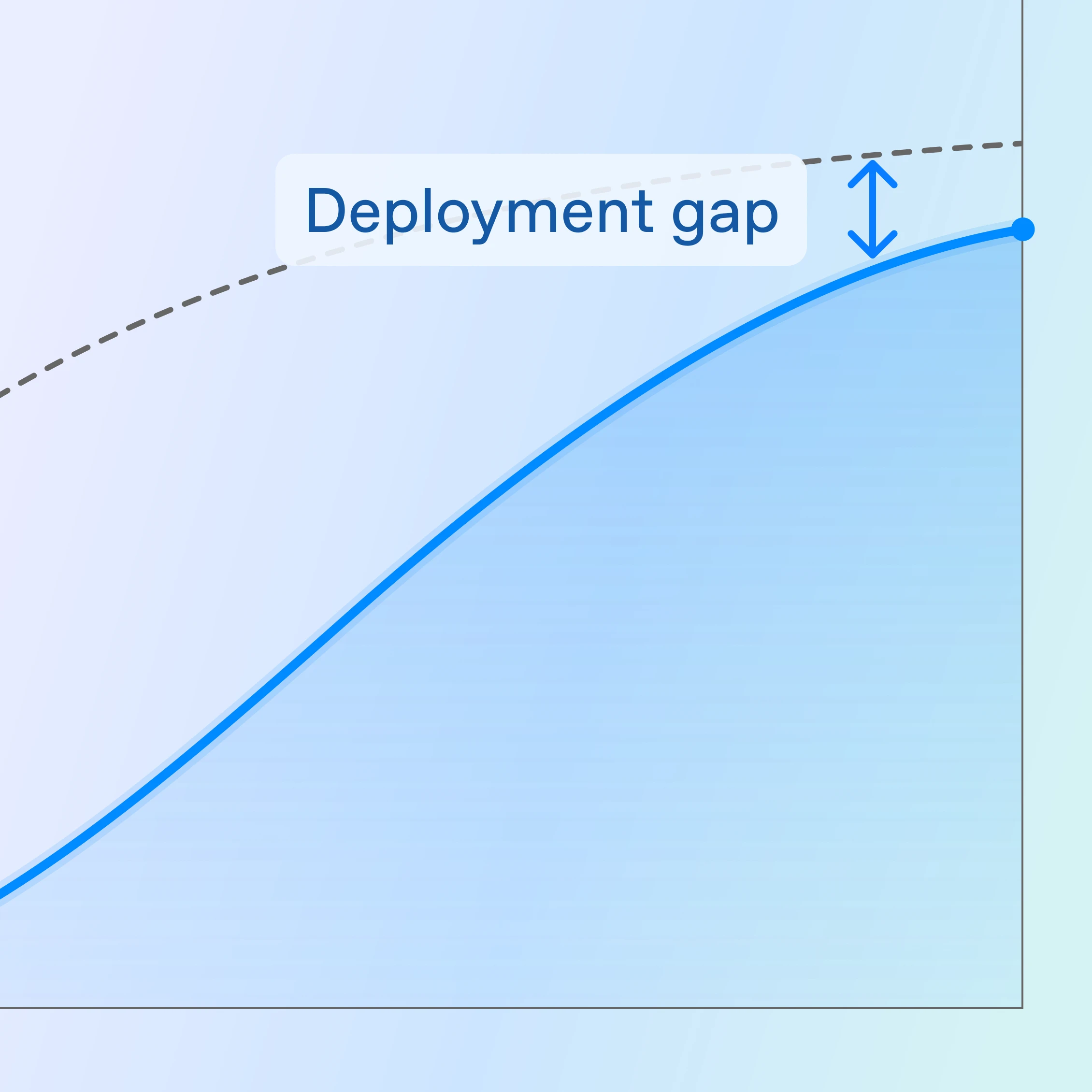
We're currently in a shift from using models, which excel at particular tasks, to using agents capable of handling complex workflows. By prompting models, you can only access trained intelligence. However, giving the model a computer environment can achieve a much wider range of use cases, like running services, requesting data from APIs, or generating more useful artifacts like spreadsheets or reports.
A few practical problems emerge when you try to build agents: where to put intermediate files, how to avoid pasting large tables into a prompt, how to give the workflow network access without creating a security headache, and how to handle timeouts and retries without building a workflow system yourself.
Instead of putting it on developers to build their own execution environments, we built the necessary components to equip the Responses API(ανοίγει σε νέο παράθυρο) with a computer environment to reliably execute real-world tasks.
OpenAI’s Responses API, together with the shell tool and a hosted container workspace, is designed to address these practical problems. The model proposes steps and commands; the platform runs them in an isolated environment with a filesystem for inputs and outputs, optional structured storage (like SQLite), and restricted network access.
In this post, we’ll break down how we built a computer environment for agents and share some early lessons on how to use it for faster, more repeatable, and safer production workflows.
A good agent workflow starts with a tight execution loop: the model proposes an action like reading files or fetching data with API, the platform runs it, and the result feeds into the next step. We’ll start with the shell tool—the simplest way to see this loop in action—and then cover the container workspace, networking, reusable skills, and context compaction.
To understand the shell tool, it’s first useful to understand how a language model uses tools in general: to do things like call a function or interact with a computer. During training, a model is shown examples of how tools are used and the resulting effects, step by step. This helps the model learn to decide when to use a tool and how to use it. When we say “using a tool”, we mean the model actually only proposes a tool call. It can't execute the call on its own.

The shell tool makes the model dramatically more powerful: it interacts with a computer through the command line to carry out a wide range of tasks, from searching for text to sending API requests on your computer. Built on familiar Unix tooling, our shell tool can do anything you'd expect, with utilities like grep, curl, and awk available out of the box.
Compared to our existing code interpreter, which only executes Python, the shell tool enables a much wider range of use cases, like running Go or Java programs or starting a NodeJS server. This flexibility lets the model fulfill complex agentic tasks.
On its own, a model can only propose shell commands, but how are these commands executed? We need an orchestrator to get model output, invoke tools, and pass the tool response back to the model in a loop, until the task is complete.
The Responses API is how developers interact with OpenAI models. When used with custom tools, the Responses API yields control back to the client, and the client requires its own harness for running the tools. However, this API can also orchestrate between the model and hosted tools out of the box.
When the Responses API receives a prompt, it assembles model context: user prompt, prior conversation state, and tool instructions. For shell execution to work, the prompt must mention using the shell tool and the selected model must be trained to propose shell commands—models GPT‑5.2 and later are trained for this. With all of this context, the model then decides the next action. If it chooses shell execution, it returns one or more shell commands to Responses API service. The API service forwards those commands to the container runtime, streams back shell output, and feeds it to the model in the next request’s context. The model can then inspect the results, issue follow-up commands, or produce a final answer. The Responses API repeats this loop until the model returns a completion without additional shell commands.

When the Responses API executes a shell command, it maintains a streaming connection to the container service. As output is produced, the API relays it to the model in near real time so the model can decide whether to wait for more output, run another command, or move on to a final response.

Το Responses API μεταδίδει σε ροή την έξοδο των εντολών shell
The model can propose multiple shell commands in one step, and the Responses API can execute them concurrently using separate container sessions. Each session streams output independently, and the API multiplexes those streams back into structured tool outputs as context. In other words, the agent loop can parallelize work, such as searching files, fetching data, and validating intermediate results.

When the command involves file operations or data processing, shell output can become very large and consume context budgets without adding useful signals. To control this, the model specifies an output cap per command. The Responses API enforces that cap and returns a bounded result that preserves both the beginning and end of the output, while marking omitted content. For example, you might bound the output to 1,000 characters, with preserved beginning and end:
text at the beginning ... 1000 chars truncated ... text at the end
Together, concurrent execution and bounded output make the agent loop both fast and context-efficient so the model can keep reasoning over relevant results instead of getting overwhelmed by raw terminal logs.
One potential issue with agent loops is that tasks can run for a long time. Long-running tasks fill the context window, which is important for providing context across turns and across agents. Picture an agent calling a skill, getting a response, adding tool calls and reasoning summaries—the limited context window quickly fills up. To avoid losing the important context as the agent continues running, we need a way to keep the key details and remove anything extraneous. Instead of requiring developers to design and maintain custom summarization or state-carrying systems, we added native compaction in the Responses API, designed to align with how the model behaves and how it's been trained.
Our latest models are trained to analyze prior conversation state and produce a compaction item that preserves key prior state in an encrypted token-efficient representation. After compaction, the next context window consists of this compaction item and high-value portions of the earlier window. This allows workflows to continue coherently across window boundaries, even in extended multi-step and tool-driven sessions. Codex relies on this mechanism to sustain long-running coding tasks and iterative tool execution without degrading quality.
Compaction is available either built-in on the server or through a standalone `/compact` endpoint. Server-side compaction lets you configure a threshold, and the system handles compaction timing automatically, eliminating the need for complex client-side logic. It allows a slightly larger effective input context window to tolerate small overages right before compaction, so requests near the limit can still be processed and compacted rather than rejected. As model training evolves, the native compaction solution evolves with it for every OpenAI model release.
Codex helped us build the compaction system while serving as an early user of it. When one Codex instance hit a compaction error, we'd spin up a second instance to investigate. The result was that Codex got a native, effective compaction system just by working on the problem. This ability for Codex to inspect and refine itself has become an especially interesting part of working at OpenAI. Most tools only require the user to learn how to use them; Codex learns alongside us.
Now let’s cover state and resources. The container is not only a place to run commands but also the working context for the model. Inside the container, the model can read files, query databases, and access external systems under network policy controls.

The first part of container context is the file system for uploading, organizing, and managing resources. We built container and file(ανοίγει σε νέο παράθυρο) APIs to give the model a map of available data and help it choose targeted file operations instead of performing broad, noisy scans.
A common anti-pattern is packing all input directly into prompt context. As inputs grow, overfilling the prompt becomes expensive and hard for the model to navigate. A better pattern is to stage resources in the container file system and let the model decide what to open, parse, or transform with shell commands. Much like humans, models work better with organized information.
The second part of container context is databases. In many cases, we suggest developers store structured data in databases as SQLite and query them. Instead of copying an entire spreadsheet into the prompt, for example, you can give the model a description of the tables—what columns exist and what they mean—and let it pull the rows it needs.
For example, if you ask, “Which products had declining sales this quarter?” the model can query just the relevant rows instead of scanning the whole spreadsheet. This is faster, cheaper, more scalable to larger datasets.
Το τρίτο μέρος του θεματικού πλαισίου του κοντέινερ είναι η πρόσβαση στο δίκτυο, ένα ουσιαστικό στοιχείο των φόρτων εργασίας με πράκτορα. Οι ροές εργασίας πρακτόρων μπορεί να χρειάζονται ανάκτηση ζωντανών δεδομένων, κλήση εξωτερικών API ή εγκατάσταση πακέτων. Ταυτόχρονα, η παροχή απεριόριστης πρόσβασης στο διαδίκτυο σε κοντέινερ μπορεί να είναι επικίνδυνη: μπορεί να εκθέσει πληροφορίες σε εξωτερικούς ιστότοπους, να επηρεάσει ακούσια ευαίσθητα εσωτερικά συστήματα ή συστήματα τρίτων ή να δυσκολέψει την προστασία από διαρροές στοιχείων σύνδεσης και εξαγωγή δεδομένων.
Για να αντιμετωπίσουμε αυτούς τους προβληματισμούς χωρίς να περιορίσουμε τη χρησιμότητα των πρακτόρων, δημιουργήσαμε φιλοξενούμενα κοντέινερ που χρησιμοποιούν έναν sidecar proxy εξερχόμενης κίνησης. Όλα τα εξερχόμενα αιτήματα δικτύου περνούν μέσα από ένα κεντρικοποιημένο επίπεδο πολιτικών που επιβάλλει λίστες επιτρεπόμενων και ελέγχους πρόσβασης, διατηρώντας παράλληλα την ορατότητα της κίνησης. Για τα στοιχεία σύνδεσης, χρησιμοποιούμε έγχυση μυστικών με οριοθέτηση ανά τομέα κατά την εξερχόμενη κίνηση. Το μοντέλο και το κοντέινερ βλέπουν μόνο κείμενα κράτησης θέσης, ενώ οι πραγματικές τιμές των μυστικών παραμένουν εκτός του ορατού θεματικού πλαισίου του μοντέλου και εφαρμόζονται μόνο για εγκεκριμένους προορισμούς. Αυτό μειώνει τον κίνδυνο διαρροής, ενώ εξακολουθεί να επιτρέπει αυθεντικοποιημένες εξωτερικές κλήσεις.
Οι εντολές shell είναι ισχυρές, αλλά πολλές εργασίες επαναλαμβάνουν τα ίδια μοτίβα πολλαπλών βημάτων. Οι πράκτορες πρέπει να ανακαλύπτουν εκ νέου τη ροή εργασίας σε κάθε εκτέλεση —να επανασχεδιάζουν, να επανεκτελούν εντολές και να ξαναμαθαίνουν συμβάσεις— κάτι που οδηγεί σε ασυνεπή αποτελέσματα και σπατάλη εκτέλεσης. Οι δεξιότητες πρακτόρων(ανοίγει σε νέο παράθυρο) πακετάρουν αυτά τα μοτίβα σε επαναχρησιμοποιήσιμα δομικά στοιχεία με δυνατότητα συνδυασμού. Συγκεκριμένα, μια δεξιότητα είναι ένα πακέτο φακέλου που περιλαμβάνει το «SKILL.md(ανοίγει σε νέο παράθυρο)» (που περιέχει μεταδεδομένα και οδηγίες), καθώς και τυχόν υποστηρικτικούς πόρους, όπως προδιαγραφές API και πόρους UI.
Αυτή η δομή αντιστοιχίζεται φυσικά στην αρχιτεκτονική εκτέλεσης που περιγράψαμε νωρίτερα. Το κοντέινερ παρέχει μόνιμα αρχεία και θεματικό πλαίσιο εκτέλεσης, και το εργαλείο shell παρέχει το περιβάλλον χρήστη εκτέλεσης. Με αυτά τα δύο σε ισχύ, το μοντέλο μπορεί να ανακαλύπτει αρχεία δεξιοτήτων χρησιμοποιώντας εντολές shell («ls», «cat» κ.λπ.) όταν χρειάζεται, να ερμηνεύει οδηγίες και να εκτελεί σενάρια δεξιοτήτων μέσα στον ίδιο βρόχο πράκτορα.
Παρέχουμε API(ανοίγει σε νέο παράθυρο) για τη διαχείριση δεξιοτήτων στην πλατφόρμα OpenAI. Οι προγραμματιστές ανεβάζουν και αποθηκεύουν φακέλους δεξιοτήτων ως εκδόσιμα πακέτα, τα οποία μπορούν αργότερα να ανακτηθούν μέσω αναγνωριστικού δεξιότητας. Πριν σταλεί η προτροπή στο μοντέλο, το Responses API φορτώνει τη δεξιότητα και τη συμπεριλαμβάνει στο θεματικό πλαίσιο του μοντέλου. Αυτή η ακολουθία είναι ντετερμινιστική:
Ανάκτηση μεταδεδομένων δεξιότητας, συμπεριλαμβανομένων του ονόματος και της περιγραφής.
Ανάκτηση του πακέτου δεξιότητας, αντιγραφή του στο κοντέινερ και αποσυμπίεσή του.
Ενημέρωση του θεματικού πλαισίου του μοντέλου με τα μεταδεδομένα της δεξιότητας και τη διαδρομή στο κοντέινερ.
Όταν αποφασίζει αν μια δεξιότητα είναι σχετική, το μοντέλο εξερευνά σταδιακά τις οδηγίες της και εκτελεί τα σενάριά της μέσω εντολών shell μέσα στο κοντέινερ.

Για να τα συνδέσουμε όλα μαζί: το Responses API παρέχει την ενορχήστρωση, το εργαλείο shell παρέχει εκτελέσιμες ενέργειες, το φιλοξενούμενο κοντέινερ παρέχει μόνιμο θεματικό πλαίσιο εκτέλεσης, οι δεξιότητες προσθέτουν επαναχρησιμοποιήσιμη λογική ροής εργασίας και η συμπύκνωση επιτρέπει σε έναν πράκτορα να εκτελείται για μεγάλο χρονικό διάστημα με το θεματικό πλαίσιο που χρειάζεται.
Με αυτά τα δομικά στοιχεία, μία μόνο προτροπή μπορεί να επεκταθεί σε μια ολοκληρωμένη ροή εργασίας: εντοπισμός της κατάλληλης δεξιότητας, ανάκτηση δεδομένων, μετατροπή τους σε τοπική δομημένη κατάσταση, αποδοτική αναζήτηση και δημιουργία ανθεκτικών παραγόμενων στοιχείων.
Το παρακάτω διάγραμμα δείχνει πώς λειτουργεί αυτό το σύστημα για τη δημιουργία ενός υπολογιστικού φύλλου από ζωντανά δεδομένα.
Για ένα αναλυτικό παράδειγμα συνδυασμού του εργαλείου shell και του περιβάλλοντος υπολογιστή για ολοκληρωμένες ροές εργασίας, δείτε την ανάρτησή μας στο blog για προγραμματιστές(ανοίγει σε νέο παράθυρο) και το cookbook(ανοίγει σε νέο παράθυρο), όπου παρουσιάζεται βήμα προς βήμα η δημιουργία πακέτου μιας δεξιότητας και η εκτέλεσή της μέσω του Responses API.
Ανυπομονούμε να δούμε τι θα δημιουργήσουν οι προγραμματιστές με αυτό το σύνολο δομικών στοιχείων. Τα γλωσσικά μοντέλα προορίζονται για περισσότερα από τη δημιουργία κειμένου, εικόνων και ήχου. Θα συνεχίσουμε να εξελίσσουμε την πλατφόρμα μας, ώστε να γίνεται ολοένα και πιο ικανή στη διαχείριση σύνθετων εργασιών του πραγματικού κόσμου σε μεγάλη κλίμακα.