Unlocking the Codex harness: how we built the App Server
By Celia Chen, Member of the Technical Staff
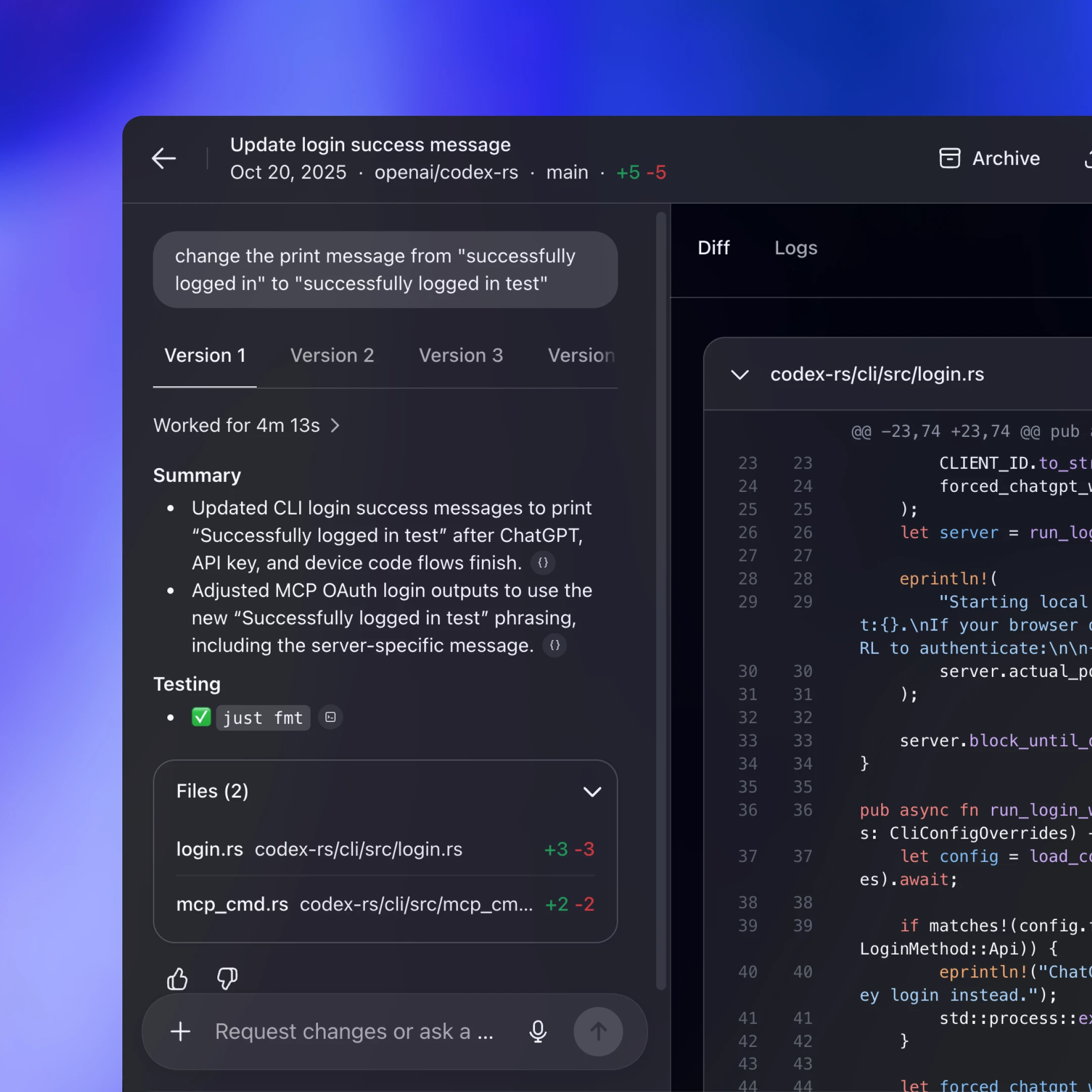
OpenAI’s coding agent Codex exists across many different surfaces: the web app(s'obre en una finestra nova), the CLI(s'obre en una finestra nova), the IDE extension(s'obre en una finestra nova), and the new Codex macOS app. Under the hood, they’re all powered by the same Codex harness—the agent loop and logic that underlies all Codex experiences. The critical link between them? The Codex App Server(s'obre en una finestra nova), a client-friendly, bidirectional JSON-RPC1 API.
In this post, we’ll introduce the Codex App Server; we’ll share our learnings so far on the best ways to bring Codex’s capabilities into your product to help your users supercharge their workflows. We’ll cover the App Server’s architecture and protocol and how it integrates with different Codex surfaces, as well as tips on leveraging Codex, whether you want to turn Codex into a code reviewer, an SRE agent, or a coding assistant.
Before diving into architecture, it’s helpful to know the App Server’s backstory. Initially, the App Server was a practical way to reuse the Codex harness across products that gradually evolved into our standard protocol.
Codex CLI started as a TUI (terminal user interface), meaning Codex is accessed through the terminal. When we built the VS Code extension (a more IDE-friendly way to interact with Codex agents), we needed a way to use the same harness so as to drive the same agent loop from an IDE UI without re-implementing it. That meant supporting rich interaction patterns beyond request/response, such as exploring the workspace, streaming progress as the agent reasons, and emitting diffs. We first experimented with exposing Codex as an MCP server(s'obre en una finestra nova), but maintaining MCP semantics in a way that made sense for VS Code proved difficult. Instead, we introduced a JSON-RPC protocol that mirrored the TUI loop, which became the unofficial first version(s'obre en una finestra nova) of the App Server. At the time, we didn’t expect other clients to depend on the App Server, so it wasn’t designed as a stable API.
As Codex adoption grew over the next few months, internal teams and external partners wanted the ability to embed the same harness in their own products in order to accelerate their users’ software development workflows. For example, JetBrains and Xcode wanted an IDE-grade agent experience, while the Codex desktop app needed to orchestrate many Codex agents in parallel. Those demands pushed us to design a platform surface that both our products and partner integrations could safely depend on over time. It needed to be easy to integrate and backward compatible, meaning we could evolve the protocol without breaking existing clients.
Next, we’ll walk through how we designed the architecture and protocol so different clients can use the same harness.
First, let’s zoom in on what’s inside the Codex harness and how the Codex App Server exposes it to clients. In our last Codex blog, we broke down the core agent loop that orchestrates the interaction between the user, the model, and the tools. This is the core logic of the Codex harness, but there’s more to the full agent experience:
1. Thread lifecycle and persistence. A thread is a Codex conversation between a user and an agent. Codex creates, resumes, forks, and archives threads, and persists the event history so clients can reconnect and render a consistent timeline.
2. Config and auth. Codex loads configuration, manages defaults, and runs authentication flows like “Sign in with ChatGPT,” including credential state.
3. Tool execution and extensions. Codex executes shell/file tools in a sandbox and wires up integrations like MCP servers and skills so they can participate in the agent loop under a consistent policy model.
All the agent logic we mentioned here, including the core agent loop, lives in a part of the Codex CLI codebase called “Codex core(s'obre en una finestra nova).” Codex core is both a library where all the agent code lives and a runtime that can be spun up to run the agent loop and manage the persistence of one Codex thread (conversation).
To be useful, the Codex harness needs to be accessible to clients. That’s where the App Server comes in.

The App Server is both the JSON-RPC protocol between the client and the server and a long-lived process that hosts the Codex core threads. As we can see from the diagram above, an App Server process has four main components: the stdio reader, the Codex message processor, the thread manager, and core threads. The thread manager spins up one core session for each thread, and the Codex message processor then communicates with each core session directly to submit client requests and receive updates.
One client request can result in many event updates, and these detailed events are what allow us to build a rich UI on top of the App Server. Furthermore, the stdio reader and the Codex message processor serve as the translation layer between the client and Codex core threads. They translate client JSON-RPC requests into Codex core operations, listen to Codex core’s internal event stream, and then transform those low-level events into a small set of stable, UI-ready JSON-RPC notifications.
The JSON-RPC protocol between the client and the App Server is fully bidirectional. A typical thread has a client request and many server notifications. In addition, the server can initiate requests when the agent needs input, like an approval, and then pause the turn until the client responds.
Next, we’ll break down the conversation primitives, the building blocks of the App Server protocol. Designing an API for an agent loop is tricky because the user/agent interaction is not a simple request/response. One user request can unfold into a structured sequence of actions that the client needs to represent faithfully: the user’s input, the agent’s incremental progress, artifacts produced along the way (e.g., diffs). To make that interaction stream easy to integrate and resilient across UIs, we landed on three core primitives with clear boundaries and lifecycles:
1. Item: An item is the atomic unit of input/output in Codex. Items are typed (e.g., user message, agent message, tool execution, approval request, diff) and each has an explicit lifecycle:
item/startedwhen the item beginsoptional
item/*/deltaevents as content streams in (for streaming item types)item/completedwhen the item finalizes with its terminal payload
This lifecycle lets clients start rendering immediately on started, stream incremental updates on delta, and finalize on completed.
2. Turn: A turn is one unit of agent work initiated by user input. It begins when the client submits an input (for example, “run tests and summarize failures”) and ends when the agent finishes producing outputs for that input. A turn contains a sequence of items that represent the intermediate steps and outputs produced along the way.
3. Thread: A thread is the durable container for an ongoing Codex session between a user and an agent. It contains multiple turns. Threads can be created, resumed, forked, and archived. Thread history is persisted so clients can reconnect and render a consistent timeline.
Now, we’ll look at a simplified conversation between a client and an agent, where the conversation is represented by primitives:

At the beginning of the conversation, the client and the server need to establish the initialize handshake. The client must send a single initialize request before any other method, and the server acknowledges with a response. This gives the server a chance to advertise capabilities and lets both sides agree on protocol versioning, feature flags, and defaults before the real work begins. Here’s an example payload from OpenAI’s VS Code extension:
This is what the server returns:

When a client makes a new request, it will first create a thread and then a turn. The server will send back notifications for progress (thread/started and turn/started). It will also send back inputs it registers as items, like the user message here.

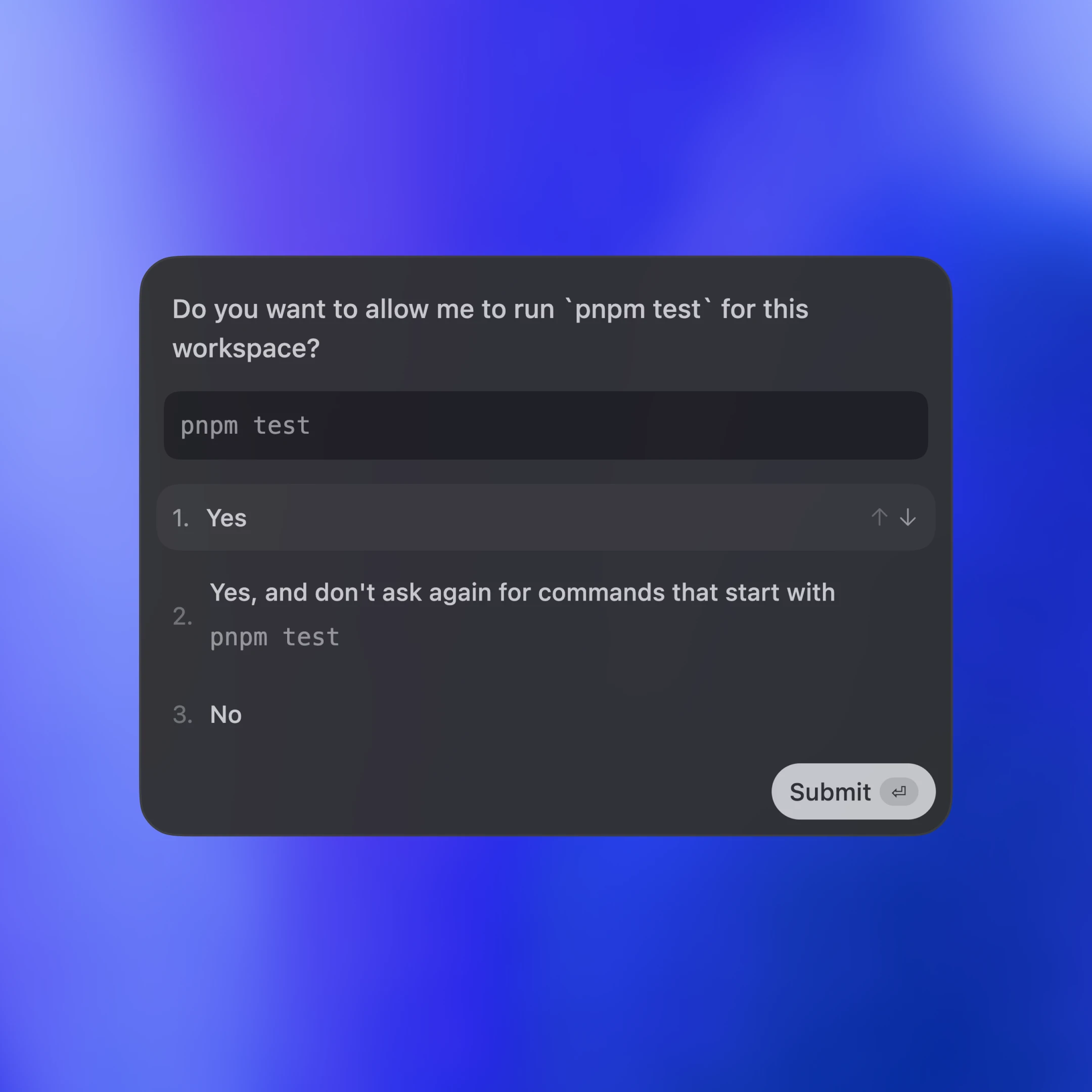
Tool calls are also sent back to the client as items. Additionally, the server may ask for client approval before it can run an action by sending a server request. The approval will pause the turn until the client replies with either “allow” or “deny.” This is what the approval flow looks like in the VS Code extension:

In the end, the server sends an agent message and then ends the turn with turn/completed. The agent message delta events stream pieces of the message back until the message is finalized with item/completed.
Els missatges del diagrama estan simplificats per facilitar-ne la lectura. Si vols veure el JSON d’un turn complet, pots executar el client de prova del repositori de Codex CLI:
Ara veurem com diferents superfícies de client incrusten Codex mitjançant l’App Server. Cobrirem tres patrons: aplicacions locals i IDE, entorn d’execució web de Codex i la TUI.

En tots tres casos, el transport és JSON-RPC sobre stdio (JSONL). JSON-RPC facilita la creació d’enllaços de client en el llenguatge que triïs. Les superfícies de Codex i les integracions de partners han implementat clients d’App Server en llenguatges com Go, Python, TypeScript, Swift i Kotlin. Per a TypeScript, pots generar definicions directament des del protocol Rust executant:
Per a altres llenguatges, pots generar un paquet JSON Schema i passar-lo al generador de codi que prefereixis executant:
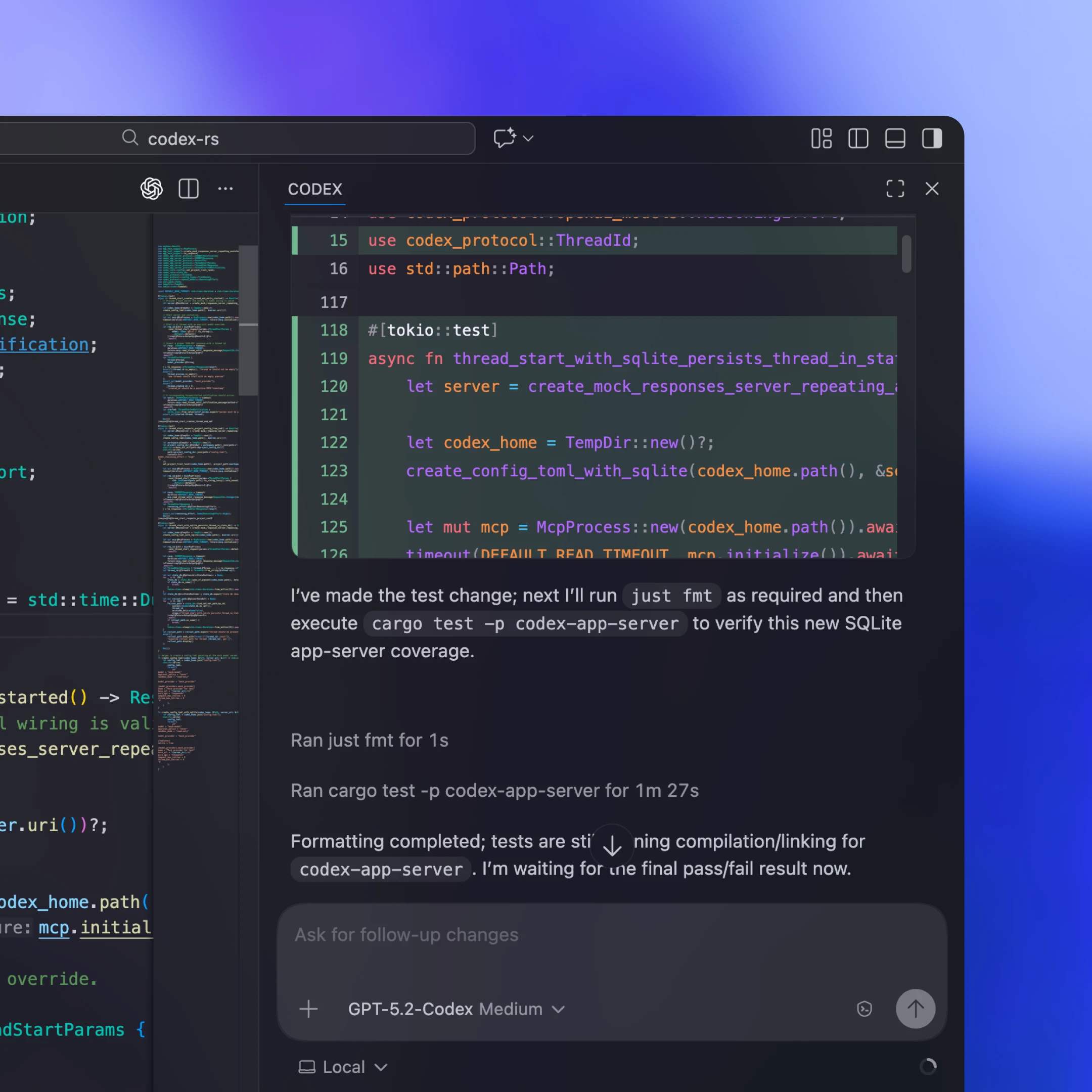
Els clients locals normalment inclouen o obtenen un binari App Server específic de la plataforma, l’inicien com a procés fill de llarga durada i mantenen obert un canal stdio bidireccional per a JSON-RPC. A la nostra extensió de VS Code i a l’aplicació d’escriptori, per exemple, l’artefacte distribuït inclou el binari Codex específic de la plataforma i queda fixat a una versió provada perquè el client executi sempre exactament els bits que hem validat.
No totes les integracions poden publicar actualitzacions del client sovint. Alguns partners com Xcode desacoblen els cicles de llançament mantenint estable el client i permetent que apunti a un binari App Server més nou quan cal. Així poden adoptar millores del servidor (per exemple, una millor compactació automàtica al nucli de Codex o claus de configuració acabades d’admetre) i desplegar correccions d’errors sense esperar un llançament del client. La superfície JSON-RPC de l’App Server està dissenyada per ser retrocompatible, de manera que els clients antics poden parlar amb servidors més nous amb seguretat.
Codex Web fa servir l’harness de Codex, però l’executa en un entorn de contenidor. Un worker aprovisiona un contenidor amb l’espai de treball extret, inicia a dins el binari de l’App Server i manté un canal JSON-RPC sobre stdio2 de llarga durada. L’aplicació web (que s’executa a la pestanya del navegador de l’usuari) es comunica amb el backend de Codex per HTTP i SSE, que transmet els esdeveniments de tasca produïts pel worker. Això manté lleugera la interfície del navegador i alhora ens dona un entorn d’execució coherent entre escriptori i web.
Com que les sessions web són efímeres (les pestanyes es tanquen, les xarxes cauen), l’aplicació web no pot ser la font de veritat de les tasques de llarga durada. Mantenir l’estat i el progrés al servidor vol dir que la feina continua encara que la pestanya desaparegui. El protocol de transmissió i les sessions de thread desades fan que sigui fàcil que una sessió nova es torni a connectar, reprengui el punt on ho havia deixat i es posi al dia sense reconstruir l’estat al client.
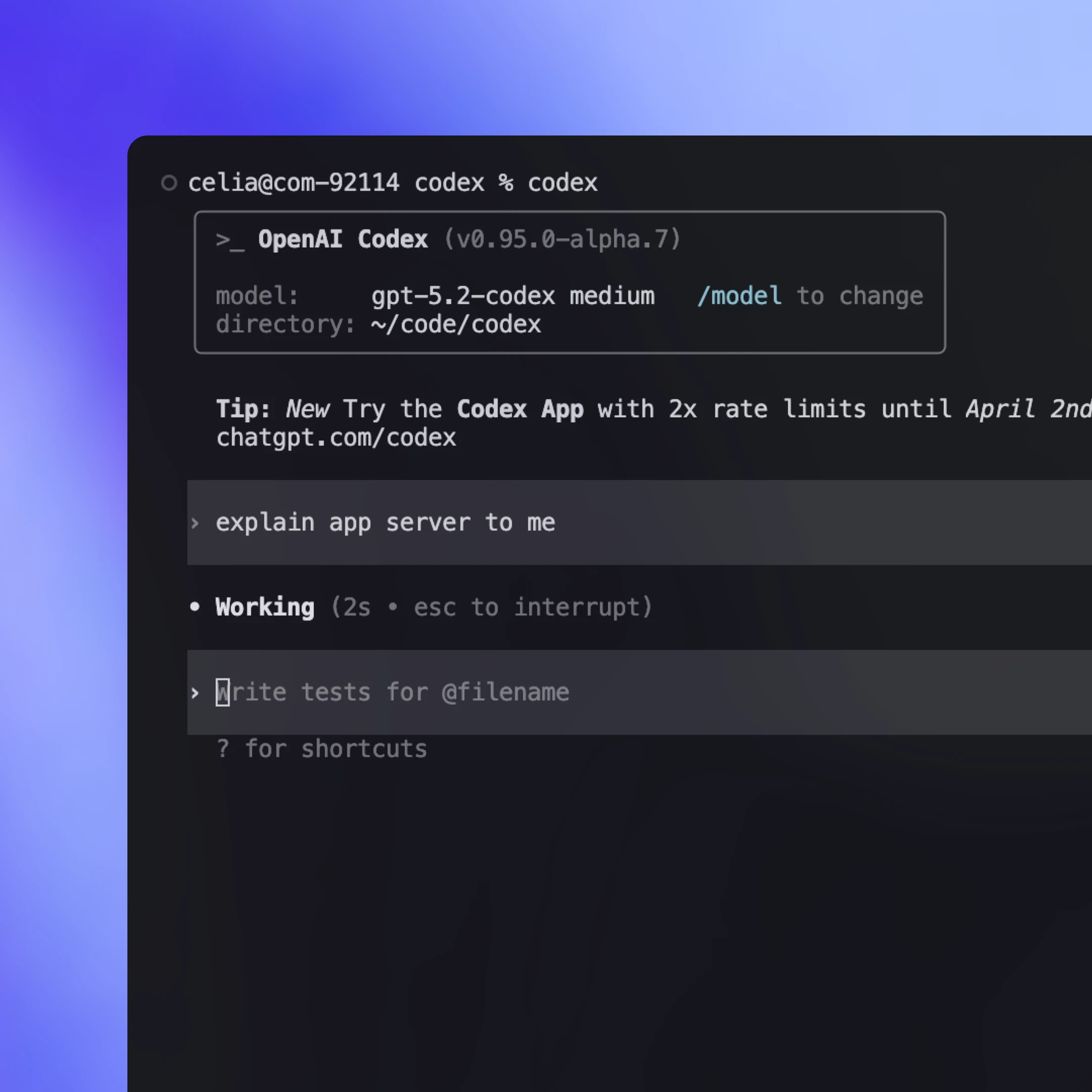
Històricament, la TUI era un client «nadiu» que s’executava al mateix procés que el bucle de l’agent i parlava directament amb els tipus del nucli Rust en lloc del protocol app-server. Això feia que iterar al principi fos ràpid, però també convertia la TUI en una superfície de cas especial.
Ara que existeix l’App Server, tenim previst refactoritzar la TUI(s'obre en una finestra nova) perquè el faci servir i es comporti com qualsevol altre client: iniciar un procés fill d’App Server, parlar JSON-RPC sobre stdio i renderitzar els mateixos esdeveniments en streaming i aprovacions. Això obre fluxos de treball en què la TUI es pot connectar a un servidor Codex que s’executa en una màquina remota, mantenint l’agent a prop del còmput i continuant la feina encara que el portàtil entri en repòs o es desconnecti, mentre continua oferint actualitzacions en directe i controls localment.
Codex App Server serà el mètode d’integració de primera classe que mantindrem d’ara endavant, però també hi ha altres mètodes amb funcionalitat més limitada. Per defecte, recomanaríem que els clients facin servir Codex App Server per integrar-se amb Codex, però val la pena donar un cop d’ull als diferents mètodes d’integració i entendre’n els avantatges i els inconvenients. A continuació tens les maneres més habituals de controlar Codex i en quins casos poden encaixar bé.
Executa codex mcp-server(s'obre en una finestra nova) i connecta-t’hi des de qualsevol client MCP que admeti servidors stdio (p. ex., OpenAI Agents SDK(s'obre en una finestra nova)). És una bona opció si ja tens un flux de treball basat en MCP i vols invocar Codex com una eina callable. L’inconvenient és que només obtens allò que exposa MCP, de manera que les interaccions específiques de Codex que depenen d’una semàntica de sessió més rica (p. ex., actualitzacions de diff) poden no traslladar-se netament a través dels punts finals MCP.
Alguns ecosistemes ofereixen una interfície portable que pot apuntar a diversos proveïdors de models i entorns d’execució. Pot ser una bona opció si vols una sola abstracció que coordini diversos agents. La contrapartida és que aquests protocols sovint convergeixen en el subconjunt comú de capacitats, cosa que pot dificultar la representació d’interaccions més riques, especialment quan la semàntica d’eines i sessions específica del proveïdor és important. Aquest espai evoluciona ràpidament, i esperem que emergeixin més estàndards comuns a mesura que esbrinem quines són les millors primitives per representar fluxos de treball d’agents del món real (skills(s'obre en una finestra nova) n’és un bon exemple).
Tria l’App Server quan vulguis que l’harness complet de Codex quedi exposat com un flux d’esdeveniments estable i amable per a la interfície. Obtens tant tota la funcionalitat del bucle de l’agent com altres funcions de suport, com ara Inicia sessió amb ChatGPT, descobriment de models i gestió de la configuració. El cost principal és la feina d’integració, ja que has de crear l’enllaç JSON-RPC del costat del client en el teu llenguatge. A la pràctica, però, Codex pot assumir bona part de la feina pesada si li proporciones l’esquema JSON i la documentació. Molts equips amb qui hem treballat van poder tenir ràpidament una integració funcional fent servir Codex.
Un mode CLI lleuger i scriptable per a tasques puntuals i execucions de CI. És una bona opció per a automatització i pipelines en què vols una sola ordre que s’executi fins al final de manera no interactiva, transmeti una sortida estructurada per als registres i surti amb un senyal clar d’èxit o de fallada.
Una biblioteca TypeScript per controlar programàticament agents Codex locals des de la teva pròpia aplicació. És l’opció ideal quan vols una interfície de biblioteca nativa per a eines i fluxos de treball del costat del servidor sense construir un client JSON-RPC independent. Com que es va publicar abans que l’App Server, actualment admet menys llenguatges i una superfície més petita. Si hi ha interès per part dels desenvolupadors, potser afegirem SDK addicionals que encapsulin el protocol de l’App Server perquè els equips puguin cobrir més superfície de l’harness sense escriure enllaços JSON-RPC.
En aquest article, hem compartit com enfoquem el disseny d’un nou estàndard per interactuar amb agents i com convertir l’harness de Codex en un protocol estable i amable per als clients. Hem explicat com l’App Server exposa el nucli de Codex, permet als clients controlar tot el bucle de l’agent i impulsa una àmplia gamma de superfícies, incloses la TUI, les integracions locals amb IDE i l’entorn d’execució web.
Si això t’ha despertat idees per integrar Codex als teus propis fluxos de treball, val la pena provar l’App Server. Tot el codi font viu al repo(s'obre en una finestra nova) de codi obert de Codex CLI. No dubtis a compartir els teus comentaris i sol·licituds de funcionalitats. Ens farà il·lusió saber de tu i continuar fent que els agents siguin més accessibles per a tothom.
Autor
Agraïments
Un agraïment especial a Michael Bolin, Owen Lin, Eric Traut i Rasmus Rygaard, que han contribuït a aquest article, i a tot l’equip de Codex que ha treballat en l’App Server.
Notes al peu
- 1
- 2
«stdio» es refereix a l’stdin/stdout de l’app-server dins del contenidor. En configuracions allotjades, aquests fluxos sovint es tunelen sobre una connexió de xarxa persistent (p. ex., de tipus WebSocket) fins a l’entorn d’execució del contenidor, de manera que es comporta com stdio encara que no sigui una canonada local literal.