Close your books with less manual work
Delegate invoice processing, reconciliation, and reporting to ChatGPT across your existing accounting tools, giving you time to advise the business.
Work with the accounting tools you know.
Plugins connect ChatGPT to your accounting tools and records. The accounting plugin adds guidance for invoice processing, reconciliation, and reporting, while computer use lets ChatGPT help in apps that aren’t available through a plugin.
More time for the work that needs you.

Cut down on manual entry
Prepare draft entries from invoices and receipts, with suggested account coding and unclear details flagged for review.

Spend less time gathering records
Bring together invoices, statements, and payment records from your email, files, and accounting apps for reconciliation and reporting.

Check your work for errors
Compare workpapers with supporting records and draft review notes on possible duplicates, missing information, and unexplained differences for you to investigate.

Reuse your process each month
Save your templates, instructions, and review checks as reusable skills, then apply them to each month’s new records.
Put ChatGPT to work on everyday accounting.
Start with a task you know, use the records you already have, and review the results.
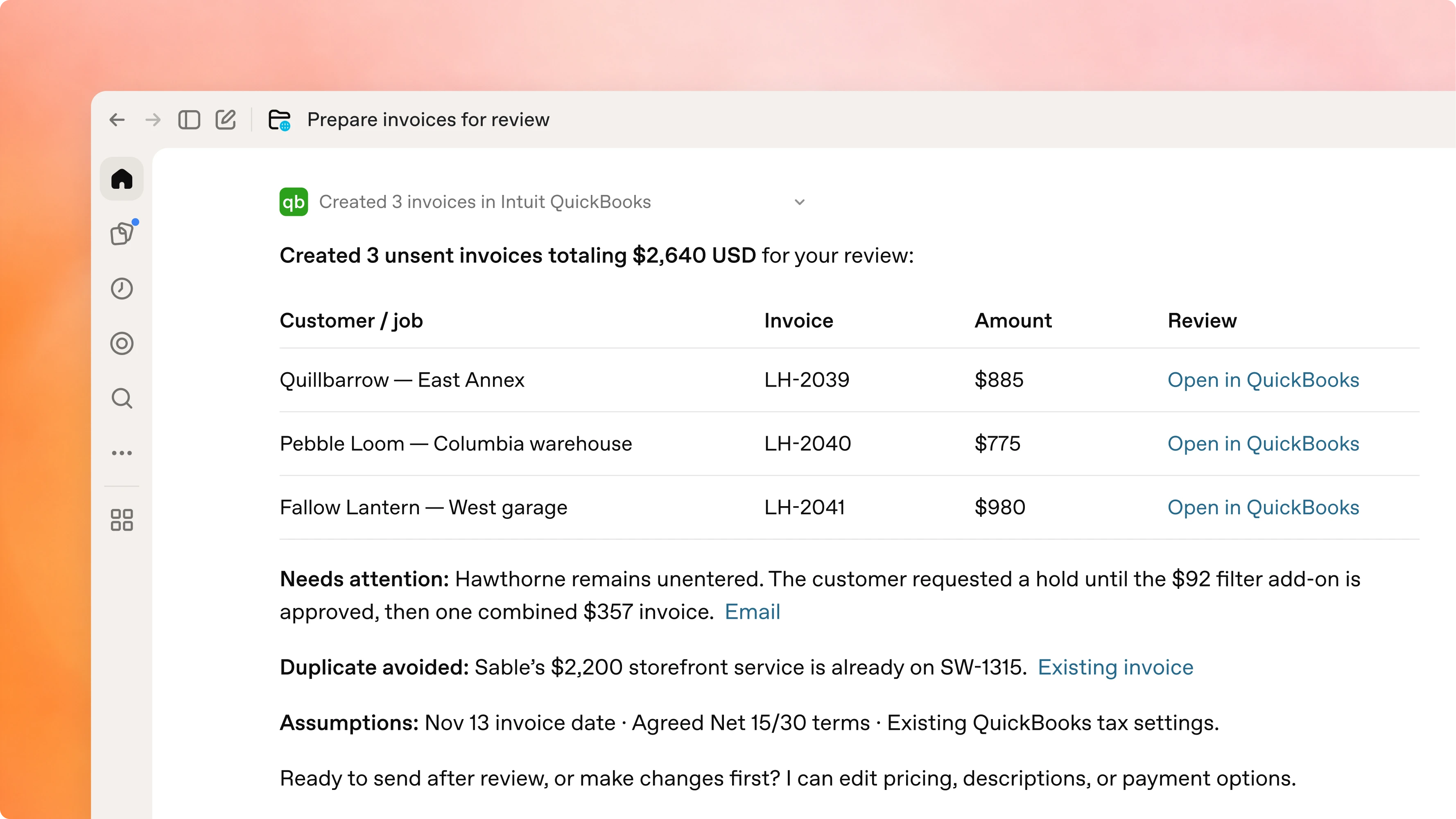
Turn job details from your email into customer invoices in your accounting app, ready for review.
@Accounting find the latest jobs ready to invoice in my email. Create the invoices with @Intuit Quickbooks for my review. Flag anything unclear.
Keep control of your data and decisions.
Your business data stays yours
Data from ChatGPT Business and Enterprise isn’t used to train OpenAI’s models by default.
Control access to connected apps
Workspace admins choose which apps are enabled. Users connect their own accounts, and ChatGPT respects their existing app permissions.
You make the final call
Review supporting records, calculations, and suggested coding before approving entries or reports.