كيفية البدء باستخدام Codex
نصائح حول إعداد Codex، وإنشاء مشروعك الأول، والبدء في إنجاز مهام حقيقية.
Start by downloading the ChatGPT Codex desktop app and signing in with your ChatGPT account.
Once you open ChatGPT Codex, create your first thread. A thread is like a chat in ChatGPT: a space where you go back and forth with ChatGPT Codex to accomplish a task.
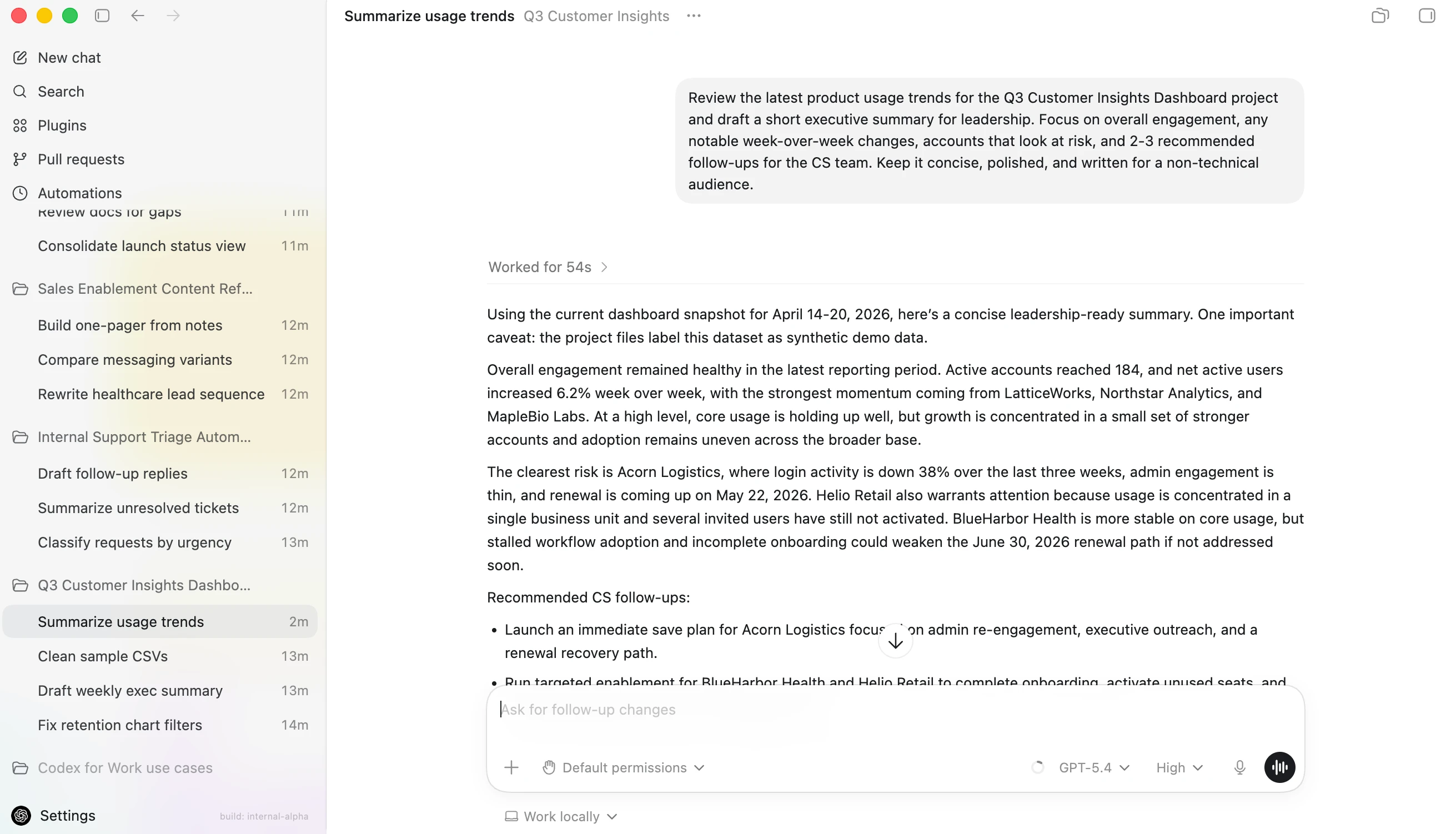
يحتفظ Codex بمشاريعك وسجل محادثاتك في الشريط الجانبي الأيسر، بينما تعرض مساحة العمل الرئيسية سلسلة الرسائل الحالية والدردشة التي تتعاون فيها مع Codex.
ChatGPT Codex keeps your projects and conversation history in the left sidebar, while the main workspace shows your current thread and the chat where you collaborate with ChatGPT Codex.
You can create a standalone thread, but most of the time you'll want to work inside a project. A project is connected to a folder on your computer:
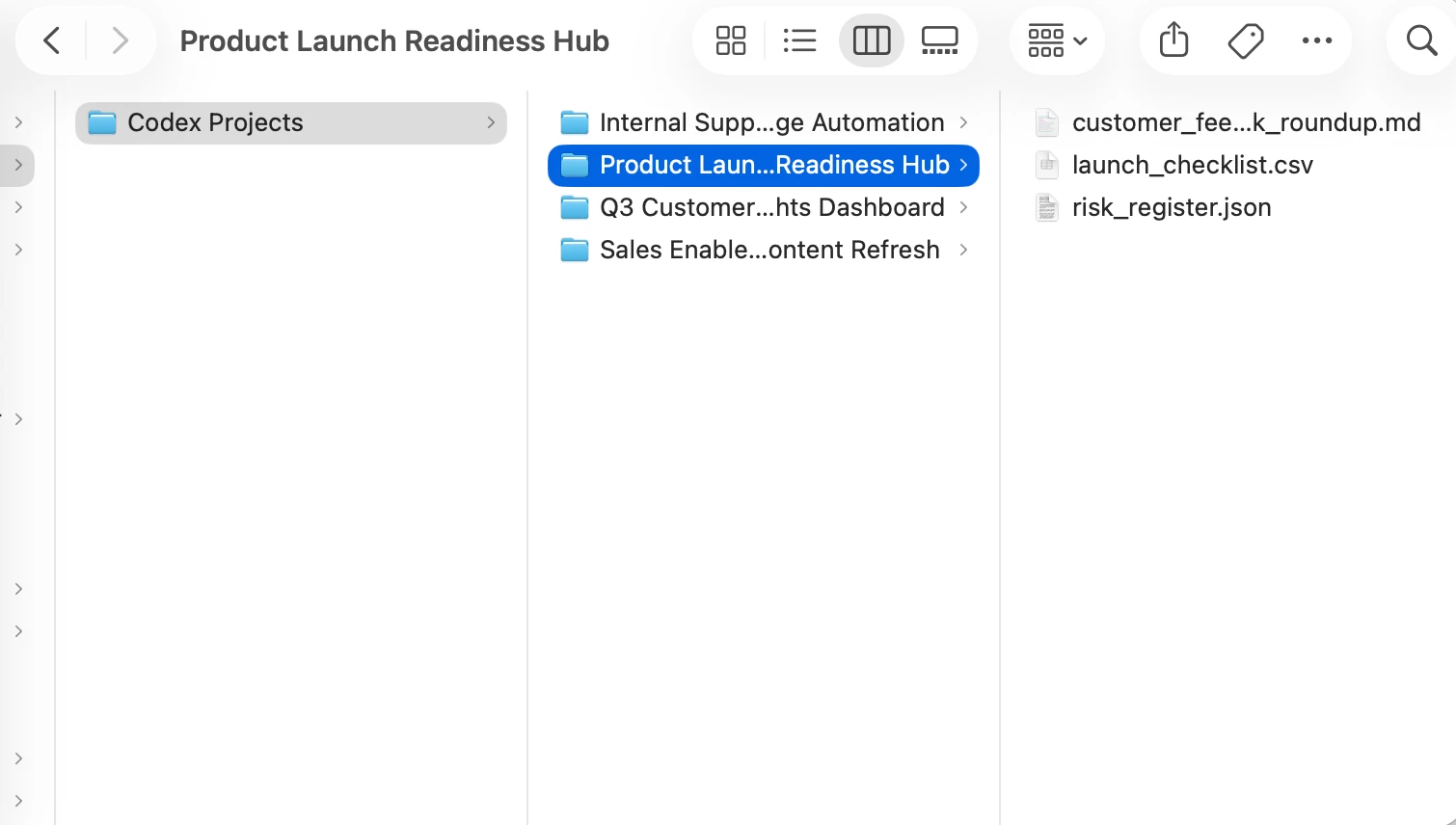
Tip: To keep things simple, create a folder on your computer named ChatGPT Codex. Inside that ChatGPT Codex folder, you can have a separate folder for each project.
If you want ChatGPT Codex to work with specific files for a project, just drag them into the folder. If not, you can leave the folder empty and use it as the place where ChatGPT Codex creates new files for that project.
Pick a first task that is simple and useful. For example, you might ask ChatGPT Codex to organize notes, clean up a small dataset, or compare two drafts of a document.

Start with the default recommended ChatGPT Codex model, and increase reasoning for harder tasks.
If you're working in a project, you may see the term "Work locally" below the input box. This means "ChatGPT Codex can only work in that folder I designated, using the tools that I choose." You'll also see a dropdown menu asking whether you want to change permissions. We recommend sticking with Default permissions in a local environment when you're getting started with ChatGPT Codex. ChatGPT Codex does not automatically get access to everything on your computer.
Full permissions give ChatGPT Codex more room to act, which can be helpful for advanced tasks, but you should only use them when you understand what ChatGPT Codex is doing and you've checked with an admin.
A good first prompt is:
As you get more comfortable, you can give ChatGPT Codex bigger tasks. Start small, review what it does, and build trust one task at a time.