Gå direkt till huvudinnehåll
OpenAI

En starkare grund för ChatGPTs minne

Förbättrar minnessyntesen i ChatGPT för att optimera aktualitet, kontinuitet och relevans.

Laddar …

I dag börjar vi lansera ett mer kapabelt och skalbart system för att syntetisera minne, utvecklat för att hantera de utmaningar med inaktualitet, korrekthet och skalbarhet som vi ser när minne används för hundratals miljoner användare och tidshorisonter på flera år i ChatGPT.

Minne är det som hjälper ChatGPT att lära sig dina preferenser, projekt och begränsningar, så att framtida konversationer kan börja från en gemensam kontext i stället för från noll.

Under de senaste två åren har minne vuxit till en viktig del av ChatGPT‑upplevelsen och hjälpt ChatGPT att bättre förstå din kontext så att det kan hjälpa dig att nå meningsfulla mål över tid. Detta är centralt för att göra ChatGPT mer användbart: att känna dig, hjälpa dig och göra mer för dig.

Den här uppdateringen är tillgänglig för Plus- och Pro-användare i USA i dag och kommer att lanseras i fler länder samt för Free- och Go-användare under de kommande veckorna.

Hur minnet har utvecklats

Minne lanserades först i april 2024 (även känt som sparade minnen). Funktionen lät dig be ChatGPT att komma ihåg information och ta med den vidare i framtida chattar.
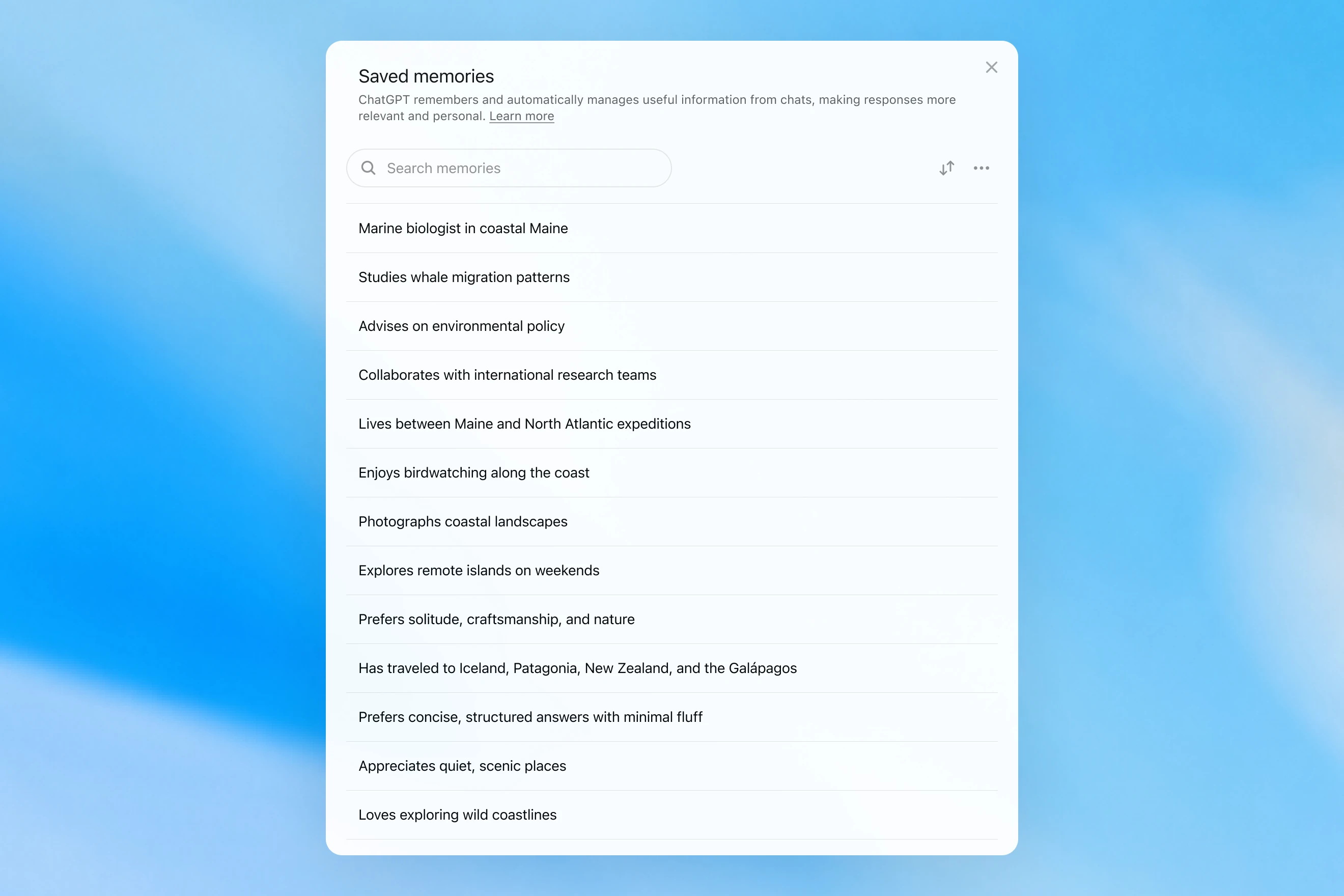
Saved memories modal showing a searchable list of personal details, including work, interests, travel, and response preferences.

Sparade minnen skrevs bara under konversationen och förlitade sig på tydliga signaler för att avgöra när minnet skulle aktiveras, till exempel en instruktion som ”kom ihåg att jag reser till Singapore i juli”. I praktiken kunde interaktionen med det här systemet kännas som att prata med någon som gjorde några anteckningar, men ändå glömde allt som inte skrevs ned. Sparade minnen tenderar också att bli inaktuella med tiden och till slut bli felaktiga eller irrelevanta.

I april 2025 uppdaterade vi ChatGPTs minne genom att ge modellen möjlighet att referera till chattkontext utanför listan med sparade minnen. Detta gjordes genom att introducera den första versionen av dreaming – en metod som gör att ChatGPT automatiskt kan kurera minnen i bakgrunden genom att referera till chatthistorik.
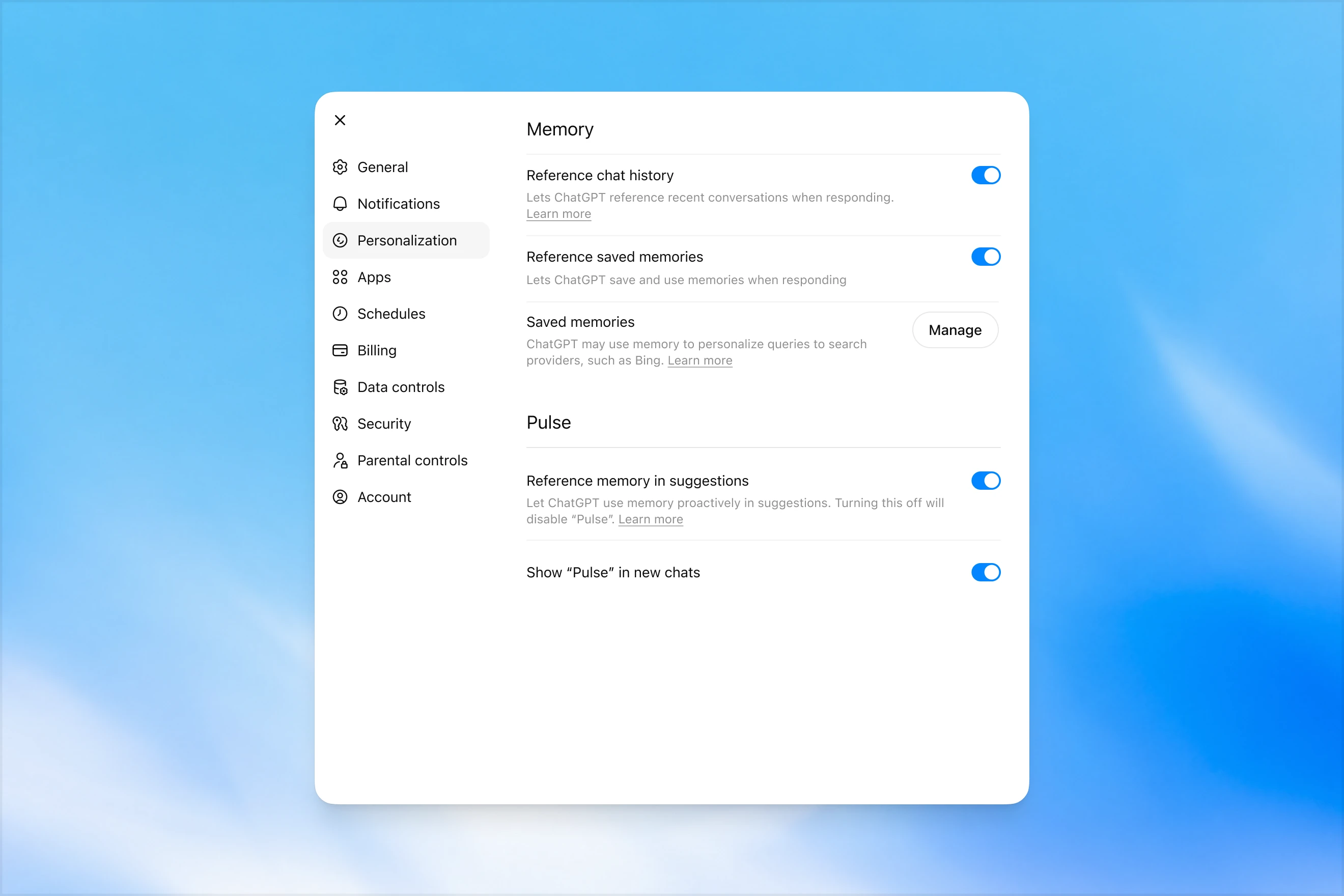
Memory settings page in ChatGPT showing options to reference chat history, use saved memories, manage saved memories, and enable Pulse memory suggestions.

Till skillnad från sparade minnen utnyttjar dreaming en bakgrundsprocess som gör att ChatGPT kan lära sig från många konversationer och syntetisera ChatGPTs minnestillstånd för att alltid ge den mest aktuella och relevanta kontexten till dina konversationer. Dreaming gör det också lättare för minnet att inkludera kontext som uppstår naturligt i konversationer, utan att förlita sig på uttryckliga begäranden om att komma ihåg något.

Under det senaste året har dreaming kompletterat sparade minnen för att skapa en stegvis förbättring av ChatGPTs förmåga att anpassa svar och motverka att sparade minnen blir inaktuella. Historiskt sett har det dock aldrig räckt som ett fristående minnessystem.

I dag lanserar vi en betydligt mer kapabel och beräkningseffektiv minnesarkitektur byggd ovanpå dreaming.

De minnen som syntetiseras av dreaming kan granskas genom en sammanfattning av dem som visas på sidan för minnessammanfattning. Från minnessammanfattningen kan du snabbt få en överblick över vad ChatGPT vet om dig, lägga till eller uppdatera information om dig själv och ge instruktioner om vilka ämnen ChatGPT ska ta upp och när. Om du vill fördjupa dig i ett visst område för att lära dig mer är det bara att chatta med modellen.
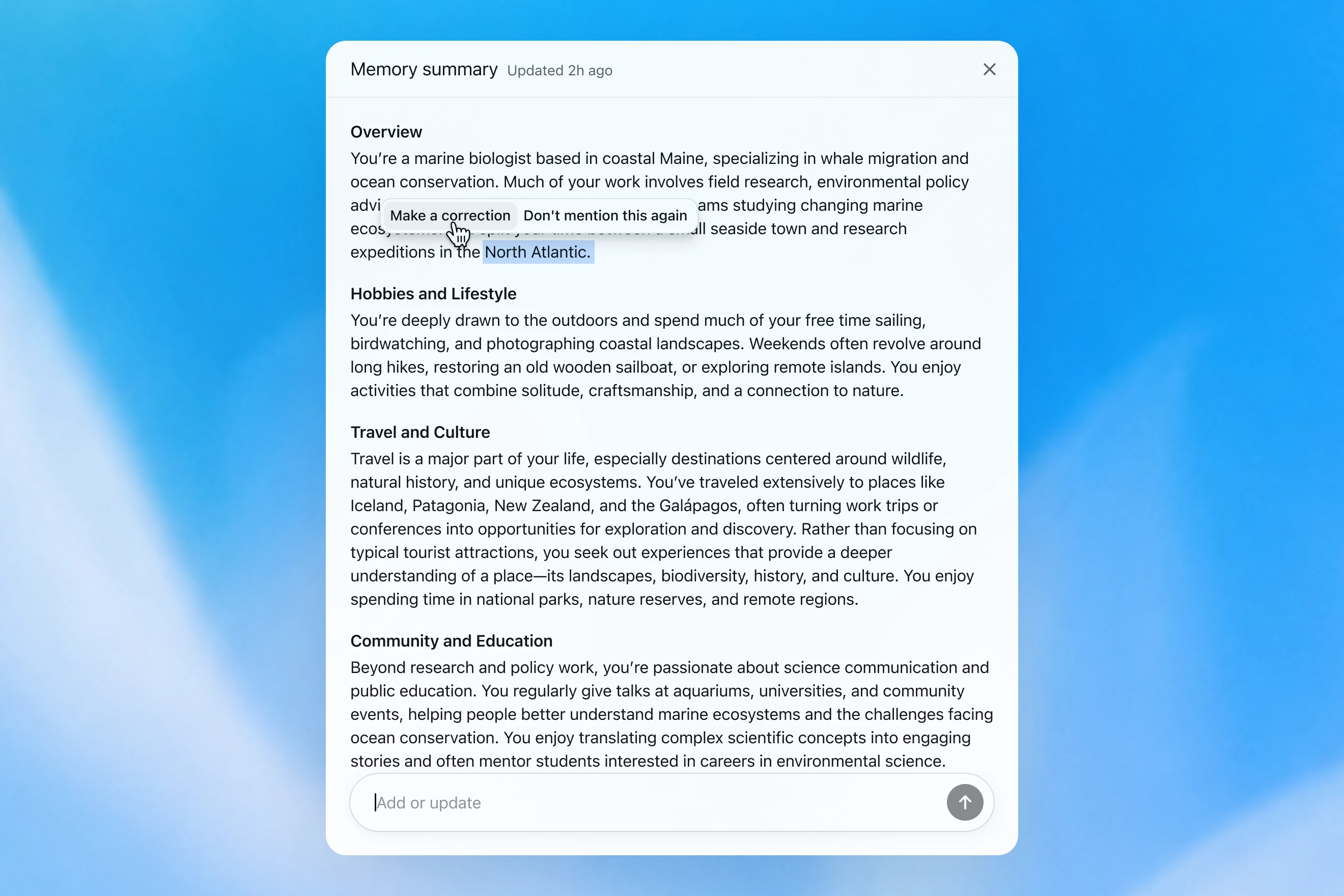
Memory summary modal showing a personalized overview of a user’s work, hobbies, travel interests, and community involvement, with options to correct or dismiss specific details.

Hur vi utvärderar minne

När vi tänker på hur ”bra minne” ser ut i ChatGPT är det några saker som kommer i åtanke:

  1. Föra vidare användbar kontext: Du berättar något för ChatGPT en gång, och det kommer ihåg informationen i dina efterföljande chattar.
  2. Följa preferenser och begränsningar: Om du beskriver en preferens (t.ex. att du är vegetarian) bör ChatGPT framöver vidta åtgärder som är förenliga med den preferensen.
  3. Hålla sig aktuellt över tid: Minne bör ta hänsyn till att tiden går. Föreställ dig ”Användaren planerar sin födelsedagsfest till nästa lördag”; så småningom blir det söndag.

Vi kan utvärdera hur ChatGPT Plus- och Pro-minnet har förbättrats över tid i förhållande till vart och ett av de tre minnesmålen ovan. Vi gör detta för var och en av:

  1. 2024: Sparade minnen
  2. 2025: Sparade minnen + Dreaming V0
  3. 2026: Dreaming V3

Föra vidare kontext

När du startar en ny chatt med ChatGPT behöver du inte presentera dig från början. ChatGPT kan spara tid åt dig och bygga vidare på tidigare kontext, särskilt för komplexa, långvariga projekt.

Föreställ dig till exempel att du använder ChatGPT för att köpa ny kamerautrustning som är kompatibel med din nuvarande kamera. Om du tidigare har diskuterat din kamerautrustning med ChatGPT kan du be om produkter som är kompatibla med ”min fotoutrustning” och få skräddarsydda rekommendationer som uppfyller dina behov.

GPT-5.2 Instant

What would I need to buy to use TTL for my underwater photography setup?

To use TTL flash underwater, you need a compatible chain from camera → housing/trigger → cable → strobe. What you buy depends mostly on whether your setup uses fiber-optic TTL or electrical TTL.

Basic shopping checklist

  • TTL-capable underwater strobe
    Look for strobes that support your TTL type, such as Inon S-TTL, Sea & Sea DS-TTL, Ikelite DS TTL, or compatible Backscatter/Nauticam systems. TTL has to be supported by the strobe, not just the camera.
  • TTL trigger or TTL converter
    This is the key piece. It translates your camera’s flash metering into something the underwater strobe can understand. Examples include Nauticam optical TTL converters, Sea & Sea TTL converters, Backscatter Smart Control optical TTL triggers, or Ikelite DS Link TTL converters, depending on housing and camera brand. Backscatter notes that Nauticam optical TTL converters can work with fiber-optic-connected Inon and Sea & Sea TTL strobes, while Ikelite’s DS Link converters are made around Ikelite DS strobes and electrical sync setups. (Backscatter.com(öppnas i ett nytt fönster))
  • Connection cable
    For fiber optic TTL, buy one fiber optic cable per strobe. Ikelite’s fiber-optic guide says each strobe needs its own light path, converter/adapter, and cord. (Ikelite(öppnas i ett nytt fönster))
    For
    electrical TTL, buy the correct sync cord, such as Ikelite-style, Nikonos 5-pin, or housing-specific bulkhead cable.
  • Housing compatibility parts
    You may need a hot-shoe adapter, bulkhead, fiber optic window/adapter, or housing-specific TTL board. Many TTL triggers mount inside the housing on the camera hot shoe.
  • Strobe arms, clamps, tray, and mounting hardware
    TTL controls exposure, but you still need to physically mount and aim the strobes.
  • Batteries and spares
    Bring strobe batteries, trigger batteries if required, spare fiber optic cables or sync cord O-rings, and silicone grease for serviceable O-rings.

Which route should you choose?

Fiber optic TTL is usually easiest if your housing has optical ports or can use the camera’s pop-up flash/LED trigger. It is common with compact, mirrorless, Nauticam, Sea & Sea, AOI, and Olympus/OM TG-style setups.

Electrical TTL is often best if you use Ikelite DS strobes or an Ikelite-style housing/bulkhead. Ikelite says its DS Link TTL converters are faster and more reliable than fiber-optic TTL triggers, and they do not require batteries. (Backscatter.com(öppnas i ett nytt fönster))

The compatibility rule

You need all three to match:

camera brand/protocol + housing/trigger type + strobe TTL system

For example:

  • Sony camera + Nauticam housing + optical TTL trigger + Inon/Sea & Sea-compatible fiber optic strobe
  • Nikon/Canon/Sony camera + Ikelite housing/bulkhead + Ikelite DS Link TTL converter + Ikelite DS strobe
  • Compact camera with built-in flash + fiber optic cable + S-TTL/DS-TTL-capable strobe

So the practical answer is: buy a TTL-compatible strobe, the correct TTL trigger/converter for your camera and housing, and the right fiber optic or electrical sync cable. The exact part numbers depend on your camera, housing, and strobe model.

Modellen ger ett generiskt svar som lämnar användaren att själv göra komplicerade kompatibilitetskontroller.

GPT-5.3 Instant

What would I need to buy to use TTL for my underwater photography setup?

I’ll verify this against your actual setup: Sony A1 II in Nauticam NA-A1II, with Backscatter Mini Flash 3 and Inon Z-330 strobes. The key question is whether you want TTL with the Mini Flash 3, the Z-330s, or both.

For your setupSony A1 II + Nauticam NA-A1II + Backscatter Mini Flash 3 + Inon Z-330 — there are two different TTL paths:

Best buy for Mini Flash 3 TTL

Buy:

Backscatter Smart Control TTL LED Nauticam Flash Trigger for Sony
SKU: BS-TR-SN2

Backscatter lists it as custom-designed for Nauticam full-frame Sony housings, TTL-compatible with Mini Flash 3, and the NA-A1II housing page offers it as the “Backscatter Smart Control TTL Flash Trigger” option. (Backscatter.com(öppnas i ett nytt fönster))

You’d use normal optical fiber cables from the housing to the Mini Flash 3. On the MF-3, you’d use SC or SC Macro mode; Backscatter says SC / SC Macro are the TTL modes for Mini Flash 3, with SC Macro specifically tuned for close macro work. (Backscatter.com(öppnas i ett nytt fönster))

For Inon Z-330 TTL

For the Inon Z-330, the relevant unit is:

UW Technics 11075-HSS TTL Converter for Sony / Nauticam

UW Technics explicitly lists Inon Z-330 as a compatible TTL strobe and supports optical TTL output. (UWTechnics(öppnas i ett nytt fönster))

But I would not buy this for Mini Flash 3 TTL. Backscatter’s own UW Technics listing says Backscatter strobes are manual / HSS only on that converter, while the Backscatter Smart Control trigger is the one listed for Sony TTL with the Mini Flash 3. (Backscatter.com(öppnas i ett nytt fönster))

Practical recommendation

Since you shoot macro and have the Mini Flash 3, I’d buy the Backscatter Smart Control TTL LED Nauticam Flash Trigger for Sony — BS-TR-SN2.

The catch: there probably is no single trigger that gives true TTL for both the Mini Flash 3 and Inon Z-330 at the same time. The Backscatter trigger is the right TTL solution for the MF-3; the UW Technics converter is the right TTL solution for the Z-330. So choose based on which strobe you actually want TTL for.

For your use case, I’d prioritize Mini Flash 3 TTL / SC Macro and treat the Z-330s as manual when needed.

Modellen kommer ihåg användarens kamerautrustning och rekommenderar en kompatibel produkt.

GPT‑5.2 Instant besvarar till slut frågan, men inleder med en längre förklaring av sina säkerhetsgränser och vad den inte kan hjälpa till med. GPT‑5.3 Instant går däremot rakt på sak.

Vi kan konstruera en utvärdering från exempel som liknar detta, där modellen ombeds svara på en prompt som kräver att den minns faktainformation om användaren. Modellen belönas sedan om den svarar på ett sätt som korrekt använder den relevanta kontexten. I den här utvärderingen förbättrar det nya dreaming-baserade systemet modellens förmåga att minnas relevanta fakta.

Följa preferenser

Minne hjälper också ChatGPT att svara på sätt som bättre matchar dina preferenser och begränsningar.

Föreställ dig att du planerar en resa till Singapore. Två månader före resan ber du ChatGPT om hjälp med en resplan. ChatGPT vet redan från tidigare reseplanering att du gillar naturfotografering, föredrar hotell med stark AC och uppskattar en lugn middag mer än en fullsatt bar.

GPT-5.2 Instant
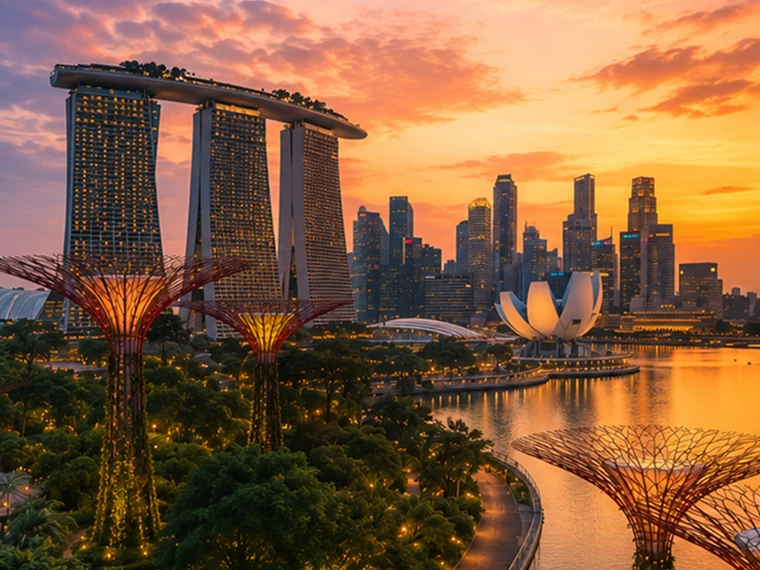
Help me plan a trip to Singapore. I'm going to be there for a work trip in July and will have a few days free at the end.

Great add-on city for a work trip: Singapore is compact, safe, excellent for solo exploring, and easy to do in 2–4 free days. July is hot and humid; expect daytime highs around 31–33°C / 88–91°F, warm nights, and sudden rain, so plan outdoor time early morning or after 5 p.m. and keep midday for museums, malls, cafés, or hotel downtime. Singapore’s official weather service notes typical daily highs of 31–33°C and lows of 23–25°C. (Singapore Weather Service(öppnas i ett nytt fönster))

memory-preferences-without

A strong 3-day plan

Day 1: Marina Bay, Gardens, and skyline

Start late afternoon at Marina Bay and walk the waterfront: Merlion Park, Helix Bridge, ArtScience Museum exterior, then into Gardens by the Bay. Book Cloud Forest, Flower Dome, and either the OCBC Skyway or Supertree Observatory if views matter to you. Gardens by the Bay lists Cloud Forest and Flower Dome as open daily 9 a.m.–9 p.m.; Supertree Observatory is also listed as 9 a.m.–9 p.m. with last admission at 8:30 p.m., but check maintenance closures before booking. (Gardens by the Bay(öppnas i ett nytt fönster))

Evening: stay for the Supertree light show area, then dinner at Lau Pa Sat for an easy first-night hawker experience near the CBD. It has 80+ stalls and local staples like satay, laksa, nasi lemak, bak kut teh, kaya toast, and char kway teow. (Laupasat(öppnas i ett nytt fönster))

Day 2: Culture neighborhoods and food

Morning: Chinatown. Visit Buddha Tooth Relic Temple, walk the shophouse streets, and eat at Maxwell Food Centre or Chinatown Complex Food Centre. Visit Singapore lists Maxwell, Chinatown Complex, Old Airport Road, Tiong Bahru Market, Newton, and others among popular hawker centres. (Visit Singapore(öppnas i ett nytt fönster))

Afternoon: Kampong Glam and Haji Lane for Sultan Mosque, murals, boutiques, and cafés. Then head to Little India around golden hour for temples, flower garlands, Tekka Centre, and dinner.

Evening: either cocktails around Ann Siang / Club Street, or keep it low-key with a night walk along the Singapore River: Boat Quay to Clarke Quay to Robertson Quay.

Day 3: Nature or beach day

Pick one based on your energy.

For nature: do Singapore Botanic Gardens early, then the National Orchid Garden, followed by lunch in Dempsey Hill or Tiong Bahru. This is the best “green Singapore” day without leaving the city.

For beach/resort mode: go to Sentosa. Choose the southern beaches, Fort Siloso Skywalk, or a beach club. I would skip trying to do every Sentosa attraction unless you love theme parks.

For local food focus: do Tiong Bahru Market for breakfast, National Gallery Singapore midday, then Old Airport Road Food Centre for dinner. The official events page also shows exhibitions and cultural events, so it is worth checking once your exact July dates are fixed. (Visit Singapore(öppnas i ett nytt fönster))

Best places to stay after the work part

Marina Bay / CBD is easiest if you want polished, walkable, skyline-heavy Singapore and minimal transit.

Chinatown / Telok Ayer / Tanjong Pagar is my top pick for a few free days: great food, MRT access, heritage streets, cocktail bars, and close to work districts.

Bugis / Kampong Glam is better if you want boutique hotels, cafés, street art, and a slightly more relaxed neighborhood feel.

Orchard is convenient for shopping and rainy-day malls, but less atmospheric.

What to book ahead

Book Gardens by the Bay conservatories/Skyway, any special restaurants, and possibly a cocktail bar. For hawker centres, do not over-plan; just go hungry, carry tissues or wet wipes, and be ready to share tables.

July packing notes

Bring breathable work clothes, comfortable walking shoes, a small umbrella, and a light layer for aggressive air-conditioning. I would also plan one “rain-flexible” indoor block each day, because showers can arrive suddenly even when the forecast looks fine.

My suggested balance: Day 1 Marina Bay/Gardens, Day 2 Chinatown–Kampong Glam–Little India, Day 3 Botanic Gardens or Sentosa. That gives you the Singapore highlights without turning your post-work break into another work project.

Modellen ger ett generiskt svar som är mer turistinriktat, inte hjälper till med hotellbokning och i stort sett ignorerar användarens intressen.

GPT-5.3 Instant
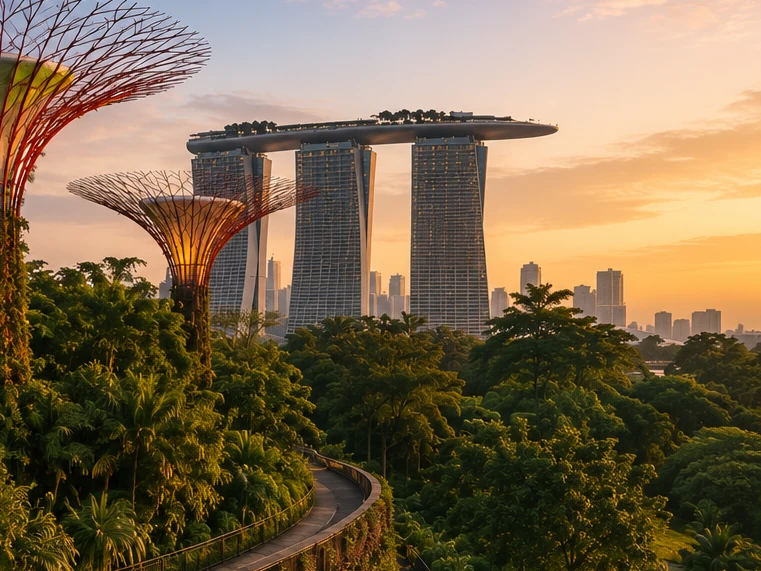
Help me plan a trip to Singapore. I'm going to be there for a work trip in July and will have a few days free at the end.

I’ll build this around your known constraints: a few free days after work, hot/humid July weather, wildlife/photography/nature bias, strong AC needs for sleep, and good but not overly social dining. I’ll verify current July logistics and then give a practical short itinerary rather than a generic Singapore list.

memory-preferences-with

Here’s how I’d structure it: 2–3 free days, mostly nature / wildlife / photography, with heat-managed mornings and AC breaks. July is hot and humid: Singapore’s July long-term stats are about 31.4°C / 88.5°F average daily max, 25.4°C / 77.7°F min, 146.6 mm rain, and 14 rain days, so outdoor plans should be early morning or evening, not midday. (National Environment Agency(öppnas i ett nytt fönster))

Best plan for 3 free days

Day 1 — Gardens by the Bay + Marina Bay, low-friction

Morning: Cloud Forest + Flower Dome. This is the obvious “touristy” pick, but it fits you well because it’s visually interesting, good for photography, and climate-controlled. Gardens by the Bay lists Cloud Forest and Flower Dome-type attractions running 9:00am–9:00pm, and Cloud Forest currently has the Jurassic World experience listed as ongoing. (Gardens by the Bay(öppnas i ett nytt fönster))

Late afternoon / evening: Supertree Grove + Borealis / light show. Gardens currently lists Borealis every Sat, Sun & Mon, 8:00–8:30pm at Supertree Grove, so try to align this with one of those nights. (Gardens by the Bay(öppnas i ett nytt fönster))

Dinner: do something easy nearby: Marina Bay / Tanjong Pagar / Telok Ayer. For you, I’d prioritize reservation-based restaurants with real tables over hawker centers on the first night, because you dislike cramped solo seating.

Day 2 — Mandai wildlife day

Morning to afternoon: Bird Paradise + River Wonders. Bird Paradise is probably the best fit photographically; River Wonders is less “wildlife photography” and more controlled exhibits, but it pairs well logistically. River Wonders is listed as daily 9:00am–6:00pm, last entry 5:00pm. (Mandai Wildlife Reserve(öppnas i ett nytt fönster))

Evening: Night Safari. This is the rare Singapore attraction that is genuinely better at night and avoids the worst heat. Night Safari is listed as daily 6:00pm–12:00am, last entry 11:15pm, with tram plus walking trails and over 900 nocturnal animals. (Mandai Wildlife Reserve(öppnas i ett nytt fönster))

This is a full day. I would not add Singapore Zoo unless you have 4 free days; Mandai can become exhausting fast.

Day 3 — Nature reserve / macro-ish walking + food

Early morning: Singapore Botanic Gardens or MacRitchie / Windsor Nature Park. For a few free days, Botanic Gardens is the safer pick: easier transport, less sweaty, better bailout options, and more consistent casual photography. MacRitchie / Windsor is better if you want more actual forest, but it is hotter, sweatier, and less predictable.

Midday: AC break.

Late afternoon: Joo Chiat / Katong or Chinatown / Telok Ayer for walking, architecture, coffee, and dinner. This gives you a different texture from Marina Bay without turning the day into a logistics project.

My ranking for you

  1. Cloud Forest / Gardens by the Bay — best combination of photogenic, iconic, heat-managed.
  2. Bird Paradise + Night Safari — best wildlife-focused day.
  3. Botanic Gardens early morning — best low-stress outdoor nature.
  4. Joo Chiat / Katong — best neighborhood walk.
  5. Hawker centers — worth doing, but not ideal for your seating preferences unless timed off-peak.

What I’d avoid or deprioritize

I would skip Sentosa unless you specifically want beach/resort stuff. I would also skip a packed “greatest hits” day of Merlion / Orchard / Little India / Chinatown / Clarke Quay; it’s inefficient and hot. For you, the trip will be better if each day has one strong anchor plus one easy evening plan.

Hotel / sleep note

Since this is a work trip, your hotel may be fixed. If you can choose or extend at the same hotel, the hard gate is still AC. Singapore hotels are generally AC-heavy, but your requirement is unusually strict.

One thing I need to make this concrete

Send the exact free dates and whether your work hotel is fixed. Then I’d turn this into a day-by-day plan with restaurant targets and a hotel/AC callout.

Modellen ger ett svar som är anpassat efter användarens intressen för naturfotografering, lugna middagar och prioriteringar vid hotellbokning.

GPT‑5.2 Instant besvarar till slut frågan, men inleder med en längre förklaring av sina säkerhetsgränser och vad den inte kan hjälpa till med. GPT‑5.3 Instant går däremot rakt på sak.

Preferenser kan ta flera former:

  1. Instruktioner för hur ChatGPT ska svara (”ta inte upp Stan igen”).
  2. Dina personliga preferenser eller begränsningar (”Jag är vegetarian”)
  3. Underförstådda preferenser som formar vad som är relevant för dig (”Jag bor nära San Francisco” → lokala alternativ bör anpassas till detta område)

När vi utvecklade det nya minnessystemet förbättrade vi ChatGPTs förmåga att tillämpa relevanta preferenser från tidigare konversationer. Med exemplet ”Jag är vegetarian” ovan kan vi utvärdera om modellen korrekt använder minne för att ta fram vegetariskt vänliga matalternativ när en vegetarisk användare ber om förslag på måltidsförberedelser.

Hålla sig aktuellt över tid

Tiden stannar inte när chatten tar slut.

Traditionella minnessystem kan bli inaktuella. Du säger till exempel till ChatGPT: ”Jag är i Singapore och behöver en middagsrekommendation för i kväll.” Sedan går tiden, resan tar slut och du undrar varför ChatGPT fortfarande tror att du är i Singapore.

Med dreaming uppdateras minnen automatiskt när tiden går, så att ChatGPT kan revidera sitt minne från ”Du ska åka till Singapore i juli” till ”Du var i Singapore i juli 2026” när resan tar slut. När du sedan är hemma igen kan ChatGPT åter ge rekommendationer som är anpassade till din hemort och tidszon.

GPT-5.2 Instant

Help me find something for take-out tonight that's still open.

It’s about 5:19 AM Sunday in Singapore, so your safest take-out/delivery bets are 24-hour places.

Best bets right now:

  1. McDelivery / McDonald’s Singapore — easiest islandwide option; McDonald’s says McDelivery is available 24 hours, 7 days a week. Breakfast menu should be on now. (McDonald's Singapore(öppnas i ett nytt fönster))
  2. Srisun Express — good for prata, Indian Muslim food, local comfort food; their site says they’re halal-certified and open 24/7. (Sri Sun Express(öppnas i ett nytt fönster))
  3. 89.7 Supper Club — good if you’re near Changi Village or Geylang East; their outlets page says both locations are open 24 hours, 7 days a week. (89.7 Supper Club(öppnas i ett nytt fönster))
  4. 126 Dim Sum Wen Dao Shi — worth checking on GrabFood/foodpanda if you’re in the East; a 2025 guide says it runs till 5:30 AM on weekdays and round-the-clock on weekends. Since it’s Sunday morning, it may still be available. (Eatbook(öppnas i ett nytt fönster))
  5. Prata around Geylang / Serangoon / Bedok / Jalan Kayu — look in GrabFood or Google Maps for “prata open now”; guides list multiple 24-hour prata/supper spots, including Mufiz Prata Corner and RK Eating House. (Eatbook(öppnas i ett nytt fönster))

For the fastest path: open GrabFood / foodpanda / Deliveroo, set filter to Open now, then search “prata,” “McDonald’s,” “Srisun,” “89.7,” “dim sum,” or “nasi lemak.” If you tell me your neighborhood or nearest MRT, I’ll narrow it to specific nearby places.

Modellen tror att användaren fortfarande är i Singapore.

GPT-5.3 Instant

Help me find something for take-out tonight that's still open.

I’ll use Portola Valley / Ladera as the starting point and prioritize places that are plausibly open for takeout tonight, then narrow to low-friction options rather than a huge list.

For tonight, Saturday May 30, near Ladera / Portola Valley, I’d start here:

  1. Alpine Inn — safest casual pickup option. Open Saturday until 9:30 pm and has Order Takeout on its site. Good for burgers / tavern food. (Rossotti's Alpine Inn(öppnas i ett nytt fönster))
  2. Taverna Portola Valley — nearby at Ladera Country Shopper; open daily, Saturday dinner until 9:00 pm. Better if you want Greek / Mediterranean. (TAVERNA Portola Valley(öppnas i ett nytt fönster))
  3. Portola Bistro — also nearby; Saturday dinner until 9:30 pm. Good option for Italian / Mediterranean / pizza-ish dinner. (Portola Bistro -(öppnas i ett nytt fönster))
  4. Amigos Grill — Mexican, very close in Ladera Country Shopper. Official site says call to order at 650-851-3997; DoorDash / order.online lists pickup/delivery ordering until 8:40 pm. (Amigos Grill(öppnas i ett nytt fönster))
  5. State of Mind Slice House, Palo Alto — best fallback if you want pizza and can drive farther; Friday–Saturday hours are 11 am–10 pm. (State of Mind Slice House(öppnas i ett nytt fönster))

My pick: Alpine Inn for easiest local takeout, Taverna if you want something less heavy, State of Mind if it’s later and you want the most reliable post-9 pm option.

Modellen ger svar som är relevanta för användarens hemort.

GPT‑5.2 Instant besvarar till slut frågan, men inleder med en längre förklaring av sina säkerhetsgränser och vad den inte kan hjälpa till med. GPT‑5.3 Instant går däremot rakt på sak.

I våra minnesutvärderingar mäter vi om ChatGPT kan svara korrekt på prompter där tidens gång väsentligt påverkar det korrekta svaret eller den korrekta rekommendationen. Dreaming ger ett betydande lyft inom detta område:

En mer skalbar grund för framtiden

På OpenAI är vårt uppdrag att säkerställa att artificiell generell intelligens kommer hela mänskligheten till godo.

Även om dreaming-baserat minne har varit tillgängligt för Plus- och Pro-användare under en tid är det först nu vi kan erbjuda Free-användare en version som uppfyller vår kvalitetsnivå och är praktisk att leverera i stor skala. Nyliga förbättringar minskade den beräkning som krävs för att leverera dreaming till Free-användare med cirka 5x, vilket gör det möjligt att börja lansera dreaming till Free-användare under de kommande veckorna och att öka minneskapaciteten för Plus- och Pro-användare.

Framåt ger dreaming oss nu en gemensam minnesgrund för alla användare. Den här uppdateringen är vårt mest kapabela minnessystem hittills, och vi kommer att fortsätta förbättra det.

Om du vill veta mer om den här lanseringen och användarkontroller för minne kan du besöka vår FAQ om Minne(öppnas i ett nytt fönster).


Författare

OpenAI