Unlocking the Codex harness: how we built the App Server
By Celia Chen, Member of the Technical Staff
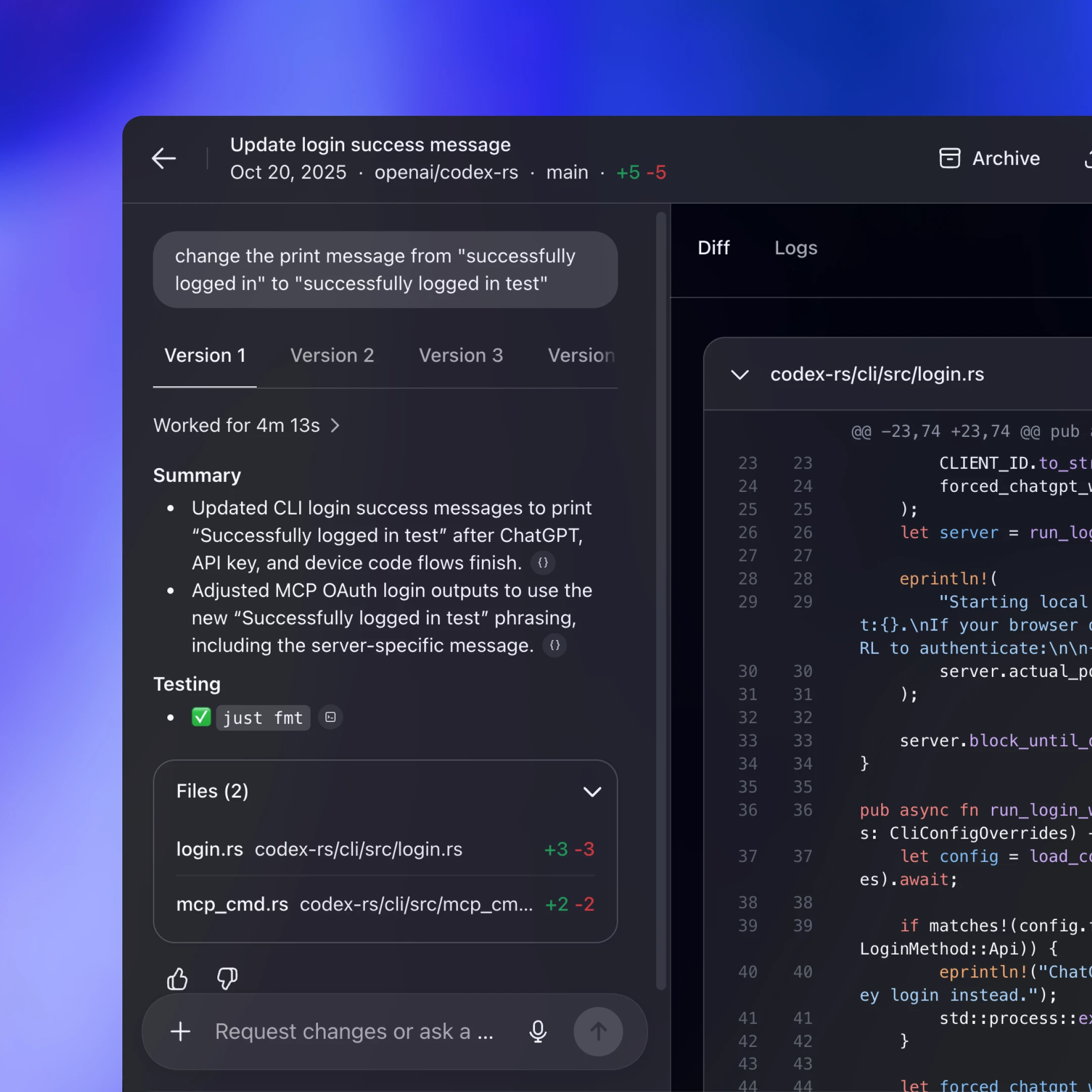
OpenAI’s coding agent Codex exists across many different surfaces: the web app(отвара се у новом прозору), the CLI(отвара се у новом прозору), the IDE extension(отвара се у новом прозору), and the new Codex macOS app. Under the hood, they’re all powered by the same Codex harness—the agent loop and logic that underlies all Codex experiences. The critical link between them? The Codex App Server(отвара се у новом прозору), a client-friendly, bidirectional JSON-RPC1 API.
In this post, we’ll introduce the Codex App Server; we’ll share our learnings so far on the best ways to bring Codex’s capabilities into your product to help your users supercharge their workflows. We’ll cover the App Server’s architecture and protocol and how it integrates with different Codex surfaces, as well as tips on leveraging Codex, whether you want to turn Codex into a code reviewer, an SRE agent, or a coding assistant.
Before diving into architecture, it’s helpful to know the App Server’s backstory. Initially, the App Server was a practical way to reuse the Codex harness across products that gradually evolved into our standard protocol.
Codex CLI started as a TUI (terminal user interface), meaning Codex is accessed through the terminal. When we built the VS Code extension (a more IDE-friendly way to interact with Codex agents), we needed a way to use the same harness so as to drive the same agent loop from an IDE UI without re-implementing it. That meant supporting rich interaction patterns beyond request/response, such as exploring the workspace, streaming progress as the agent reasons, and emitting diffs. We first experimented with exposing Codex as an MCP server(отвара се у новом прозору), but maintaining MCP semantics in a way that made sense for VS Code proved difficult. Instead, we introduced a JSON-RPC protocol that mirrored the TUI loop, which became the unofficial first version(отвара се у новом прозору) of the App Server. At the time, we didn’t expect other clients to depend on the App Server, so it wasn’t designed as a stable API.
As Codex adoption grew over the next few months, internal teams and external partners wanted the ability to embed the same harness in their own products in order to accelerate their users’ software development workflows. For example, JetBrains and Xcode wanted an IDE-grade agent experience, while the Codex desktop app needed to orchestrate many Codex agents in parallel. Those demands pushed us to design a platform surface that both our products and partner integrations could safely depend on over time. It needed to be easy to integrate and backward compatible, meaning we could evolve the protocol without breaking existing clients.
Next, we’ll walk through how we designed the architecture and protocol so different clients can use the same harness.
First, let’s zoom in on what’s inside the Codex harness and how the Codex App Server exposes it to clients. In our last Codex blog, we broke down the core agent loop that orchestrates the interaction between the user, the model, and the tools. This is the core logic of the Codex harness, but there’s more to the full agent experience:
1. Thread lifecycle and persistence. A thread is a Codex conversation between a user and an agent. Codex creates, resumes, forks, and archives threads, and persists the event history so clients can reconnect and render a consistent timeline.
2. Config and auth. Codex loads configuration, manages defaults, and runs authentication flows like “Sign in with ChatGPT,” including credential state.
3. Tool execution and extensions. Codex executes shell/file tools in a sandbox and wires up integrations like MCP servers and skills so they can participate in the agent loop under a consistent policy model.
All the agent logic we mentioned here, including the core agent loop, lives in a part of the Codex CLI codebase called “Codex core(отвара се у новом прозору).” Codex core is both a library where all the agent code lives and a runtime that can be spun up to run the agent loop and manage the persistence of one Codex thread (conversation).
To be useful, the Codex harness needs to be accessible to clients. That’s where the App Server comes in.

The App Server is both the JSON-RPC protocol between the client and the server and a long-lived process that hosts the Codex core threads. As we can see from the diagram above, an App Server process has four main components: the stdio reader, the Codex message processor, the thread manager, and core threads. The thread manager spins up one core session for each thread, and the Codex message processor then communicates with each core session directly to submit client requests and receive updates.
One client request can result in many event updates, and these detailed events are what allow us to build a rich UI on top of the App Server. Furthermore, the stdio reader and the Codex message processor serve as the translation layer between the client and Codex core threads. They translate client JSON-RPC requests into Codex core operations, listen to Codex core’s internal event stream, and then transform those low-level events into a small set of stable, UI-ready JSON-RPC notifications.
The JSON-RPC protocol between the client and the App Server is fully bidirectional. A typical thread has a client request and many server notifications. In addition, the server can initiate requests when the agent needs input, like an approval, and then pause the turn until the client responds.
Next, we’ll break down the conversation primitives, the building blocks of the App Server protocol. Designing an API for an agent loop is tricky because the user/agent interaction is not a simple request/response. One user request can unfold into a structured sequence of actions that the client needs to represent faithfully: the user’s input, the agent’s incremental progress, artifacts produced along the way (e.g., diffs). To make that interaction stream easy to integrate and resilient across UIs, we landed on three core primitives with clear boundaries and lifecycles:
1. Item: An item is the atomic unit of input/output in Codex. Items are typed (e.g., user message, agent message, tool execution, approval request, diff) and each has an explicit lifecycle:
item/startedwhen the item beginsoptional
item/*/deltaevents as content streams in (for streaming item types)item/completedwhen the item finalizes with its terminal payload
This lifecycle lets clients start rendering immediately on started, stream incremental updates on delta, and finalize on completed.
2. Turn: A turn is one unit of agent work initiated by user input. It begins when the client submits an input (for example, “run tests and summarize failures”) and ends when the agent finishes producing outputs for that input. A turn contains a sequence of items that represent the intermediate steps and outputs produced along the way.
3. Thread: A thread is the durable container for an ongoing Codex session between a user and an agent. It contains multiple turns. Threads can be created, resumed, forked, and archived. Thread history is persisted so clients can reconnect and render a consistent timeline.
Now, we’ll look at a simplified conversation between a client and an agent, where the conversation is represented by primitives:

At the beginning of the conversation, the client and the server need to establish the initialize handshake. The client must send a single initialize request before any other method, and the server acknowledges with a response. This gives the server a chance to advertise capabilities and lets both sides agree on protocol versioning, feature flags, and defaults before the real work begins. Here’s an example payload from OpenAI’s VS Code extension:
This is what the server returns:

When a client makes a new request, it will first create a thread and then a turn. The server will send back notifications for progress (thread/started and turn/started). It will also send back inputs it registers as items, like the user message here.

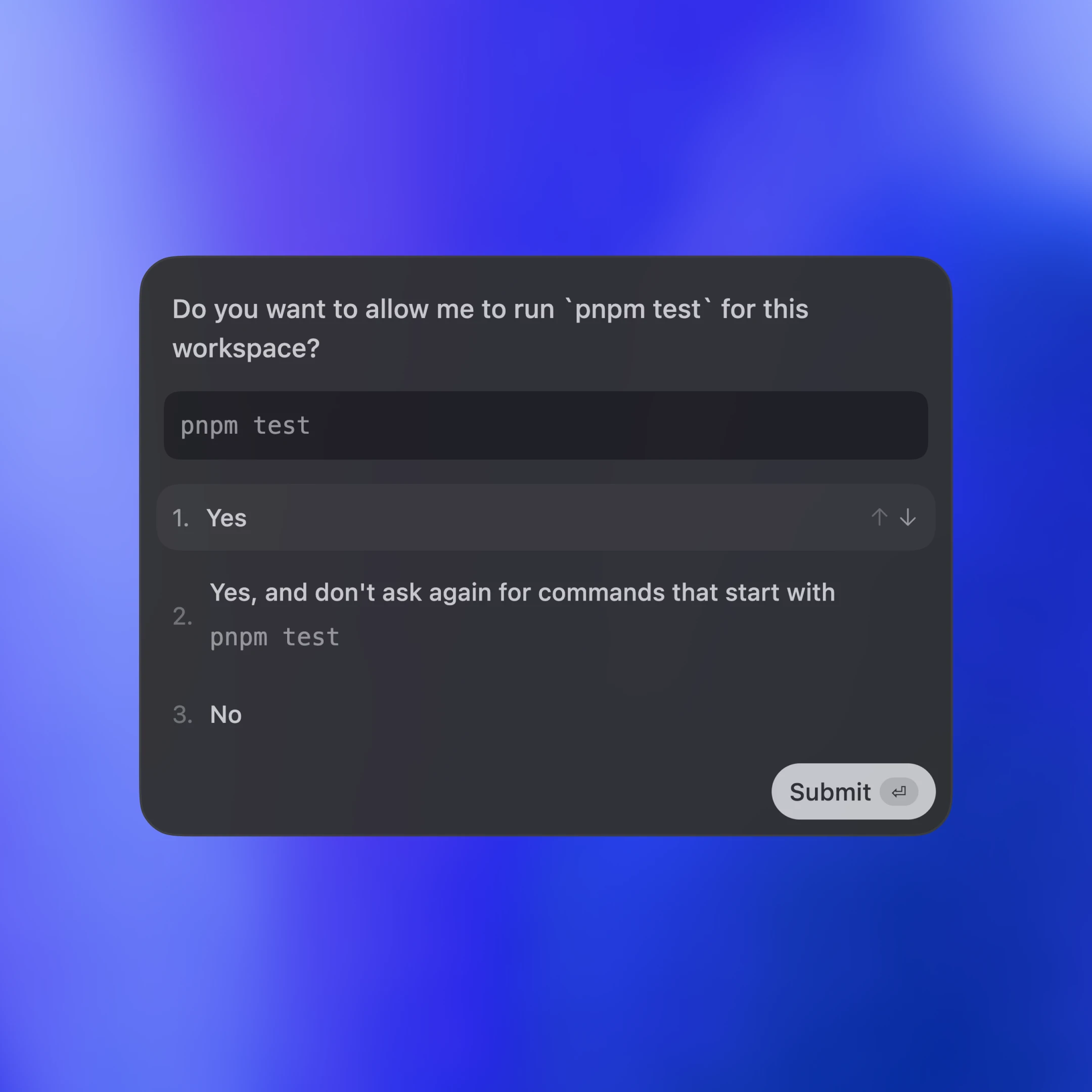
Tool calls are also sent back to the client as items. Additionally, the server may ask for client approval before it can run an action by sending a server request. The approval will pause the turn until the client replies with either “allow” or “deny.” This is what the approval flow looks like in the VS Code extension:

In the end, the server sends an agent message and then ends the turn with turn/completed. The agent message delta events stream pieces of the message back until the message is finalized with item/completed.
Poruke na dijagramu su pojednostavljene radi čitljivosti. Ako želite da vidite JSON za ceo potez, možete pokrenuti test klijent iz depoa Codex CLI:
Sada pogledajmo kako različite klijentske površine ugrađuju Codex preko App Server-a. Obradićemo tri obrasca: lokalne aplikacije i IDE-ove, Codex web runtime i TUI.

U sva tri slučaja, transport je JSON-RPC preko stdio (JSONL). JSON-RPC olakšava izradu klijentskih povezivanja na jeziku po vašem izboru. Codex površine i partnerske integracije implementirale su App Server klijente na jezicima uključujući Go, Python, TypeScript, Swift i Kotlin. Za TypeScript možete generisati definicije direktno iz Rust protokola pokretanjem:
Za druge jezike možete generisati paket JSON šeme i proslediti ga generatoru koda po izboru pokretanjem:
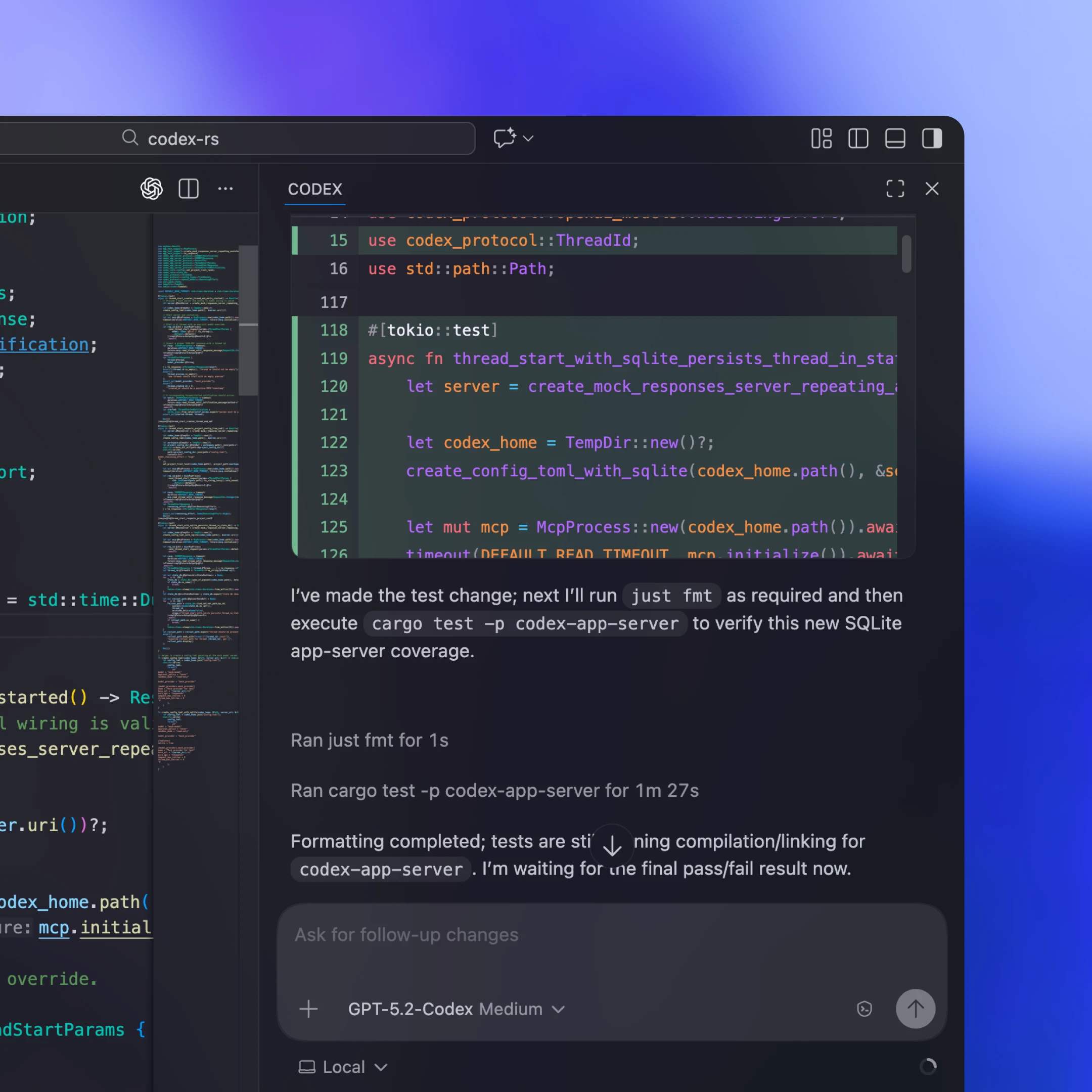
Lokalni klijenti obično pakuju ili preuzimaju binarni fajl App Server-a specifičan za platformu, pokreću ga kao dugotrajni podređeni proces i drže otvoren dvosmerni stdio kanal za JSON-RPC. U našem VS Code proširenju i Desktop aplikaciji, na primer, isporučeni artefakt uključuje binarni fajl Codex specifičan za platformu i vezan je za testiranu verziju kako bi klijent uvek pokretao tačno one bitove koje smo validirali.
Ne može svaka integracija često da isporučuje ažuriranja klijenta. Neki partneri, poput Xcode-a, razdvajaju cikluse izdanja tako što klijent ostaje stabilan, a po potrebi može da pokazuje na noviji binarni fajl App Server-a. Tako mogu da usvoje poboljšanja na serverskoj strani (na primer, bolje automatsko sažimanje u Codex core-u ili novo podržane konfiguracione ključeve) i uvedu ispravke grešaka bez čekanja na izdanje klijenta. JSON-RPC površina App Server-a je dizajnirana tako da bude unazad kompatibilna, pa stariji klijenti mogu bezbedno da komuniciraju sa novijim serverima.
Codex Web koristi Codex harness, ali ga pokreće u kontejnerskom okruženju. Radnik obezbeđuje kontejner sa izvučenim radnim prostorom, pokreće binarni fajl App Server-a unutar njega i održava dugotrajni JSON-RPC preko stdio2 kanala. Veb-aplikacija (koja radi u kartici korisnikovog pregledača) komunicira sa Codex backendom preko HTTP-a i SSE-a, koji strimuje događaje zadatka koje proizvodi radnik. To održava UI na strani pregledača laganim, a ipak nam daje dosledno runtime okruženje na desktopu i vebu.
Pošto su veb-sesije efemerne (kartice se zatvaraju, mreža puca), veb-aplikacija ne može biti izvor istine za dugotrajne zadatke. Zadržavanje stanja i napretka na serveru znači da se rad nastavlja čak i ako kartica nestane. Striming protokol i sačuvane sesije niti olakšavaju novoj sesiji da se ponovo poveže, nastavi tamo gde je stala i nadoknadi propušteno bez ponovne izgradnje stanja u klijentu.
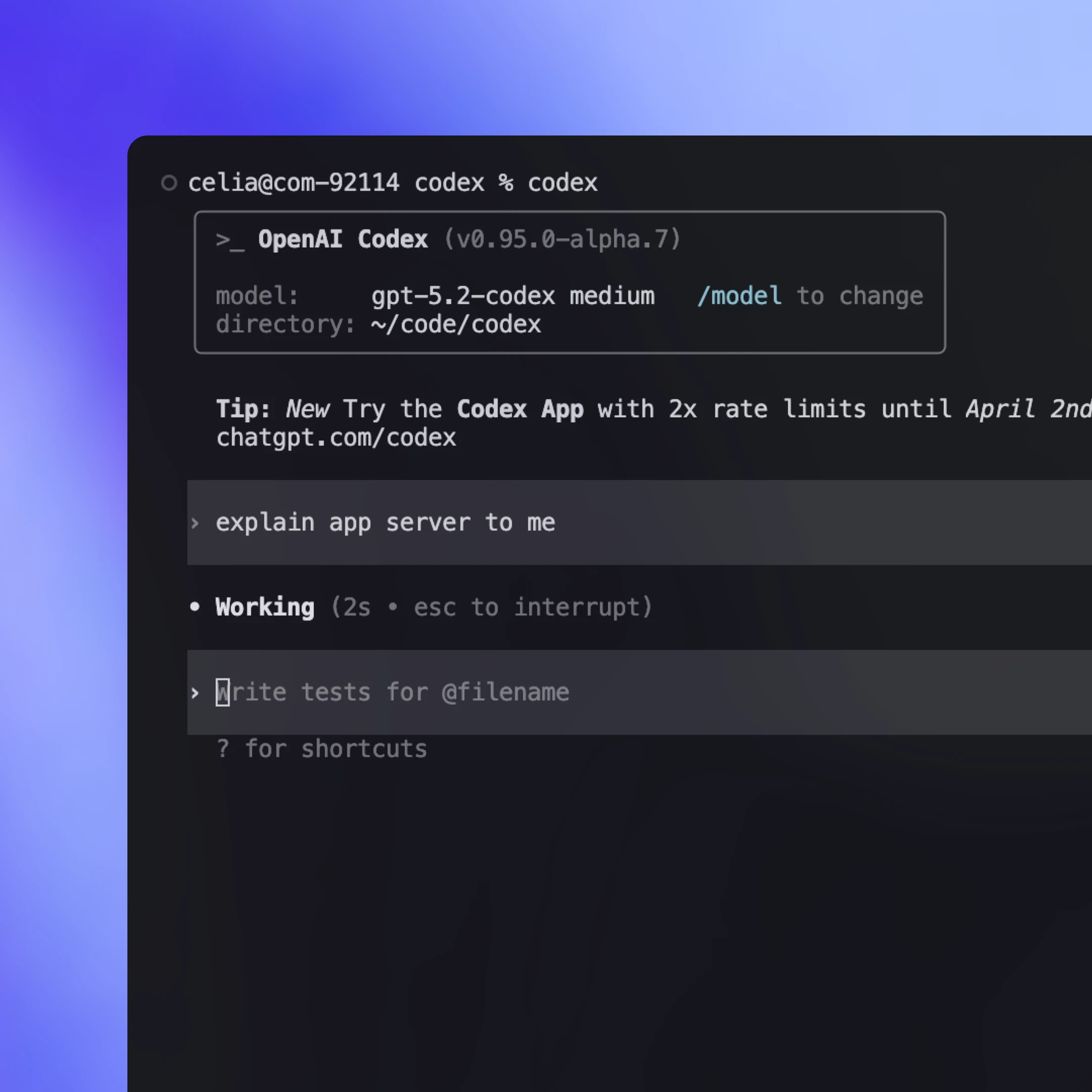
Istorijski gledano, TUI je bio „izvorni” klijent koji je radio u istom procesu kao i agent loop i direktno komunicirao sa Rust core tipovima umesto sa app-server protokolom. To je omogućilo brzu ranu iteraciju, ali je TUI takođe činilo posebnom površinom.
Sada kada App Server postoji, planiramo da refaktorišemo TUI(отвара се у новом прозору) da ga koristi kako bi se ponašao kao svaki drugi klijent: pokrene podređeni proces App Server-a, koristi JSON-RPC preko stdio i prikazuje iste događaje strimovanja i odobrenja. To otvara tokove rada u kojima TUI može da se poveže sa Codex serverom koji radi na udaljenoj mašini, držeći agenta blizu računarstva i nastavljajući rad čak i ako laptop zaspi ili se isključi, uz istovremeno lokalno isporučivanje ažuriranja uživo i kontrola.
Codex App Server će biti prvoklasni metod integracije koji ćemo ubuduće održavati, ali postoje i druge metode sa ograničenijom funkcionalnošću. Podrazumevano bismo preporučili da klijenti koriste Codex App Server za integraciju sa Codex-om, ali vredi pogledati različite metode integracije i razumeti njihove prednosti i mane. U nastavku su najčešći načini za pokretanje Codex-a i kada svaki od njih može biti dobar izbor.
Pokrenite codex mcp-server(отвара се у новом прозору) i povežite se iz bilo kog MCP klijenta koji podržava stdio servere (npr. OpenAI Agents SDK(отвара се у новом прозору)). Ovo je dobar izbor ako već imate radni tok zasnovan na MCP-u i želite da pozivate Codex kao alat koji se može pozvati. Nedostatak je to što dobijate samo ono što MCP izlaže, pa interakcije specifične za Codex koje zavise od bogatije semantike sesije (npr. ažuriranja diff-ova) možda neće čisto da se mapiraju kroz MCP krajnje tačke.
Neki ekosistemi nude prenosivi interfejs koji može ciljati više provajdera modela i runtime okruženja. To može biti dobar izbor ako želite jednu apstrakciju koja koordinira više agenata. Kompromis je u tome što se ovi protokoli često svode na zajednički podskup mogućnosti, što bogatije interakcije može učiniti težim za predstavljanje, posebno kada su bitne semantike alata i sesija specifične za provajdera. Ovaj prostor se brzo razvija i očekujemo da će se pojaviti više zajedničkih standarda kako budemo utvrđivali najbolje primitive za predstavljanje radnih tokova agenata iz stvarnog sveta (skills(отвара се у новом прозору) je dobar primer za to).
Izaberite App Server kada želite da puni Codex harness bude izložen kao stabilan tok događaja prilagođen UI-ju. Dobijate i punu funkcionalnost agent loop-a i druge prateće funkcije kao što su Sign in with ChatGPT, otkrivanje modela i upravljanje konfiguracijom. Glavni trošak je rad na integraciji, jer morate da napravite JSON-RPC povezivanje na strani klijenta na svom jeziku. U praksi, međutim, Codex može da obavi veliki deo teškog posla ako mu prosledite JSON šemu i dokumentaciju. Mnogi timovi sa kojima smo radili uspeli su brzo da naprave funkcionalnu integraciju koristeći Codex.
Lagan, skriptabilan CLI režim za jednokratne zadatke i CI pokretanja. Dobar je izbor za automatizaciju i tokove rada gde želite da se jedna komanda izvrši do kraja bez interakcije, strimuje strukturiran izlaz za logove i izađe sa jasnim signalom uspeha ili neuspeha.
TypeScript biblioteka za programsko upravljanje lokalnim Codex agentima iz sopstvene aplikacije. Najbolja je kada želite izvorni bibliotečki interfejs za alate i tokove rada na serverskoj strani bez pravljenja zasebnog JSON-RPC klijenta. Pošto je objavljena pre App Server-a, trenutno podržava manje jezika i užu površinu. Ako bude interesovanja programera, mogli bismo da dodamo dodatne SDK-ove koji obavijaju App Server protokol kako bi timovi mogli da obuhvate veći deo površine harness-a bez pisanja JSON-RPC povezivanja.
U ovom tekstu podelili smo kako pristupamo dizajniranju novog standarda za interakciju sa agentima i kako da Codex harness pretvorimo u stabilan protokol prilagođen klijentima. Obradili smo kako App Server izlaže Codex core, omogućava klijentima da upravljaju kompletnim agent loop-om i pokreće širok raspon površina uključujući TUI, lokalne IDE integracije i veb runtime.
Ako vam je ovo dalo ideje za integraciju Codex-a u sopstvene tokove rada, vredi isprobati App Server. Sav izvorni kod nalazi se u otvorenom depo-u(отвара се у новом прозору) Codex CLI-ja. Slobodno podelite povratne informacije i zahteve za funkcije. Radujemo se da čujemo vaše utiske i da nastavimo da agente činimo pristupačnijim svima.
Аутор
Zahvalnice
Posebna zahvalnost Michaelu Bolinu, Ovenu Linu, Ericu Trautu i Rasmusu Rygaardu, koji su doprineli ovom tekstu, kao i celom Codex timu koji je radio na App Server-u.
Fusnote
- 1
- 2