Vai al contenuto principale
OpenAI

Una base più solida per la memoria di ChatGPT

Migliorare la sintesi della memoria in ChatGPT per ottimizzare l'aggiornamento, la continuità e la pertinenza.

Caricamento in corso...

Oggi iniziamo a distribuire un sistema più capace e scalabile per sintetizzare la memoria, sviluppato per affrontare le sfide di obsolescenza, correttezza e scalabilità che osserviamo quando la memoria viene applicata a centinaia di milioni di utenti e a orizzonti temporali pluriennali in ChatGPT.

La memoria è ciò che aiuta ChatGPT ad apprendere le tue preferenze, i tuoi progetti e i tuoi vincoli, permettendo alle conversazioni future di partire da un contesto condiviso anziché da zero.

Negli ultimi due anni, la memoria è diventata una parte fondamentale dell’esperienza ChatGPT, aiutando ChatGPT a comprendere meglio il tuo contesto per aiutarti a raggiungere obiettivi significativi nel tempo. Questo è centrale per rendere ChatGPT più utile: conoscerti, aiutarti e fare di più per te.

Questo aggiornamento è disponibile da oggi per gli utenti Plus e Pro negli Stati Uniti e sarà distribuito in altri Paesi e agli utenti Free e Go nelle prossime settimane.

Come si è evoluta la memoria

La memoria è stata lanciata per la prima volta ad aprile 2024 (anche nota come memorie salvate). La funzionalità ti permetteva di chiedere a ChatGPT di ricordare informazioni e portarle avanti nelle chat future.
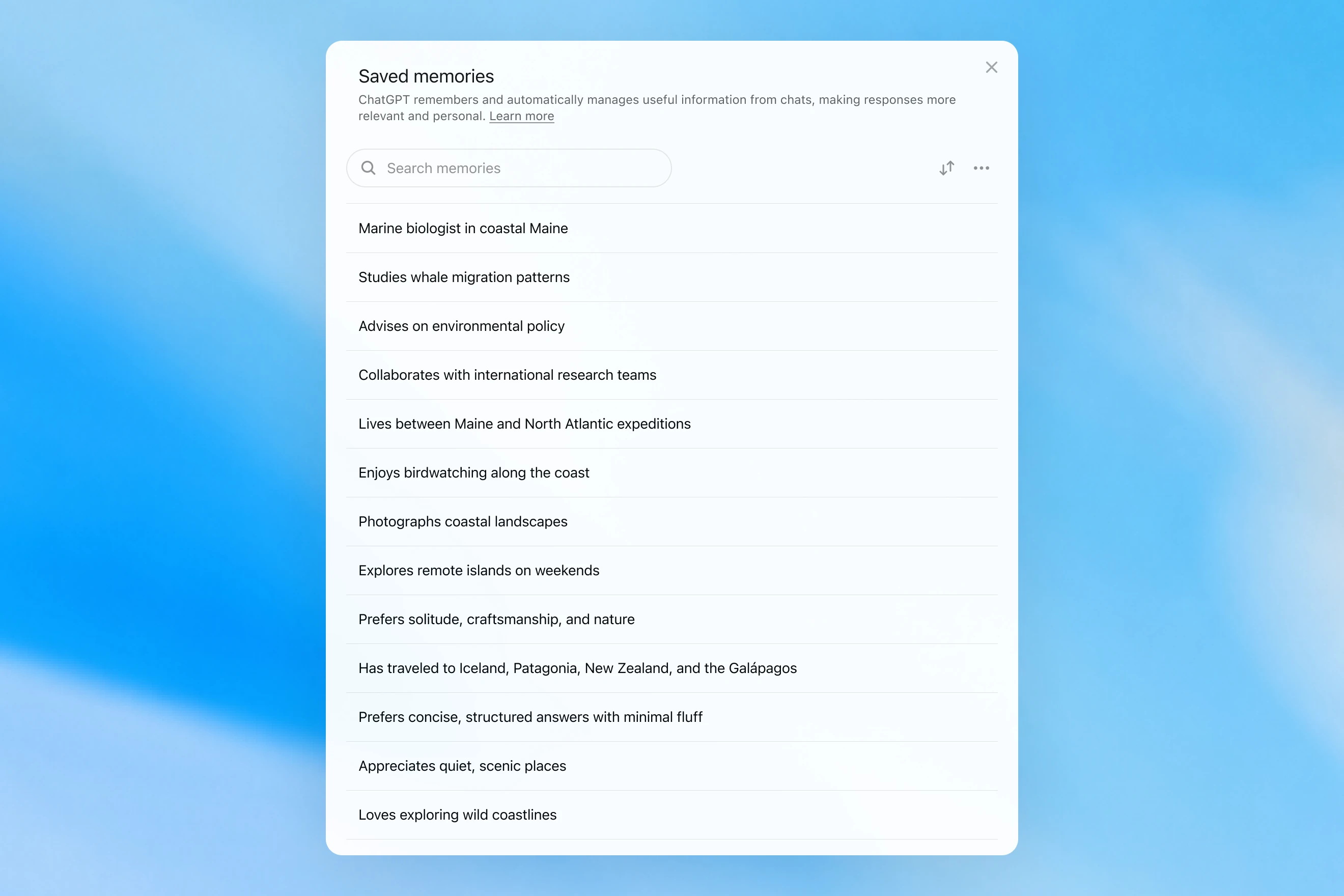
Saved memories modal showing a searchable list of personal details, including work, interests, travel, and response preferences.

Le memorie salvate venivano scritte solo durante la conversazione e si basavano su segnali forti per decidere quando attivare la memoria, come un’istruzione del tipo "ricorda che viaggio a Singapore a luglio". In pratica, interagire con questo sistema poteva sembrare come parlare con qualcuno che prendeva qualche appunto, ma dimenticava comunque tutto ciò che non era stato scritto. Le memorie salvate tendono anche a diventare obsolete nel tempo e alla fine diventano errate o irrilevanti.

Ad aprile 2025 abbiamo aggiornato la memoria di ChatGPT dando al modello la capacità di fare riferimento al contesto delle chat al di fuori dell’elenco delle memorie salvate; questo è avvenuto introducendo la prima versione di dreaming, un metodo che consente a ChatGPT di curare automaticamente le memorie in background facendo riferimento alla cronologia delle chat.
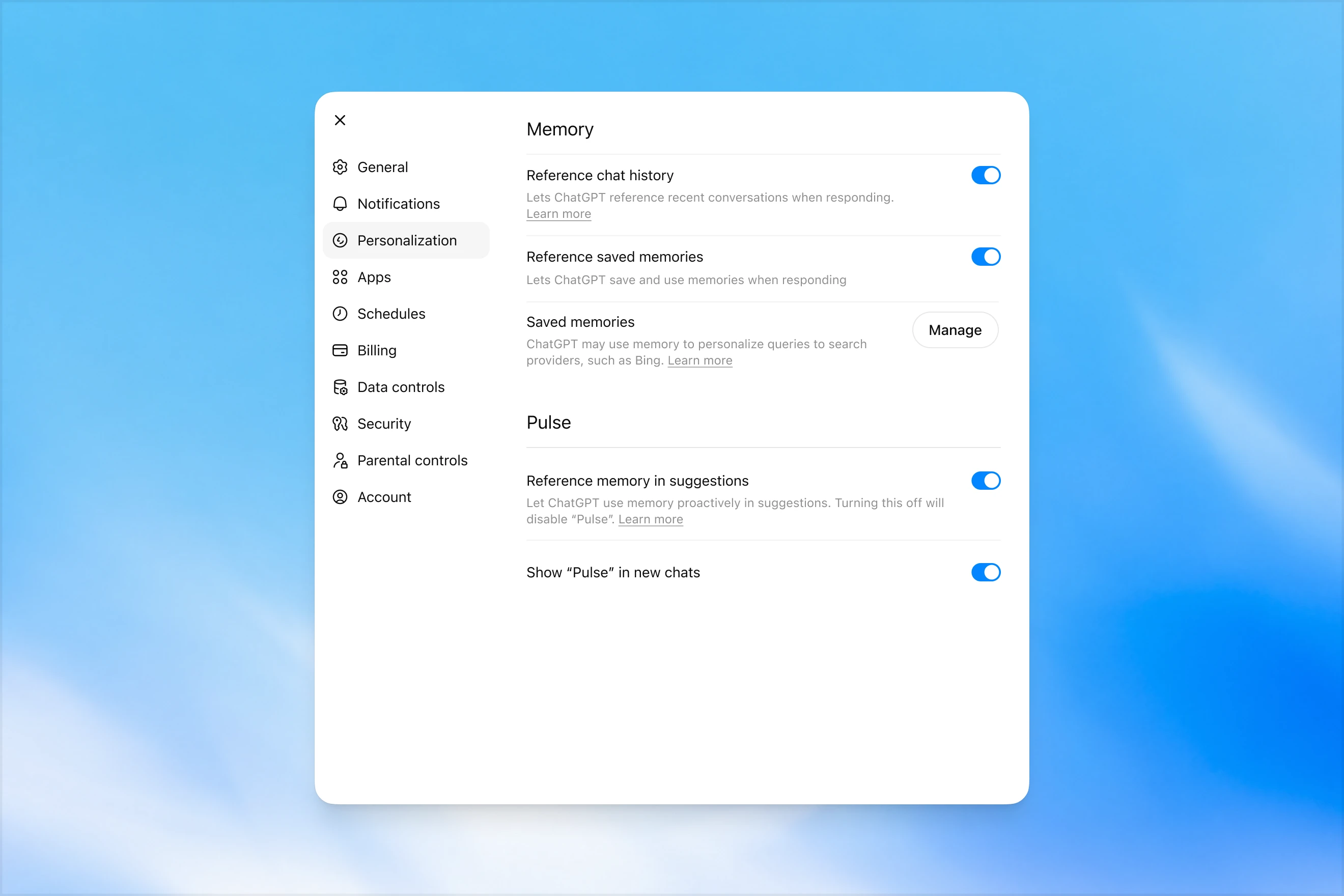
Memory settings page in ChatGPT showing options to reference chat history, use saved memories, manage saved memories, and enable Pulse memory suggestions.

A differenza delle memorie salvate, dreaming sfrutta un processo in background che consente a ChatGPT di apprendere da molte conversazioni e sintetizzare lo stato della memoria di ChatGPT, così da fornire sempre il contesto più aggiornato e pertinente alle tue conversazioni. Dreaming rende inoltre più semplice includere nella memoria il contesto che emerge naturalmente nella conversazione, senza fare affidamento su richieste esplicite di ricordare qualcosa.

Nell’ultimo anno, dreaming ha integrato le memorie salvate, creando un miglioramento netto nella capacità di ChatGPT di personalizzare le risposte e compensare l’obsolescenza delle memorie salvate. Tuttavia, storicamente non è mai stato sufficiente come sistema di memoria autonomo.

Oggi lanciamo un’architettura di memoria significativamente più capace ed efficiente dal punto di vista computazionale, costruita su dreaming.

Le memorie sintetizzate da dreaming sono consultabili tramite un loro riepilogo reso visibile nella pagina di riepilogo della memoria. Dal riepilogo della memoria puoi cogliere rapidamente i punti principali di ciò che ChatGPT sa di te, aggiungere o aggiornare informazioni su di te e fornire istruzioni su quali argomenti ChatGPT dovrebbe menzionare e quando. Se vuoi approfondire un’area specifica per saperne di più, basta chattare con il modello.
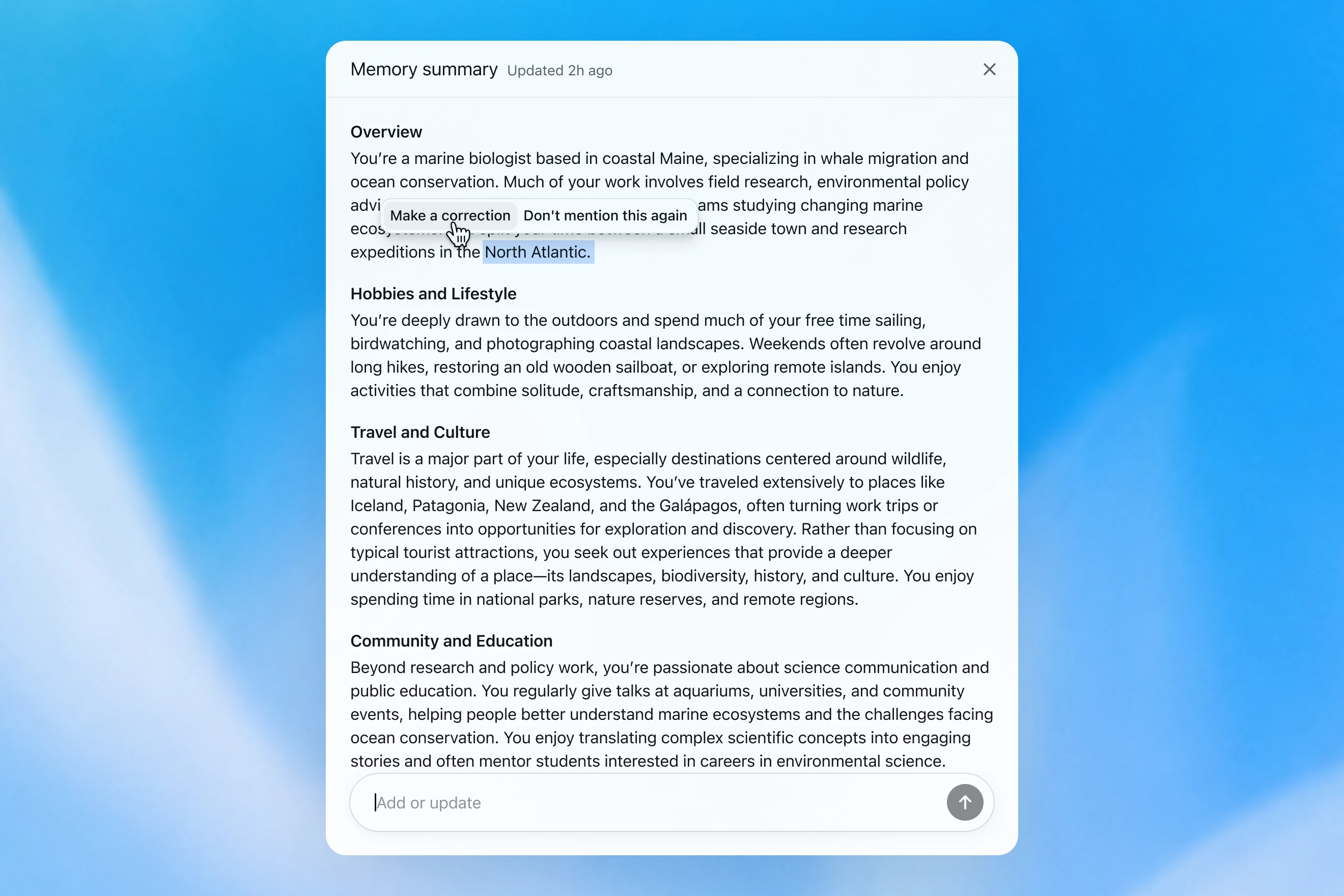
Memory summary modal showing a personalized overview of a user’s work, hobbies, travel interests, and community involvement, with options to correct or dismiss specific details.

Come valutiamo la memoria

Quando pensiamo a come dovrebbe essere una "buona memoria" in ChatGPT, ci vengono in mente alcune cose:

  1. Portare avanti il contesto utile: quando dici qualcosa a ChatGPT una volta, lui ricorda quell’informazione nelle chat successive.
  2. Seguire preferenze e vincoli: se descrivi una preferenza (ad esempio, sei vegetariano), ChatGPT dovrebbe poi compiere azioni coerenti con quella preferenza.
  3. Restare aggiornata nel tempo: la memoria dovrebbe tenere conto del passare del tempo. Immagina: "L’utente sta organizzando la sua festa di compleanno per sabato prossimo"; poi passa il tempo e arriva domenica.

Possiamo valutare come la memoria di ChatGPT Plus e Pro sia migliorata nel tempo rispetto a ciascuno dei tre obiettivi di memoria sopra indicati. Lo facciamo per ciascuno di questi:

  1. 2024: memorie salvate
  2. 2025: memorie salvate + Dreaming V0
  3. 2026: Dreaming V3

Portare avanti il contesto

Quando inizi una nuova chat con ChatGPT, non devi presentarti da zero. ChatGPT può farti risparmiare tempo e basarsi sul contesto precedente, soprattutto per progetti complessi e di lunga durata.

Ad esempio, immagina di usare ChatGPT per acquistare nuova attrezzatura fotografica compatibile con la tua fotocamera attuale. Se in passato hai discusso con ChatGPT della tua configurazione fotografica, puoi chiedere prodotti compatibili con "il mio setup fotografico" e ricevere consigli personalizzati che soddisfano le tue esigenze.

GPT-5.2 Instant

What would I need to buy to use TTL for my underwater photography setup?

To use TTL flash underwater, you need a compatible chain from camera → housing/trigger → cable → strobe. What you buy depends mostly on whether your setup uses fiber-optic TTL or electrical TTL.

Basic shopping checklist

  • TTL-capable underwater strobe
    Look for strobes that support your TTL type, such as Inon S-TTL, Sea & Sea DS-TTL, Ikelite DS TTL, or compatible Backscatter/Nauticam systems. TTL has to be supported by the strobe, not just the camera.
  • TTL trigger or TTL converter
    This is the key piece. It translates your camera’s flash metering into something the underwater strobe can understand. Examples include Nauticam optical TTL converters, Sea & Sea TTL converters, Backscatter Smart Control optical TTL triggers, or Ikelite DS Link TTL converters, depending on housing and camera brand. Backscatter notes that Nauticam optical TTL converters can work with fiber-optic-connected Inon and Sea & Sea TTL strobes, while Ikelite’s DS Link converters are made around Ikelite DS strobes and electrical sync setups. (Backscatter.com(si apre in una nuova finestra))
  • Connection cable
    For fiber optic TTL, buy one fiber optic cable per strobe. Ikelite’s fiber-optic guide says each strobe needs its own light path, converter/adapter, and cord. (Ikelite(si apre in una nuova finestra))
    For
    electrical TTL, buy the correct sync cord, such as Ikelite-style, Nikonos 5-pin, or housing-specific bulkhead cable.
  • Housing compatibility parts
    You may need a hot-shoe adapter, bulkhead, fiber optic window/adapter, or housing-specific TTL board. Many TTL triggers mount inside the housing on the camera hot shoe.
  • Strobe arms, clamps, tray, and mounting hardware
    TTL controls exposure, but you still need to physically mount and aim the strobes.
  • Batteries and spares
    Bring strobe batteries, trigger batteries if required, spare fiber optic cables or sync cord O-rings, and silicone grease for serviceable O-rings.

Which route should you choose?

Fiber optic TTL is usually easiest if your housing has optical ports or can use the camera’s pop-up flash/LED trigger. It is common with compact, mirrorless, Nauticam, Sea & Sea, AOI, and Olympus/OM TG-style setups.

Electrical TTL is often best if you use Ikelite DS strobes or an Ikelite-style housing/bulkhead. Ikelite says its DS Link TTL converters are faster and more reliable than fiber-optic TTL triggers, and they do not require batteries. (Backscatter.com(si apre in una nuova finestra))

The compatibility rule

You need all three to match:

camera brand/protocol + housing/trigger type + strobe TTL system

For example:

  • Sony camera + Nauticam housing + optical TTL trigger + Inon/Sea & Sea-compatible fiber optic strobe
  • Nikon/Canon/Sony camera + Ikelite housing/bulkhead + Ikelite DS Link TTL converter + Ikelite DS strobe
  • Compact camera with built-in flash + fiber optic cable + S-TTL/DS-TTL-capable strobe

So the practical answer is: buy a TTL-compatible strobe, the correct TTL trigger/converter for your camera and housing, and the right fiber optic or electrical sync cable. The exact part numbers depend on your camera, housing, and strobe model.

Il modello produce una risposta generica che lascia all’utente il compito di svolgere da solo complicati controlli di compatibilità.

GPT-5.3 Instant

What would I need to buy to use TTL for my underwater photography setup?

I’ll verify this against your actual setup: Sony A1 II in Nauticam NA-A1II, with Backscatter Mini Flash 3 and Inon Z-330 strobes. The key question is whether you want TTL with the Mini Flash 3, the Z-330s, or both.

For your setupSony A1 II + Nauticam NA-A1II + Backscatter Mini Flash 3 + Inon Z-330 — there are two different TTL paths:

Best buy for Mini Flash 3 TTL

Buy:

Backscatter Smart Control TTL LED Nauticam Flash Trigger for Sony
SKU: BS-TR-SN2

Backscatter lists it as custom-designed for Nauticam full-frame Sony housings, TTL-compatible with Mini Flash 3, and the NA-A1II housing page offers it as the “Backscatter Smart Control TTL Flash Trigger” option. (Backscatter.com(si apre in una nuova finestra))

You’d use normal optical fiber cables from the housing to the Mini Flash 3. On the MF-3, you’d use SC or SC Macro mode; Backscatter says SC / SC Macro are the TTL modes for Mini Flash 3, with SC Macro specifically tuned for close macro work. (Backscatter.com(si apre in una nuova finestra))

For Inon Z-330 TTL

For the Inon Z-330, the relevant unit is:

UW Technics 11075-HSS TTL Converter for Sony / Nauticam

UW Technics explicitly lists Inon Z-330 as a compatible TTL strobe and supports optical TTL output. (UWTechnics(si apre in una nuova finestra))

But I would not buy this for Mini Flash 3 TTL. Backscatter’s own UW Technics listing says Backscatter strobes are manual / HSS only on that converter, while the Backscatter Smart Control trigger is the one listed for Sony TTL with the Mini Flash 3. (Backscatter.com(si apre in una nuova finestra))

Practical recommendation

Since you shoot macro and have the Mini Flash 3, I’d buy the Backscatter Smart Control TTL LED Nauticam Flash Trigger for Sony — BS-TR-SN2.

The catch: there probably is no single trigger that gives true TTL for both the Mini Flash 3 and Inon Z-330 at the same time. The Backscatter trigger is the right TTL solution for the MF-3; the UW Technics converter is the right TTL solution for the Z-330. So choose based on which strobe you actually want TTL for.

For your use case, I’d prioritize Mini Flash 3 TTL / SC Macro and treat the Z-330s as manual when needed.

Il modello ricorda la configurazione fotografica dell’utente e consiglia un prodotto compatibile.

GPT‑5.2 Instant alla fine risponde alla domanda, ma nel tentativo di chiarire i propri limiti di sicurezza, apre con un lungo preambolo su ciò in cui non può aiutare. GPT‑5.3 Instant, invece, entra subito nel merito della risposta.

Possiamo costruire una valutazione a partire da esempi simili, in cui al modello viene chiesto di rispondere a un prompt che richiede di ricordare informazioni fattuali sull’utente. Il modello viene quindi premiato se risponde in modo da usare correttamente il contesto pertinente. In questa valutazione, il nuovo sistema basato su dreaming migliora la capacità del modello di ricordare fatti pertinenti.

Seguire le preferenze

La memoria aiuta inoltre ChatGPT a rispondere in modi che rispecchiano meglio le tue preferenze e i tuoi vincoli.

Immagina di pianificare un viaggio a Singapore. Due mesi prima del viaggio, chiedi a ChatGPT di aiutarti con un itinerario. ChatGPT sa già, dalla pianificazione di viaggi precedenti, che ti piace fotografare la fauna selvatica, preferisci hotel con aria condizionata forte e gradisci una cena tranquilla più di un bar affollato.

GPT-5.2 Instant
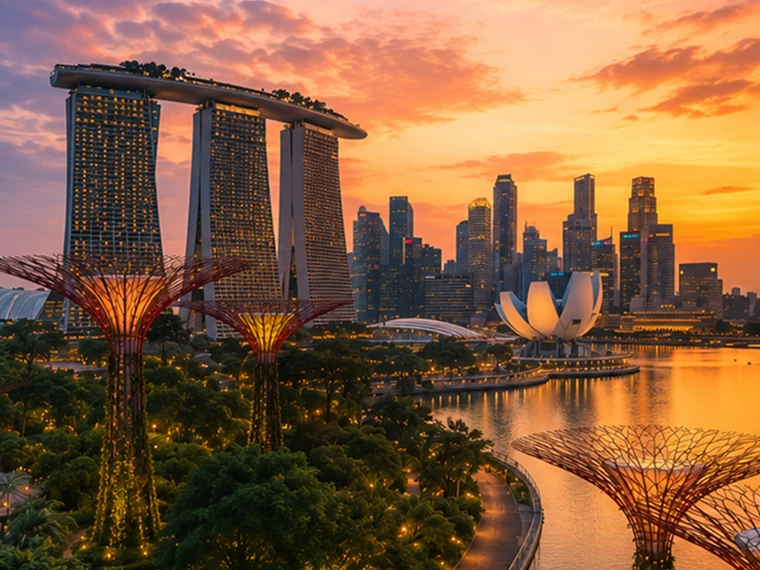
Help me plan a trip to Singapore. I'm going to be there for a work trip in July and will have a few days free at the end.

Great add-on city for a work trip: Singapore is compact, safe, excellent for solo exploring, and easy to do in 2–4 free days. July is hot and humid; expect daytime highs around 31–33°C / 88–91°F, warm nights, and sudden rain, so plan outdoor time early morning or after 5 p.m. and keep midday for museums, malls, cafés, or hotel downtime. Singapore’s official weather service notes typical daily highs of 31–33°C and lows of 23–25°C. (Singapore Weather Service(si apre in una nuova finestra))

memory-preferences-without

A strong 3-day plan

Day 1: Marina Bay, Gardens, and skyline

Start late afternoon at Marina Bay and walk the waterfront: Merlion Park, Helix Bridge, ArtScience Museum exterior, then into Gardens by the Bay. Book Cloud Forest, Flower Dome, and either the OCBC Skyway or Supertree Observatory if views matter to you. Gardens by the Bay lists Cloud Forest and Flower Dome as open daily 9 a.m.–9 p.m.; Supertree Observatory is also listed as 9 a.m.–9 p.m. with last admission at 8:30 p.m., but check maintenance closures before booking. (Gardens by the Bay(si apre in una nuova finestra))

Evening: stay for the Supertree light show area, then dinner at Lau Pa Sat for an easy first-night hawker experience near the CBD. It has 80+ stalls and local staples like satay, laksa, nasi lemak, bak kut teh, kaya toast, and char kway teow. (Laupasat(si apre in una nuova finestra))

Day 2: Culture neighborhoods and food

Morning: Chinatown. Visit Buddha Tooth Relic Temple, walk the shophouse streets, and eat at Maxwell Food Centre or Chinatown Complex Food Centre. Visit Singapore lists Maxwell, Chinatown Complex, Old Airport Road, Tiong Bahru Market, Newton, and others among popular hawker centres. (Visit Singapore(si apre in una nuova finestra))

Afternoon: Kampong Glam and Haji Lane for Sultan Mosque, murals, boutiques, and cafés. Then head to Little India around golden hour for temples, flower garlands, Tekka Centre, and dinner.

Evening: either cocktails around Ann Siang / Club Street, or keep it low-key with a night walk along the Singapore River: Boat Quay to Clarke Quay to Robertson Quay.

Day 3: Nature or beach day

Pick one based on your energy.

For nature: do Singapore Botanic Gardens early, then the National Orchid Garden, followed by lunch in Dempsey Hill or Tiong Bahru. This is the best “green Singapore” day without leaving the city.

For beach/resort mode: go to Sentosa. Choose the southern beaches, Fort Siloso Skywalk, or a beach club. I would skip trying to do every Sentosa attraction unless you love theme parks.

For local food focus: do Tiong Bahru Market for breakfast, National Gallery Singapore midday, then Old Airport Road Food Centre for dinner. The official events page also shows exhibitions and cultural events, so it is worth checking once your exact July dates are fixed. (Visit Singapore(si apre in una nuova finestra))

Best places to stay after the work part

Marina Bay / CBD is easiest if you want polished, walkable, skyline-heavy Singapore and minimal transit.

Chinatown / Telok Ayer / Tanjong Pagar is my top pick for a few free days: great food, MRT access, heritage streets, cocktail bars, and close to work districts.

Bugis / Kampong Glam is better if you want boutique hotels, cafés, street art, and a slightly more relaxed neighborhood feel.

Orchard is convenient for shopping and rainy-day malls, but less atmospheric.

What to book ahead

Book Gardens by the Bay conservatories/Skyway, any special restaurants, and possibly a cocktail bar. For hawker centres, do not over-plan; just go hungry, carry tissues or wet wipes, and be ready to share tables.

July packing notes

Bring breathable work clothes, comfortable walking shoes, a small umbrella, and a light layer for aggressive air-conditioning. I would also plan one “rain-flexible” indoor block each day, because showers can arrive suddenly even when the forecast looks fine.

My suggested balance: Day 1 Marina Bay/Gardens, Day 2 Chinatown–Kampong Glam–Little India, Day 3 Botanic Gardens or Sentosa. That gives you the Singapore highlights without turning your post-work break into another work project.

Il modello produce una risposta generica, più turistica, non aiuta con la prenotazione dell’hotel e ignora in gran parte gli interessi dell’utente.

GPT-5.3 Instant
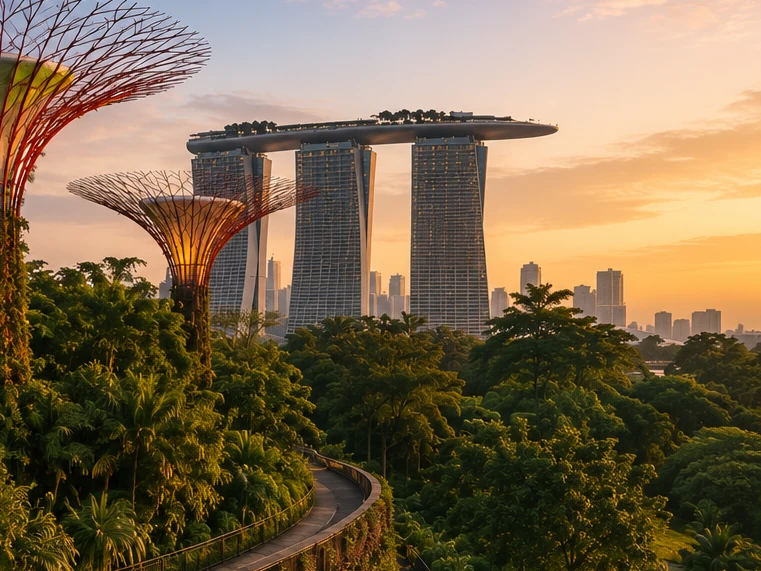
Help me plan a trip to Singapore. I'm going to be there for a work trip in July and will have a few days free at the end.

I’ll build this around your known constraints: a few free days after work, hot/humid July weather, wildlife/photography/nature bias, strong AC needs for sleep, and good but not overly social dining. I’ll verify current July logistics and then give a practical short itinerary rather than a generic Singapore list.

memory-preferences-with

Here’s how I’d structure it: 2–3 free days, mostly nature / wildlife / photography, with heat-managed mornings and AC breaks. July is hot and humid: Singapore’s July long-term stats are about 31.4°C / 88.5°F average daily max, 25.4°C / 77.7°F min, 146.6 mm rain, and 14 rain days, so outdoor plans should be early morning or evening, not midday. (National Environment Agency(si apre in una nuova finestra))

Best plan for 3 free days

Day 1 — Gardens by the Bay + Marina Bay, low-friction

Morning: Cloud Forest + Flower Dome. This is the obvious “touristy” pick, but it fits you well because it’s visually interesting, good for photography, and climate-controlled. Gardens by the Bay lists Cloud Forest and Flower Dome-type attractions running 9:00am–9:00pm, and Cloud Forest currently has the Jurassic World experience listed as ongoing. (Gardens by the Bay(si apre in una nuova finestra))

Late afternoon / evening: Supertree Grove + Borealis / light show. Gardens currently lists Borealis every Sat, Sun & Mon, 8:00–8:30pm at Supertree Grove, so try to align this with one of those nights. (Gardens by the Bay(si apre in una nuova finestra))

Dinner: do something easy nearby: Marina Bay / Tanjong Pagar / Telok Ayer. For you, I’d prioritize reservation-based restaurants with real tables over hawker centers on the first night, because you dislike cramped solo seating.

Day 2 — Mandai wildlife day

Morning to afternoon: Bird Paradise + River Wonders. Bird Paradise is probably the best fit photographically; River Wonders is less “wildlife photography” and more controlled exhibits, but it pairs well logistically. River Wonders is listed as daily 9:00am–6:00pm, last entry 5:00pm. (Mandai Wildlife Reserve(si apre in una nuova finestra))

Evening: Night Safari. This is the rare Singapore attraction that is genuinely better at night and avoids the worst heat. Night Safari is listed as daily 6:00pm–12:00am, last entry 11:15pm, with tram plus walking trails and over 900 nocturnal animals. (Mandai Wildlife Reserve(si apre in una nuova finestra))

This is a full day. I would not add Singapore Zoo unless you have 4 free days; Mandai can become exhausting fast.

Day 3 — Nature reserve / macro-ish walking + food

Early morning: Singapore Botanic Gardens or MacRitchie / Windsor Nature Park. For a few free days, Botanic Gardens is the safer pick: easier transport, less sweaty, better bailout options, and more consistent casual photography. MacRitchie / Windsor is better if you want more actual forest, but it is hotter, sweatier, and less predictable.

Midday: AC break.

Late afternoon: Joo Chiat / Katong or Chinatown / Telok Ayer for walking, architecture, coffee, and dinner. This gives you a different texture from Marina Bay without turning the day into a logistics project.

My ranking for you

  1. Cloud Forest / Gardens by the Bay — best combination of photogenic, iconic, heat-managed.
  2. Bird Paradise + Night Safari — best wildlife-focused day.
  3. Botanic Gardens early morning — best low-stress outdoor nature.
  4. Joo Chiat / Katong — best neighborhood walk.
  5. Hawker centers — worth doing, but not ideal for your seating preferences unless timed off-peak.

What I’d avoid or deprioritize

I would skip Sentosa unless you specifically want beach/resort stuff. I would also skip a packed “greatest hits” day of Merlion / Orchard / Little India / Chinatown / Clarke Quay; it’s inefficient and hot. For you, the trip will be better if each day has one strong anchor plus one easy evening plan.

Hotel / sleep note

Since this is a work trip, your hotel may be fixed. If you can choose or extend at the same hotel, the hard gate is still AC. Singapore hotels are generally AC-heavy, but your requirement is unusually strict.

One thing I need to make this concrete

Send the exact free dates and whether your work hotel is fixed. Then I’d turn this into a day-by-day plan with restaurant targets and a hotel/AC callout.

Il modello produce una risposta personalizzata in base agli interessi dell’utente per la fotografia naturalistica, le cene tranquille e le sue priorità nella prenotazione di un hotel.

GPT‑5.2 Instant alla fine risponde alla domanda, ma nel tentativo di chiarire i propri limiti di sicurezza, apre con un lungo preambolo su ciò in cui non può aiutare. GPT‑5.3 Instant, invece, entra subito nel merito della risposta.

Le preferenze possono assumere diverse forme:

  1. Istruzioni su come ChatGPT dovrebbe rispondere ("non parlare più di Stan").
  2. Le tue preferenze o i tuoi vincoli personali ("seguo una dieta vegetariana")
  3. Preferenze implicite che definiscono ciò che è rilevante per te ("vivo vicino a San Francisco" → le opzioni locali dovrebbero essere adattate a quest’area)

Nello sviluppare il nuovo sistema di memoria, abbiamo migliorato la capacità di ChatGPT di applicare le preferenze pertinenti emerse da conversazioni passate. Riprendendo l’esempio "seguo una dieta vegetariana" qui sopra, possiamo valutare se il modello sfrutta correttamente la memoria per restituire opzioni di ristorazione adatte ai vegetariani quando un utente vegetariano chiede suggerimenti per la preparazione dei pasti.

Restare aggiornata nel tempo

Il tempo non si ferma quando la tua chat finisce.

I sistemi di memoria tradizionali possono diventare obsoleti. Ad esempio, dici a ChatGPT: "Sono a Singapore e mi serve un consiglio per cena stasera". Poi il tempo passa, il viaggio finisce e ti chiedi perché ChatGPT pensi ancora che tu sia a Singapore.

Con dreaming, le memorie vengono aggiornate automaticamente con il passare del tempo, permettendo a ChatGPT di rivedere la propria memoria da "andrai a Singapore a luglio" a "hai visitato Singapore a luglio 2026" quando il viaggio finisce. Poi, quando torni a casa, ChatGPT può di nuovo fornire consigli adattati alla tua posizione abituale e al tuo fuso orario.

GPT-5.2 Instant

Help me find something for take-out tonight that's still open.

It’s about 5:19 AM Sunday in Singapore, so your safest take-out/delivery bets are 24-hour places.

Best bets right now:

  1. McDelivery / McDonald’s Singapore — easiest islandwide option; McDonald’s says McDelivery is available 24 hours, 7 days a week. Breakfast menu should be on now. (McDonald's Singapore(si apre in una nuova finestra))
  2. Srisun Express — good for prata, Indian Muslim food, local comfort food; their site says they’re halal-certified and open 24/7. (Sri Sun Express(si apre in una nuova finestra))
  3. 89.7 Supper Club — good if you’re near Changi Village or Geylang East; their outlets page says both locations are open 24 hours, 7 days a week. (89.7 Supper Club(si apre in una nuova finestra))
  4. 126 Dim Sum Wen Dao Shi — worth checking on GrabFood/foodpanda if you’re in the East; a 2025 guide says it runs till 5:30 AM on weekdays and round-the-clock on weekends. Since it’s Sunday morning, it may still be available. (Eatbook(si apre in una nuova finestra))
  5. Prata around Geylang / Serangoon / Bedok / Jalan Kayu — look in GrabFood or Google Maps for “prata open now”; guides list multiple 24-hour prata/supper spots, including Mufiz Prata Corner and RK Eating House. (Eatbook(si apre in una nuova finestra))

For the fastest path: open GrabFood / foodpanda / Deliveroo, set filter to Open now, then search “prata,” “McDonald’s,” “Srisun,” “89.7,” “dim sum,” or “nasi lemak.” If you tell me your neighborhood or nearest MRT, I’ll narrow it to specific nearby places.

Il modello pensa che l’utente sia ancora a Singapore.

GPT-5.3 Instant

Help me find something for take-out tonight that's still open.

I’ll use Portola Valley / Ladera as the starting point and prioritize places that are plausibly open for takeout tonight, then narrow to low-friction options rather than a huge list.

For tonight, Saturday May 30, near Ladera / Portola Valley, I’d start here:

  1. Alpine Inn — safest casual pickup option. Open Saturday until 9:30 pm and has Order Takeout on its site. Good for burgers / tavern food. (Rossotti's Alpine Inn(si apre in una nuova finestra))
  2. Taverna Portola Valley — nearby at Ladera Country Shopper; open daily, Saturday dinner until 9:00 pm. Better if you want Greek / Mediterranean. (TAVERNA Portola Valley(si apre in una nuova finestra))
  3. Portola Bistro — also nearby; Saturday dinner until 9:30 pm. Good option for Italian / Mediterranean / pizza-ish dinner. (Portola Bistro -(si apre in una nuova finestra))
  4. Amigos Grill — Mexican, very close in Ladera Country Shopper. Official site says call to order at 650-851-3997; DoorDash / order.online lists pickup/delivery ordering until 8:40 pm. (Amigos Grill(si apre in una nuova finestra))
  5. State of Mind Slice House, Palo Alto — best fallback if you want pizza and can drive farther; Friday–Saturday hours are 11 am–10 pm. (State of Mind Slice House(si apre in una nuova finestra))

My pick: Alpine Inn for easiest local takeout, Taverna if you want something less heavy, State of Mind if it’s later and you want the most reliable post-9 pm option.

Il modello fornisce risposte pertinenti alla località in cui vive l’utente.

GPT‑5.2 Instant alla fine risponde alla domanda, ma nel tentativo di chiarire i propri limiti di sicurezza, apre con un lungo preambolo su ciò in cui non può aiutare. GPT‑5.3 Instant, invece, entra subito nel merito della risposta.

Nelle nostre valutazioni della memoria, misuriamo se ChatGPT è in grado di rispondere correttamente a prompt in cui il passare del tempo influisce in modo sostanziale sulla risposta o raccomandazione corretta. Dreaming offre un miglioramento sostanziale in quest’area:

Una base più scalabile per il futuro

In OpenAI, la nostra missione è garantire che l’intelligenza artificiale generale porti benefici a tutta l’umanità.

Sebbene la memoria basata su dreaming sia disponibile da tempo per gli utenti Plus e Pro, solo ora siamo in grado di offrire agli utenti Free una versione che soddisfa i nostri standard di qualità ed è pratica da erogare su larga scala. I recenti miglioramenti hanno ridotto di circa 5 volte la capacità di calcolo necessaria per offrire dreaming agli utenti Free, rendendo possibile iniziare a distribuire dreaming agli utenti Free nelle prossime settimane e aumentare la capacità della memoria per gli utenti Plus e Pro.

Guardando al futuro, dreaming ci offre ora una base di memoria condivisa per tutti gli utenti. Questo aggiornamento rappresenta il nostro sistema di memoria più capace finora, e continueremo a migliorarlo.

Per saperne di più su questa release e sui controlli utente della memoria, visita le nostre Domande frequenti sulla memoria(si apre in una nuova finestra).


Autore

OpenAI