Unlocking the Codex harness: how we built the App Server
By Celia Chen, Member of the Technical Staff
OpenAI’s coding agent Codex exists across many different surfaces: the web app(osclaíonn i bhfuinneog nua), the CLI(osclaíonn i bhfuinneog nua), the IDE extension(osclaíonn i bhfuinneog nua), and the new Codex macOS app. Under the hood, they’re all powered by the same Codex harness—the agent loop and logic that underlies all Codex experiences. The critical link between them? The Codex App Server(osclaíonn i bhfuinneog nua), a client-friendly, bidirectional JSON-RPC1 API.
In this post, we’ll introduce the Codex App Server; we’ll share our learnings so far on the best ways to bring Codex’s capabilities into your product to help your users supercharge their workflows. We’ll cover the App Server’s architecture and protocol and how it integrates with different Codex surfaces, as well as tips on leveraging Codex, whether you want to turn Codex into a code reviewer, an SRE agent, or a coding assistant.
Before diving into architecture, it’s helpful to know the App Server’s backstory. Initially, the App Server was a practical way to reuse the Codex harness across products that gradually evolved into our standard protocol.
Codex CLI started as a TUI (terminal user interface), meaning Codex is accessed through the terminal. When we built the VS Code extension (a more IDE-friendly way to interact with Codex agents), we needed a way to use the same harness so as to drive the same agent loop from an IDE UI without re-implementing it. That meant supporting rich interaction patterns beyond request/response, such as exploring the workspace, streaming progress as the agent reasons, and emitting diffs. We first experimented with exposing Codex as an MCP server(osclaíonn i bhfuinneog nua), but maintaining MCP semantics in a way that made sense for VS Code proved difficult. Instead, we introduced a JSON-RPC protocol that mirrored the TUI loop, which became the unofficial first version(osclaíonn i bhfuinneog nua) of the App Server. At the time, we didn’t expect other clients to depend on the App Server, so it wasn’t designed as a stable API.
As Codex adoption grew over the next few months, internal teams and external partners wanted the ability to embed the same harness in their own products in order to accelerate their users’ software development workflows. For example, JetBrains and Xcode wanted an IDE-grade agent experience, while the Codex desktop app needed to orchestrate many Codex agents in parallel. Those demands pushed us to design a platform surface that both our products and partner integrations could safely depend on over time. It needed to be easy to integrate and backward compatible, meaning we could evolve the protocol without breaking existing clients.
Next, we’ll walk through how we designed the architecture and protocol so different clients can use the same harness.
First, let’s zoom in on what’s inside the Codex harness and how the Codex App Server exposes it to clients. In our last Codex blog, we broke down the core agent loop that orchestrates the interaction between the user, the model, and the tools. This is the core logic of the Codex harness, but there’s more to the full agent experience:
1. Thread lifecycle and persistence. A thread is a Codex conversation between a user and an agent. Codex creates, resumes, forks, and archives threads, and persists the event history so clients can reconnect and render a consistent timeline.
2. Config and auth. Codex loads configuration, manages defaults, and runs authentication flows like “Sign in with ChatGPT,” including credential state.
3. Tool execution and extensions. Codex executes shell/file tools in a sandbox and wires up integrations like MCP servers and skills so they can participate in the agent loop under a consistent policy model.
All the agent logic we mentioned here, including the core agent loop, lives in a part of the Codex CLI codebase called “Codex core(osclaíonn i bhfuinneog nua).” Codex core is both a library where all the agent code lives and a runtime that can be spun up to run the agent loop and manage the persistence of one Codex thread (conversation).
To be useful, the Codex harness needs to be accessible to clients. That’s where the App Server comes in.

The App Server is both the JSON-RPC protocol between the client and the server and a long-lived process that hosts the Codex core threads. As we can see from the diagram above, an App Server process has four main components: the stdio reader, the Codex message processor, the thread manager, and core threads. The thread manager spins up one core session for each thread, and the Codex message processor then communicates with each core session directly to submit client requests and receive updates.
One client request can result in many event updates, and these detailed events are what allow us to build a rich UI on top of the App Server. Furthermore, the stdio reader and the Codex message processor serve as the translation layer between the client and Codex core threads. They translate client JSON-RPC requests into Codex core operations, listen to Codex core’s internal event stream, and then transform those low-level events into a small set of stable, UI-ready JSON-RPC notifications.
The JSON-RPC protocol between the client and the App Server is fully bidirectional. A typical thread has a client request and many server notifications. In addition, the server can initiate requests when the agent needs input, like an approval, and then pause the turn until the client responds.
Next, we’ll break down the conversation primitives, the building blocks of the App Server protocol. Designing an API for an agent loop is tricky because the user/agent interaction is not a simple request/response. One user request can unfold into a structured sequence of actions that the client needs to represent faithfully: the user’s input, the agent’s incremental progress, artifacts produced along the way (e.g., diffs). To make that interaction stream easy to integrate and resilient across UIs, we landed on three core primitives with clear boundaries and lifecycles:
1. Item: An item is the atomic unit of input/output in Codex. Items are typed (e.g., user message, agent message, tool execution, approval request, diff) and each has an explicit lifecycle:
item/startedwhen the item beginsoptional
item/*/deltaevents as content streams in (for streaming item types)item/completedwhen the item finalizes with its terminal payload
This lifecycle lets clients start rendering immediately on started, stream incremental updates on delta, and finalize on completed.
2. Turn: A turn is one unit of agent work initiated by user input. It begins when the client submits an input (for example, “run tests and summarize failures”) and ends when the agent finishes producing outputs for that input. A turn contains a sequence of items that represent the intermediate steps and outputs produced along the way.
3. Thread: A thread is the durable container for an ongoing Codex session between a user and an agent. It contains multiple turns. Threads can be created, resumed, forked, and archived. Thread history is persisted so clients can reconnect and render a consistent timeline.
Now, we’ll look at a simplified conversation between a client and an agent, where the conversation is represented by primitives:

At the beginning of the conversation, the client and the server need to establish the initialize handshake. The client must send a single initialize request before any other method, and the server acknowledges with a response. This gives the server a chance to advertise capabilities and lets both sides agree on protocol versioning, feature flags, and defaults before the real work begins. Here’s an example payload from OpenAI’s VS Code extension:
This is what the server returns:

When a client makes a new request, it will first create a thread and then a turn. The server will send back notifications for progress (thread/started and turn/started). It will also send back inputs it registers as items, like the user message here.

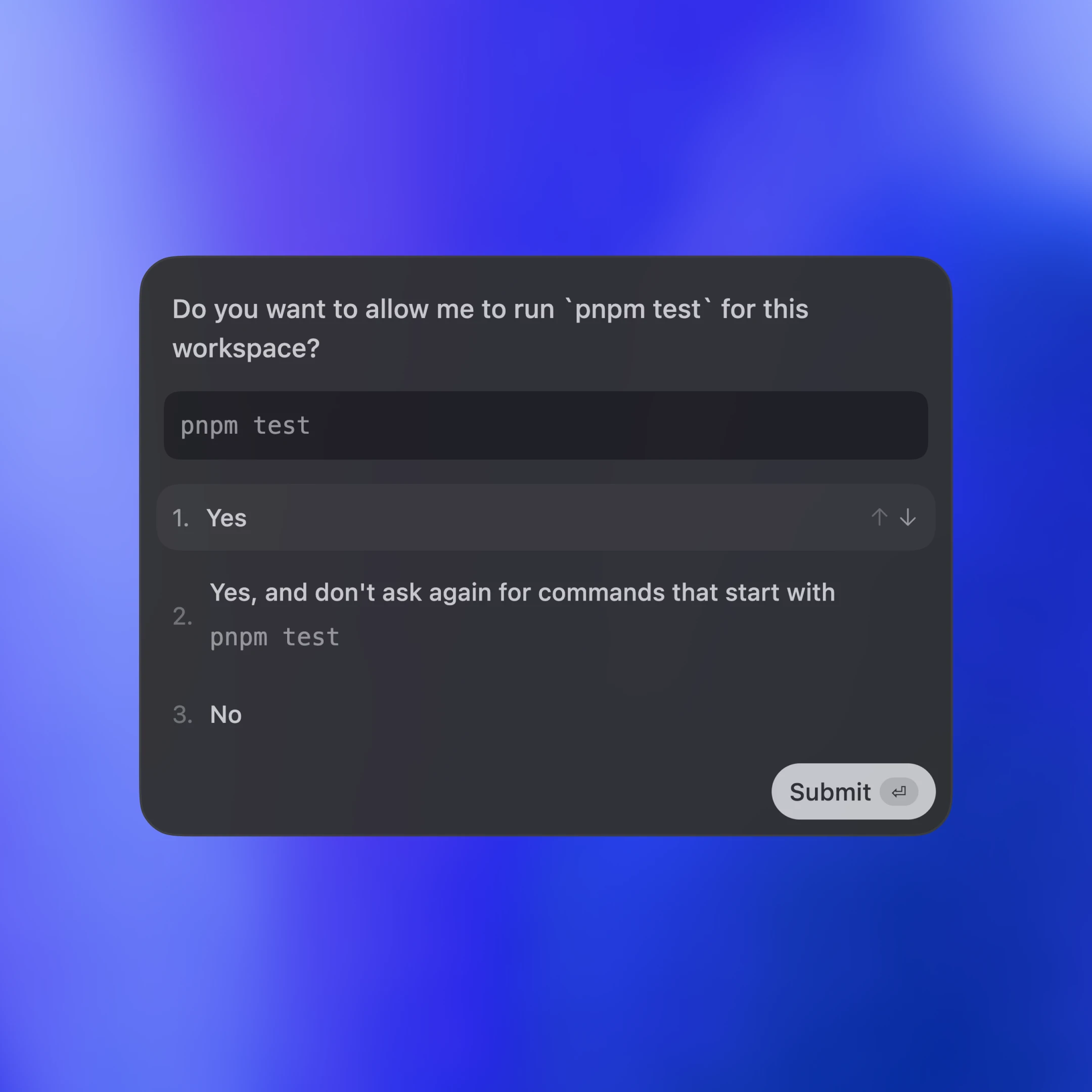
Tool calls are also sent back to the client as items. Additionally, the server may ask for client approval before it can run an action by sending a server request. The approval will pause the turn until the client replies with either “allow” or “deny.” This is what the approval flow looks like in the VS Code extension:

In the end, the server sends an agent message and then ends the turn with turn/completed. The agent message delta events stream pieces of the message back until the message is finalized with item/completed.
Tá na teachtaireachtaí sa léaráid simplithe ar mhaithe le hinléiteacht. Más mian leat an JSON do throim iomlán a fheiceáil, is féidir leat an cliant tástála a rith ó stór Codex CLI:
Anois, breathnaímis ar an gcaoi a leabaíonn dromchlaí éagsúla cliant Codex tríd an App Server. Clúdóimid trí phatrún: aipeanna áitiúla agus IDEanna, am rite gréasáin Codex, agus an TUI.

Trasna na dtrí cinn, is é JSON-RPC thar stdio (JSONL) an t-iompar. Fágann JSON-RPC go bhfuil sé éasca ceangail chliaint a thógáil sa teanga is rogha leat. Tá cliaint App Server curtha i bhfeidhm ag dromchlaí Codex agus comhtháthuithe comhpháirtithe i dteangacha lena n-áirítear Go, Python, TypeScript, Swift, agus Kotlin. Do TypeScript, is féidir leat sainmhínithe a ghiniúint go díreach ón bprótacal Rust trí seo a rith:
I gcás teangacha eile, is féidir leat beart scéimre JSON a ghiniúint agus é a thabhairt don ghineadóir cóid is fearr leat trí seo a rith:
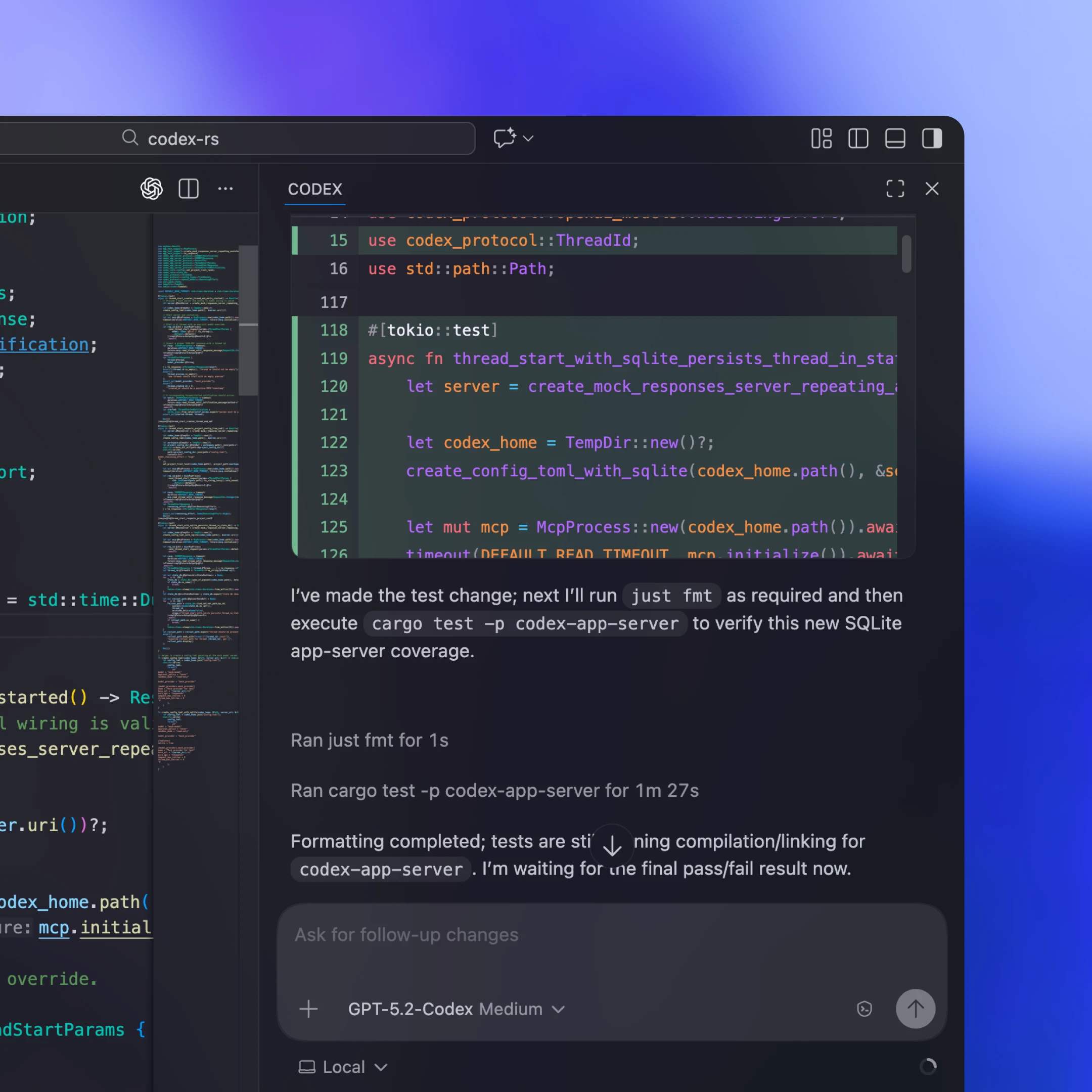
De ghnáth pacáistíonn cliaint áitiúla dénártha App Server atá sonrach don ardán, nó faigheann siad é, seolann siad é mar phróiseas linbh fadsaoil, agus coinníonn siad cainéal stdio déthreoch oscailte do JSON-RPC. Inár síneadh VS Code agus inár nDeasc-Aip, mar shampla, cuimsíonn an déantán a sheoltar an dénártha Codex atá sonrach don ardán agus bíonn sé pinnáilte le leagan tástáilte ionas go ritheann an cliant na giotáin chruinne a dheimhníomar i gcónaí.
Ní féidir le gach comhtháthú nuashonruithe cliaint a sheoladh go minic. Díchúplálann roinnt comhpháirtithe ar nós Xcode timthriallta scaoilte trí choinneáil an chliaint seasmhach agus ligean dó díriú ar dhénártha App Server níos nuaí nuair is gá. Ar an gcaoi sin is féidir leo feabhsuithe freastalaí-thaobh (mar shampla, uath-chomhbhrú níos fearr i gcroí Codex nó eochracha cumraíochta nua-thacaithe) a ghlacadh agus ceartúcháin fabhtanna a rolladh amach gan fanacht le scaoileadh cliaint. Tá dromchla JSON-RPC an App Server deartha le bheith comhoiriúnach siar, ionas gur féidir le cliaint níos sine labhairt go sábháilte le freastalaithe níos nuaí.
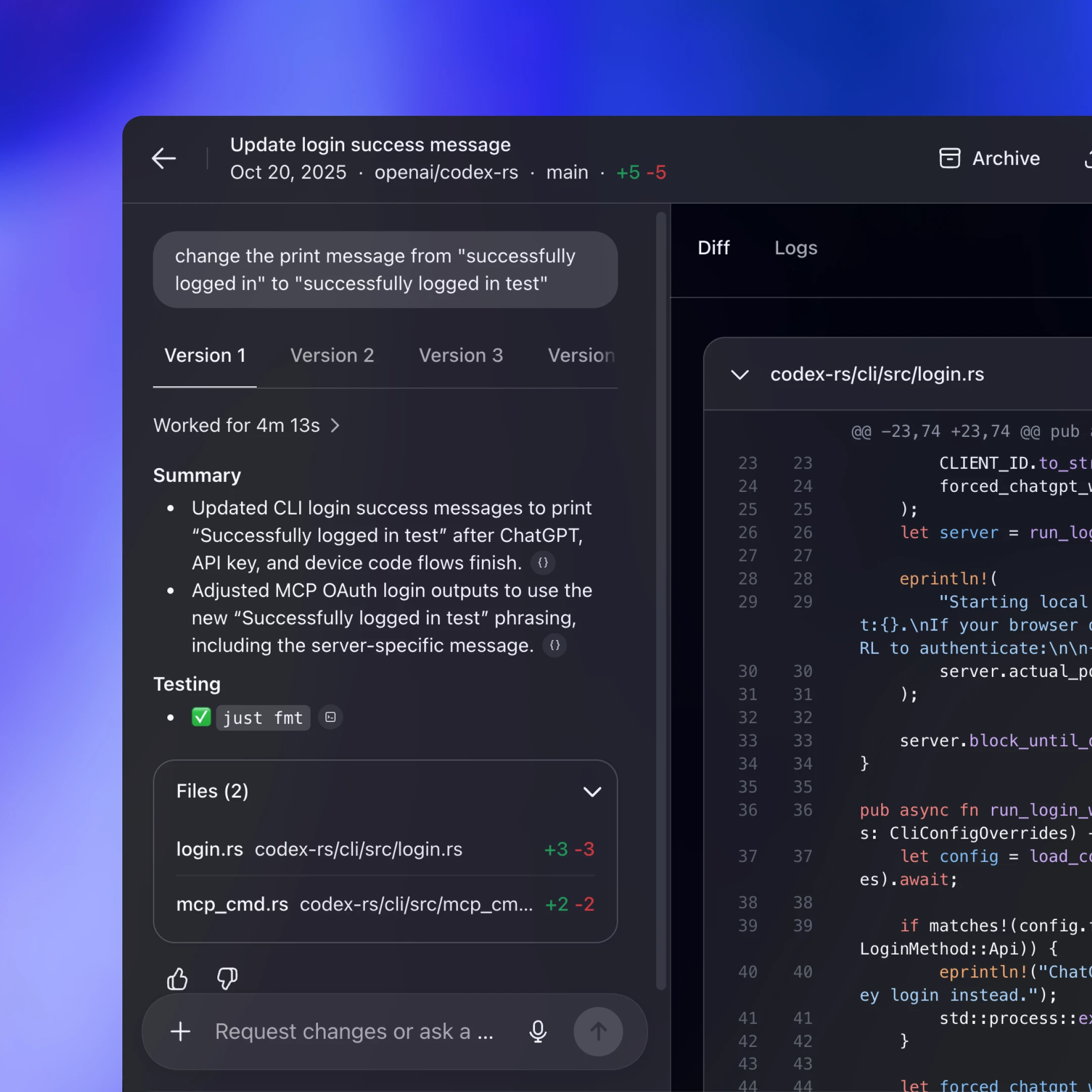
Úsáideann Codex Web úim Codex, ach ritheann sé í i dtimpeallacht coimeádáin. Soláthraíonn oibrí coimeádán leis an spás oibre seiceáilte amach, seolann sé an dénártha App Server laistigh de, agus coinníonn sé cainéal JSON-RPC fadsaoil thar stdio2. Labhraíonn an aip ghréasáin (atá ag rith i gcluaisín bhrabhsálaí an úsáideora) le hinneall cúil Codex thar HTTP agus SSE, a shruthaíonn imeachtaí tasc a tháirgeann an t-oibrí. Coinníonn sé seo an comhéadan ar thaobh an bhrabhsálaí éadrom agus fós tugann sé am rite comhsheasmhach dúinn trasna deisce agus gréasáin.
Toisc go bhfuil seisiúin ghréasáin sealadach (dúnann cluaisíní, titeann líonraí), ní féidir leis an aip ghréasáin a bheith mar fhoinse fírinne do thascanna fadsaoil. Má choinnítear stát agus dul chun cinn ar an bhfreastalaí, leanann an obair ar aghaidh fiú má imíonn an cluaisín. Déanann an prótacal sruthaithe agus na seisiúin snáithe sábháilte éasca do sheisiún nua athnascadh, filleadh ar an bpointe a fágadh, agus teacht suas gan stát a atógáil sa chliant.
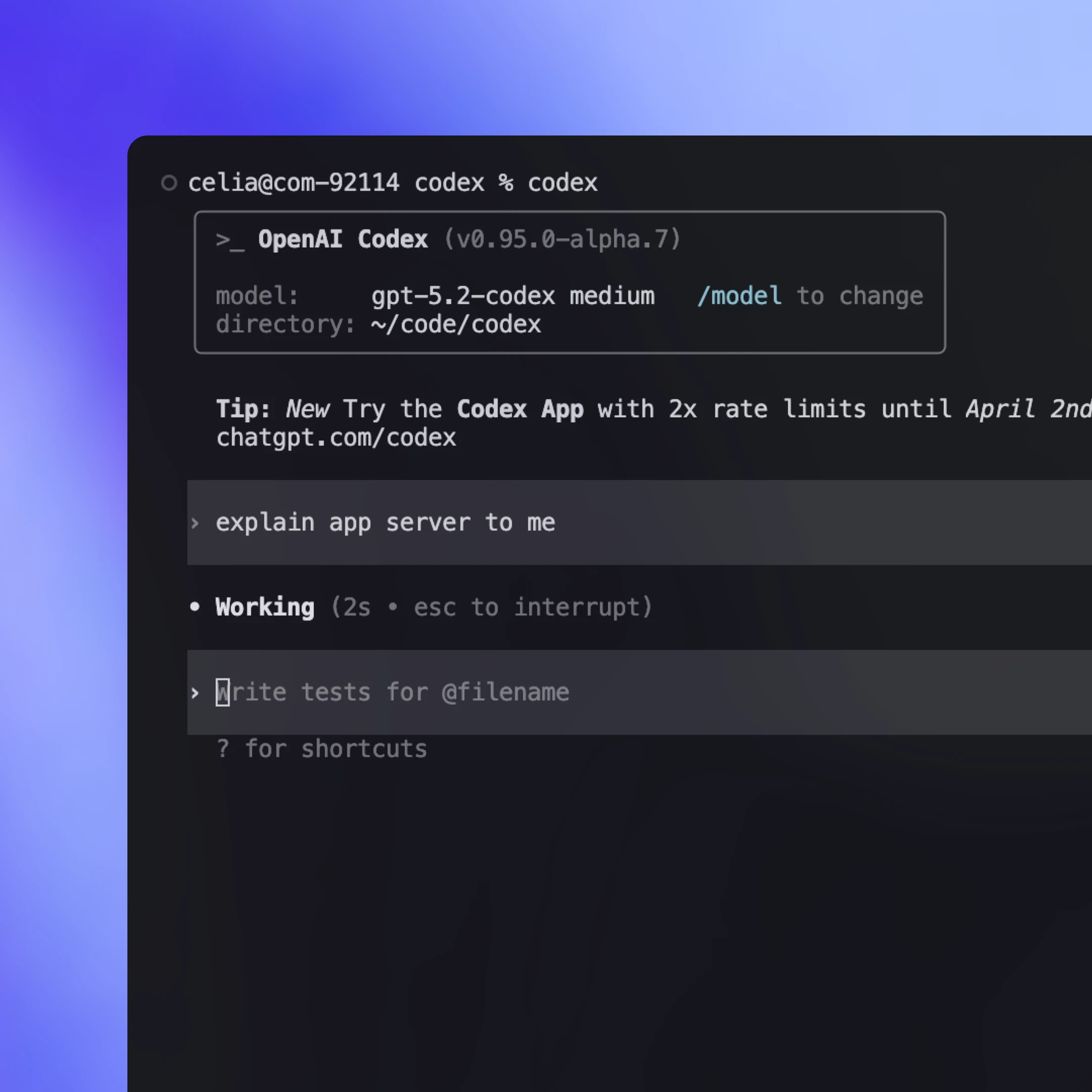
Go stairiúil, ba chliant “dúchasach” é an TUI a rith sa phróiseas céanna leis an lúb gníomhaire agus a labhair go díreach le cineálacha croí Rust seachas le prótacal an app-server. Rinne sé sin atriall luath gasta, ach rinne sé dromchla cás-speisialta den TUI freisin.
Anois agus an App Server ann, tá sé beartaithe againn an TUI a athchóiriú(osclaíonn i bhfuinneog nua) lena úsáid ionas go n-iompróidh sé cosúil le haon chliant eile: próiseas linbh App Server a sheoladh, JSON-RPC a labhairt thar stdio, agus na himeachtaí sruthaithe agus na ceaduithe céanna a rindreáil. Osclaíonn sé seo sreafaí oibre inar féidir leis an TUI ceangal le freastalaí Codex atá ag rith ar mheaisín iargúlta, an gníomhaire a choinneáil gar don ríomhaireacht agus leanúint den obair fiú má théann an ríomhaire glúine a chodladh nó má dhínascann sé, agus nuashonruithe beo agus rialuithe á seachadadh go háitiúil fós.
Is é Codex App Server an modh comhtháthaithe den chéad scoth a chothóimid as seo amach, ach tá modhanna eile ann freisin a bhfuil feidhmiúlacht níos teoranta acu. De réir réamhshocraithe, mholfaimis do chliaint Codex App Server a úsáid chun comhtháthú le Codex, ach is fiú féachaint ar mhodhanna éagsúla comhtháthaithe agus na buntáistí agus míbhuntáistí atá leo a thuiscint. Seo thíos na bealaí is coitianta le Codex a stiúradh agus cathain a d’fhéadfadh gach ceann a bheith oiriúnach.
Rith codex mcp-server(osclaíonn i bhfuinneog nua) agus ceangail ó aon chliant MCP a thacaíonn le freastalaithe stdio (m.sh., OpenAI Agents SDK(osclaíonn i bhfuinneog nua)). Tá sé seo oiriúnach má tá sreabhadh oibre bunaithe ar MCP agat cheana agus má theastaíonn uait Codex a ghairm mar uirlis in-ghlaoite. Is é an míbhuntáiste ná nach bhfaigheann tú ach an méid a nochtann MCP, mar sin b’fhéidir nach mapálfar idirghníomhaíochtaí atá sonrach do Codex agus a bhraitheann ar shéimeantaic sheisiúin níos saibhre (m.sh., nuashonruithe difríochta) go glan trí dheireadhphointí MCP.
Cuireann roinnt éiceachóras comhéadan iniompartha ar fáil atá in ann díriú ar iliomad soláthraithe samhla agus am rite. Is féidir leis seo a bheith oiriúnach más mian leat astarraingt amháin a chomhordaíonn ilghníomhairí. Is é an malartú ná go dtagann na prótacail seo le chéile go minic ar an bhfothacar coiteann cumas, rud a fhágann go bhfuil idirghníomhaíochtaí níos saibhre níos deacra a léiriú, go háirithe nuair a bhíonn tábhacht le séimeantaic uirlisí agus seisiúin atá sonrach don soláthraí. Tá an réimse seo ag forbairt go tapa, agus táimid ag súil go dtiocfaidh níos mó caighdeán coiteann chun cinn de réir mar a thuigimid na bunghnéithe is fearr chun sreafaí oibre gníomhaire sa saol fíor a léiriú (skills(osclaíonn i bhfuinneog nua) is sampla maith de seo).
Roghnaigh an App Server nuair is mian leat úim iomlán Codex a nochtadh mar shruth imeachtaí seasmhach atá cairdiúil don chomhéadan. Faigheann tú feidhmiúlacht iomlán na lúibe gníomhaire agus gnéithe tacaíochta eile cosúil le Sign in with ChatGPT, aimsiú samhlacha, agus bainistiú cumraíochta. Is é an príomhchostas ná obair chomhtháthaithe, ós rud é go gcaithfidh tú an ceangal JSON-RPC ar thaobh an chliaint a thógáil i do theanga féin. Go praiticiúil, áfach, tá Codex in ann cuid mhór den obair throm a dhéanamh má thugann tú an scéimre JSON agus an cháipéisíocht dó. D’éirigh le go leor foirne ar oibríomar leo comhtháthú oibre a dhéanamh go tapa ag baint úsáide as Codex.
Mód CLI éadrom, scriptithe do thascanna aonuaire agus ritheanna CI. Tá sé oiriúnach d’uathoibriú agus do phíblínte nuair is mian leat ordú aonair a rith go dtí go gcríochnóidh sé go neamh-idirghníomhach, aschur struchtúrtha a shruthú do logaí, agus imeacht le comhartha soiléir ratha nó teipe.
Leabharlann TypeScript chun gníomhairí Codex áitiúla a rialú go ríomhchláraithe laistigh d’fheidhmchlár féin. Is fearr í nuair is mian leat comhéadan leabharlainne dúchasaí do uirlisí agus sreafaí oibre freastalaí-thaobh gan cliant JSON-RPC ar leith a thógáil. Ós rud é gur seoladh í níos luaithe ná an App Server, tacaíonn sí le níos lú teangacha agus le dromchla feidhmiúlachta níos lú faoi láthair. Má bhíonn spéis ag forbróirí ann, d’fhéadfaimis SDKanna breise a chur leis a fhillfeadh prótacal an App Server ionas go bhféadfadh foirne níos mó de dhromchla na húime a chlúdach gan ceangail JSON-RPC a scríobh.
Sa phost seo, roinneamar an cur chuige atá againn maidir le caighdeán nua a dhearadh le haghaidh idirghníomhú le gníomhairí agus maidir le húim Codex a iompú ina phrótacal seasmhach atá cairdiúil do chliaint. Chlúdaíomar conas a nochtann an App Server croí Codex, conas a ligeann sé do chliaint an lúb gníomhaire iomlán a stiúradh, agus conas a chumhachtaíonn sé réimse leathan dromchlaí lena n-áirítear an TUI, comhtháthuithe áitiúla IDE, agus an t-am rite gréasáin.
Má spreag sé seo smaointe duit maidir le Codex a chomhtháthú i do shreafaí oibre féin, is fiú triail a bhaint as App Server. Tá an bunchód ar fad sa stór(osclaíonn i bhfuinneog nua) foinse oscailte de chuid Codex CLI. Ná bíodh drogall ort d’aiseolas agus d’iarrataí gnéithe a roinnt. Táimid ar bís cloisteáil uait agus leanúint de ghníomhairí a dhéanamh níos inrochtana do chách.
Údar
Admhálacha
Buíochas speisialta le Michael Bolin, Owen Lin, Eric Traut, agus Rasmus Rygaard, a chuidigh leis an bpost seo, agus le foireann iomlán Codex a d’oibrigh ar an App Server.
Fonótaí
- 1
- 2